Changelog

Grab a ☕ or 🫖 and enjoy our updates! 🚀
🗃️
1.83.0
Major Release
27 days ago

Overview

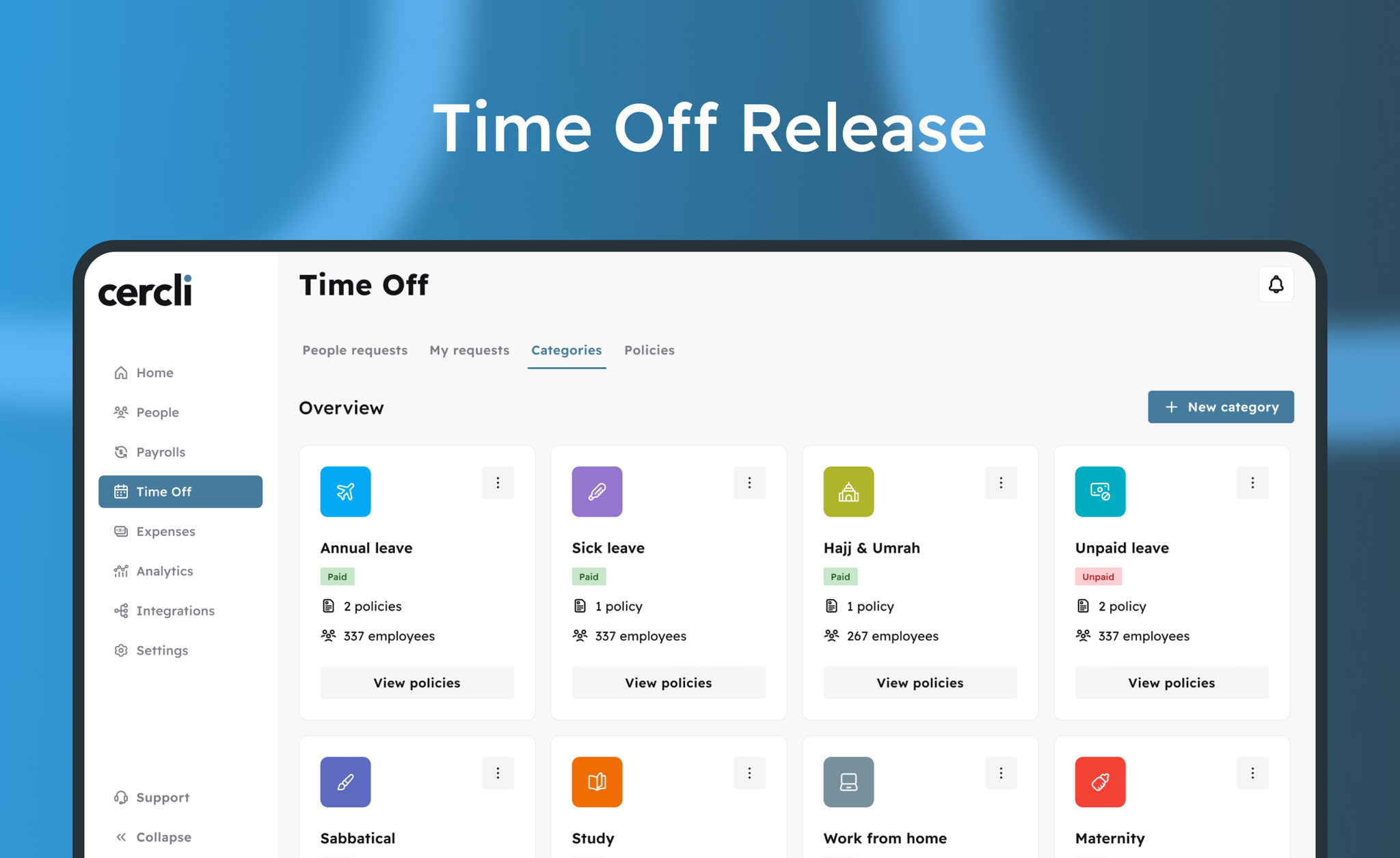
Requests gives admins one place to manage every HR request. Configure request types globally, adjust them per entity, and set up multi-level approval chains so requests route to the right people every time.
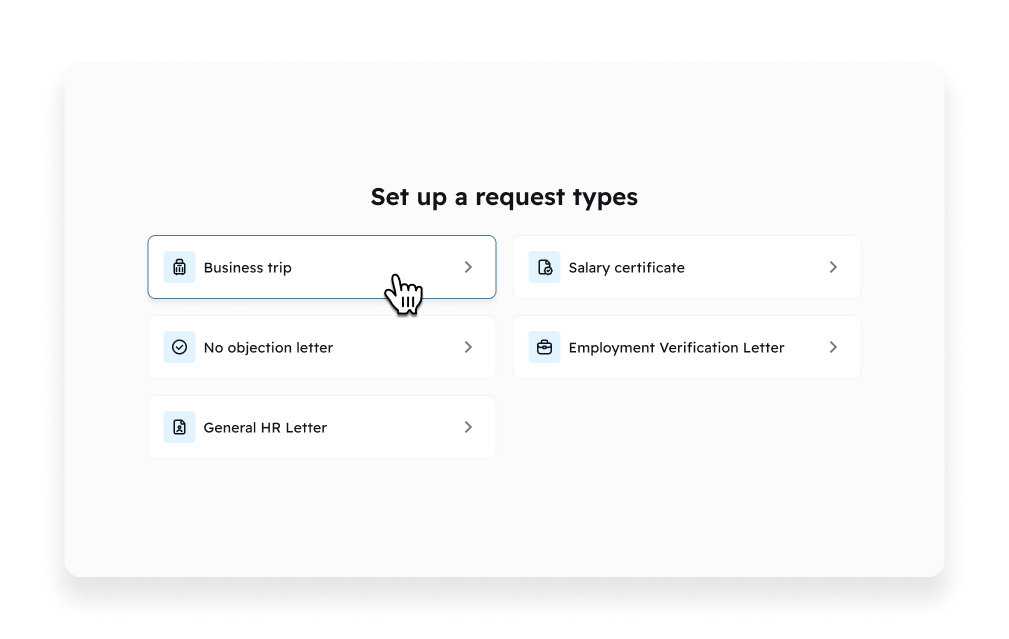
Image without caption

What's released

✈️ Business Trip Requests

Team members submit trip requests through a structured form. The request routes to the manager for budget approval, then HR for logistics coordination.
What's included:
  • Destination, travel dates, and purpose
  • Budget breakdown (flights, accommodation, meals, other)
  • Document uploads (passport, invitation letters, receipts)
AI validates on submission: checks passport expiry, detects visa requirements, finds existing valid visas to provide context to the request.
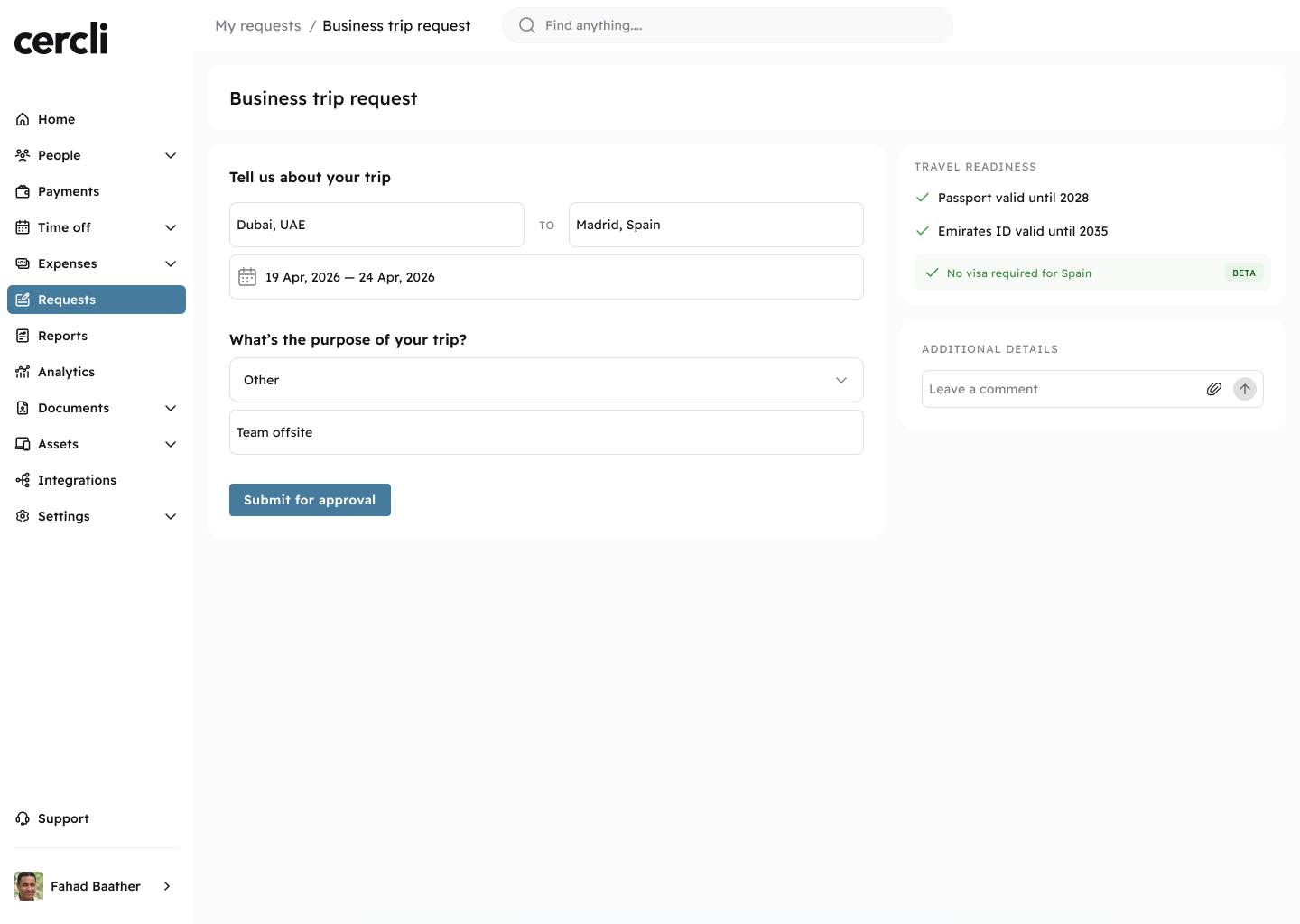
Image without caption

📄 Document Requests

Team members can request the following directly from Requests:
  • Salary Certificate (standard and bank-specific formats)
  • NOC (No Objection Certificate): travel, visa, embassy, general
  • Employment Verification Letter
Admin sets up each request type once by uploading an existing template or choosing a Cercli pre-built template. Before submitting, team members preview the generated document to confirm details are correct.
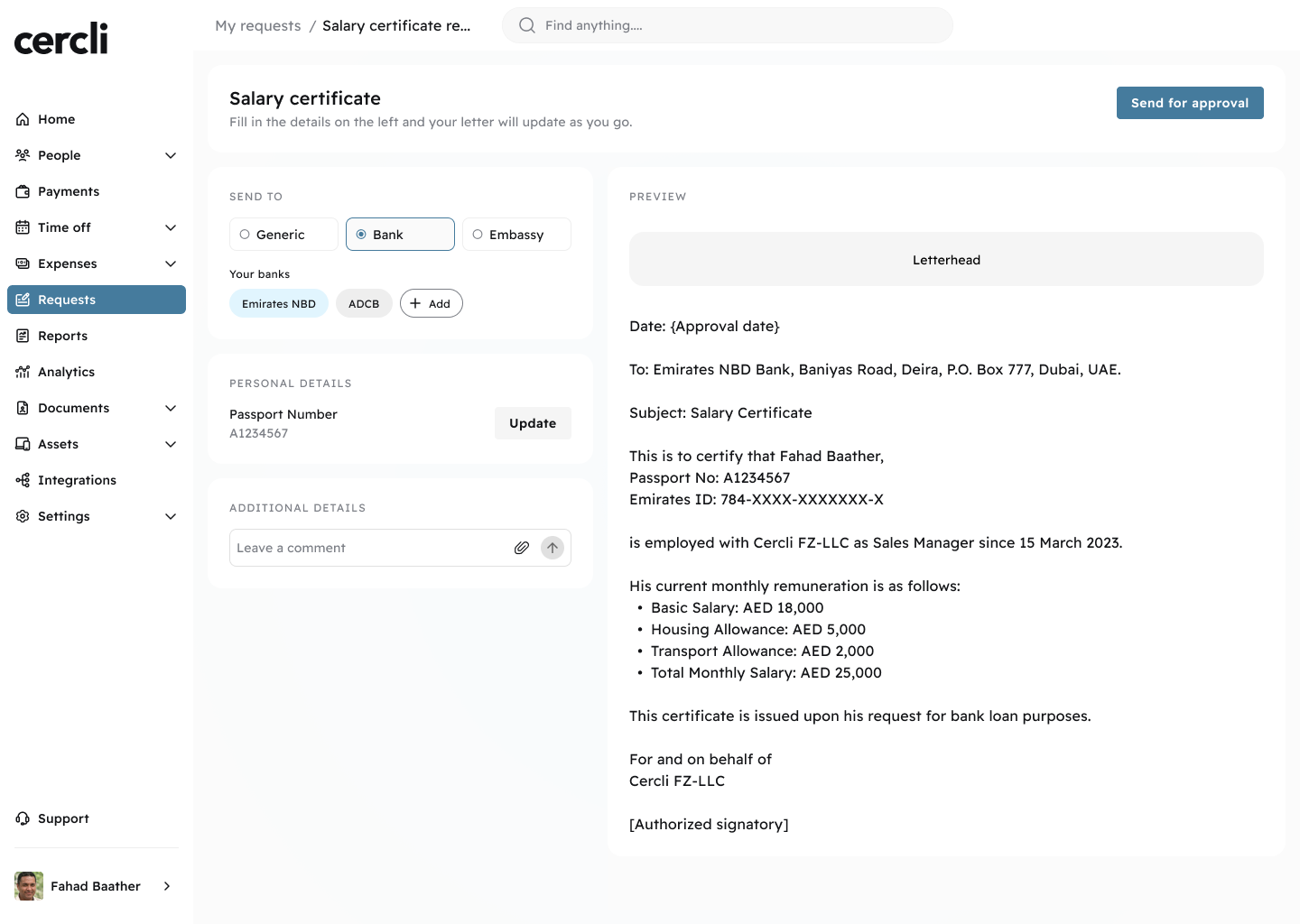
Image without caption

📝 General Requests

For anything that doesn't fit a specific request type. Team members describe what they need and HR handles it through the same ticketing system. Everything stays tracked in one place.
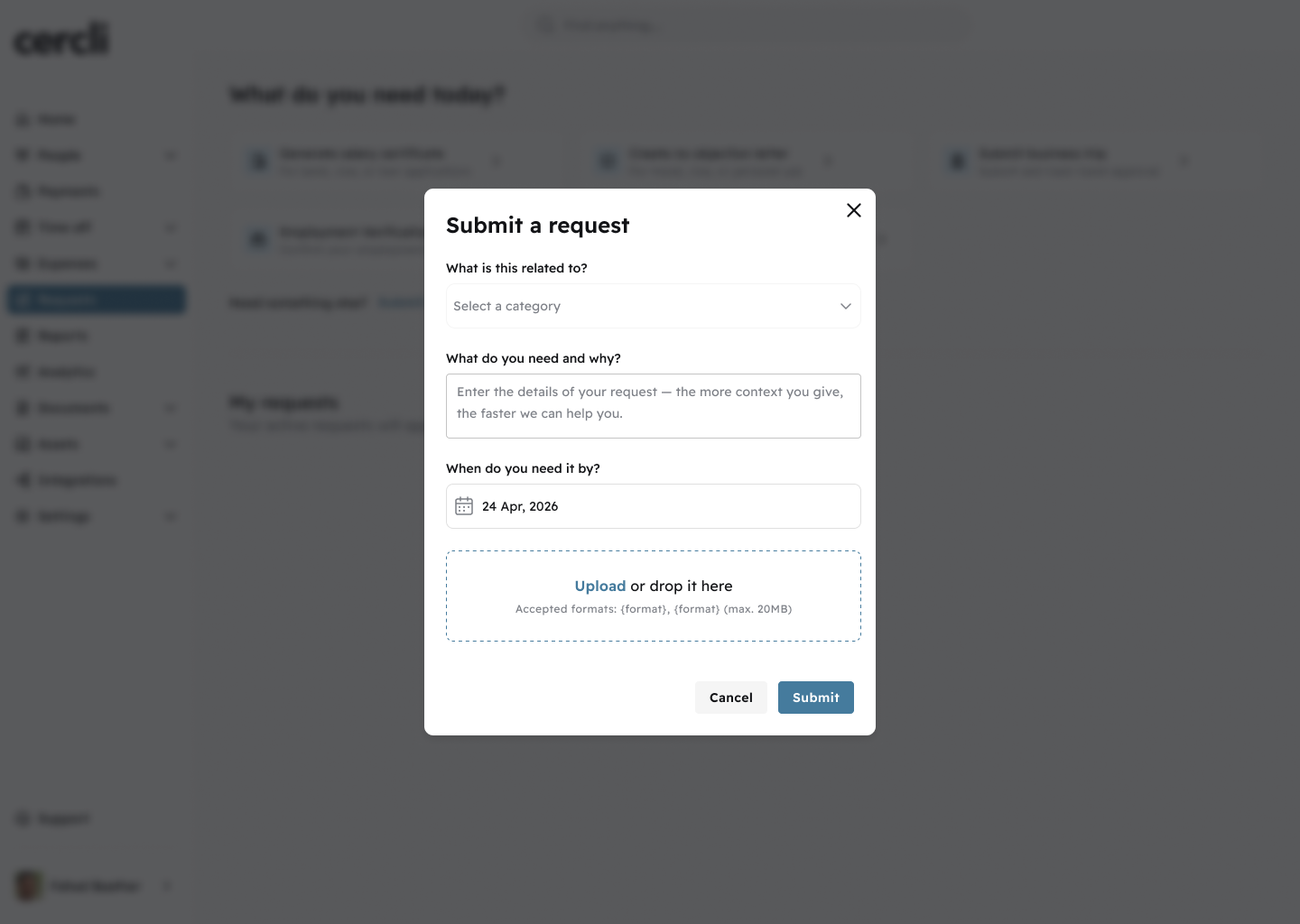
Image without caption

🔔 Notifications

Automated notifications at every step: request submitted, approval required, and request resolved with document download link.

Who Benefits

  • Team Members: Submit all HR requests in one place. Track status without contacting HR. Download approved documents directly.
  • HR Admins: All requests in one queue. Documents auto-generated. Time-to-resolution tracked. No more Slack or email chasing.
  • Managers: Pending approvals in one view. One-click approve or reject with context included.
📒
1.83.0
Enhancement
1 month ago

Overview

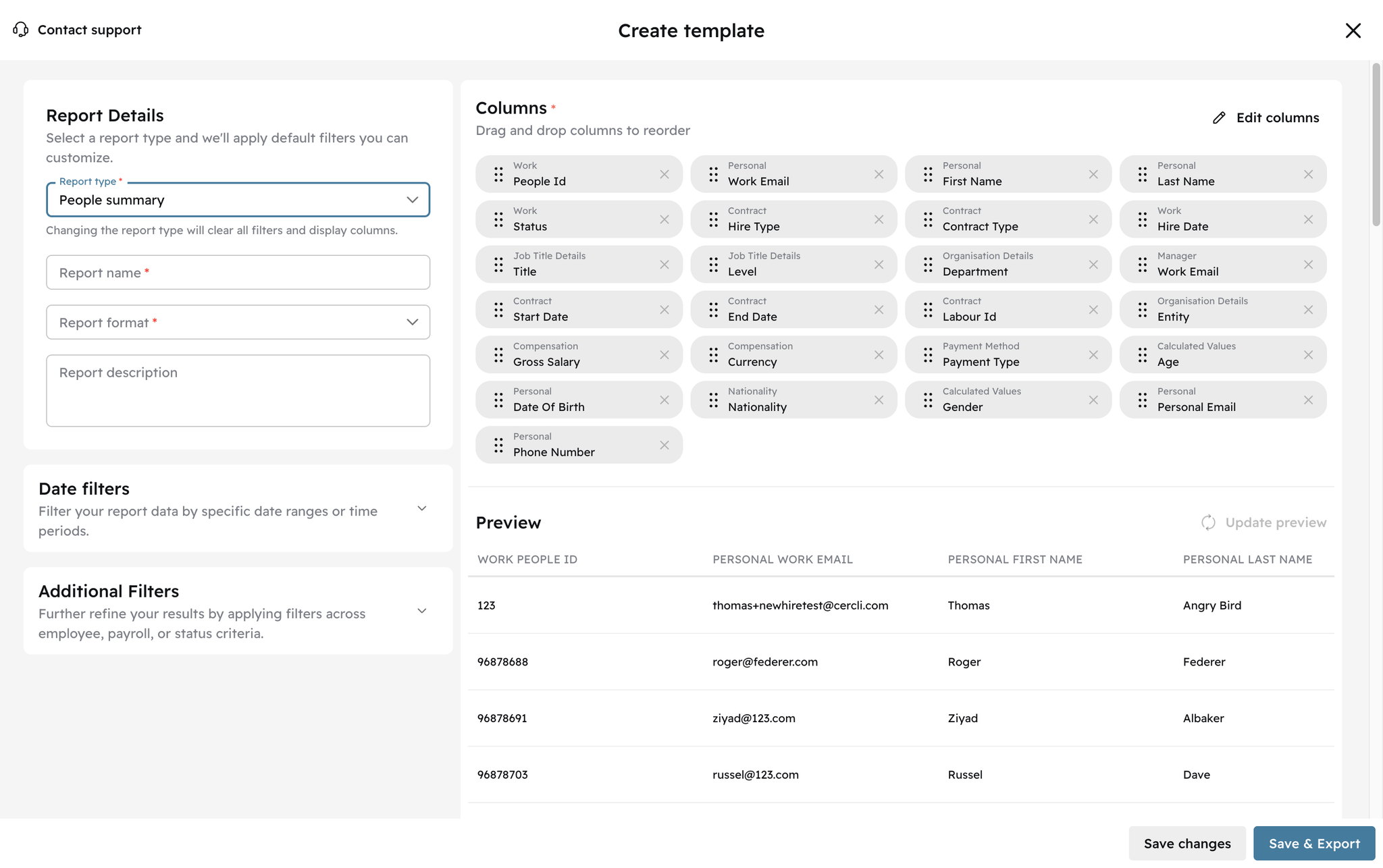
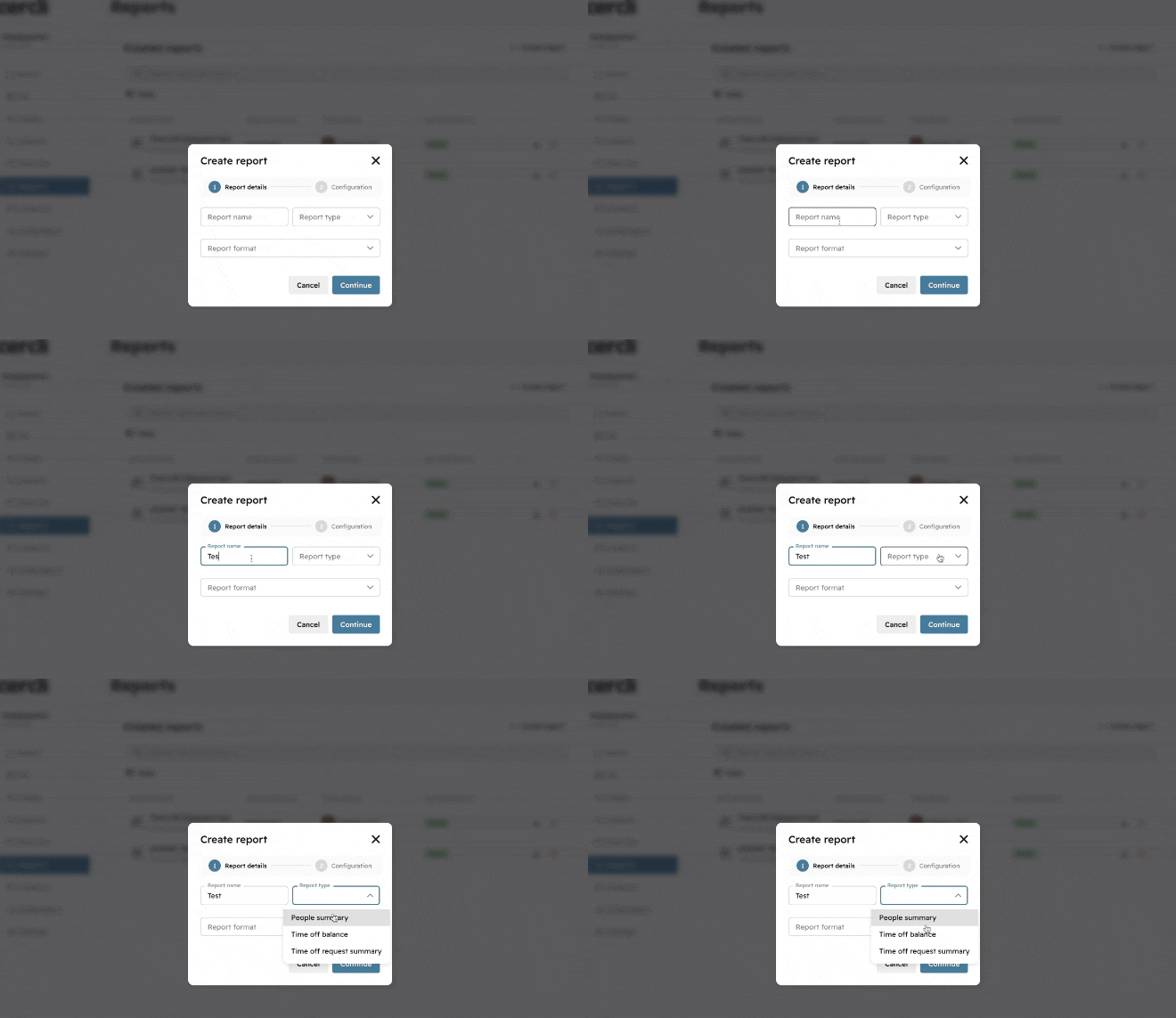
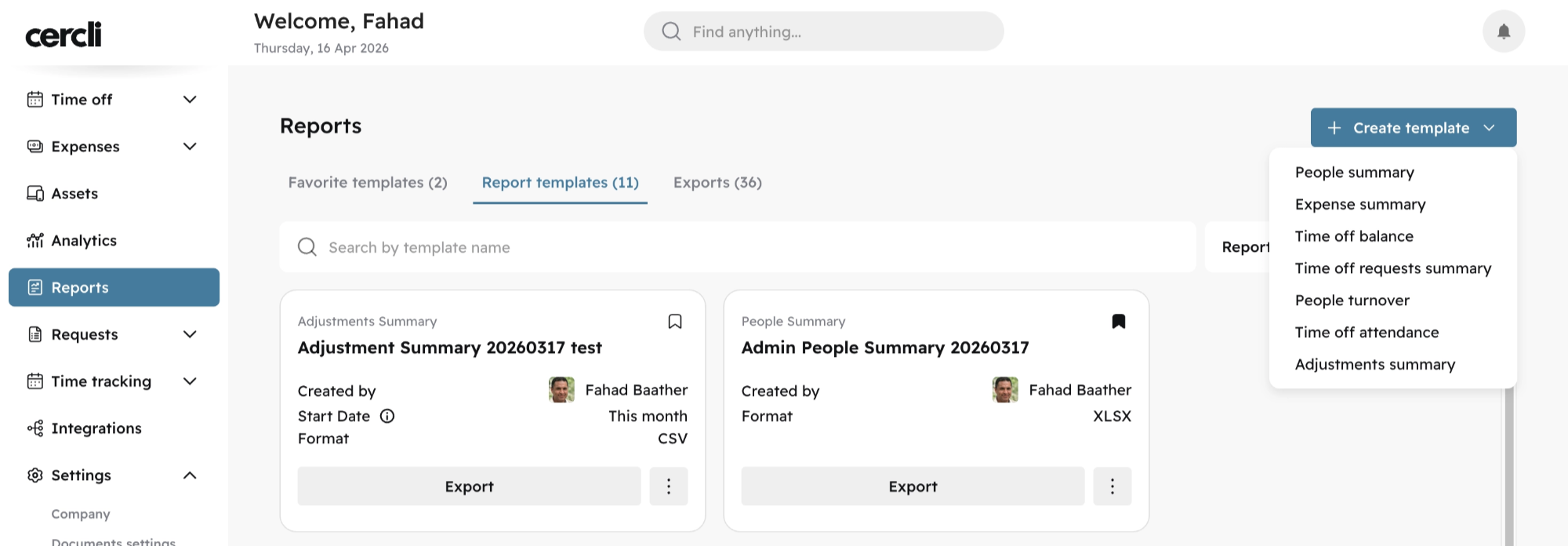
Every report type now opens with a default set of columns and filters pre-selected, and a live preview loads automatically so you can see what the report will look like before generating it. The preview also now draws from a larger dataset, so if you have a lot of data you'll see more meaningful results straight away.
We've also restructured the report builder with clearer labels and a more logical section order to make customisation easier to follow from start to finish.
Image without caption

⛓️
1.83.0
Feature
Major Release
1 month ago

Overview

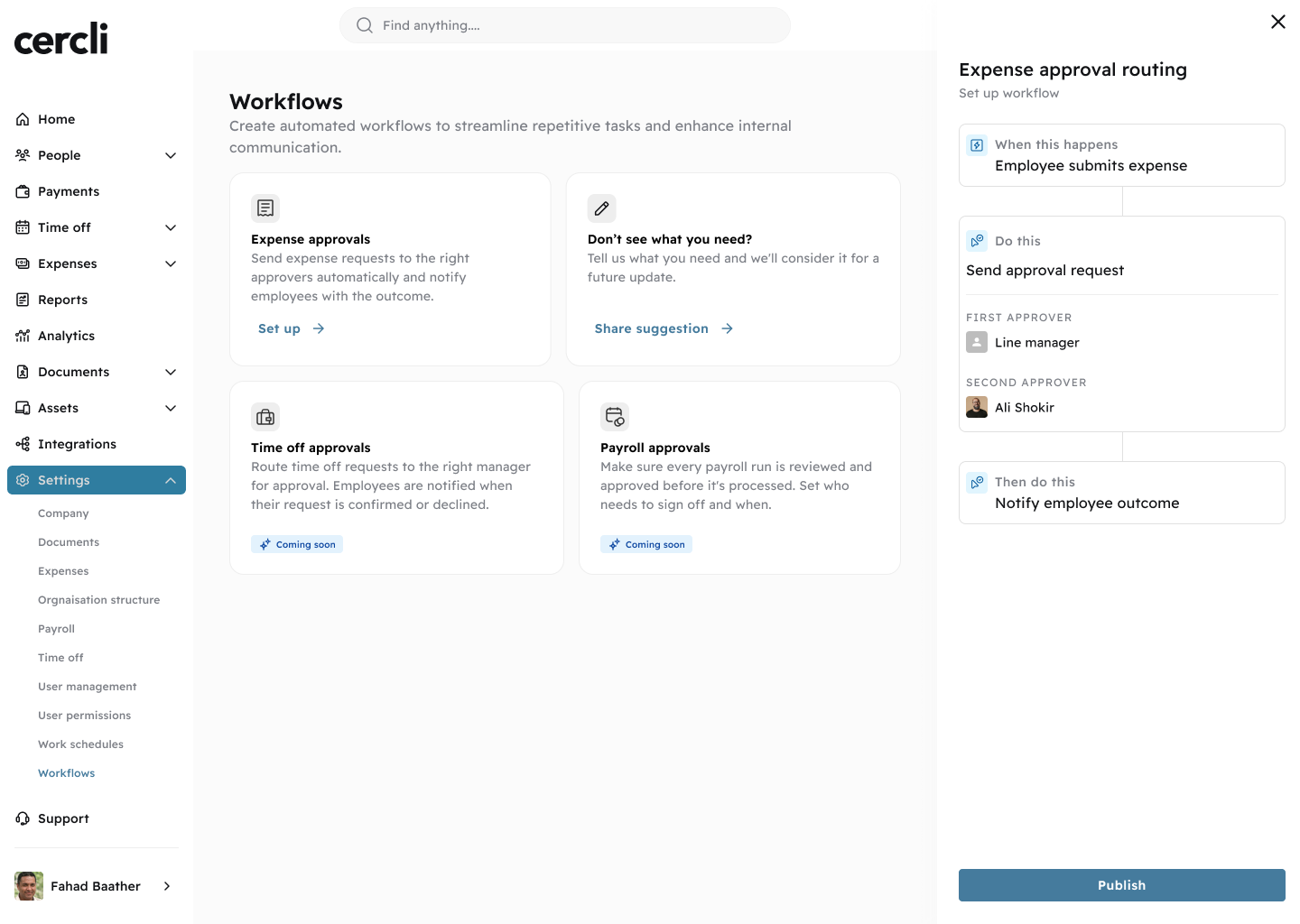
Admins can now configure multi-level approval chains for expense submissions. When a team member submits an expense, it routes to each approver in order. No manual coordination needed.
🔜
Coming soon: Time off approvals and Payroll approvals

↪️ Multi-Level Expense Approvals

Build approval chains directly from Workflows. Each level must approve before the expense moves forward.
What you can configure:
  • Number of approval levels
  • Who approves at each level (by person or role)
  • What happens if an approver doesn't respond within a set time
Image without caption

Who Benefits

  • HR / Finance Admins: Configure expense approval chains without engineering support.
  • Managers: Receive approval requests directly, with expense details included.
  • Team Members: Faster expense approvals with full transparency. No need to chase status.

💬
1.83.0
Major Release
1 month ago

Overview

Feedback Management brings structure and visibility to every interview in your pipeline. Guided forms, automated notifications, real-time status tracking, and score analytics — so your team moves faster and makes confident hiring decisions.

What's released

Interview Creation

Interviews can be scheduled from two places:
Image without caption
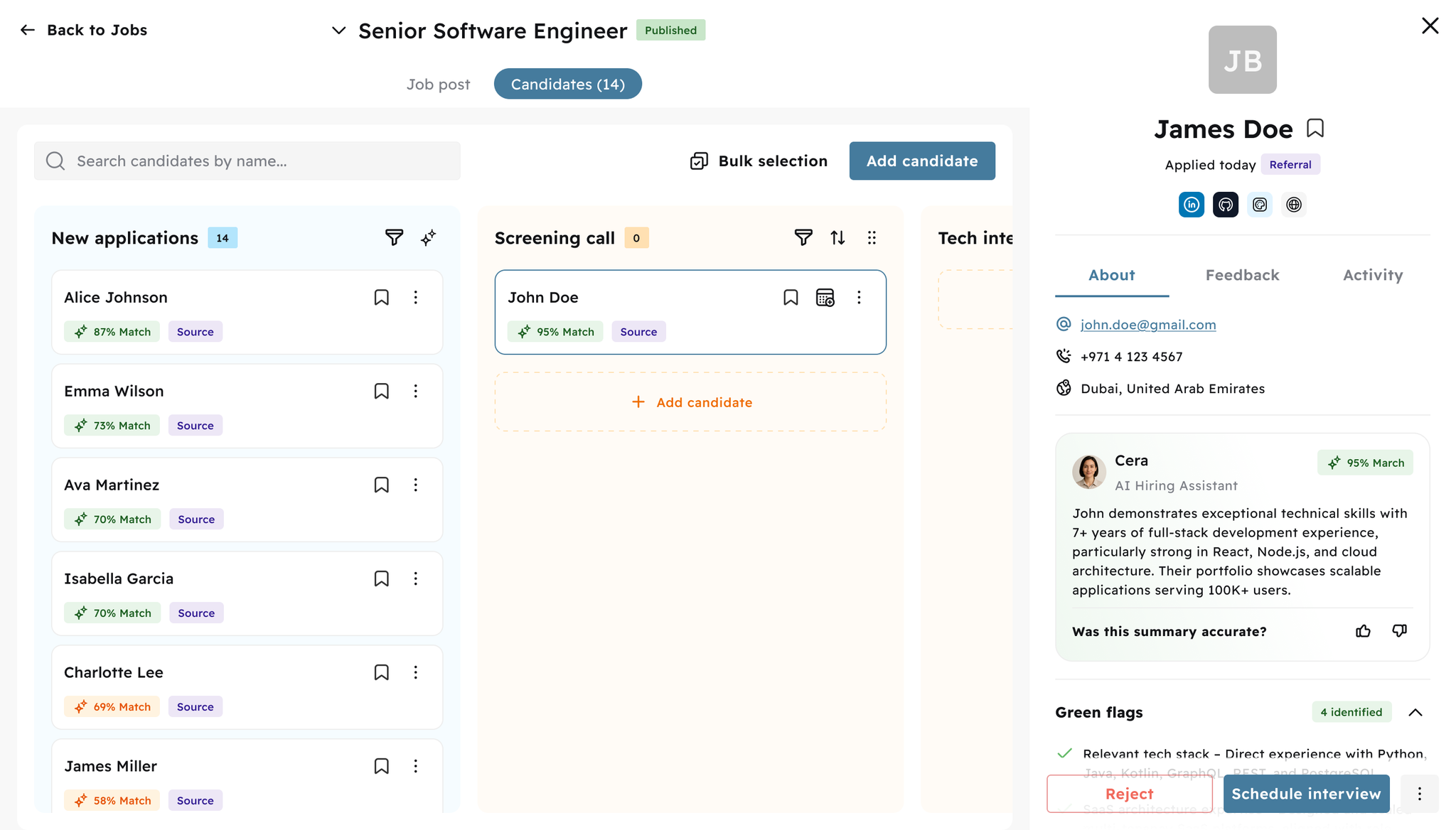
From the pipeline Each candidate card has a dedicated calendar icon. Click it to open the scheduling modal directly — no need to open the full profile.
Image without caption
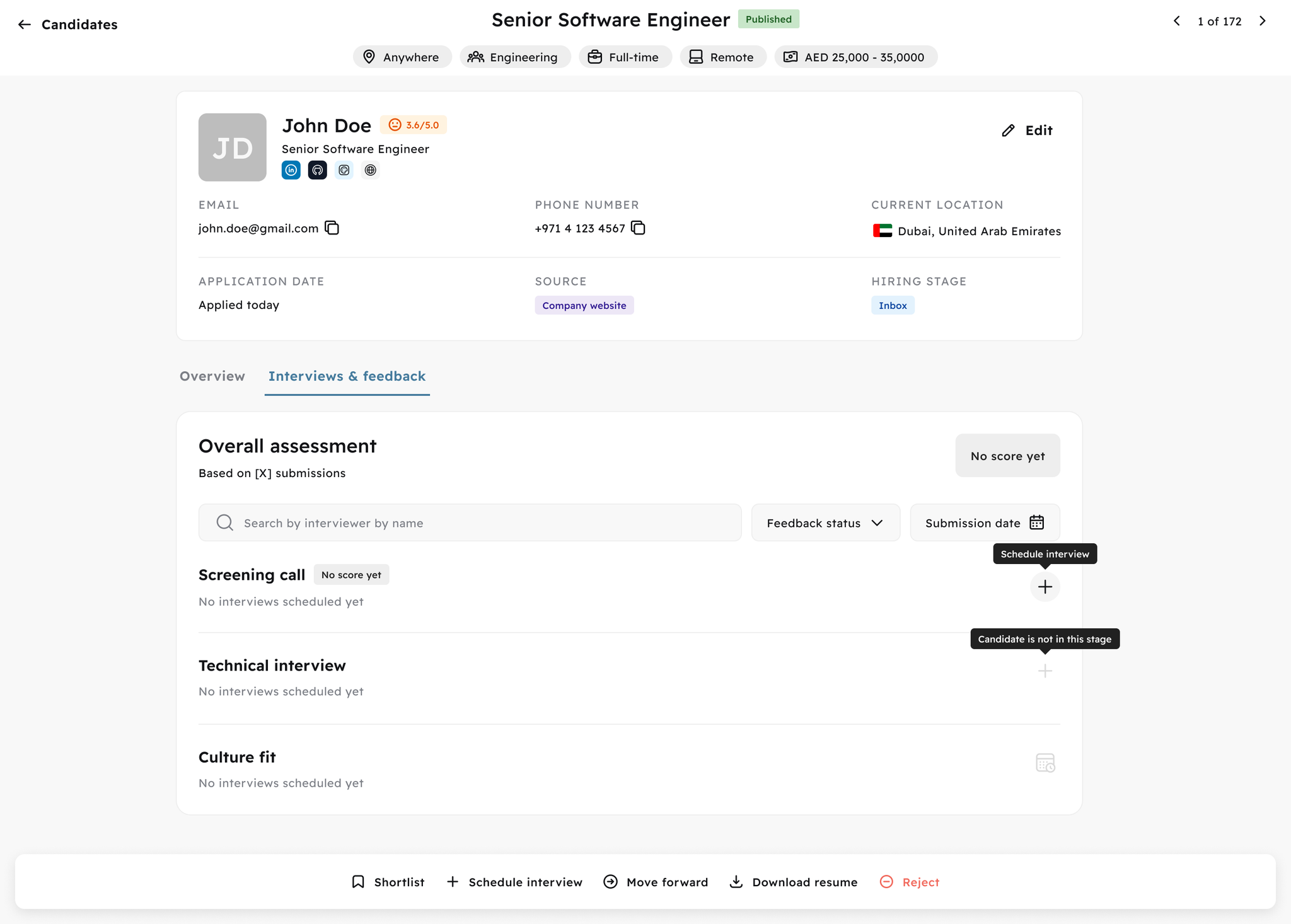
From the candidate profile Navigate to the Interviews & feedback tab on any candidate profile. Each pipeline stage (Screening call, Technical interview, Culture fit, etc.) has a + Schedule interview button. Stages the candidate hasn't reached yet are locked until they're moved forward.
Image without caption
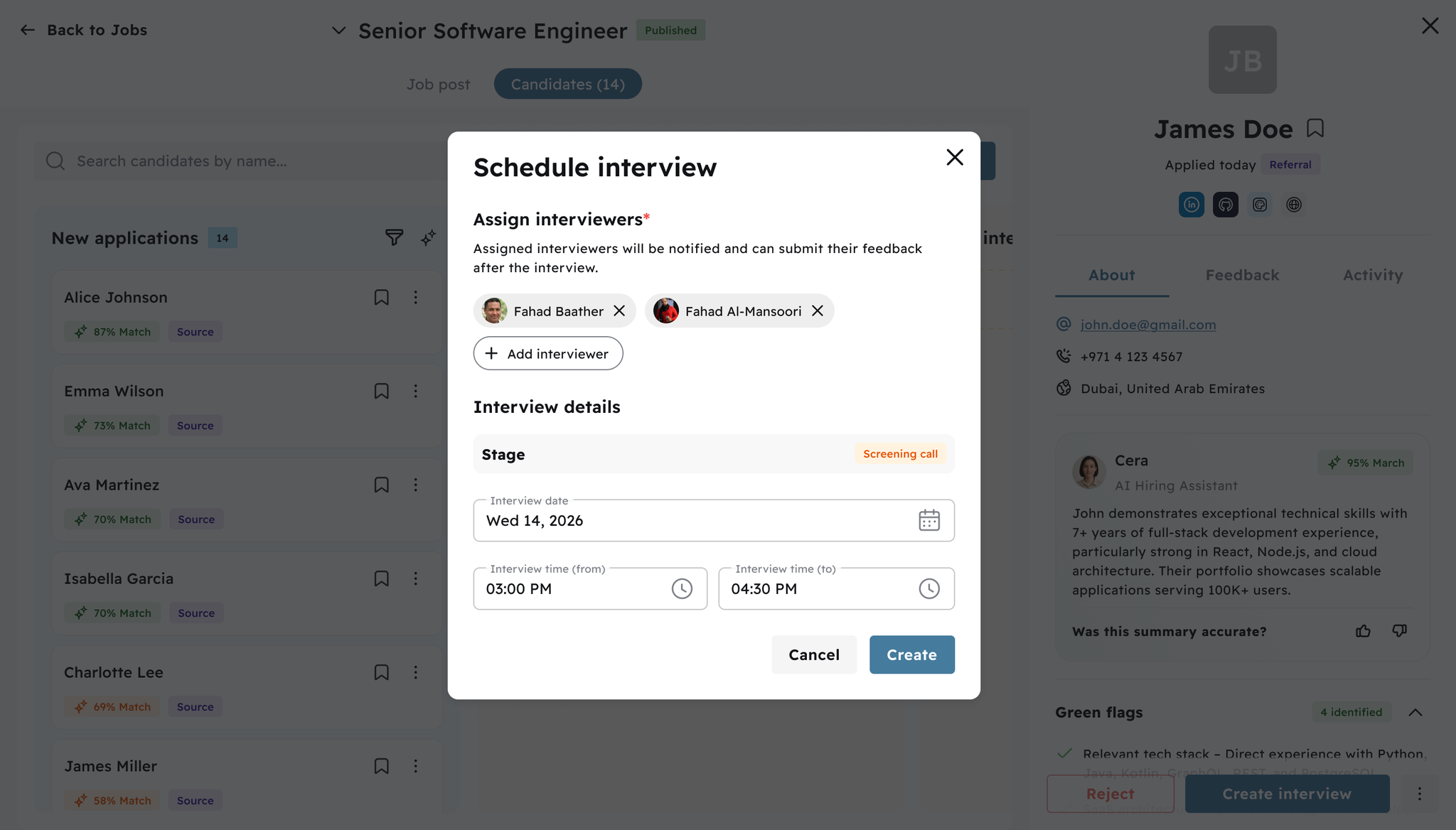
Scheduling modal When scheduling an interview you can:
  • Assign one or multiple interviewers — they'll be notified automatically
  • Set the stage (pre-filled based on where you clicked)
  • Pick the date and time (from/to)
Hit Create and the interview is confirmed. Assigned interviewers receive an email notification with all the details.

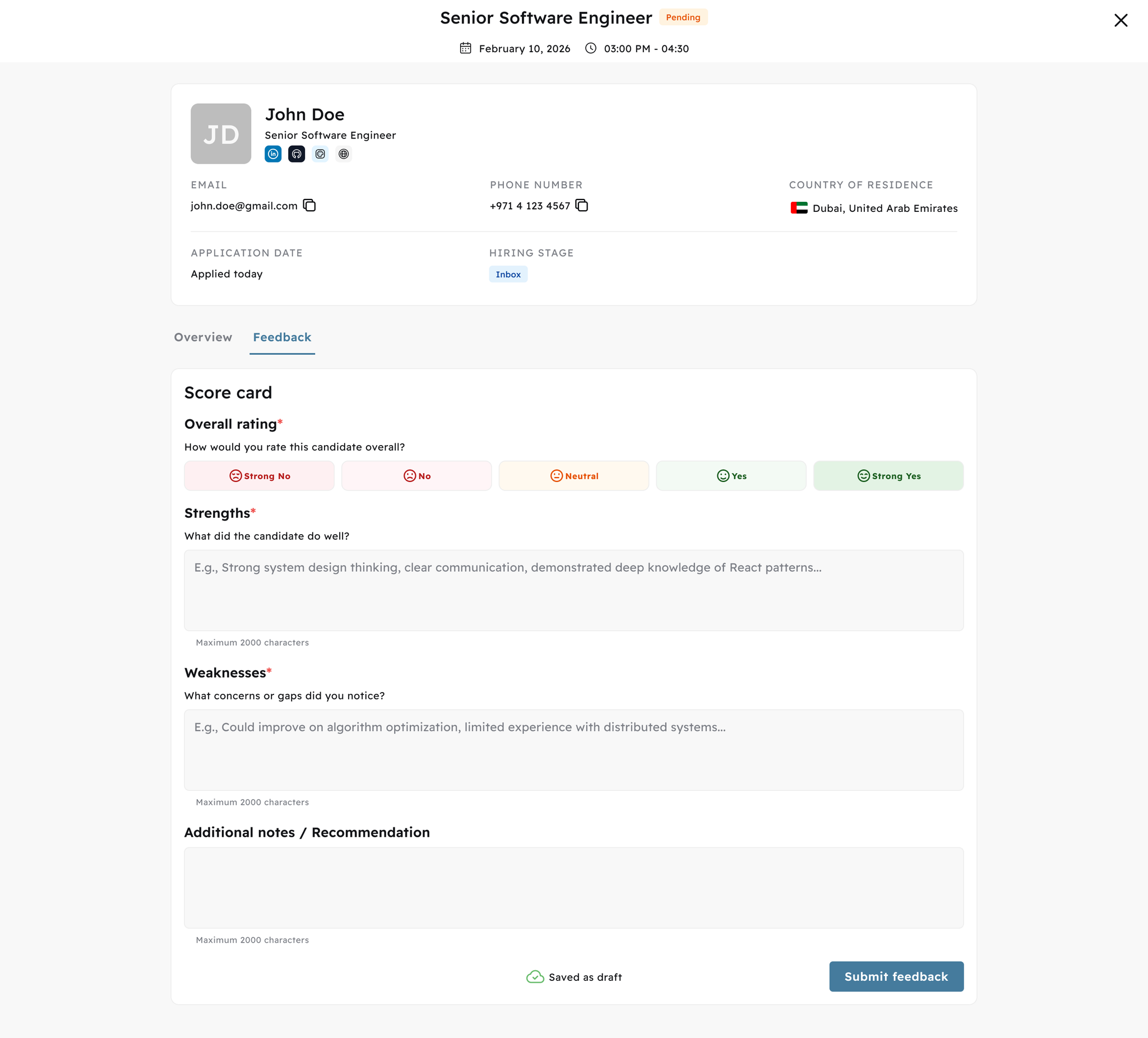
📋 Structured Interview Feedback Forms

Interviewers complete a guided form after every interview covering overall rating (1–5: Strong No → Strong Yes), strengths, weaknesses, and optional notes. Every submission is tied to the specific interview and interviewer.

💾 Draft & Submit Workflow

Interviewers can save drafts and finish later — no progress lost. Once submitted, feedback is visible to the hiring team immediately. Feedback locks automatically when a hiring decision is made.
Image without caption

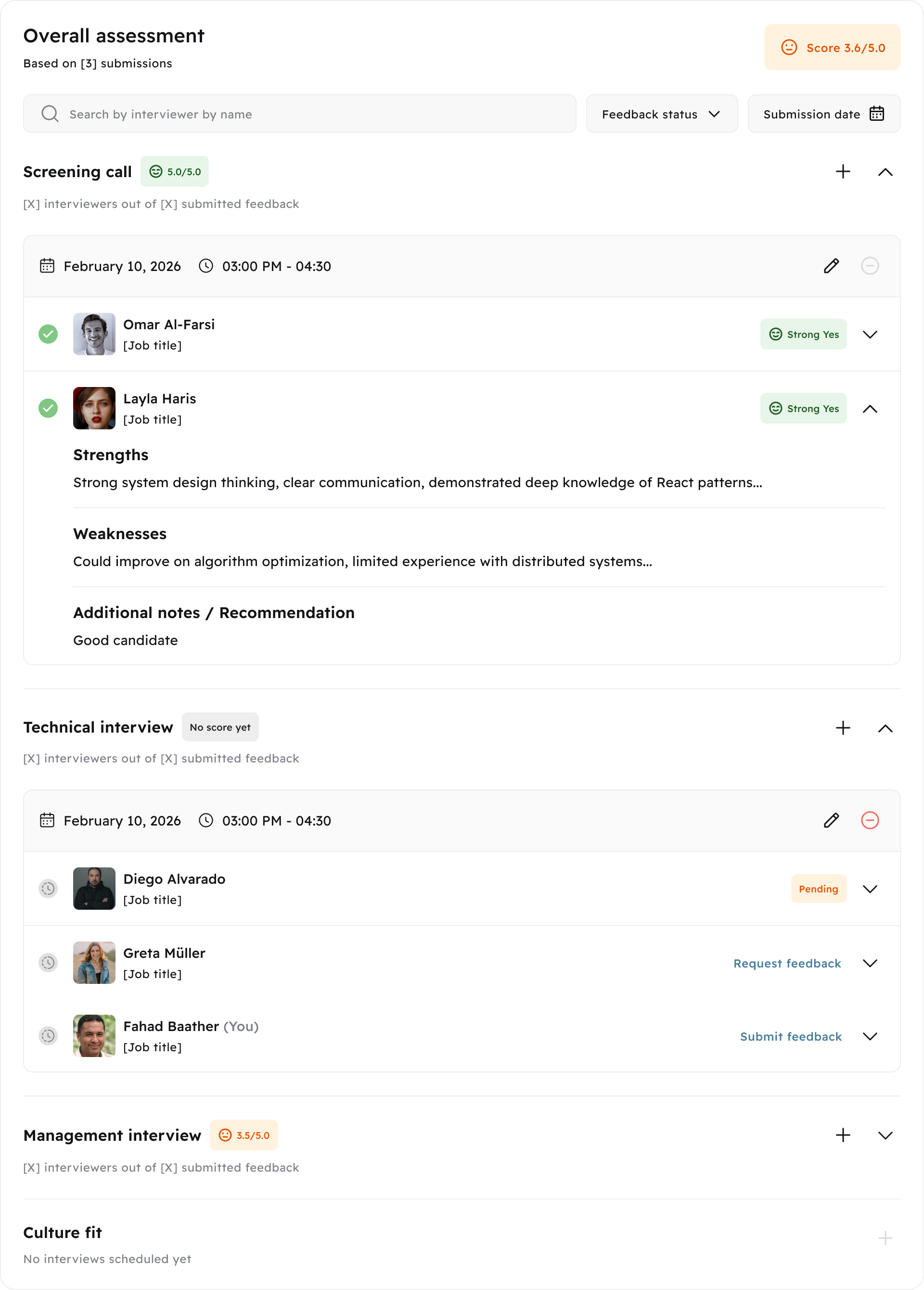
🖱️ One-Click Feedback Requests & Smart Reminders

Recruiters request feedback with a single click. Interviewers get an email with candidate details and a direct link to their form. Reminders can be resent with a configurable cooldown (default: 24h) to avoid inbox spam.

📊 Score Summaries & Analytics

Average ratings, score distributions, feedback completion rates, and upcoming vs. completed interview counts — at every pipeline stage. No more manual spreadsheets.
Image without caption

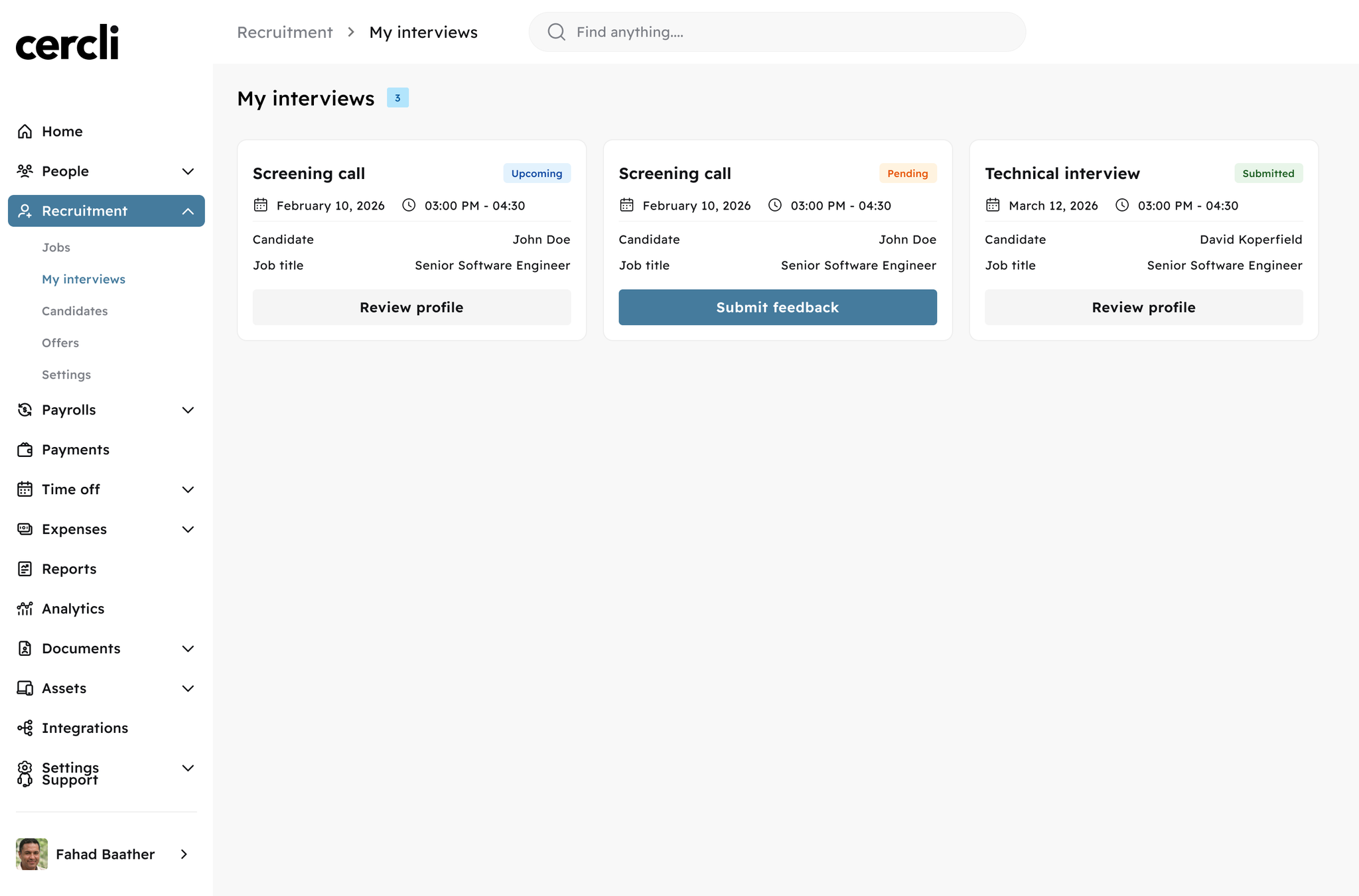
🗓️ My Interviews — Interviewer Dashboard

Interviewers now have a personal view of all assigned interviews across open roles. Pending feedback is shown first, ordered by interview date.
Image without caption

🔔 Automated Notifications

Three emails keep everyone in sync without manual follow-up: interview scheduled → interviewer notified with date and candidate details; feedback requested → direct form link sent; feedback submitted → recruiter notified instantly.

🔒 Automatic Feedback Locking

Feedback locks when an application moves stage or is rejected. Evaluations are preserved exactly as submitted.

👤 Interviewer Access to Candidate Profiles

Interviewers can view candidate profiles and resumes for their assigned interviews. Access is automatically scoped — they only see what's relevant to them.

Who Benefits

  • Interviewers — Personal dashboard, structured form with draft saving, email reminders with direct link
  • Recruiters — One-click requests, real-time status tracking, instant notification when feedback lands
  • Hiring Managers — Score summaries and distributions at stage and pipeline level
  • Admins — Configurable feedback request cooldown per organisation

🔧
1.83.0
Enhancement
1 month ago
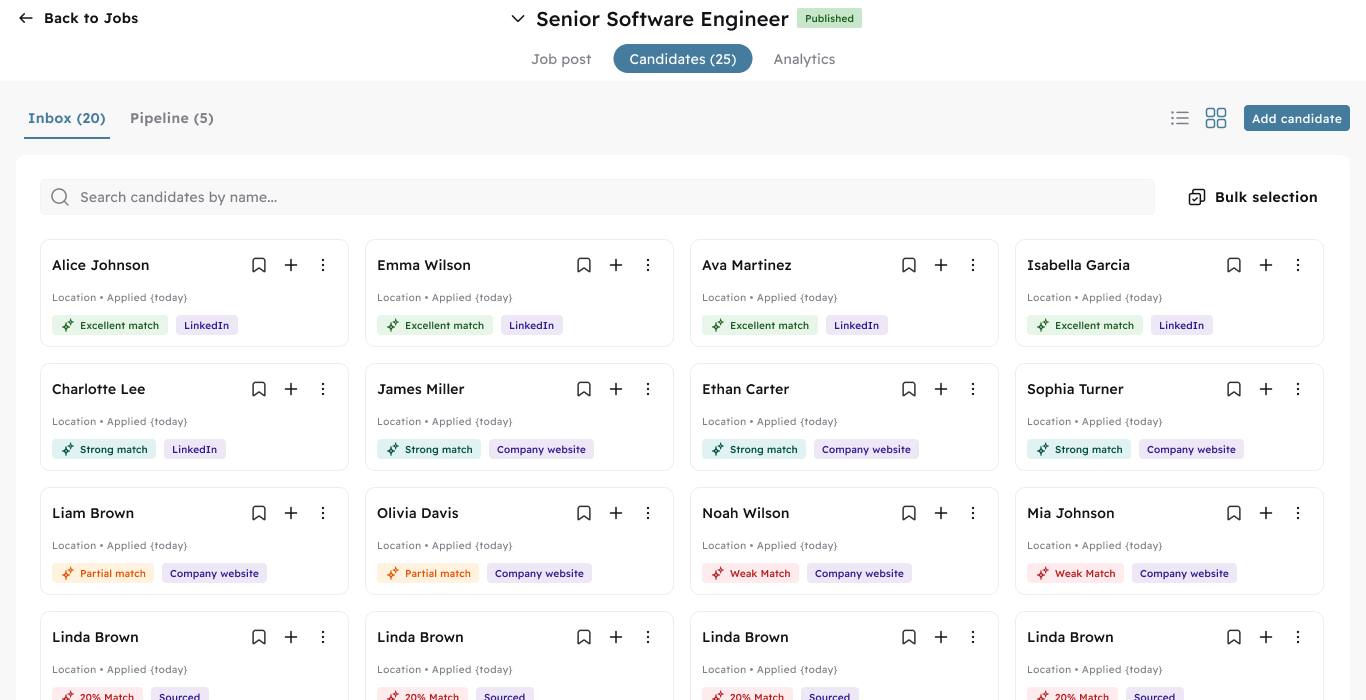
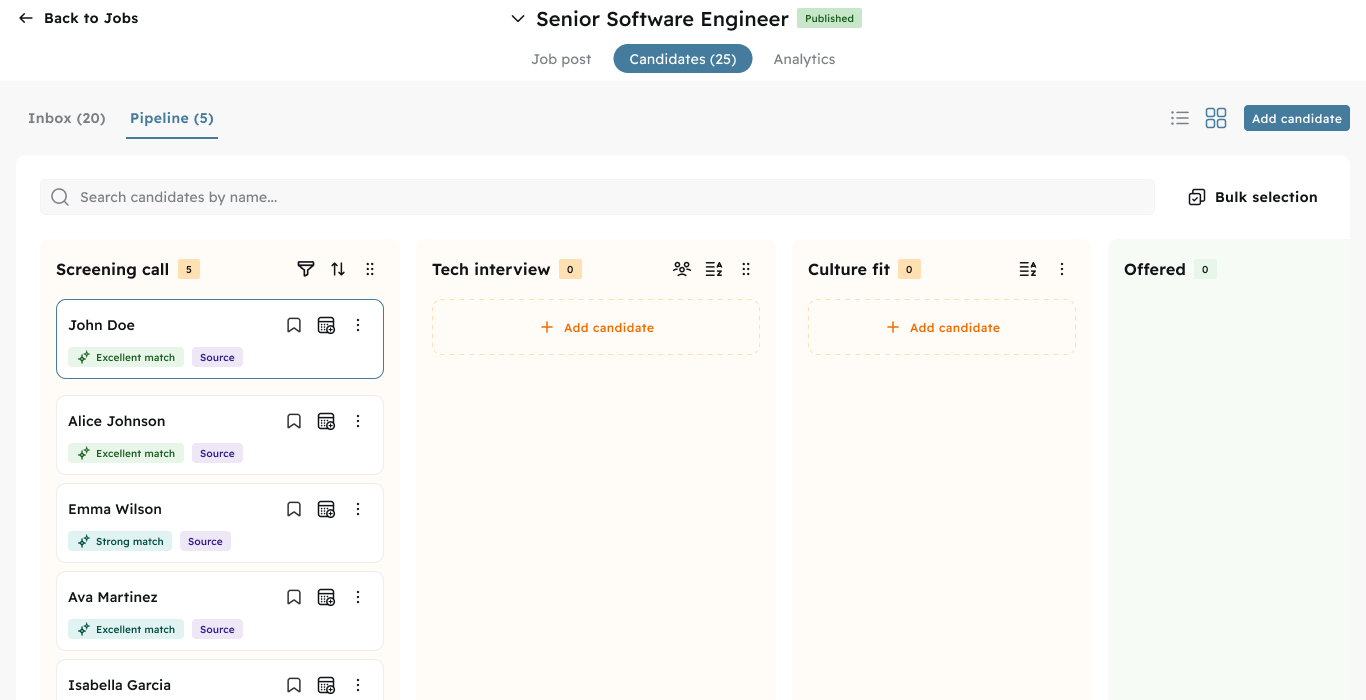
We've shipped a redesigned candidate management experience. Here's what changed:

📥 Inbox & Pipeline — Now Separate

Inbox and Pipeline are now split into two dedicated tabs. New applications land in Inbox first — recruiters can review them and move candidates to the Pipeline with one click. No more mixing high-volume inbox noise with your active pipeline.
Image without caption

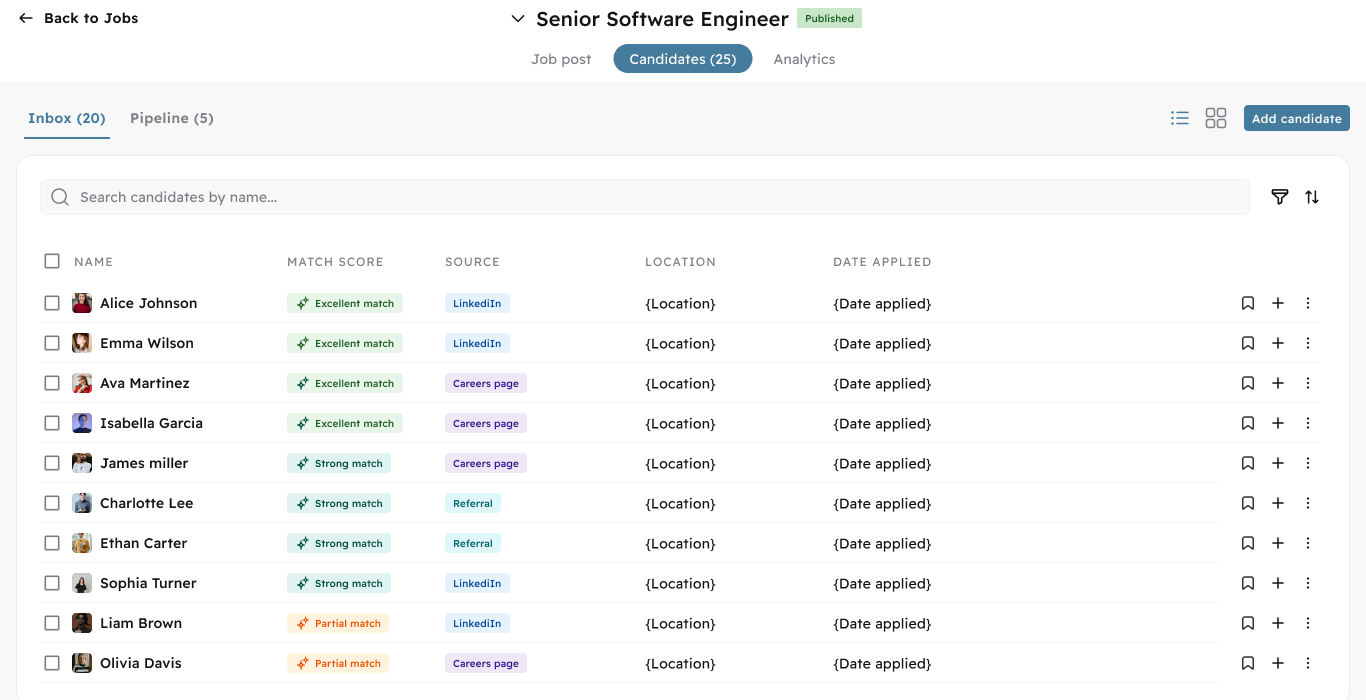
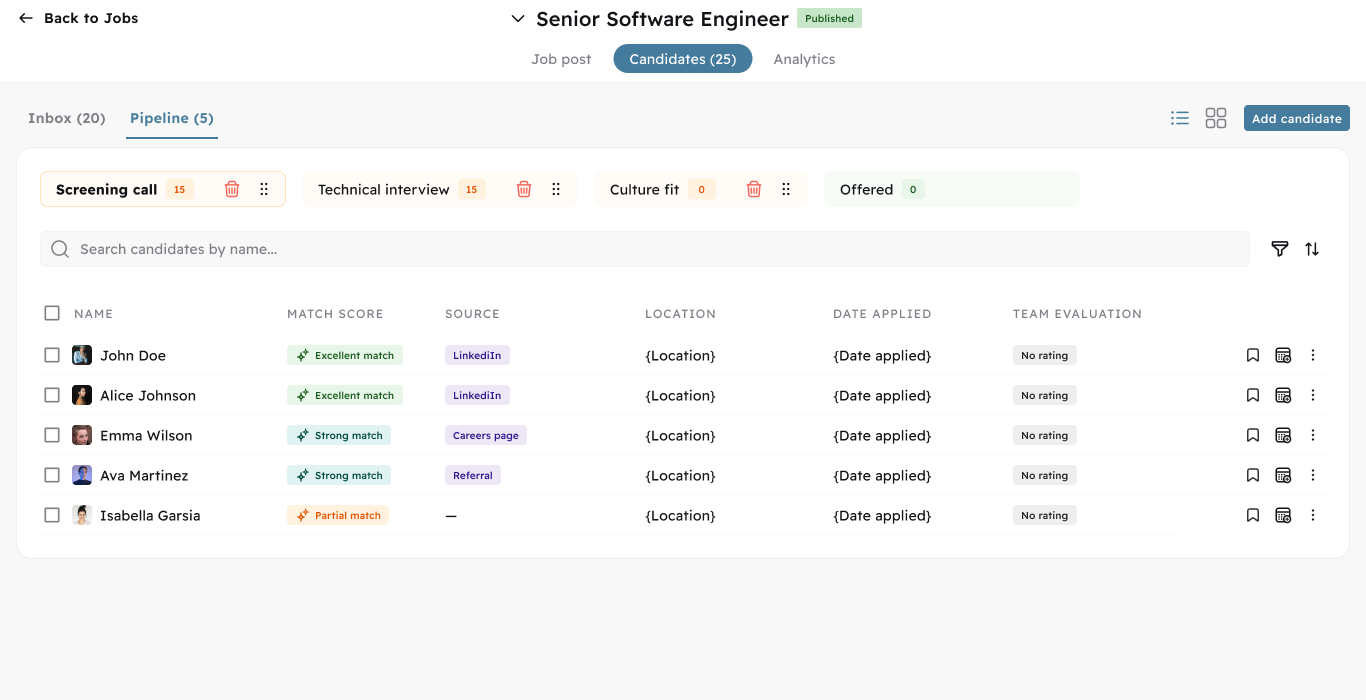
🔀 List View — New Way to Browse

You can now switch between Kanban and List view. List view shows all candidates in a clean table with match score, source, location, date applied — and a Team Evaluation column in the Pipeline so you can see ratings at a glance without opening each profile.
Image without caption

📊
1.83.0
Feature
1 month ago
Full visibility into your hiring pipeline — across all jobs and at the individual role level.

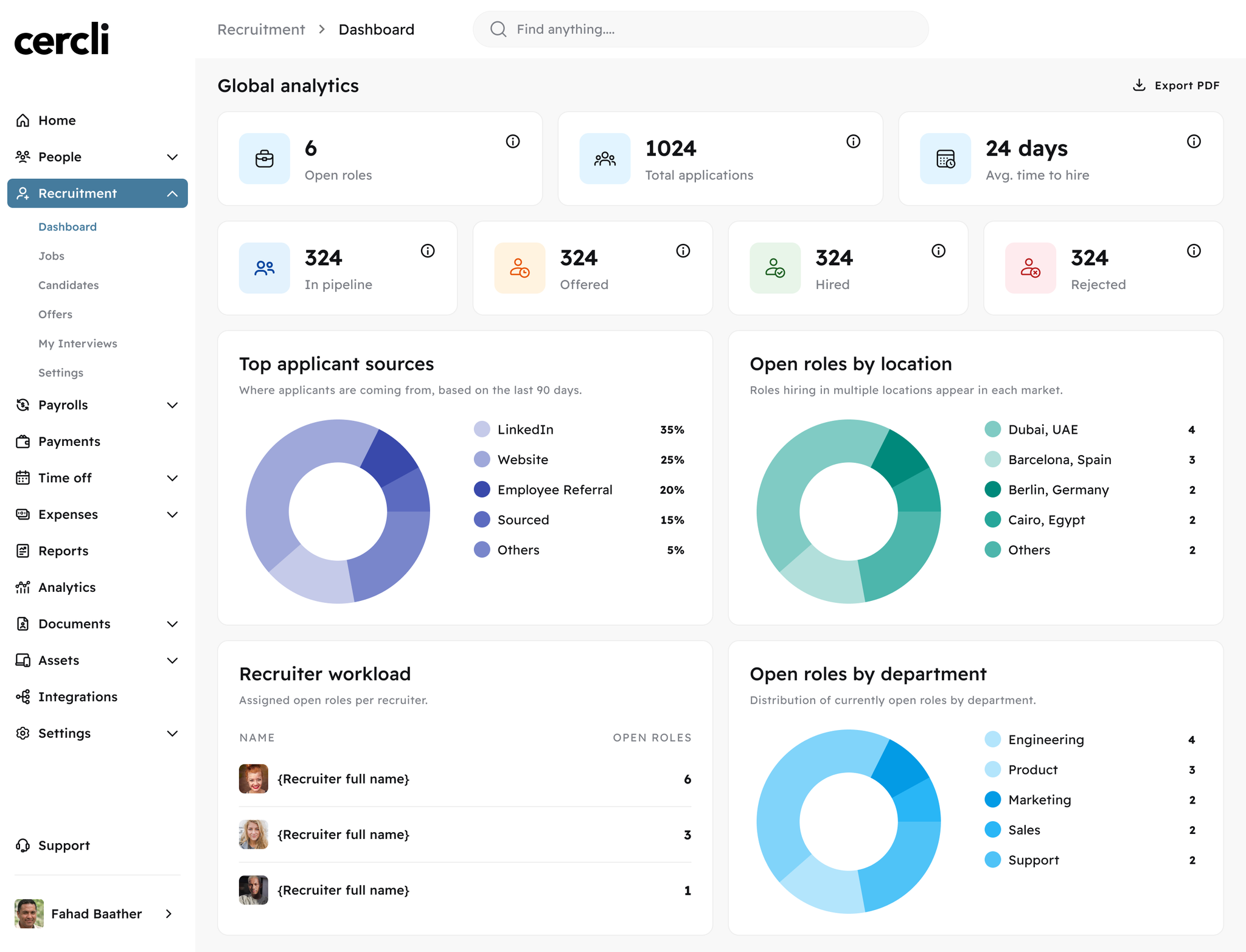
📊 Admin Dashboard

Admins get an org-wide view of everything happening across recruitment. See which roles are moving, where candidates are dropping off, which channels are actually bringing in applicants, and where your team's attention is spread. No more pulling data from multiple places — it's all in one dashboard.
Includes open roles by location and department, total applications, candidate status breakdown, top applicant sources, recruiter workload, upcoming interviews for the next 7 days, quality alerts for missing data and process gaps, and dashboard export as PDF or image.
Image without caption

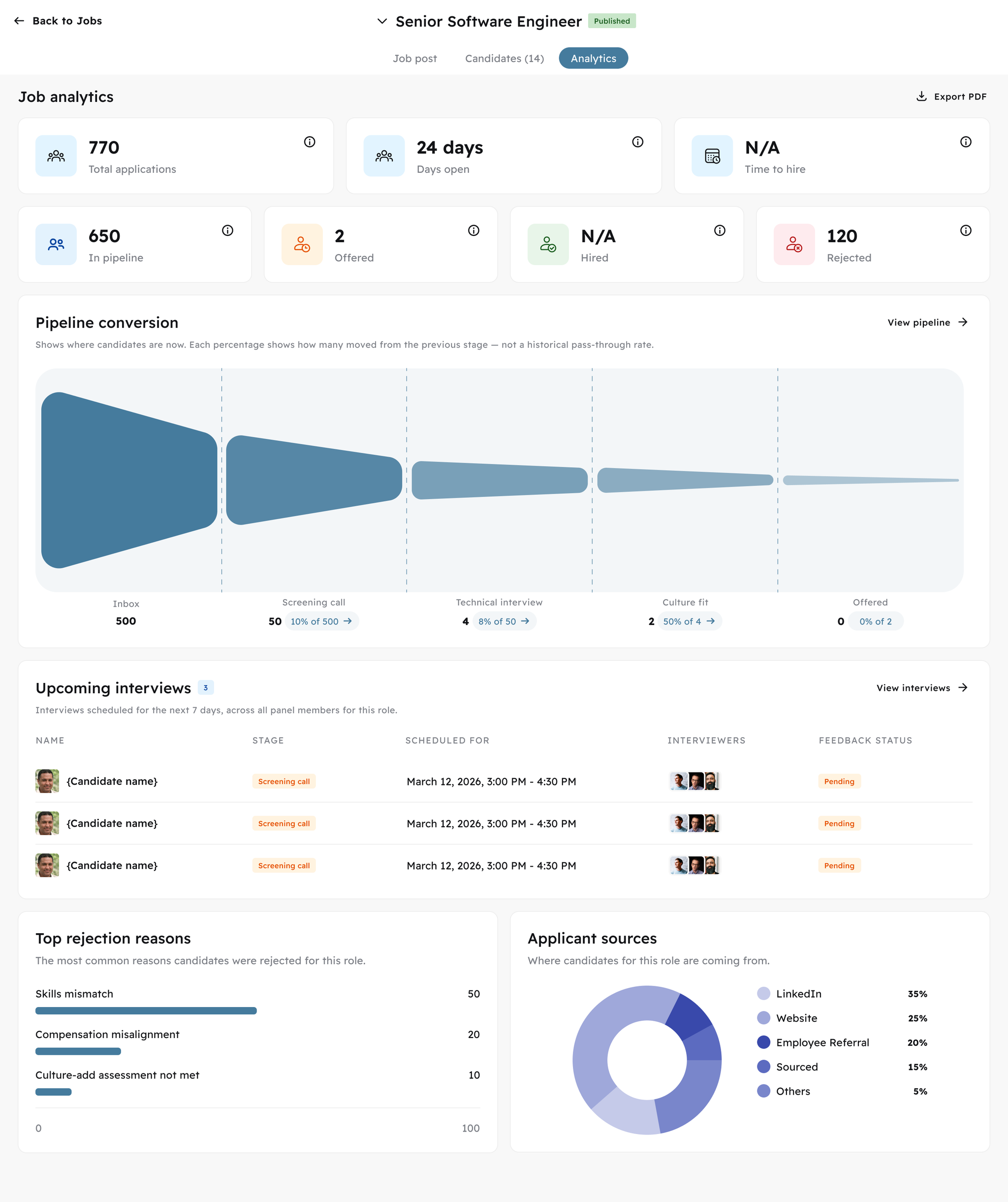
Job-Level Analytics

Every job has its own analytics tab — accessible to admins and assigned recruiters and hiring managers. See exactly how a specific role is performing: where candidates are converting, where they're dropping off, how long it's taking to hire, and what's driving rejections.
Includes pipeline funnel with stage conversion rates, time-to-hire, top rejection reasons, top applicant sources, and dashboard export as PDF or image.
Image without caption

🔗
1.83.0
Major Release
3 months ago
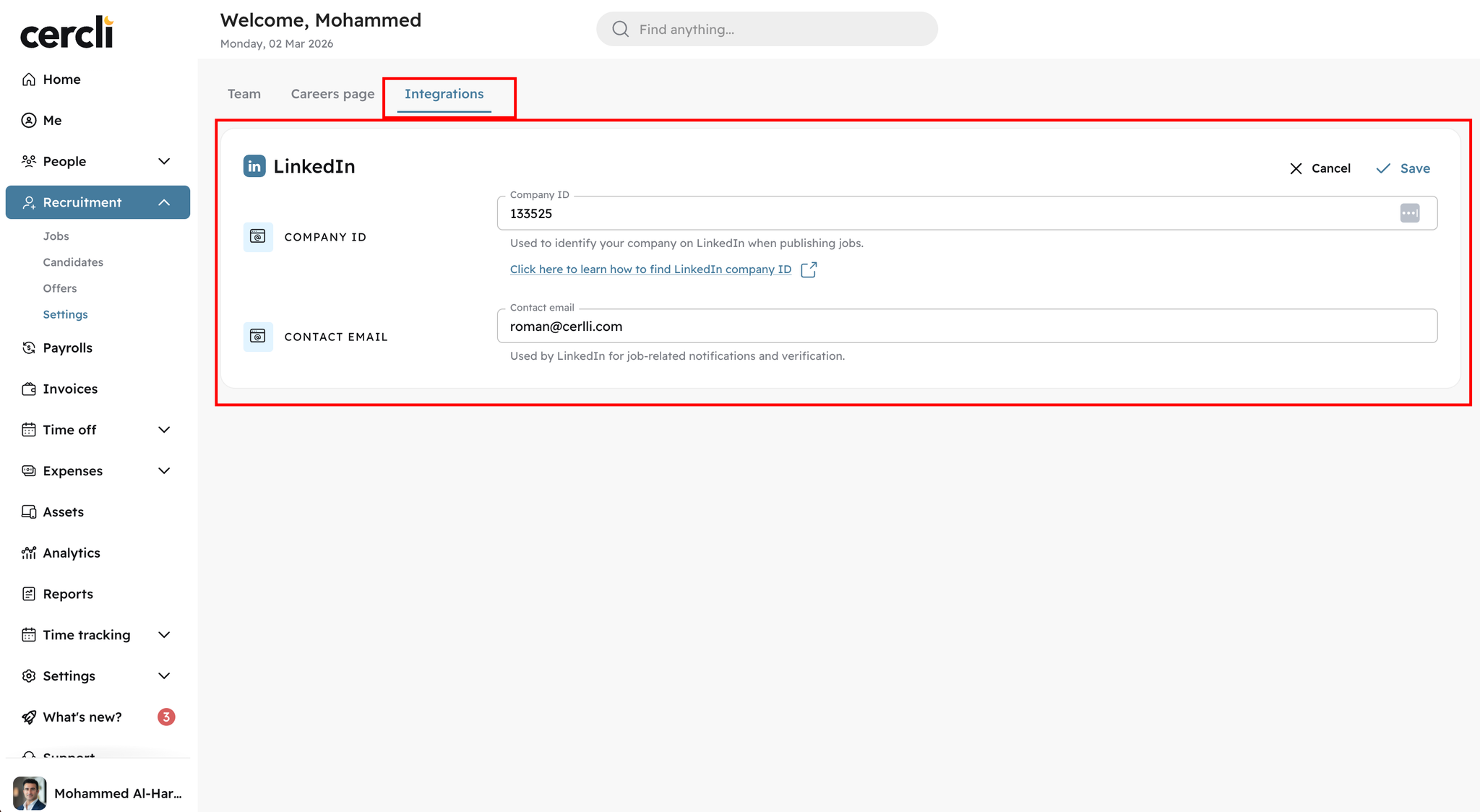
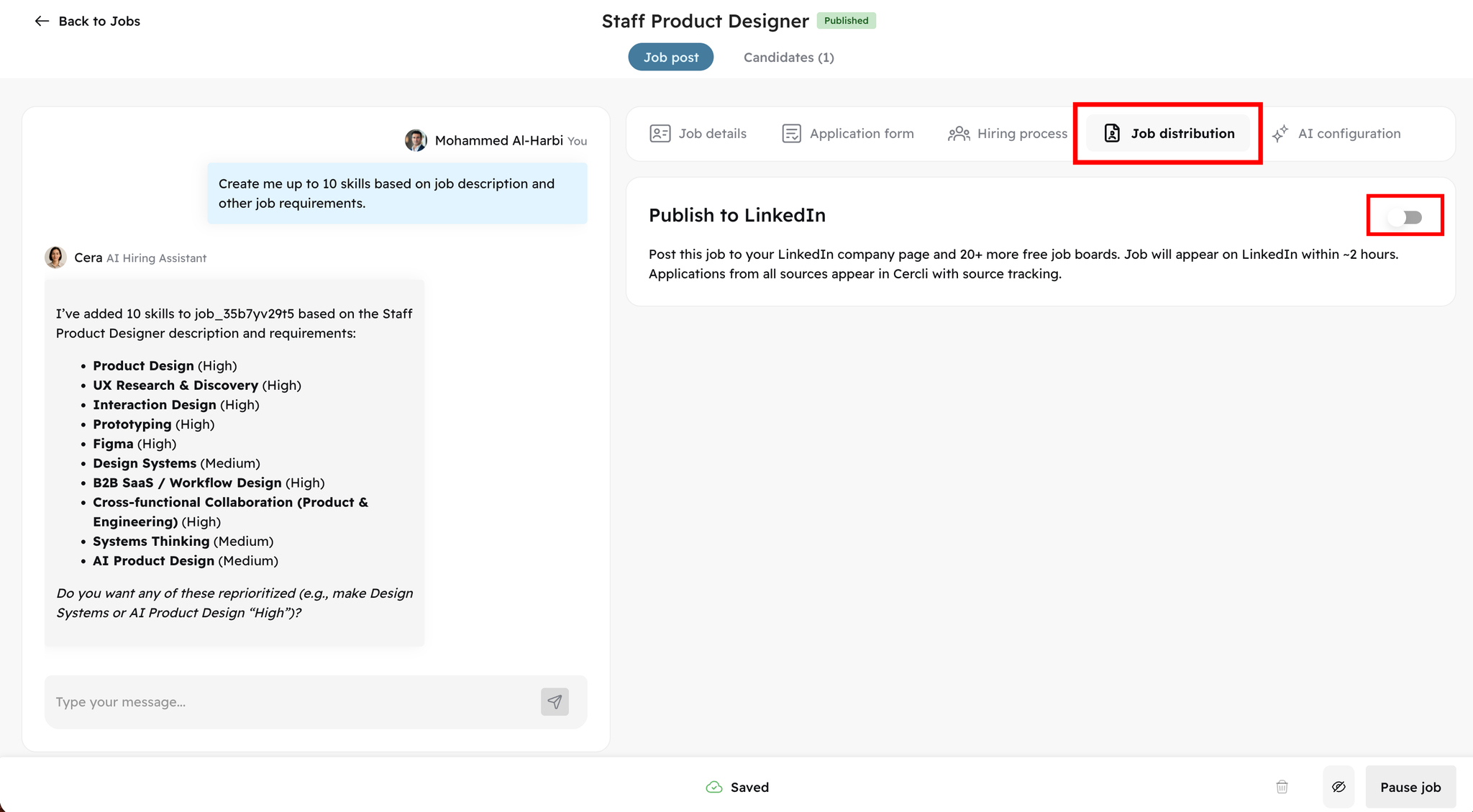
You can now publish jobs directly to your LinkedIn company page from inside Cercli ATS.

How it works:

  • Add your LinkedIn Company Page ID in Recruitment Settings.
    • Image without caption
  • Define a default contact email.
  • Enable LinkedIn publishing at the job level during job preparation.
    • Image without caption
  • Any job edits made in Cercli automatically sync with the LinkedIn post.
  • Applications submitted via LinkedIn Basic Apply are received directly in ATS.

What this means for you:

  • No more manual job cross-posting.
  • No risk of outdated job descriptions on LinkedIn.
  • A single source of truth for job updates.
  • Faster job distribution and simpler workflow management.
This feature is now live for all ATS customers.

📊
1.83.0
Feature
3 months ago
Image without caption
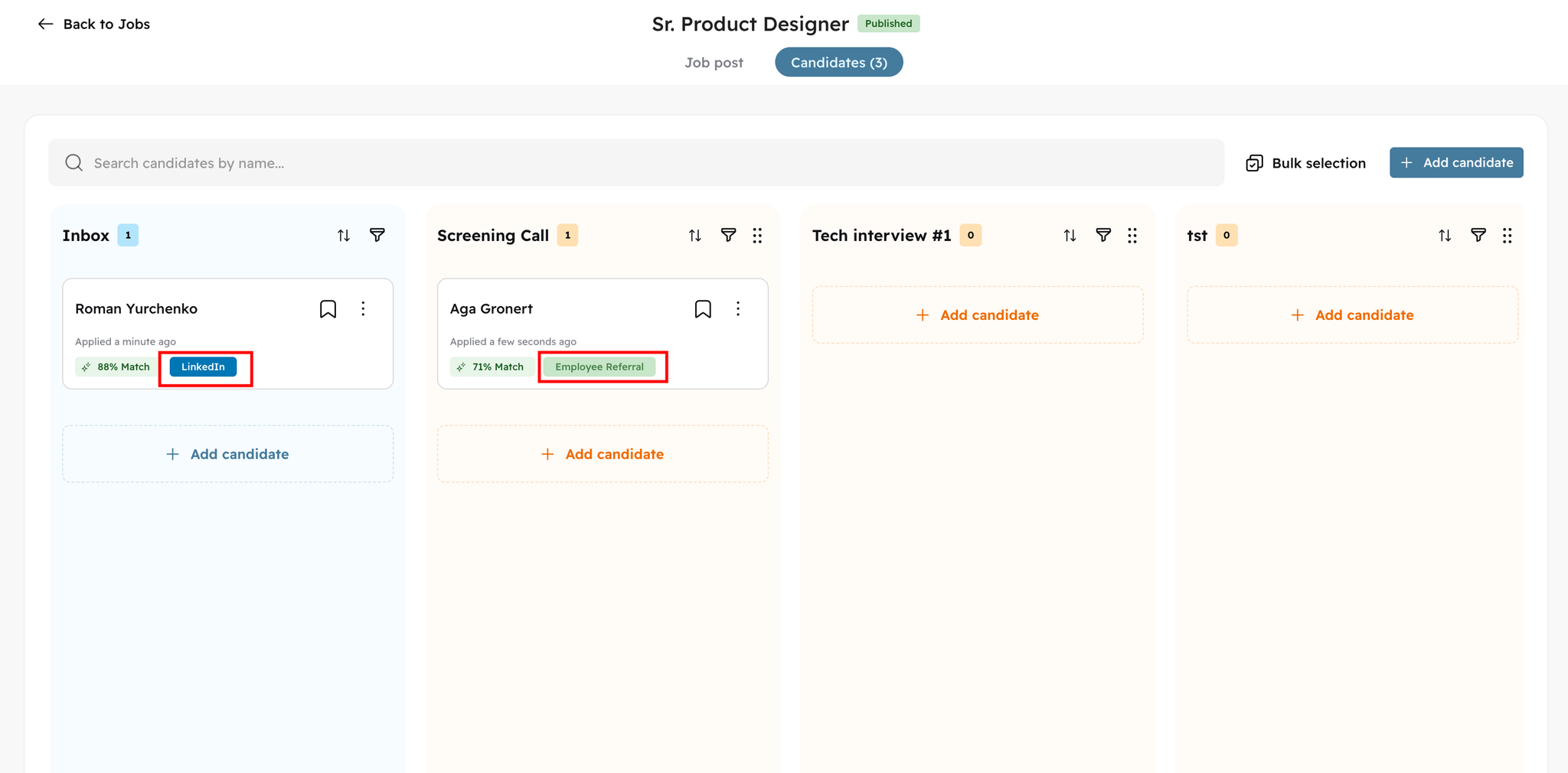
You now have full visibility into where every candidate comes from.

What’s included:

  • Application source is displayed directly:
    • On candidate cards.
    • Inside the full candidate profile.
  • Supported sources include:
    • Careers page
    • LinkedIn
    • Employee Referral
    • And additional structured sources.
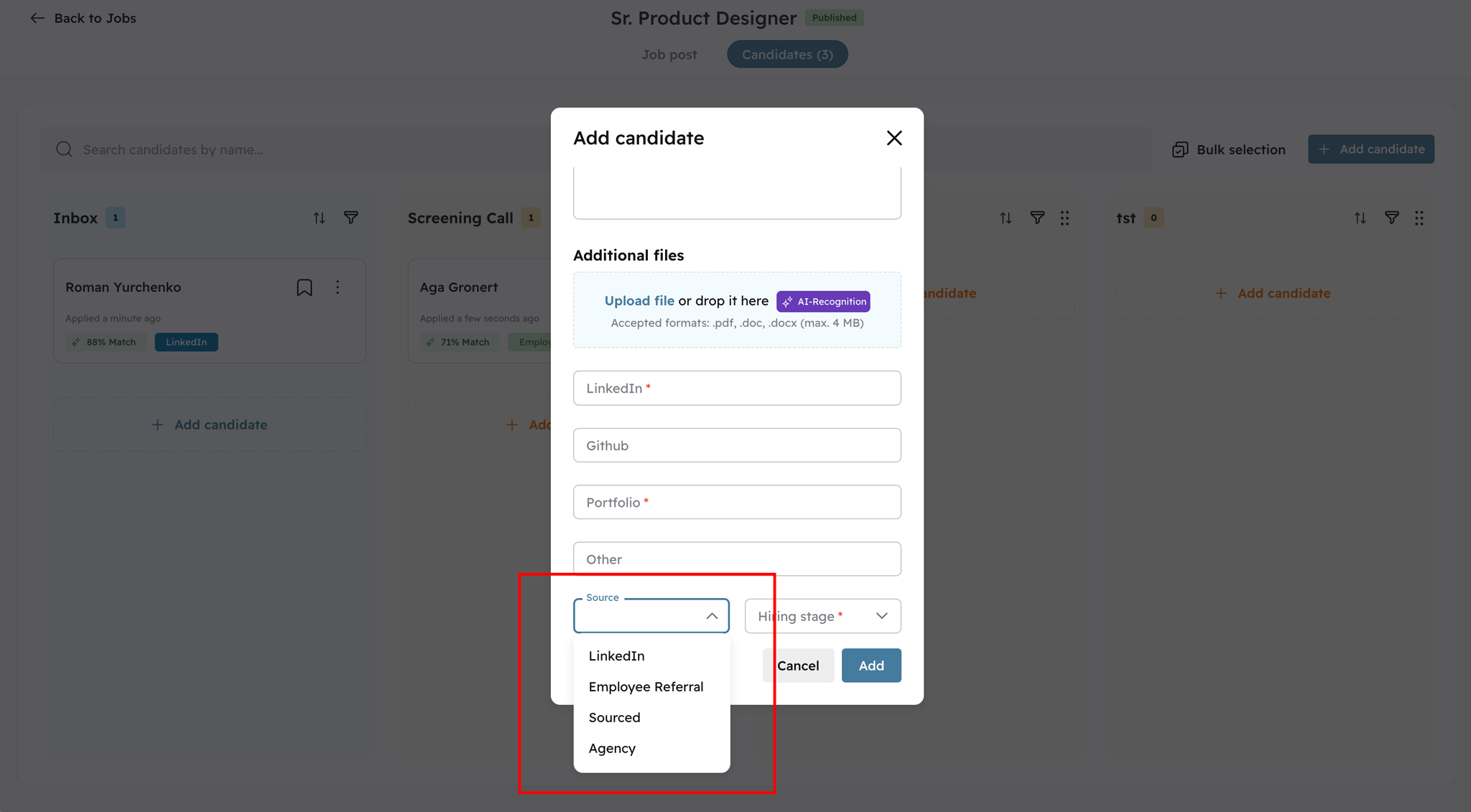
  • When adding candidates manually, you can define the source via dropdown selection.
    • Image without caption

✉️
1.83.0
Feature
Enhancement
3 months ago
Candidate communication is now more structured and customizable.

New capabilities:

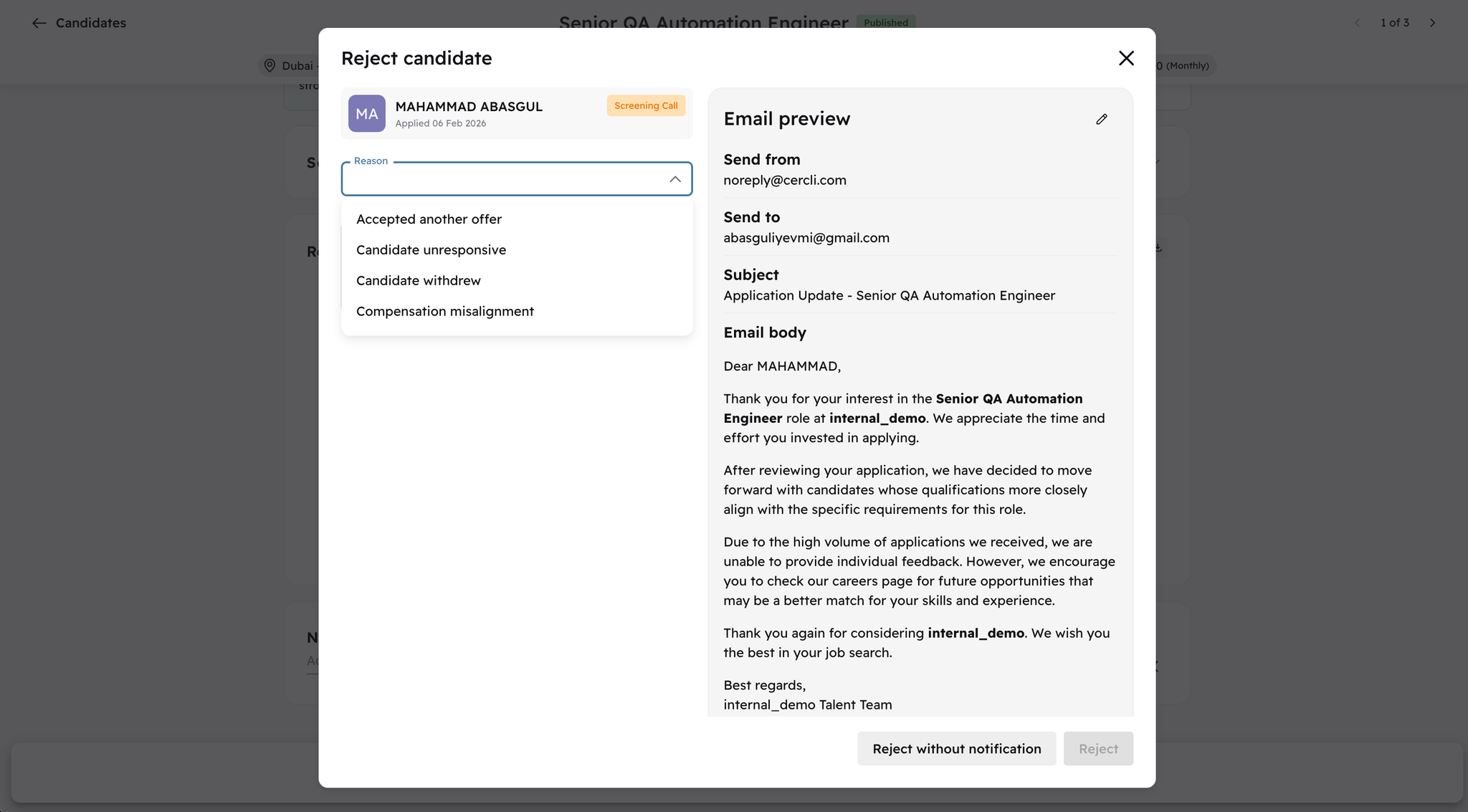
  • Select structured rejection reasons when rejecting candidates.
    • Image without caption
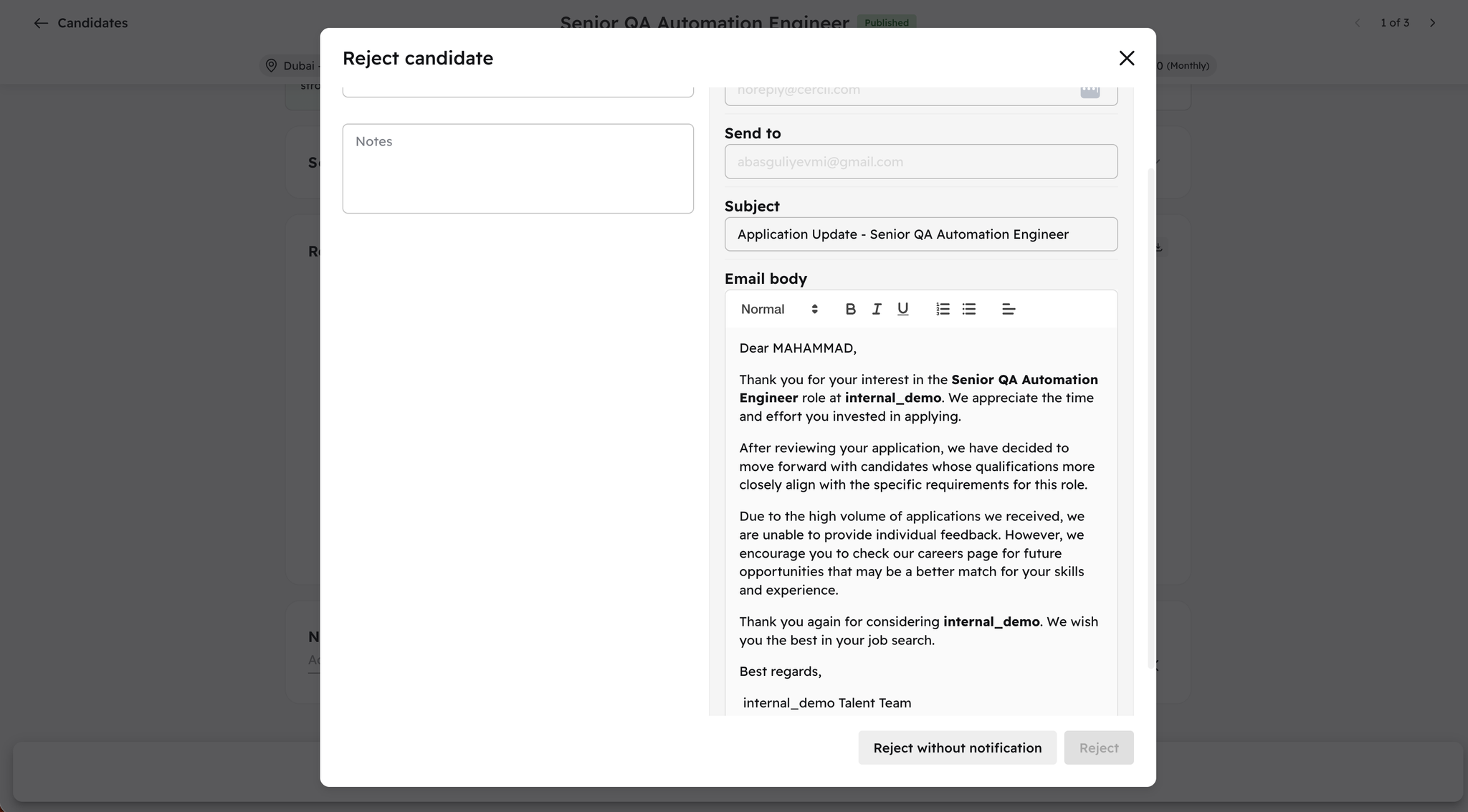
  • Edit the default rejection email template directly in the UI.
    • Image without caption
Bulk rejection with editable templates is currently under development and coming next.
This update improves transparency, internal reporting, and candidate experience.

👤
1.83.0
Feature
3 months ago
Image without caption
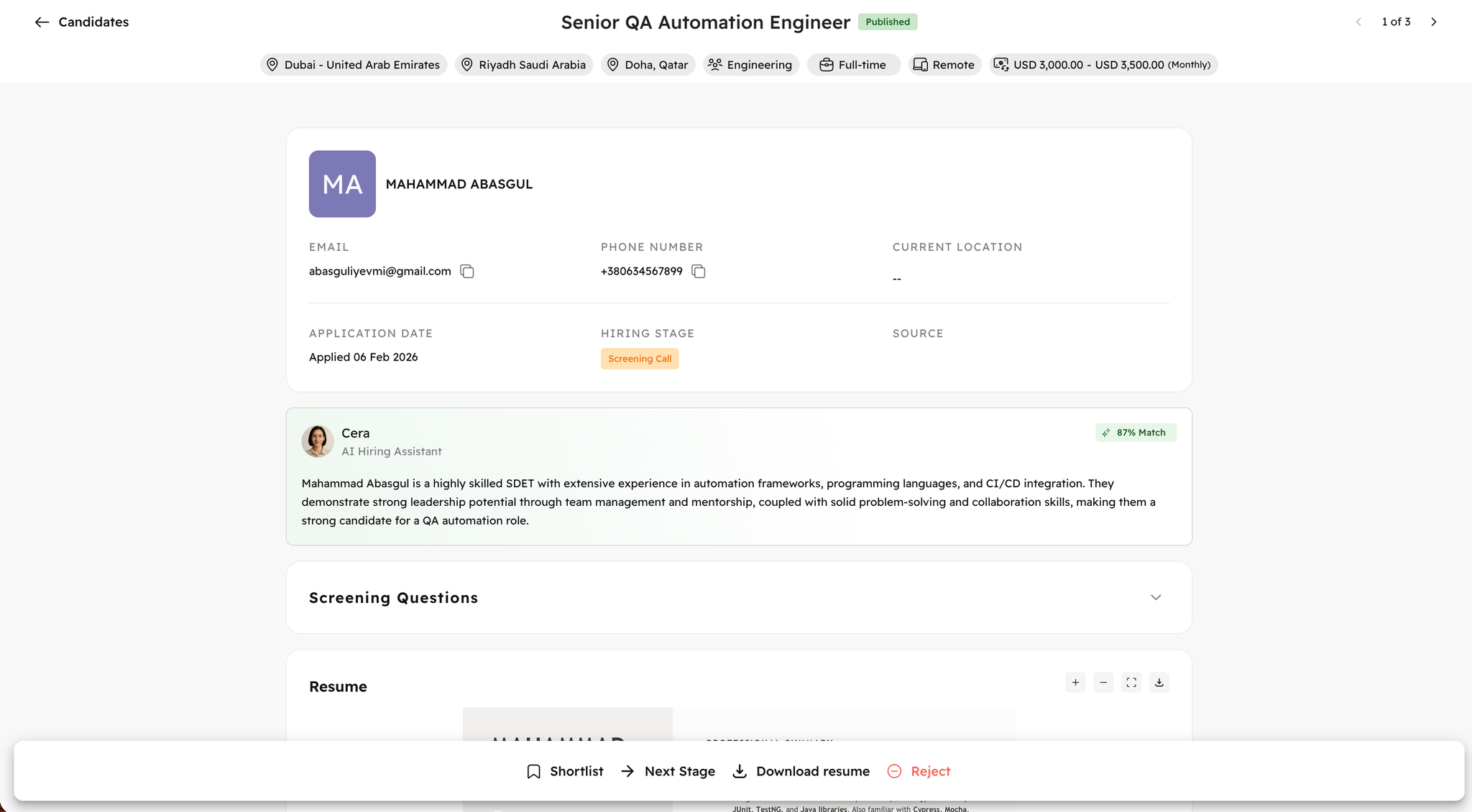
We’ve introduced a more powerful and usable full candidate profile view.

You can now:

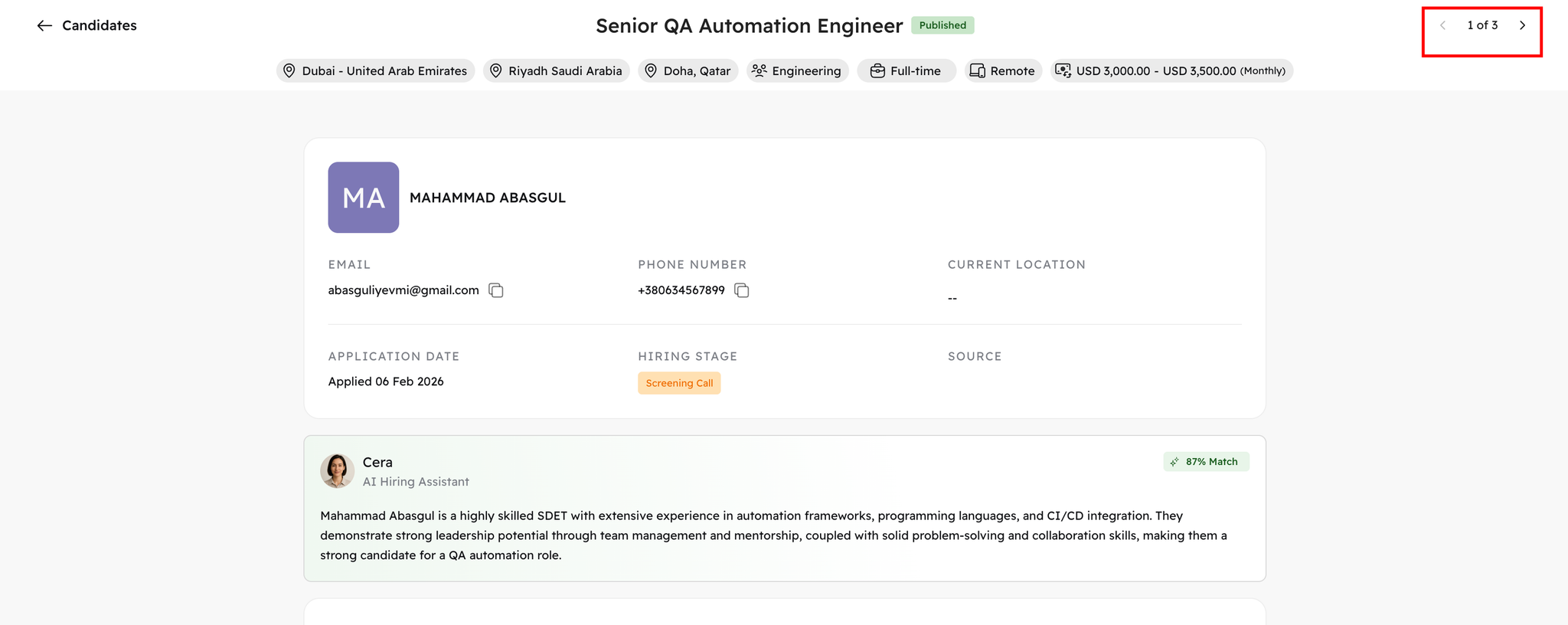
  • Switch easily between applications.
    • Image without caption
  • Review complete candidate information in one structured layout.
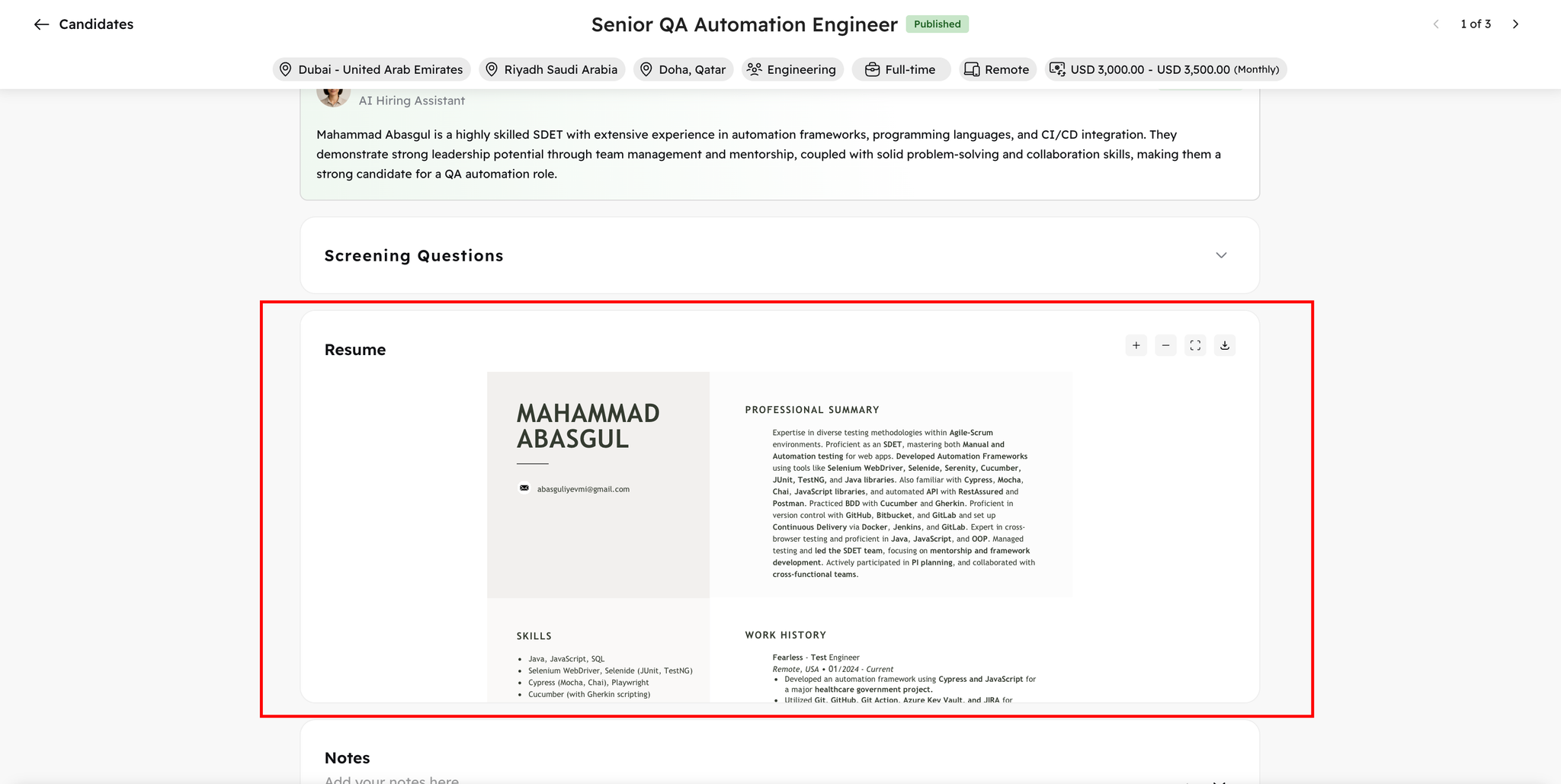
  • Review resumes directly inside the profile.
    • Image without caption
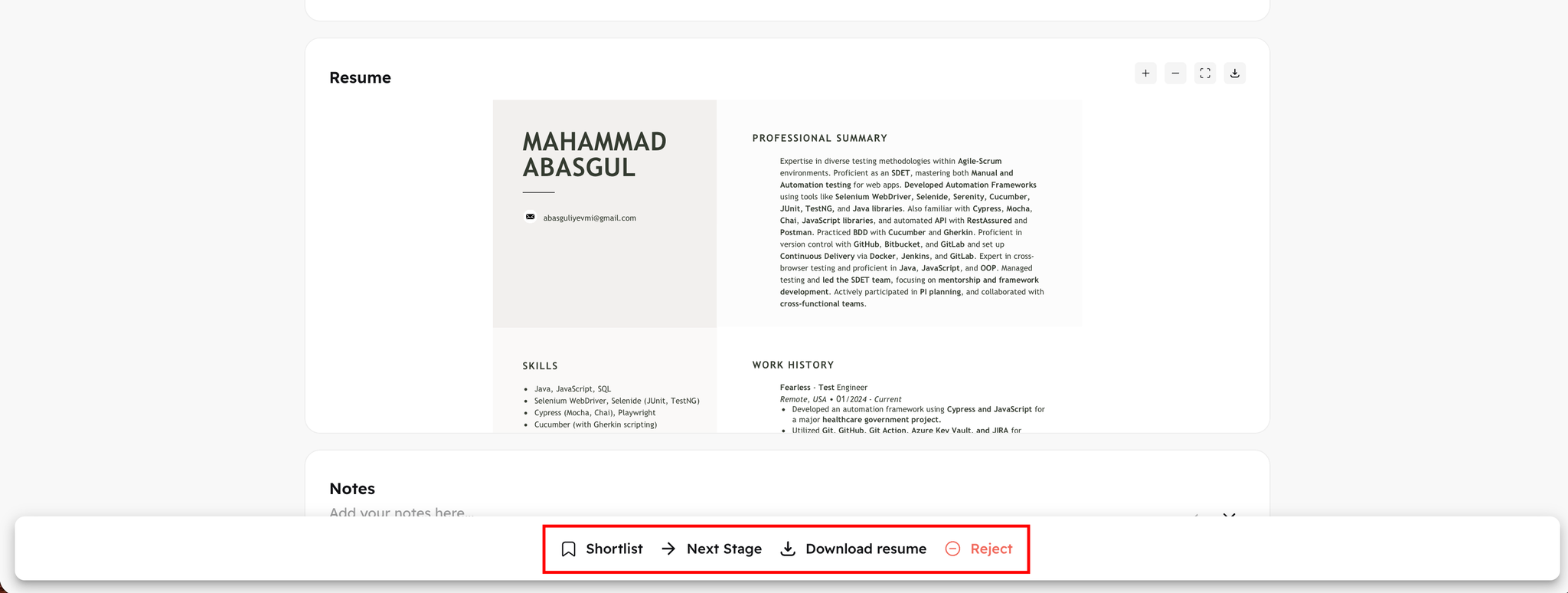
  • Perform any relevant action
    • Image without caption
  • Navigate without losing context.

Impact:

  • Faster candidate evaluation.
  • Less friction during screening.
  • Cleaner workflow for recruiters and hiring managers.

✍🏻
1.83.0
Enhancement
3 months ago
Image without caption
You now have full flexibility in job creation.

Options:

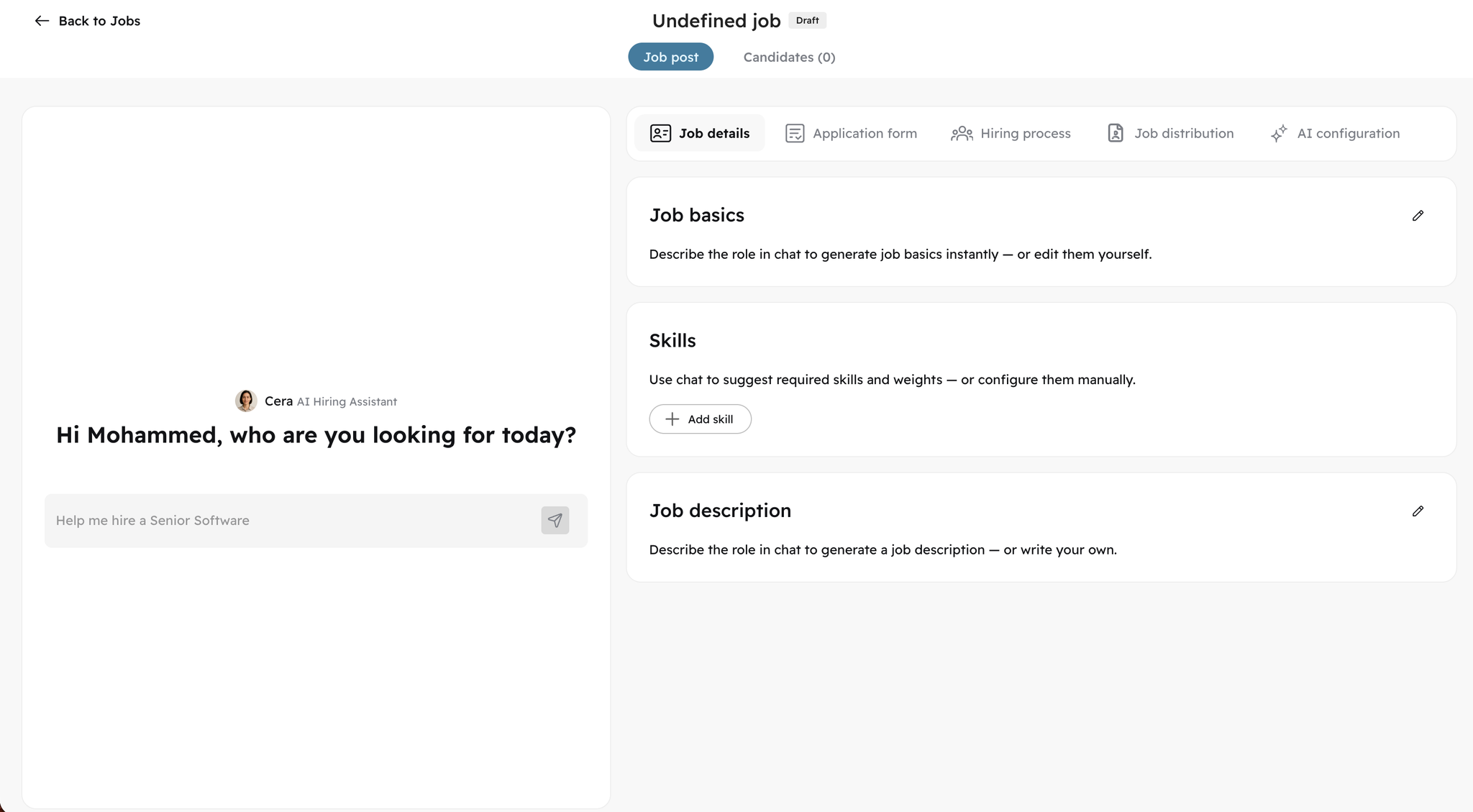
  • Use Cera (AI assistant) to generate job details and descriptions.
  • Switch to fully manual job creation at any time.

Why this matters:

  • Greater reliability and control.
  • Flexibility for different recruiter workflows.
  • Addresses direct customer feedback requesting manual fallback.
You decide how you want to create jobs — AI-assisted or fully manual.

🧠
1.83.0
Enhancement
3 months ago
Image without caption
We’ve upgraded both the performance and user experience of AI screening.

Enhancements:

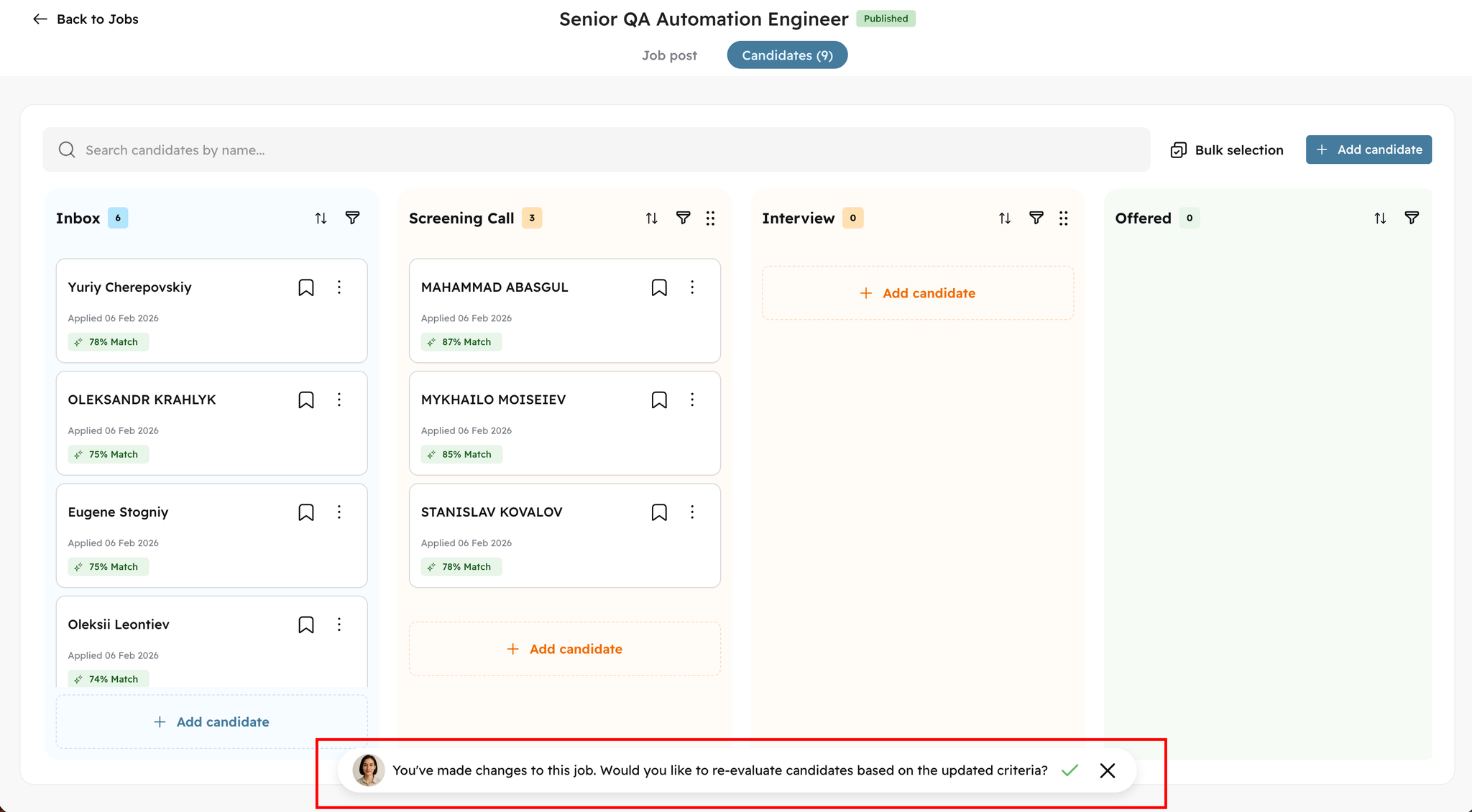
  • Choose when to re-evaluate candidates after editing a job.
  • Skip re-evaluation for minor updates.
  • Improved algorithm stability and processing flow.
  • Better control over screening workflows.
This ensures AI works efficiently without unnecessary reprocessing, while giving you full control over when candidate matching should refresh.

🌐
1.83.0
Enhancement
3 months ago
Image without caption
We’ve reduced friction in navigation.
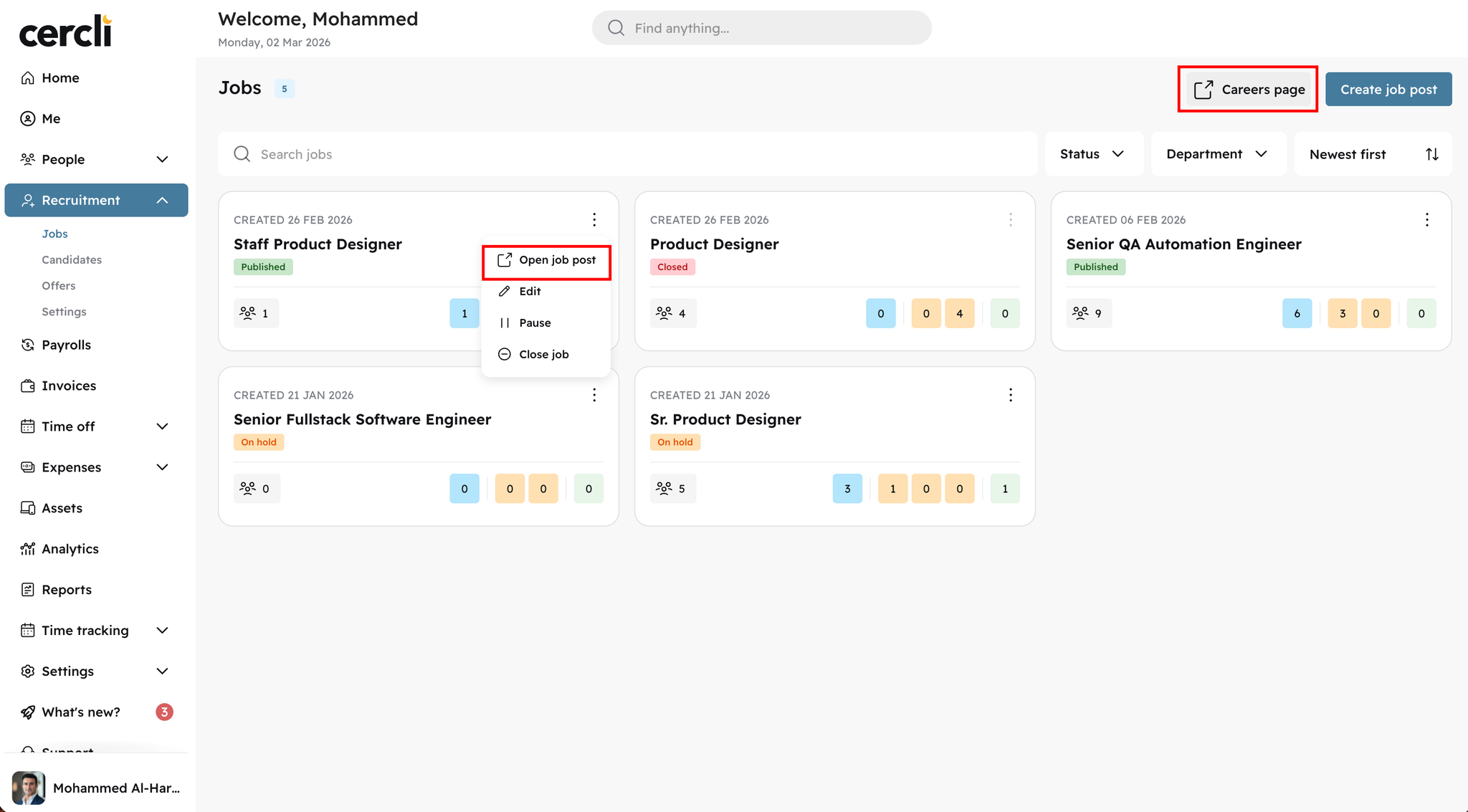
  • Access your careers page directly from the job list.
  • Open published job posts directly from job cards.
  • Faster movement between job management and public-facing views.
Less clicking. Faster operations.

📊
v20.0.0
Feature
3 months ago
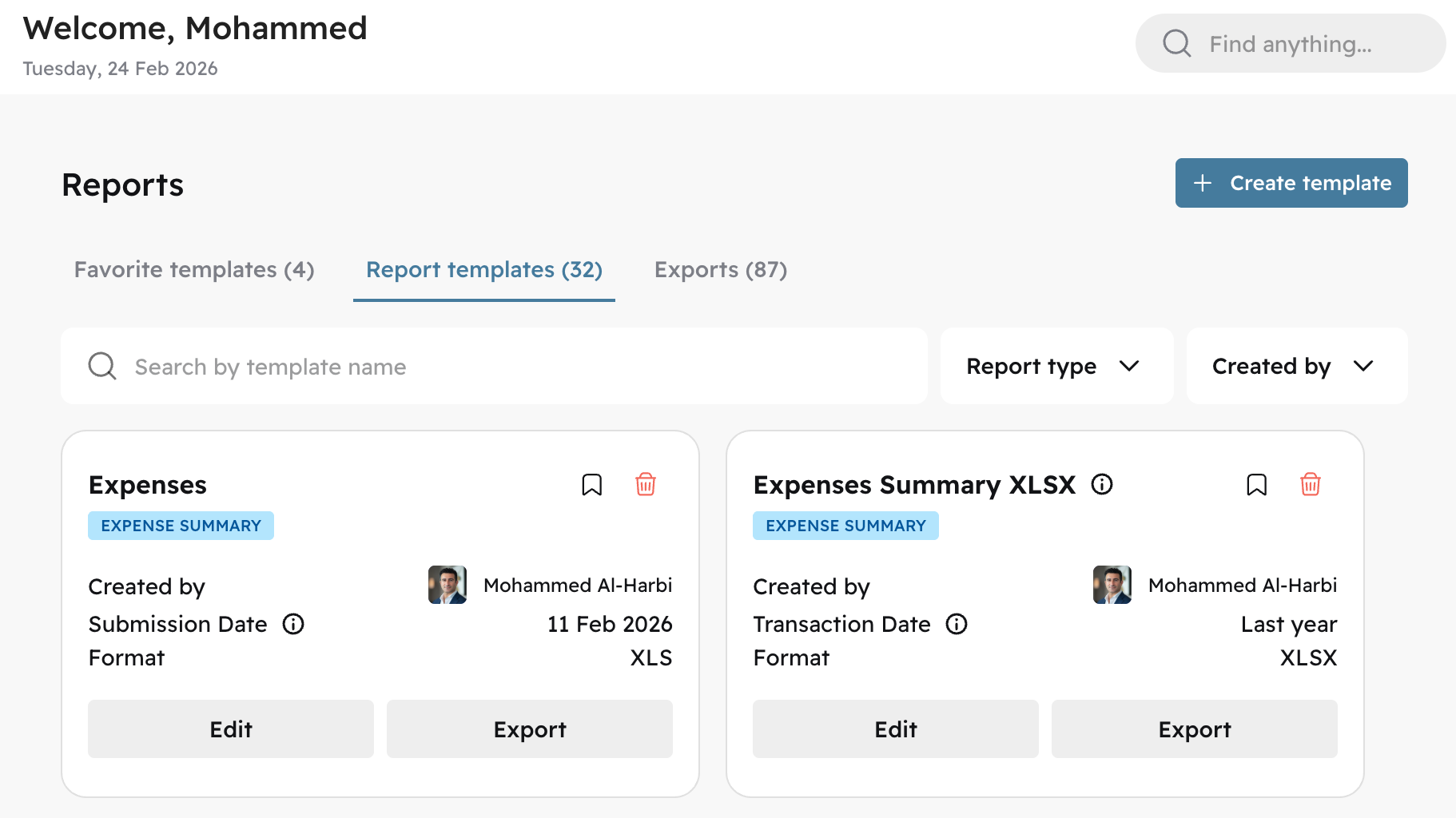
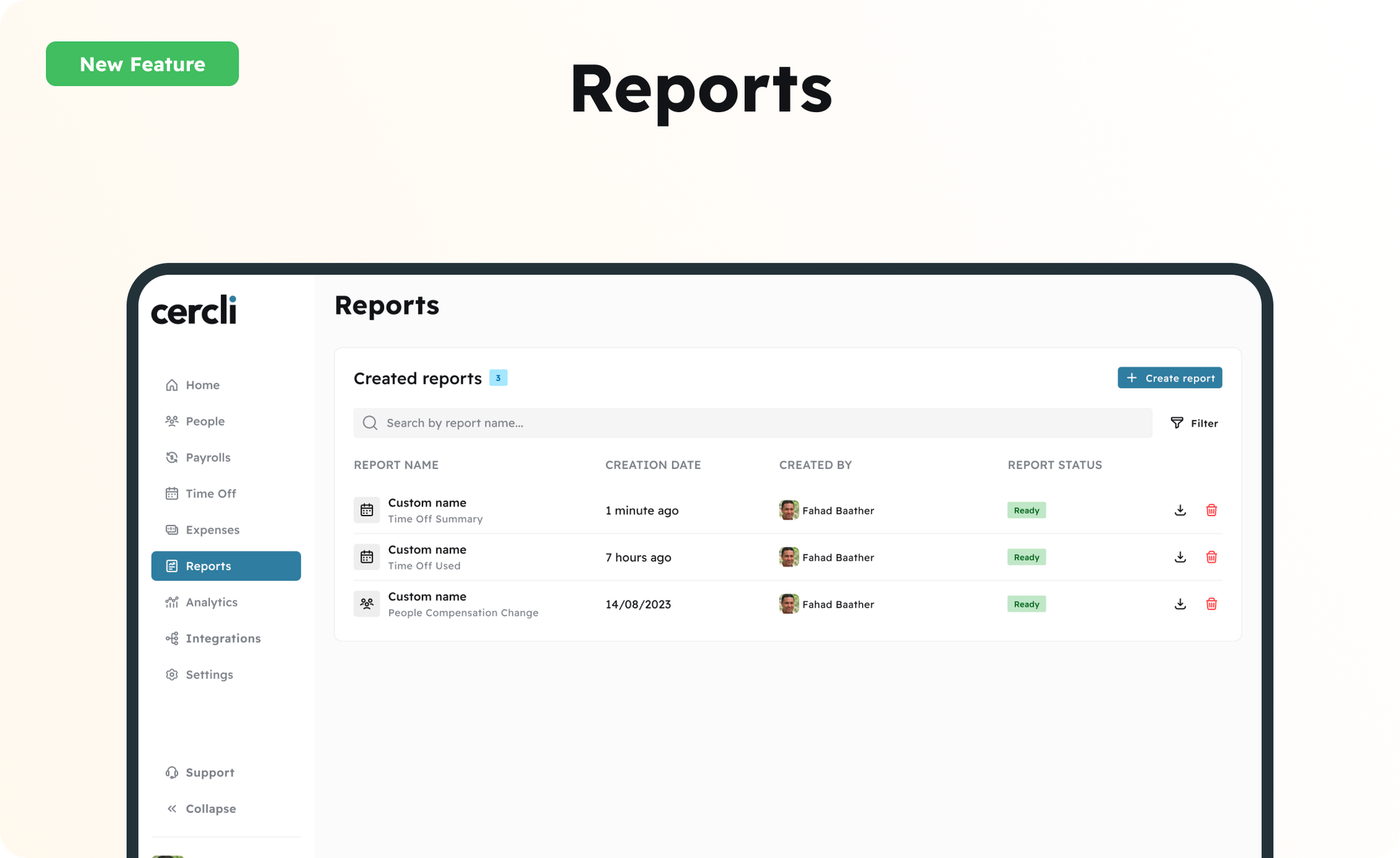
The Reports module has been fully rebuilt. Admins can now create and save report templates, mark favourites for quick access, and re-run them against any date range without reconfiguring from scratch. The new module also brings enhanced filtering, a wider selection of available fields, customisable column ordering, and a preview before export.
Image without caption
Previously generated reports remain fully accessible. Payroll reports remain in the Payroll module and are unaffected by this update.

🔔
v20.0.0
Feature
3 months ago
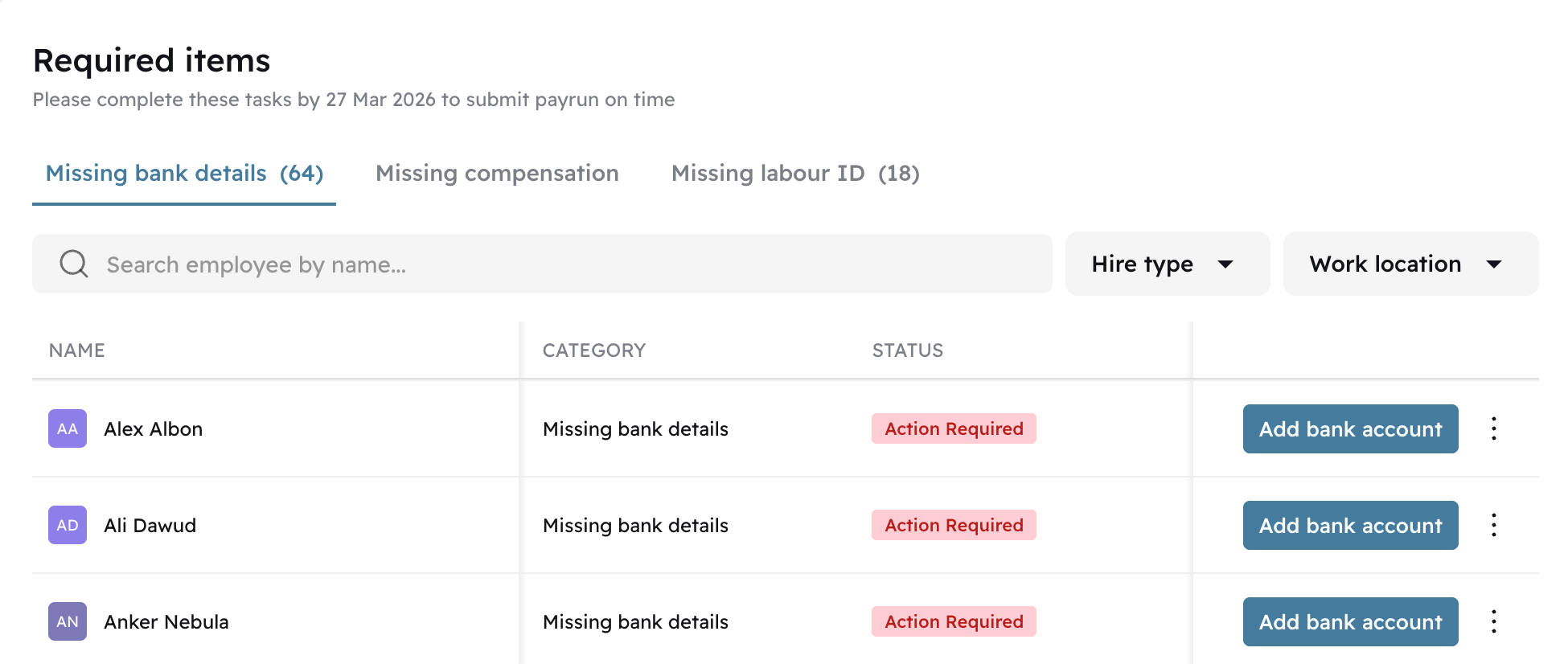
Admins now have a dedicated Payroll Alerts dashboard — a single, unified view of everything that could block or impact payroll before the cutoff date. Alerts are split into two categories: Errors (hard blockers such as missing bank details, Labour IDs for WPS-eligible team members, and missing compensation details) and Warnings (potential issues such as pending draft offboardings, unassigned unpaid leave, and manual expenses awaiting approval).
Image without caption
Each alert includes the affected team member's name and a direct action button linking to the relevant profile or module to resolve the issue. Alerts refresh automatically as issues are resolved. The dashboard also surfaces a badge on the Payroll navigation item and a banner on the Payroll Review page when errors are present.
Image without caption

💸
v20.0.0
Enhancement
3 months ago
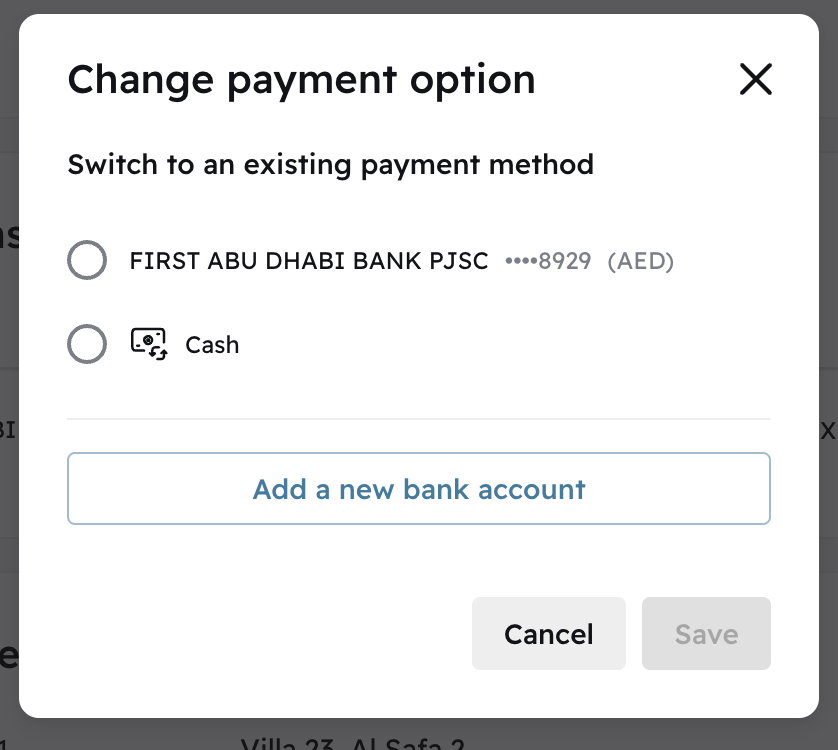
In addition to bank transfers, admins can now configure cash as a payment method for individual team members. This allows payroll to accurately account for team members who are part of payroll but do not have a bank account, are in an unsupported payment corridor, or are paid via off-platform arrangements.
Image without caption
This is the first release in an expanded payment types roadmap — Cercli plans to support additional methods in specific markets in the future.

📅
v20.0.0
Enhancement
3 months ago
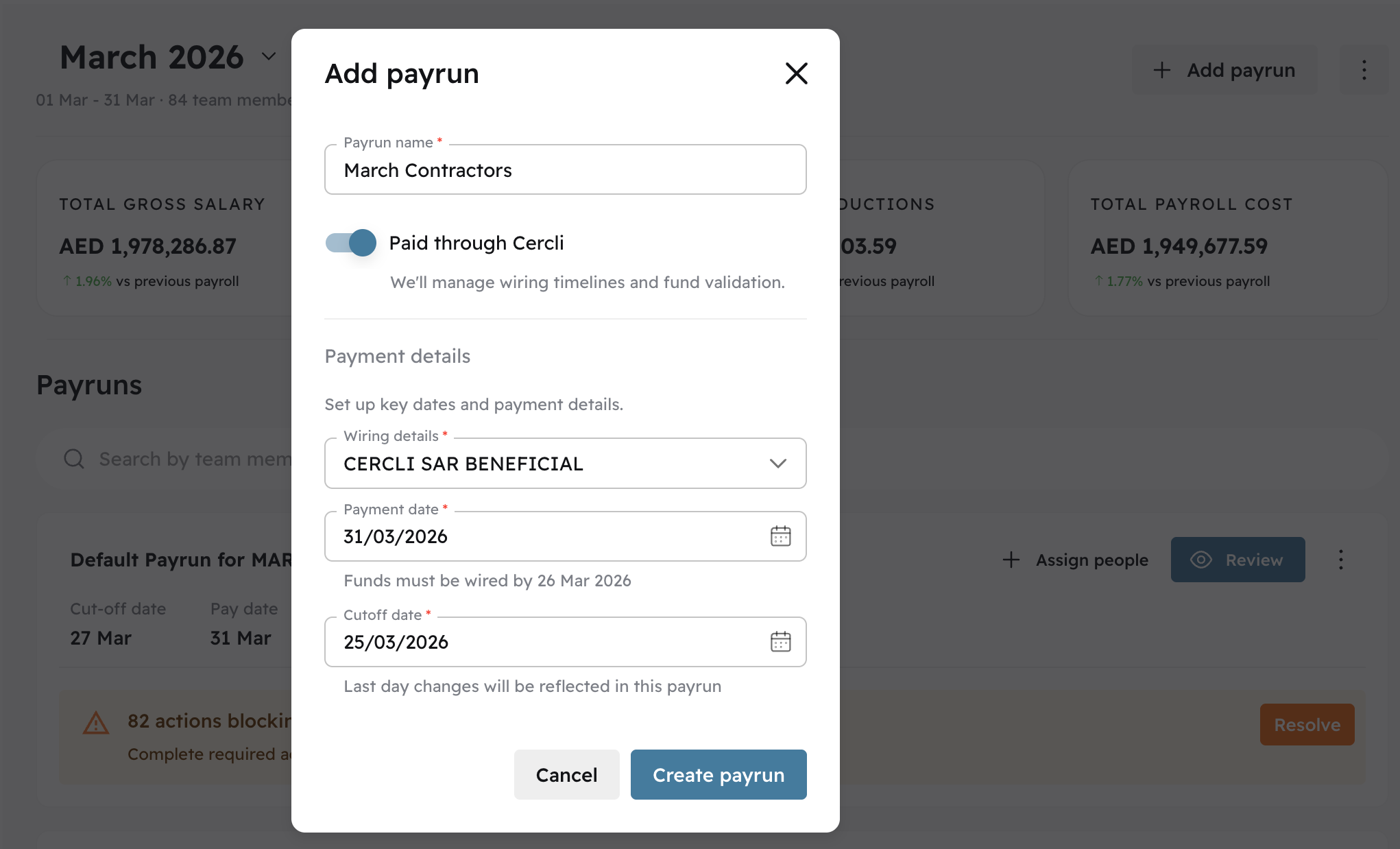
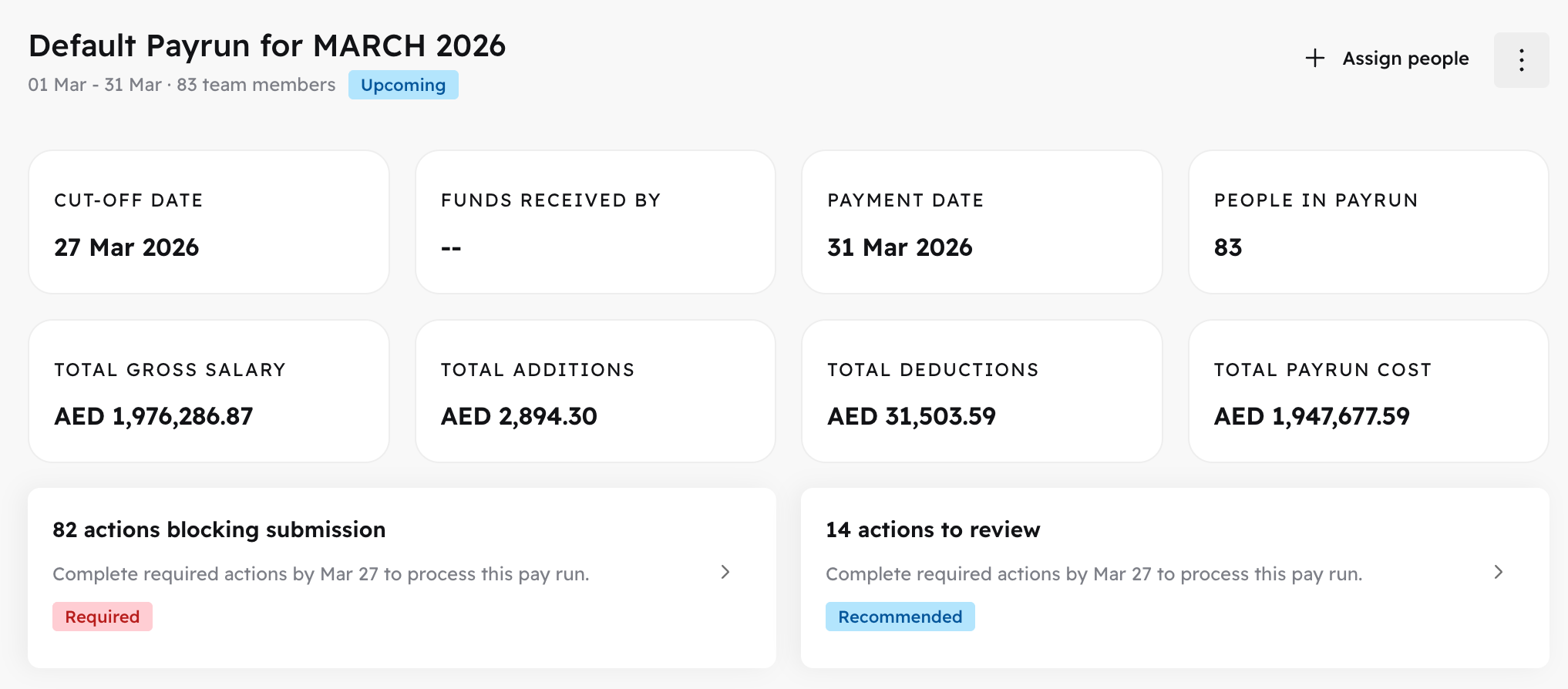
Admins can now create and manage multiple payruns directly from the payroll module, with full control over cutoff date, wiring date, and pay date — all configurable from the UI without requiring support from Cercli's operations team.
Image without caption
Validations ensure payrun dates meet minimum lead time requirements (cutoff must be at least 4 business days before pay date; wiring date must allow sufficient processing time). This gives payroll administrators the flexibility to manage non-standard pay cycles and supplementary payruns alongside the default payrun.

👤
v20.0.0
Enhancement
3 months ago
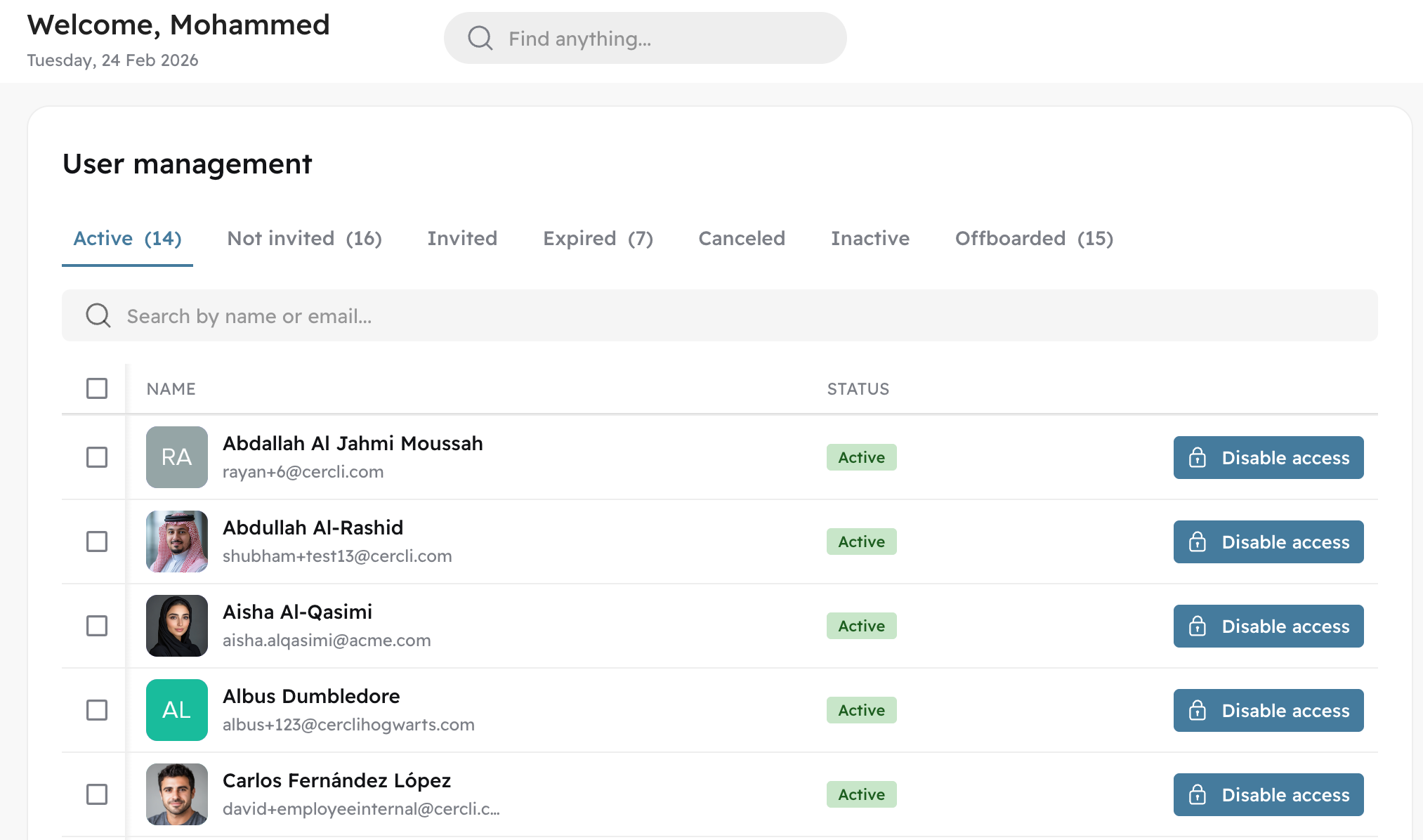
Admins can now manage user access and invitations directly from the Settings panel. This includes viewing the status of all pending and active invitations, resending expired invitation links, and managing platform access across the organisation.
Image without caption

🎂
v20.0.0
Enhancement
3 months ago
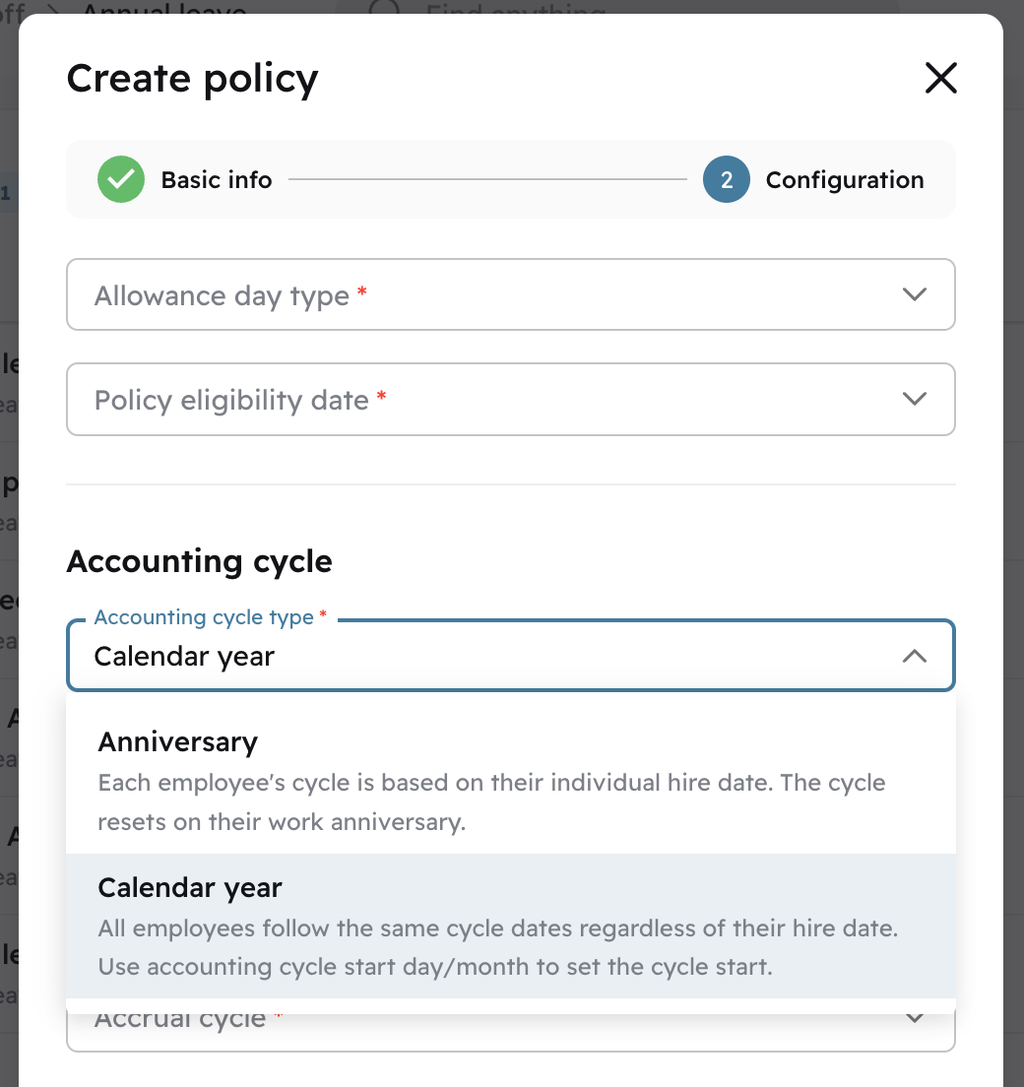
Time-off policies can now be configured to accrue based on each team member's individual work anniversary, rather than a fixed calendar date shared across all employees. This ensures each team member's leave accrues accurately relative to their start date — particularly valuable for organisations with staggered or rolling hire dates.
Image without caption

🕖
v19.0.0
Enhancement
4 months ago
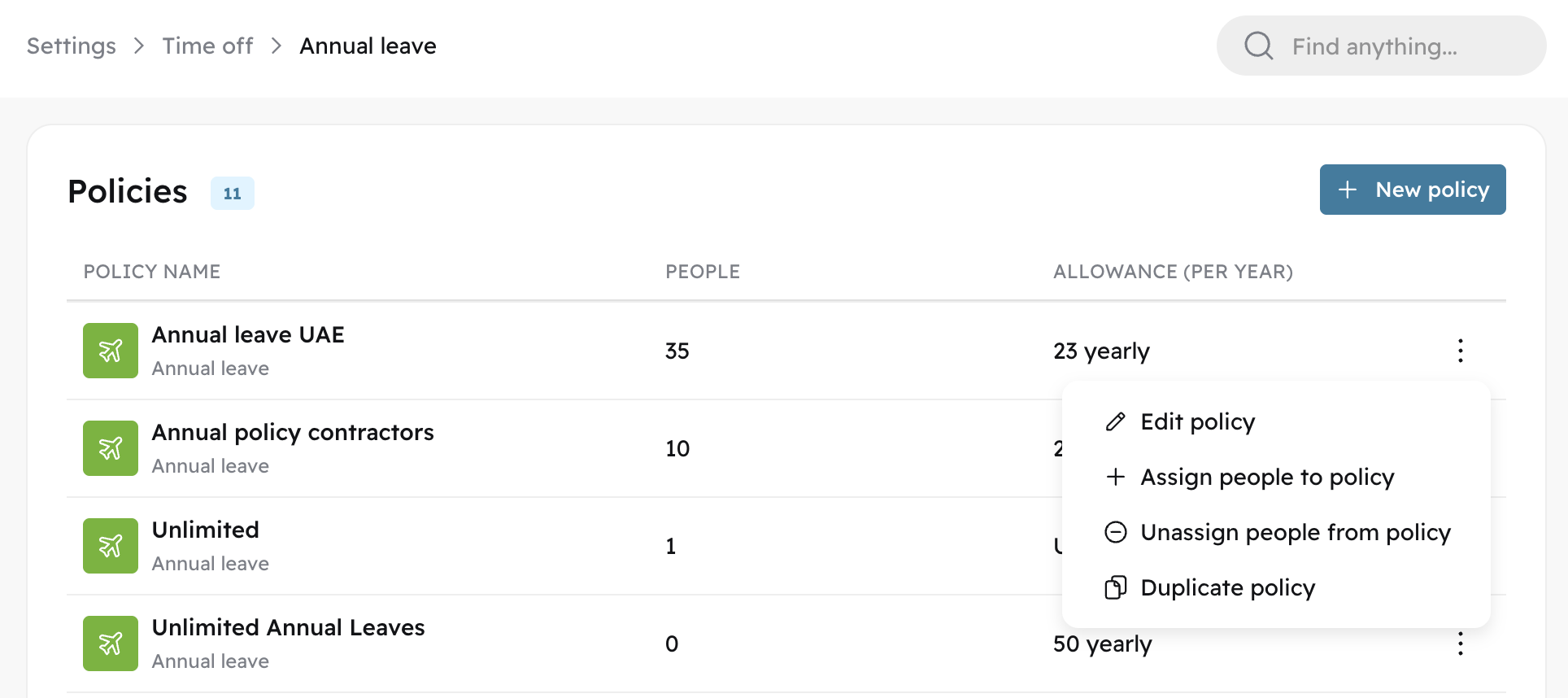
Companies’ time off policies change and we’ve added more options to allow admins to manage them directly in Cercli:
Image without caption
Admins can change settings such as day type, policy eligibility date, and carryover settings in the settings directly to ensure team members’ leave balances are accurately tracked and managed across geographies and accrual periods.
Image without caption

📅
v19.0.0
Enhancement
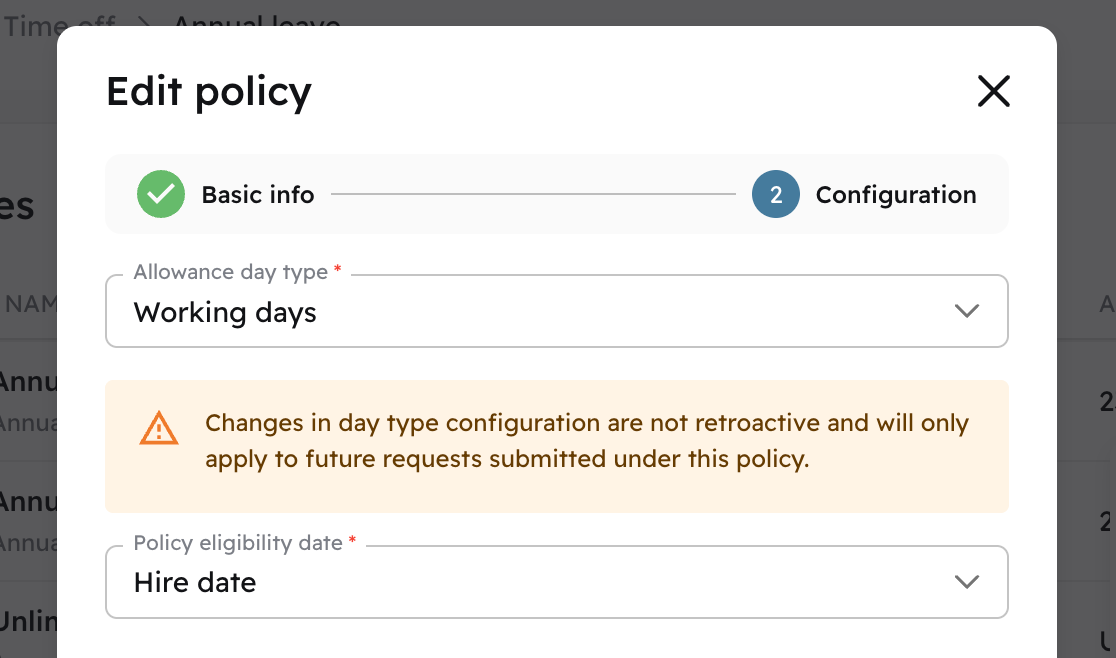
4 months ago
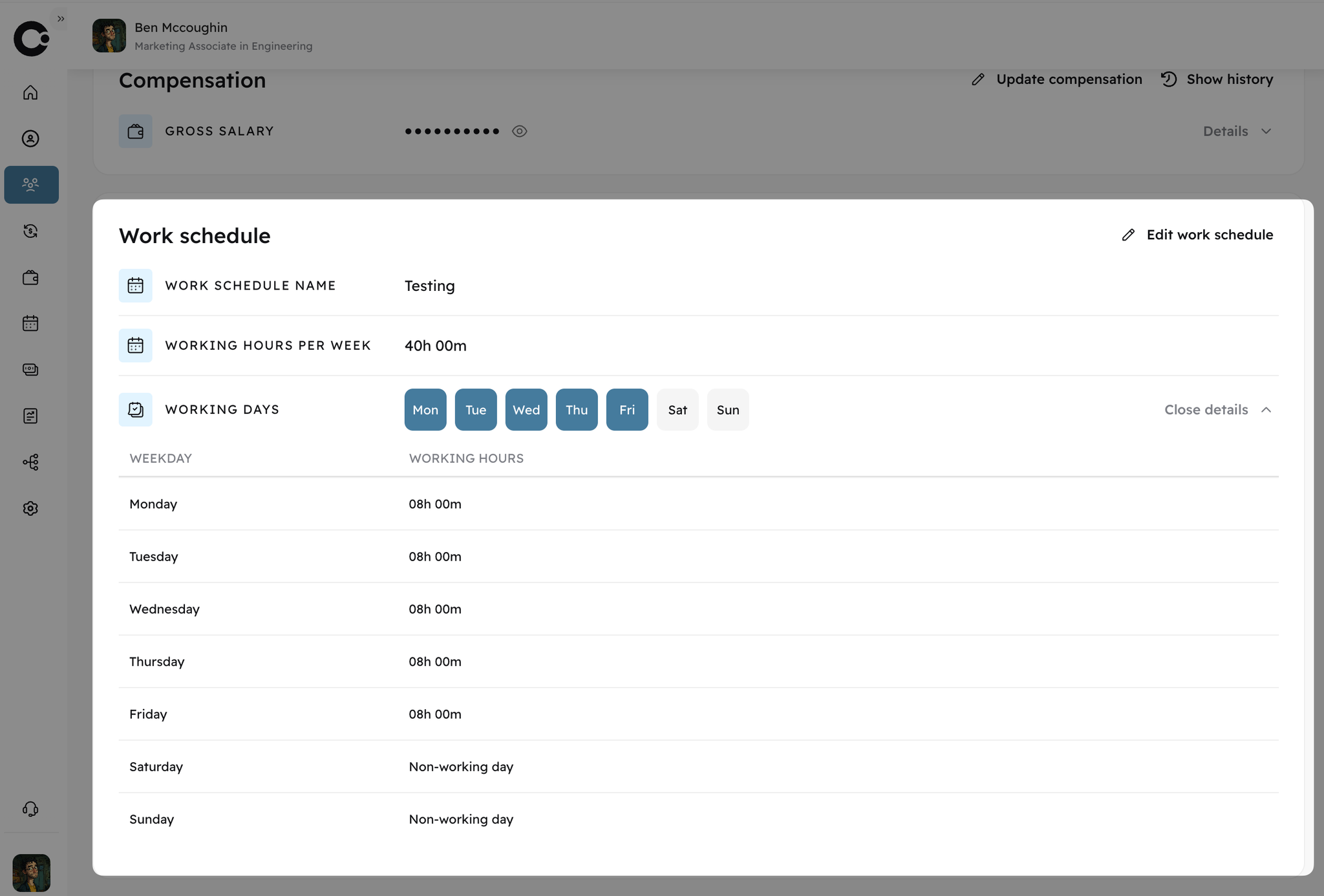
Working schedules can be difficult to track and manage across the region with different official and contractual working schedules. Now, admins can select a default working schedule to be assigned at new hire onboarding, meaning teams can better align to the official working schedules of the hiring entity’s applicable labour laws. Or, you can create a custom working calendar and use that as the default.
Image without caption
As always, team members’ calendar assignments can be updated via their individual profiles or in bulk in settings.

📄
v19.0.0
Enhancement
4 months ago
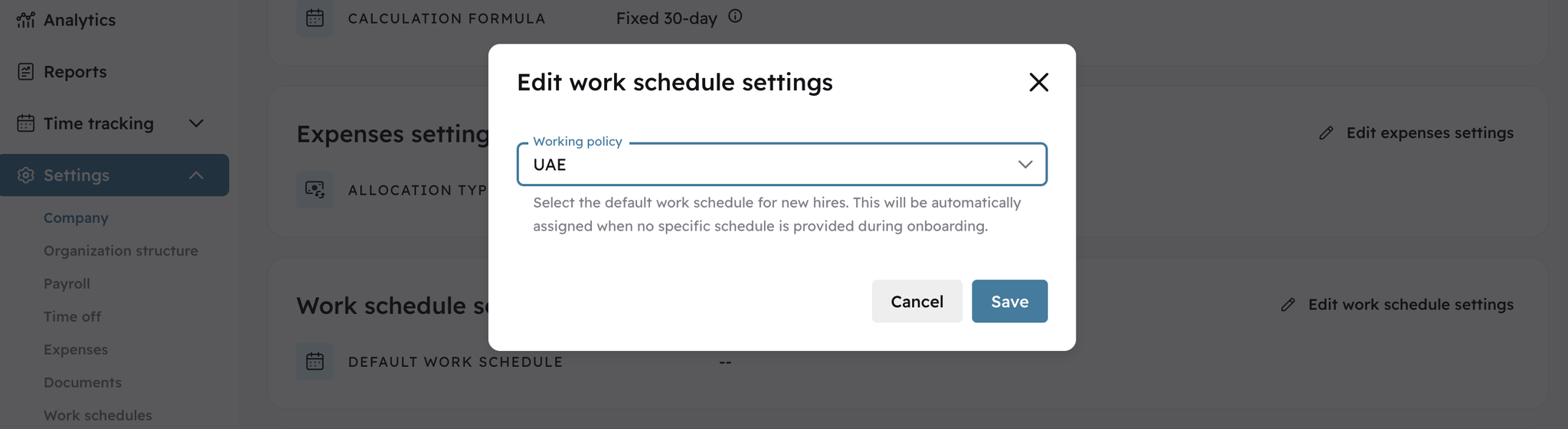
Admins now have greater control over how documents and their data are managed and organised.
Enhanced document settings are now available directly in the “Settings” module. Customise document types and fields for each, including the input field type, whether a field is mandatory and the max length allowed for input.
Image without caption

👥
v19.0.0
Enhancement
4 months ago
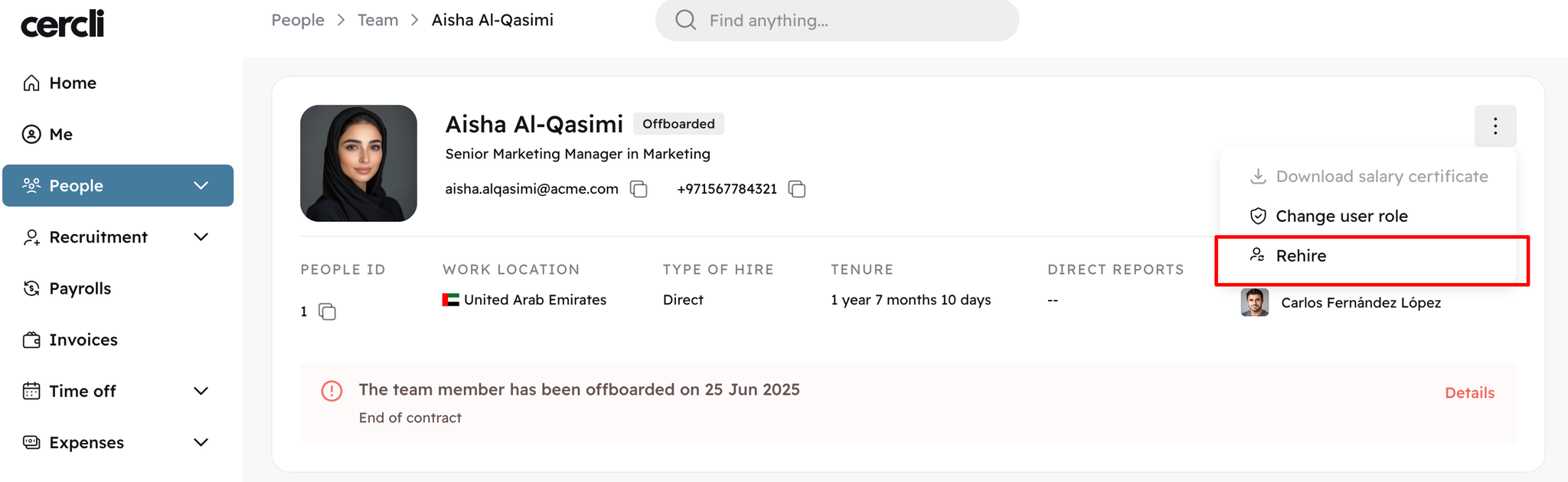
Team members sometimes leave a company only to rejoin later. Cercli now supports rehiring with a simple rehire flow that reduces the amount of input required by admins and preserves historical work and contract records. Admins can initiate the rehire flow directly from an offboarded team member’s profile.
Image without caption

🕢
v18.0.0
Feature
4 months ago
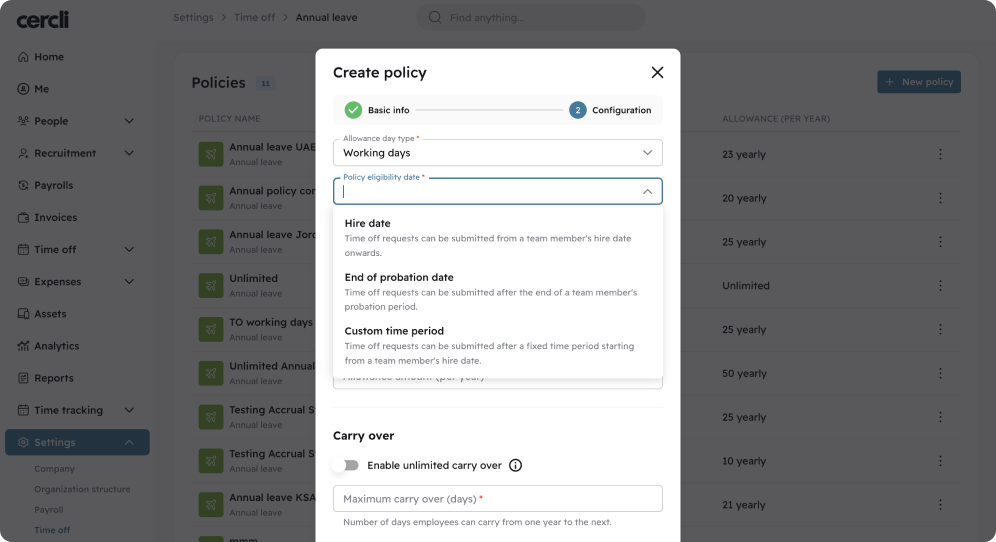
You can now configure when team members become eligible to submit time-off requests at the policy level, independent of when leave begins to accrue.
Three eligibility options are available: team member hire date, end of probation period, or a custom number of days after hire. This addresses common scenarios like UAE sick leave, where according to labour law, entitlement accrues from day one but requests can only be submitted after probation ends.
Team members will still accrue leave from their hire date as usual, but any requests submitted before their eligibility date will be automatically rejected with a clear warning message.
This setting is currently configurable in the UI for newly created policies only. For existing policies requiring this configuration, reach out to the team for manual setup.
Image without caption

🧾
v18.0.0
Feature
4 months ago
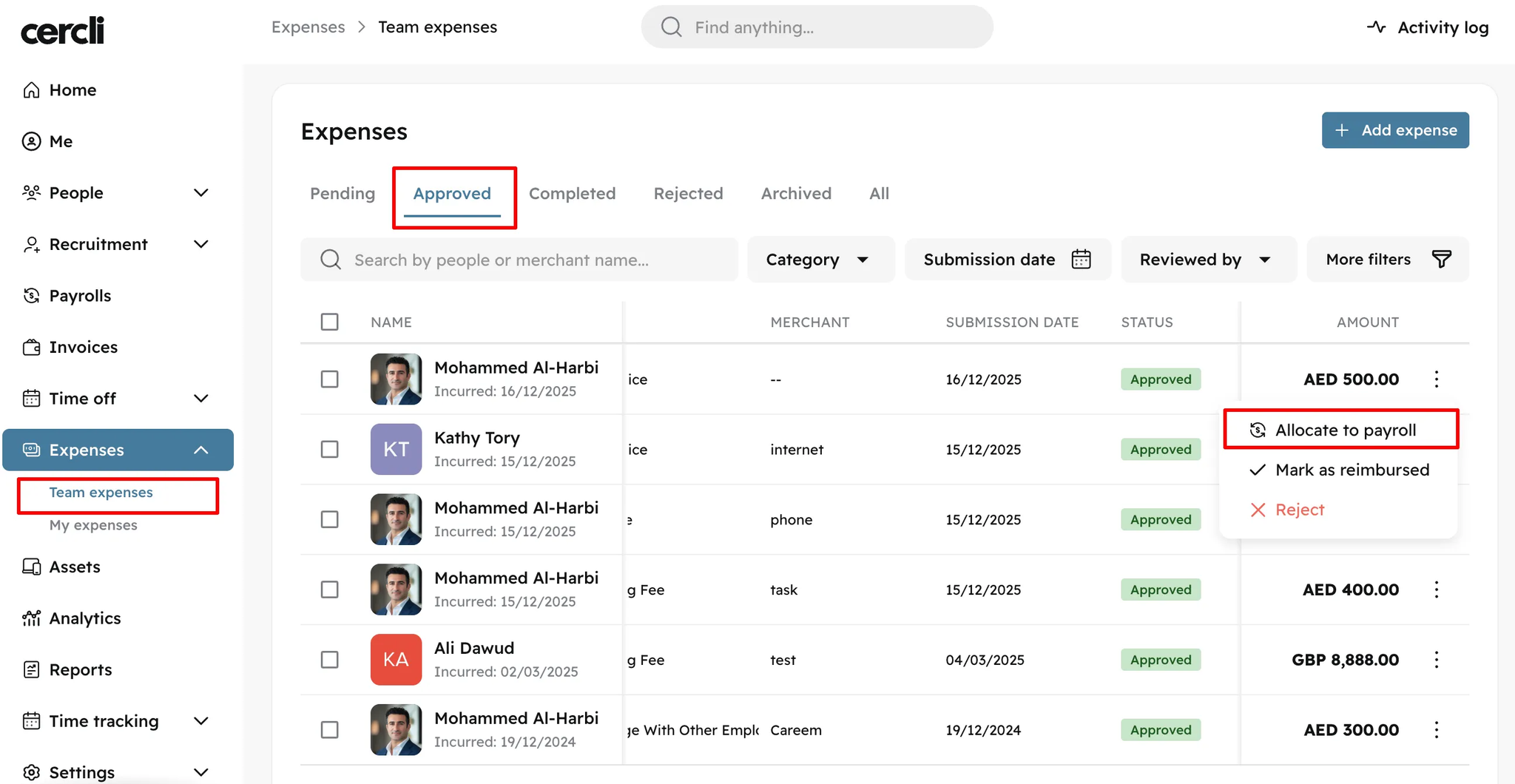
Expenses no longer need to flow through Cercli payroll. Each entity can now be configured for manual or automatic payroll allocation, giving you complete control over how reimbursements are processed.
With manual allocation, approved expenses appear in a dedicated "Approved" tab where admins can allocate them to a payroll cycle, mark them as directly reimbursed (for payments made outside payroll via cash or bank transfer), or leave them as approved for later action.
Direct reimbursements are fully tracked in Cercli but won't appear in any payroll, disbursement files, or payslips. They can be moved back to approved or allocated to a payroll at any time, though expenses allocated to closed payruns remain final.
Image without caption

🔐
v18.0.0
Feature
4 months ago
Microsoft single sign-on is now enabled across all Cercli tenants, supporting Microsoft 365 accounts with the verified blue badge. Users can opt to sign-in using their Microsoft ID for seamless enterprise authentication.

🗓️
v18.0.0
Major Release
4 months ago
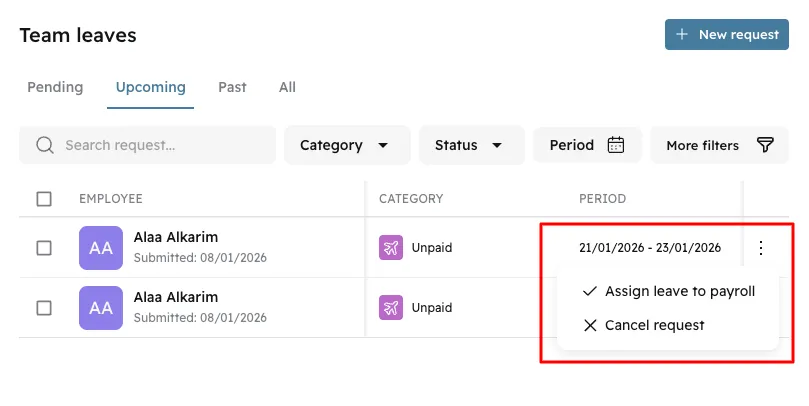
Unpaid leave management is now fully integrated with payroll. When team members take unpaid leave, you can assign approved requests directly to payroll runs with flexible day allocation across current and next month's payroll.
The system automatically calculates deductions based on your time-off policy configuration (calendar days or working days) and creates paylines in the selected payroll runs. You maintain full control over how days are split between pay periods, with the flexibility needed to comply with local labour laws like KSA's 20-day deduction limit per period.
For Saudi Arabia specifically, the system includes compliance notifications when deductions exceed amounts allowed by KSA labour law in a single month. Unpaid leave days are also tracked for compliant offboarding in UAE and KSA, where they must be deducted from total tenure calculations.
Image without caption

📆
v17.0.0
Feature
6 months ago
Image without caption
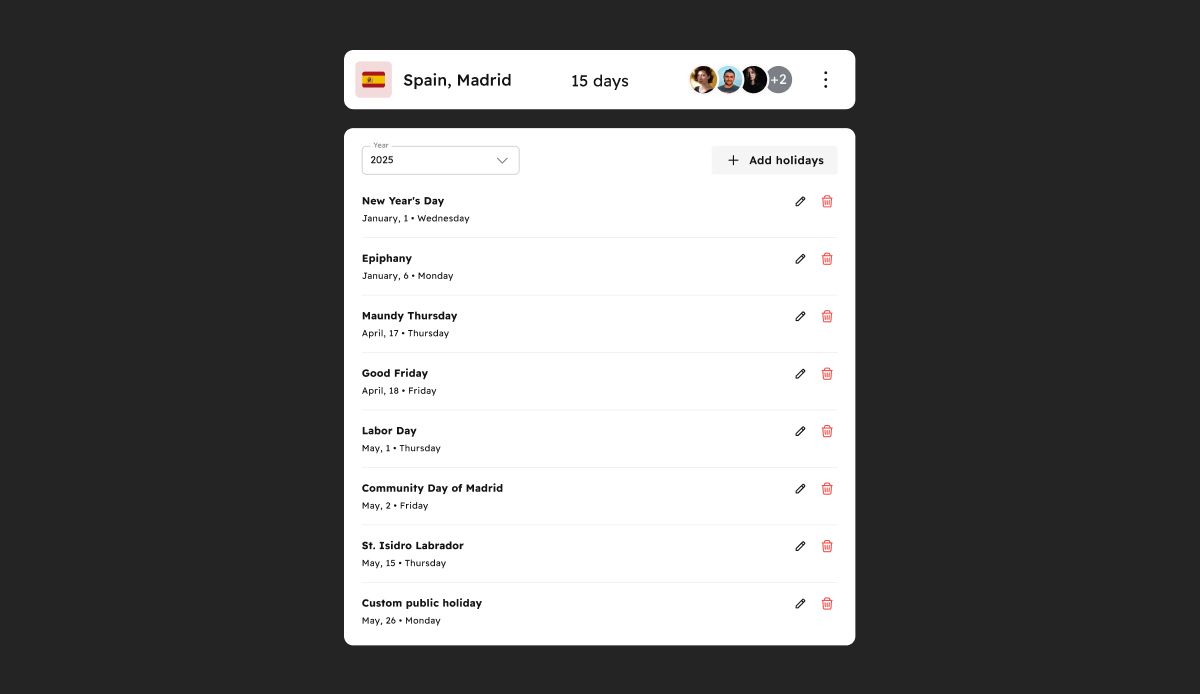
Every team has unique holiday observances. You can now create and maintain custom public holiday calendars tailored to your team's needs.
Whether you want to set up separate calendars for different religious holidays or accommodate team members across various regions, Cercli gives you the flexibility to define what's observed and when.

Arabic Language Support (BETA)
v17.0.0
Major Release
6 months ago
Image without caption
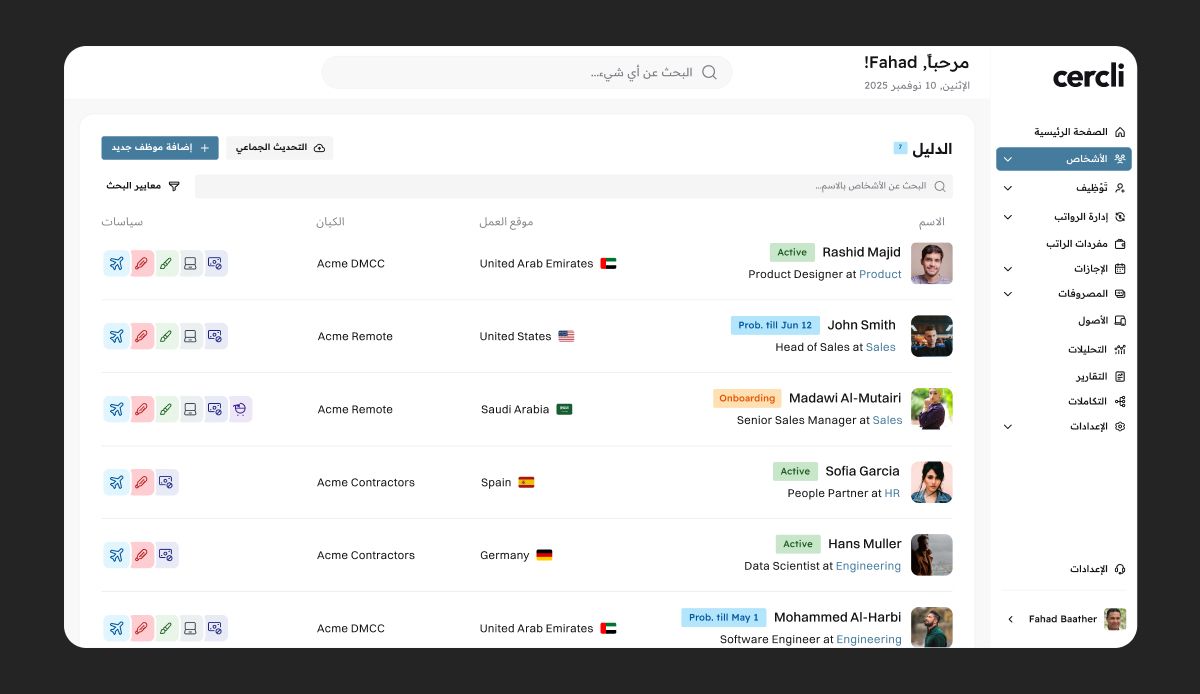
Cercli now supports Arabic across the platform — currently in BETA.
This makes the platform more accessible for Arabic-speaking admins and team members, and helps ensure a smoother experience for teams operating primarily in Arabic-speaking markets. We'll continue refining the experience based on your feedback.

🕤
v17.0.0
Feature
6 months ago
Image without caption
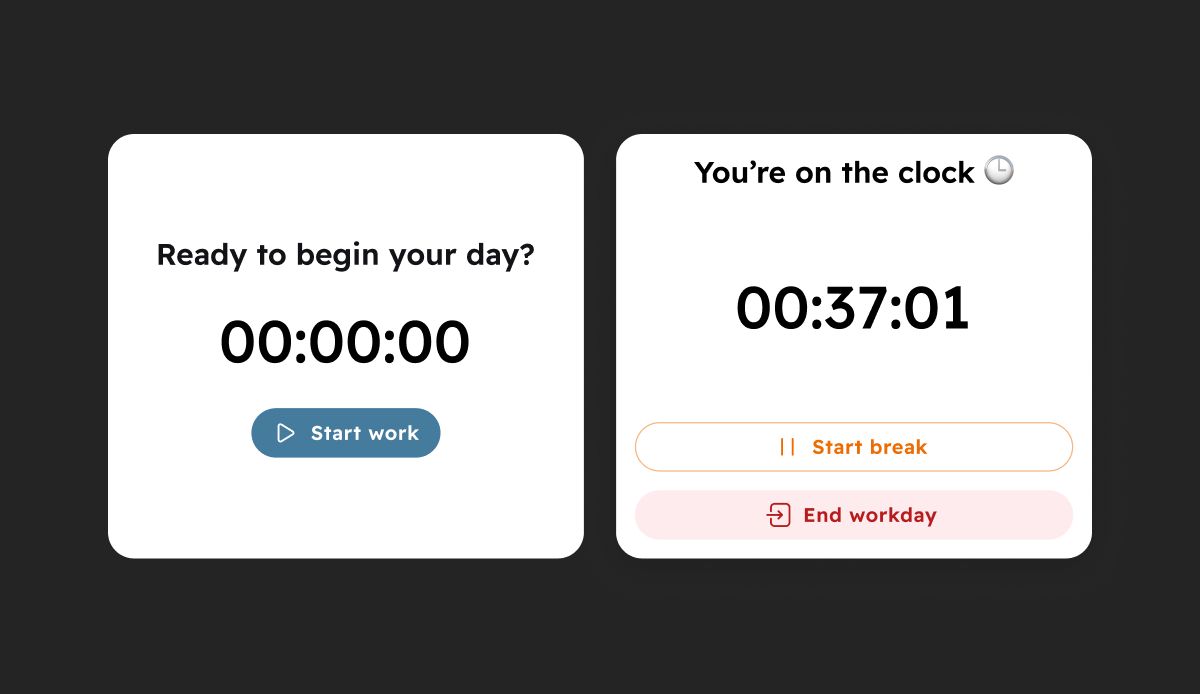
Time tracking is now built into Cercli. You can track time and attendance with geolocation-enabled check-ins, giving you real-time visibility into where and when your team is working.
This is especially useful for distributed teams, field-based roles, or companies with multiple office locations. Time tracking integrates seamlessly with your existing workflows, so you can manage attendance, payroll, and compliance all in one place.
Team members can clock in and out directly in the Cercli app or through Slack using the Cercli bot.

💱
v17.0.0
Feature
6 months ago
Image without caption
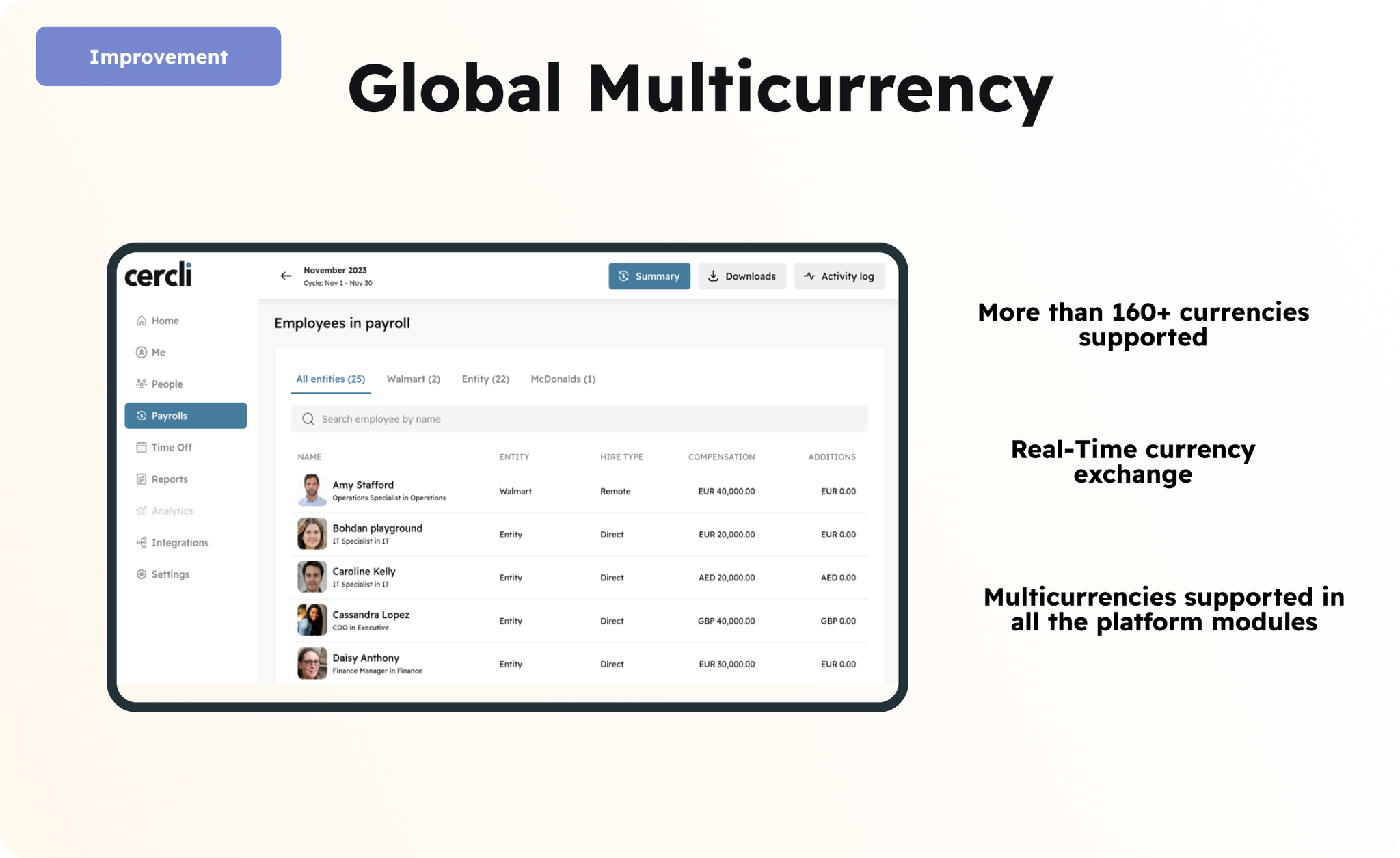
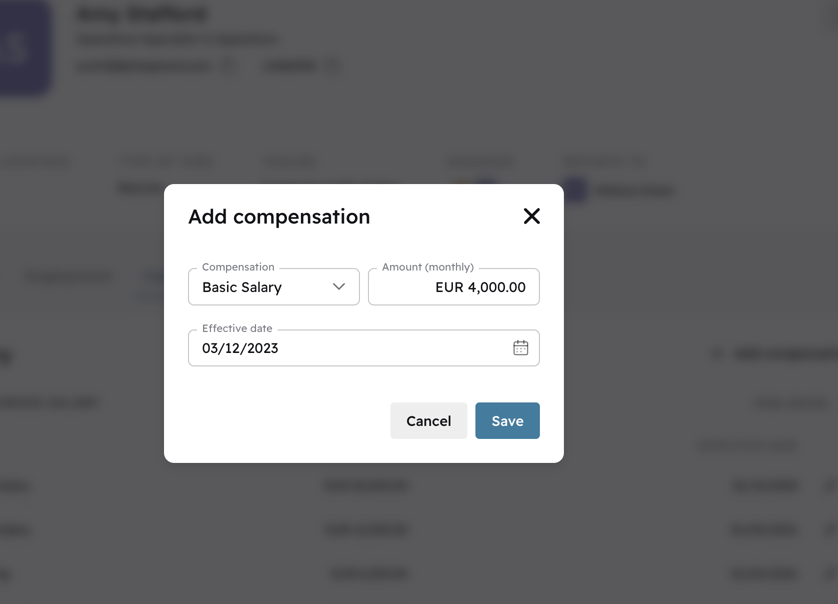
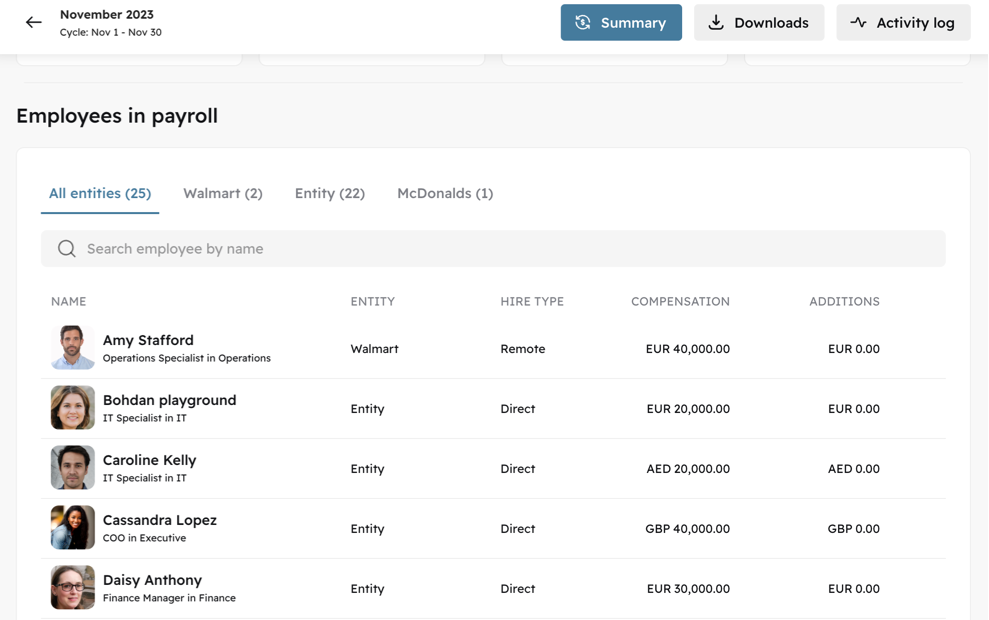
Modern payrolls are complex, running across multiple countries and currencies. You shouldn't have to choose one currency for your entire payroll operation.
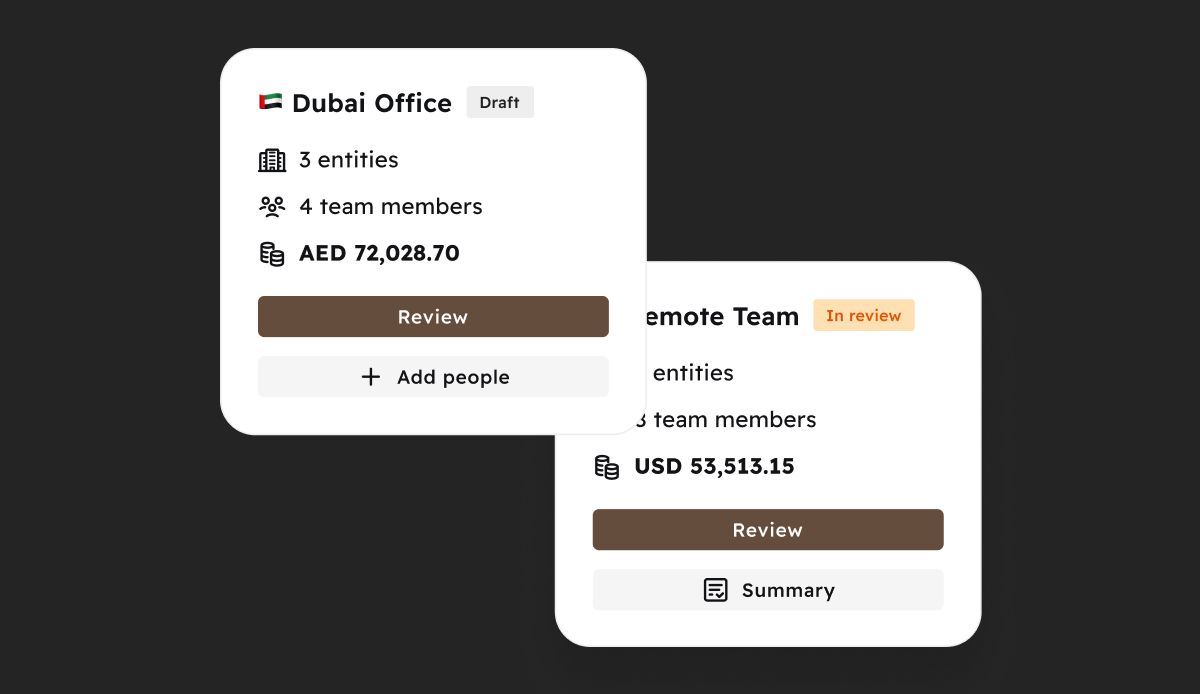
Cercli now supports multiple payruns in a pay cycle, each with their own currency. Run separate payruns for different entities or teams — AED, USD, SAR, EGP, and more. Each generates its own reports.
Cleaner visibility, more control, less reconciliation headaches.

🇸🇦
v17.0.0
Feature
6 months ago
Image without caption
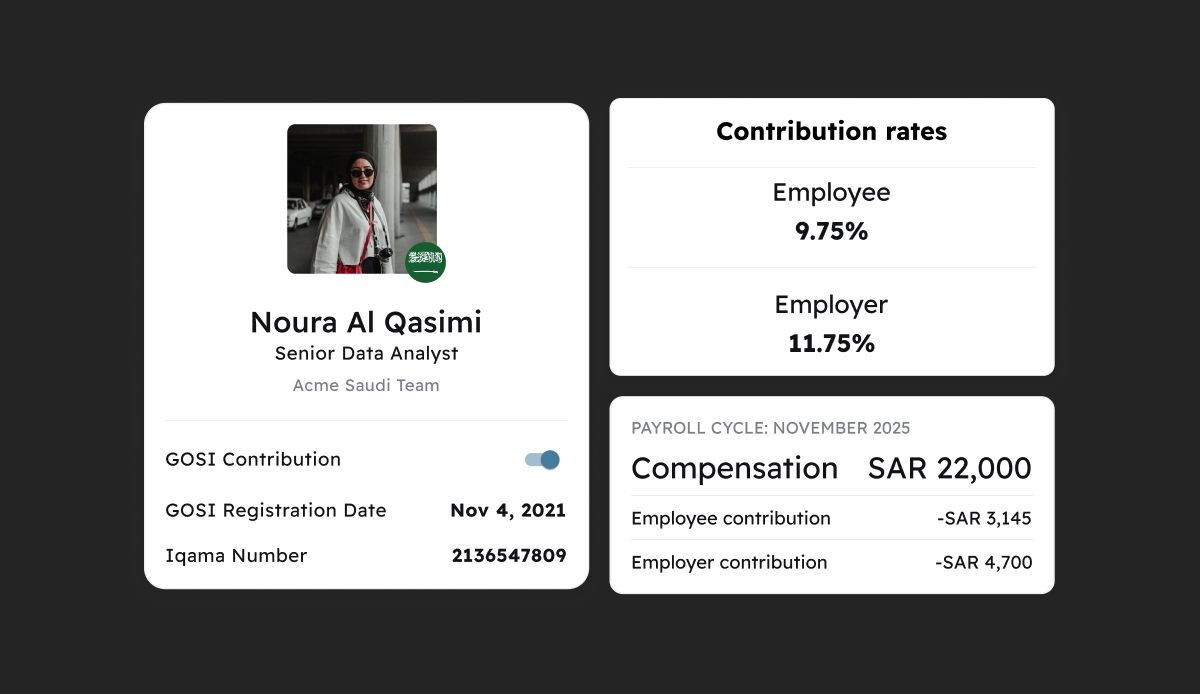
Cercli now automatically calculates complete GOSI contributions for team members contracted to KSA entities.
Whether you're managing Saudi nationals or expatriates, Cercli applies the correct GOSI rates and contribution types based on each team member's profile. This ensures your payroll is compliant with Saudi social insurance requirements based on the team member's nationality; automatically, accurately, and without manual intervention.

💵
v16.0.0
Enhancement
9 months ago
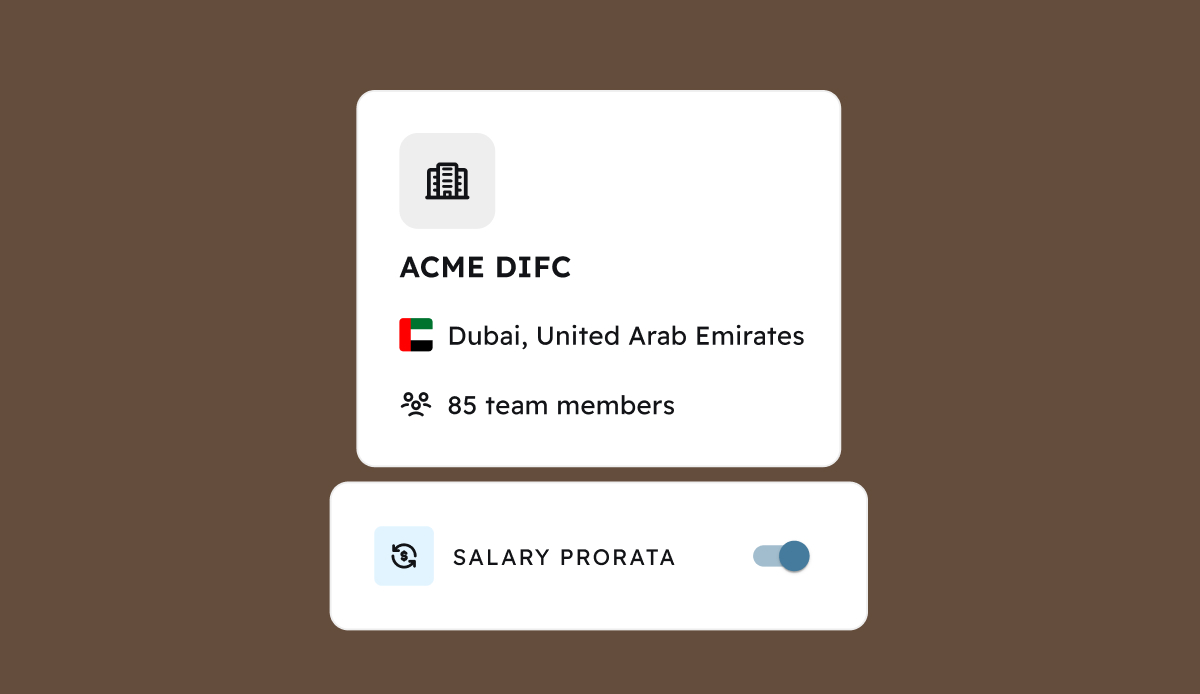
Compensation proration strategies are mandated by the jurisdiction of the hiring entity and one-size definitely does not fit all. That’s why we’ve moved proration settings from the payroll settings to the entity settings.
Image without caption
Now team members’ salaries will be prorated according to the proration strategy configured within their contracting entity. Whether you have entities across UAE mainland and free zones or across multiple countries, your team’s prorated compensation will be calculated automatically and accurately!

📩
v16.0.0
Enhancement
9 months ago
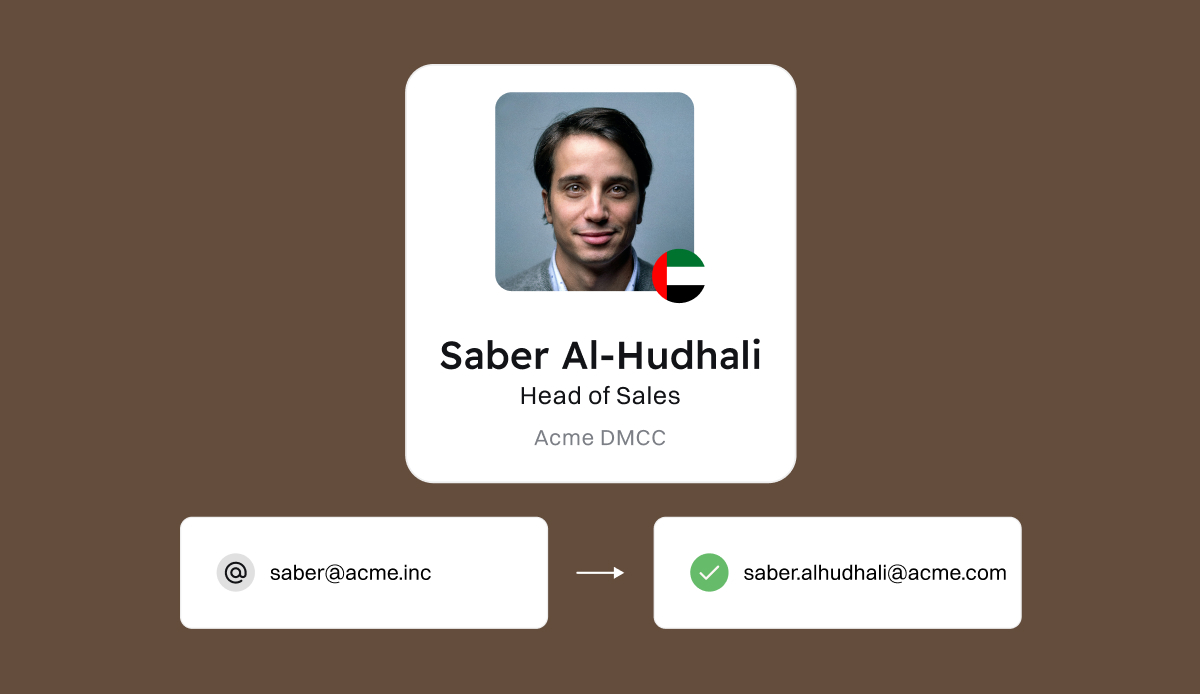
Work emails are essential to logging-in to Cercli, sending notifications, and managing team members’ data. We also understand that sometimes team members’ emails change or are reassigned after they leave an organisation. Now you can update the work email and manage platform invitations all directly in team members’ profiles!
Image without caption

✍🏼
v16.0.0
Feature
Enhancement
9 months ago
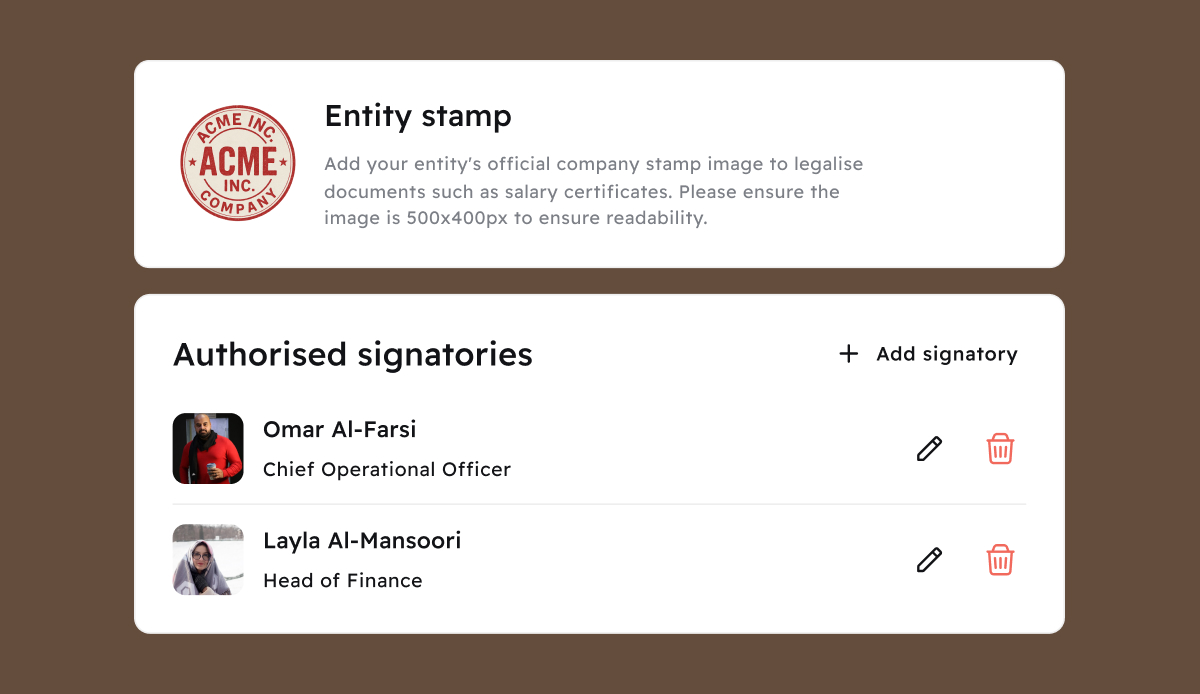
To simplify the issuance of salary certificates and other documents, Cercli has added “Authorised signatories” settings to entities. To streamline salary certificates, for example, simply select the authorised signatory name(s) and upload their signatures as well as the legal stamp for the entity itself. Then, each time an admin generates a salary certificate, the entity stamp and authorised signatory will be automatically added!
Image without caption
These authorised signatories will also support an expanding list of documents that can be generated through Cercli. Stay-tuned for more!

🔃
v16.0.0
Feature
9 months ago
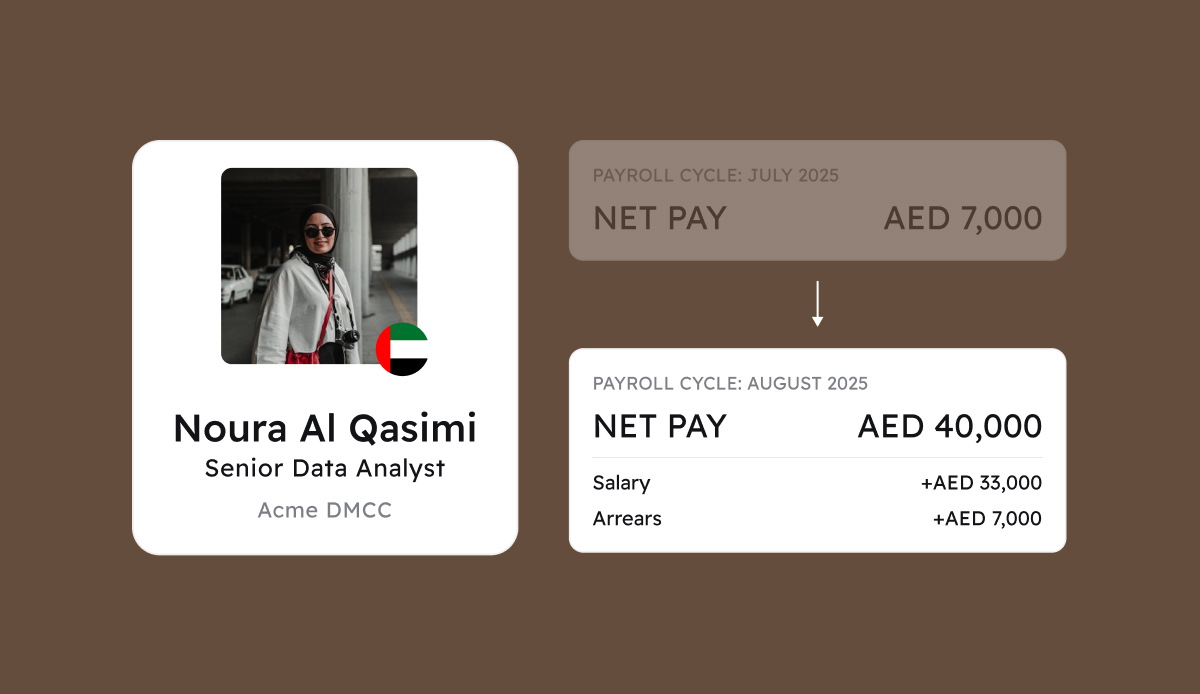
New hire start dates can be unpredictable and can fall in between pay cycles. That’s why we’ve added automated arrears calculations!
Image without caption
When a team member starts after the closure of one payroll cycle and before the start of the next, Cercli will automatically calculate the arrears payment due based on the selected proration strategy for their entity and add the amount as a new payline to the upcoming payroll cycle. Now you don’t need to worry about manual calculations or verifying that arrears have been added - Cercli does this for you!
Has the payroll cycle or start date of the new hire changed? No problem - any arrears calculation will be automatically updated or removed!

💰
v15.0.0
Major Release
10 months ago
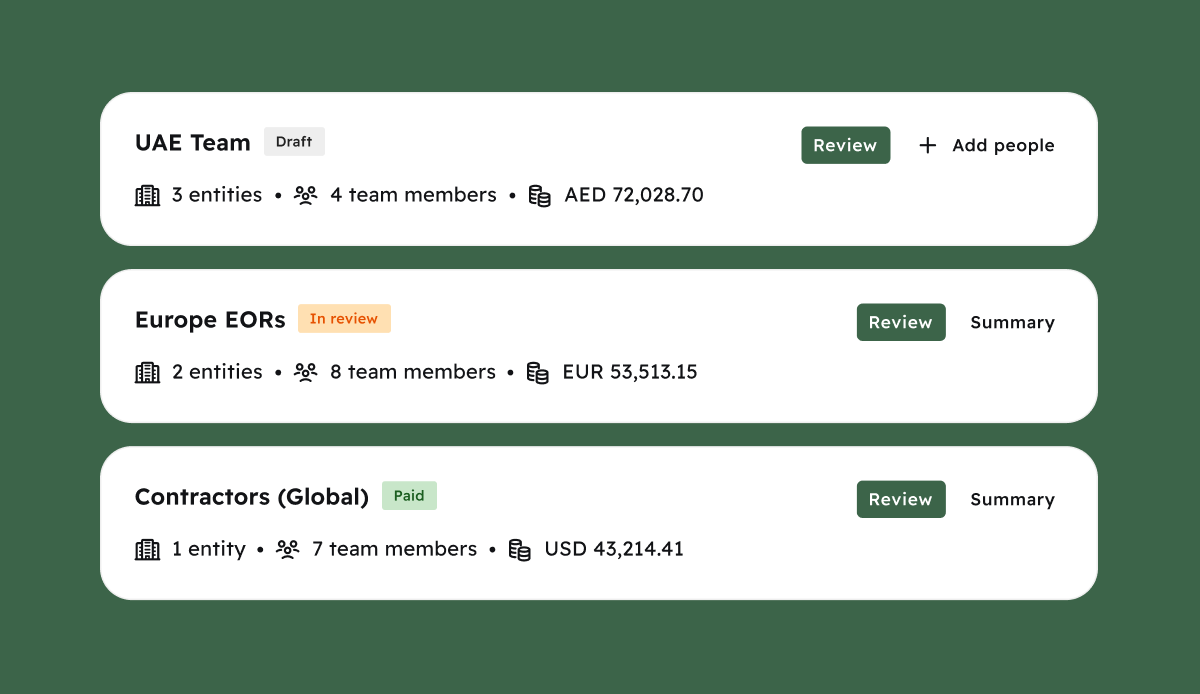
You asked, we built it! Cercli Payroll now supports multiple payruns across different entities, countries, and even team member types. Run payroll for your UAE team on one day, and your Saudi team the next, no more workarounds, just flexibility built into the flow.
Whether it's by country, entity, department, or contract type, you’re now free to pay teams the way that fits your structure.
Image without caption

😮‍💨
v15.0.0
Major Release
10 months ago
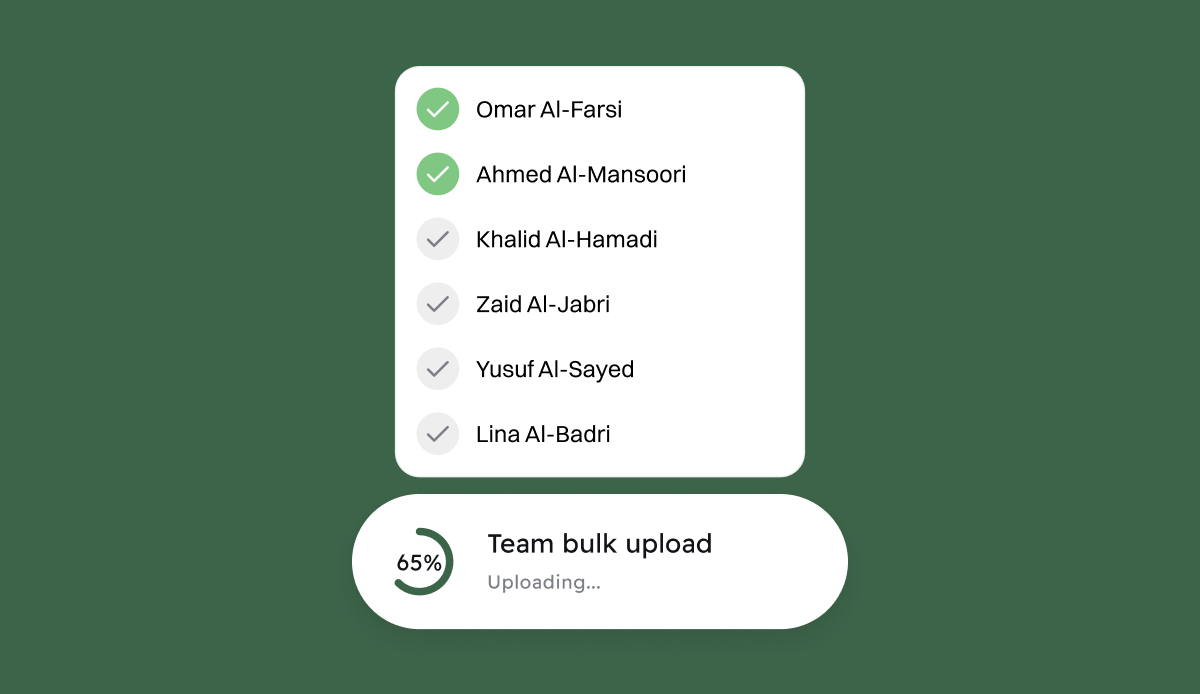
Hiring at scale? We’ve got you. You can now onboard multiple employees at once in Cercli, no more repeating the same steps over and over. Upload all your new joiners in one go, complete with locations, contracts, and compensation details. It’s ideal for fast-growing teams or when you're onboarding in batches across regions.
This update helps you cut down admin time, reduce manual errors, and get your people set up faster. Just upload, review, and you’re done.
Image without caption

👩‍💻
v15.0.0
Major Release
10 months ago
Last month, we announced Cercli’s new asset management module. Team members can now see all their assigned assets directly from their Cercli profile with no need to ask HR or chase spreadsheets. From laptops to access cards, everything is visible in one place. This update gives team members more transparency and helps reduce back-and-forth for admins.

📊
v15.0.0
Major Release
10 months ago
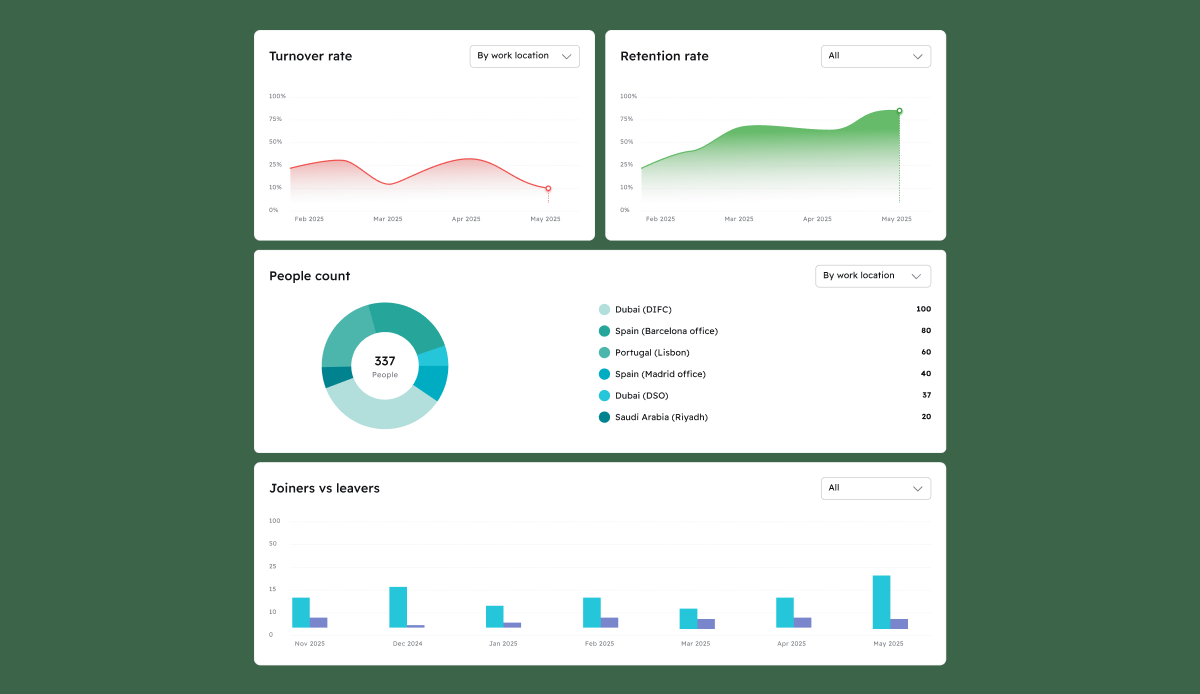
Data’s only helpful when it’s clear. We’ve upgraded Cercli’s analytics to be more visual and accessible, with permission-based access so the right people see the right data.
With people analytics, you can now view:
• Turnover and retention rates month over month
• People count by entity, work location, department, gender, and nationality
• Joiners versus leavers in visual formats
The visuals are clean, easy to scan, and designed to make decision-making faster.
Image without caption

🖇️
v15.0.0
Major Release
10 months ago
Cercli now integrates directly with Carta, making it easier than ever to manage equity alongside your HR data. With this new sync, employee information like job titles, start dates, and termination updates flows automatically from Cercli into Carta, eliminating manual entry, reducing errors, and ensuring your cap table always reflects the latest changes. Whether you're hiring, offboarding, or updating roles, you’ll save time and maintain accurate records across both platforms. It’s a smarter, cleaner way to manage compensation and equity together.
Image without caption

🤖
v15.0.0
Major Release
10 months ago
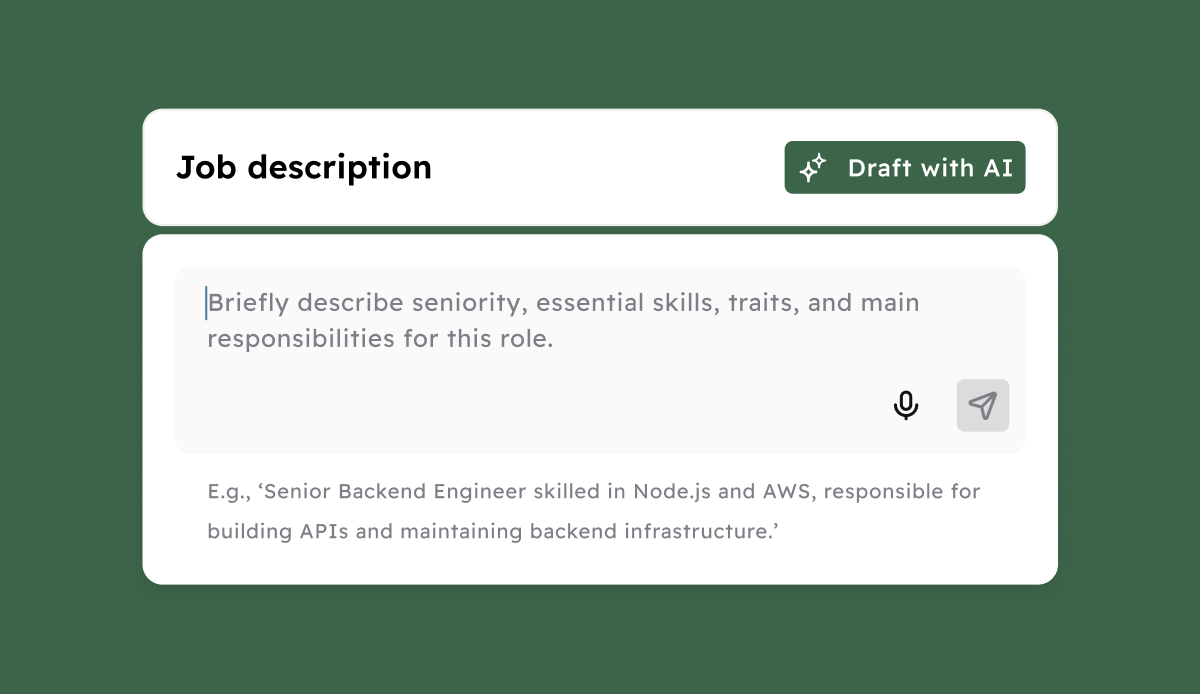
Writing job descriptions just got easier. When adding a new hire, Cercli now suggests a tailored JD based on the role using generative AI. You can use it as-is, or tweak it to fit, giving HR a head start and saving time on every new role.
Image without caption

📁
v15.0.0
Enhancement
10 months ago
We’ve made two small changes that go a long way:
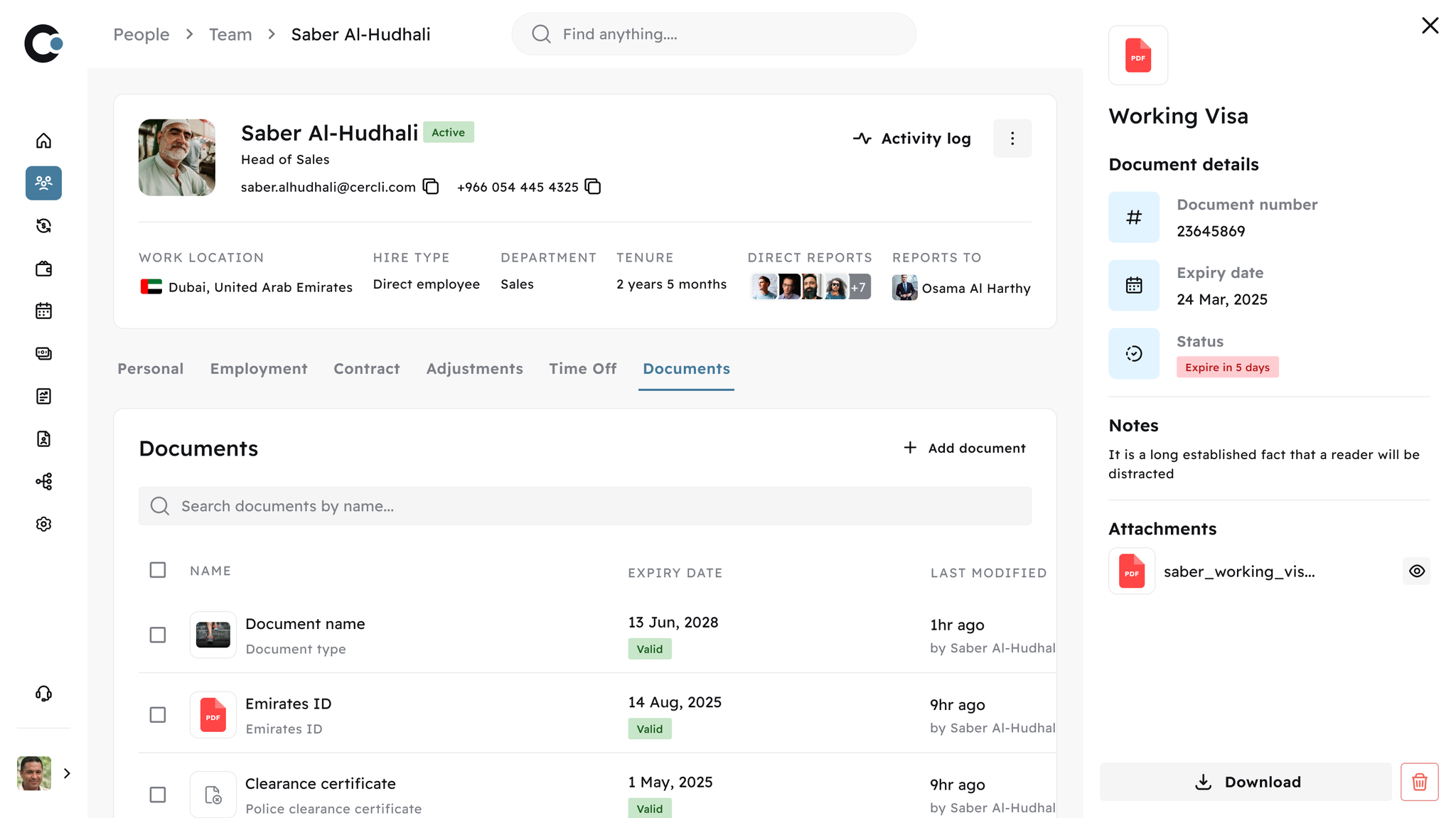
  • Document previews: You don’t always need to download files just to view them; you can now preview directly in-platform.
  • Expiry notifications via Slack: You’ll now get Slack alerts when documents are about to expire, so you and your team are always aware and compliant.

v15.0.0
Enhancement
10 months ago
Last month, we launched compliant offboarding flows with automated gratuity calculation for the UAE. This month, we’ve added support for ADGM contracts. Just toggle the setting, and Cercli handles the rest, from compliant gratuity calculation to final settlement letters.

👋
v14.0.0
Major Release
11 months ago
Automated Compliant Offboarding
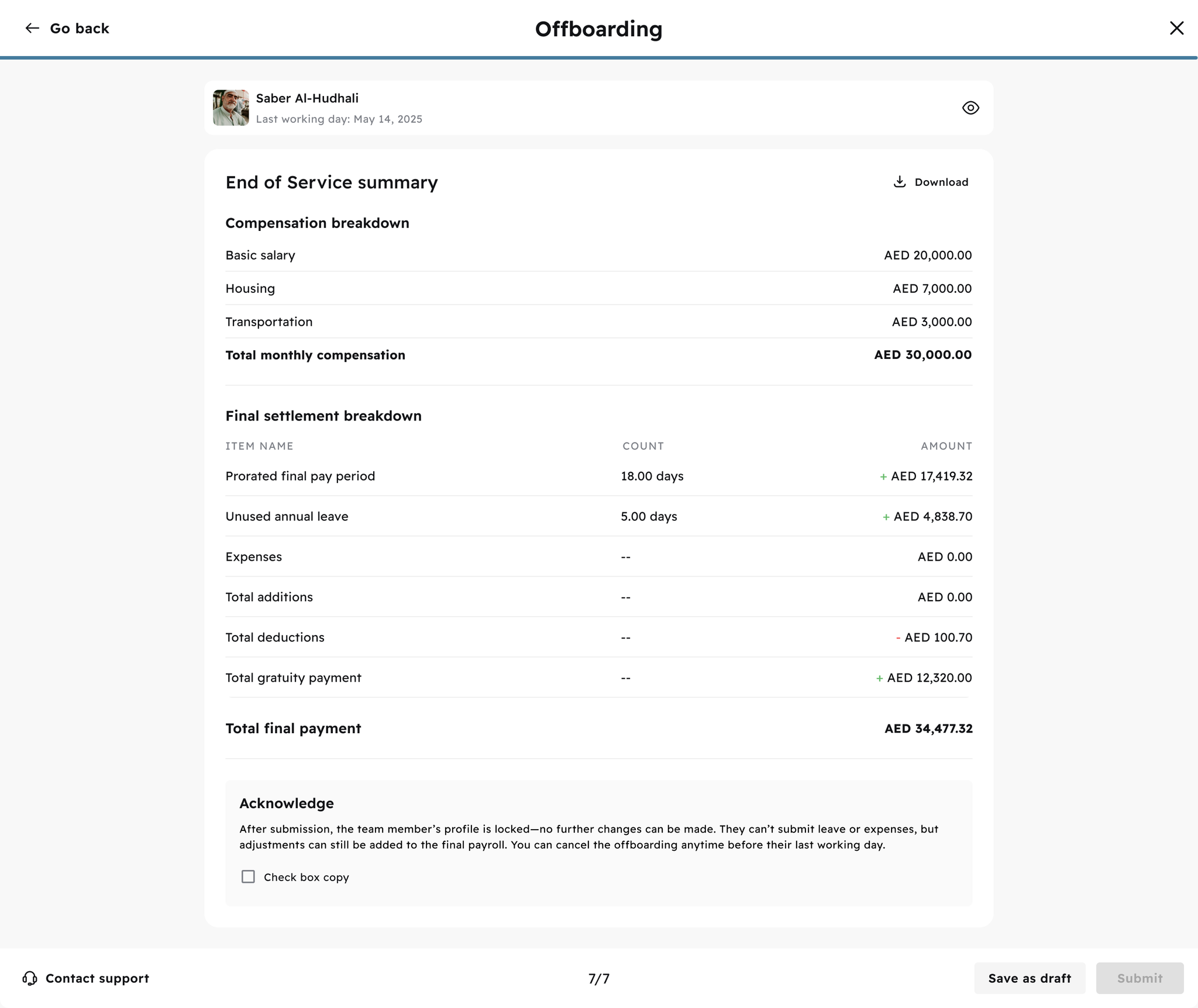
Last month, we gave you a sneak peek of Cercli’s new offboarding module. It’s now live and ready to use. This flow helps you offboard team members in just a few clicks without missing any key steps.
Without leaving the platform, you can now:
• Automatically calculate final settlements, including gratuity, leave payouts, expenses, and other additions using a calculator built to reflect UAE labour law
• Download an offboarding summary and generate a final settlement letter with zero manual work
• Capture every detail from service end date to notice date, last working day, departure reason, and type of offboarding
• Reassign direct reports and people partners when someone leaves
• Decide whether to include leave payout in the final amount
• Save drafts, review them later, and submit when you’re ready
The end-of-service summary includes total compensation, unused leave, expenses, total additions, and a full breakdown of the settlement. You can also edit or assign at any stage.

💻
v14.0.0
Major Release
11 months ago
Introducing the Brand New Asset Management
We’re excited to share the launch of a new module in Cercli: asset management. You can now assign and track assets and equipment for any team member at any stage, during onboarding or after. It doesn’t matter when it happens, the process is simple.
From laptops to monitors to access cards, you can assign whatever your team needs with the flexibility to remove or edit assignments at any time. Everything is tracked in one place, so you always know where your company assets are and who they’re with.
We also built a dedicated buyout flow in case someone wants to purchase their assigned equipment.

😎
v14.0.0
Feature
11 months ago
As part of our ongoing improvements to the Cercli time-off calendar, you can now sync it with your work calendar, whether that’s Google or Outlook. Authenticate securely, select which calendar to use, and choose which leave categories to show, such as annual leave, sick leave, or working from home. You can toggle these on and off as needed.
You also have control over who sees what. Keep your time off private or choose to make it visible to your team.

🔢
v14.0.0
Enhancement
11 months ago
Automated salary certificate generation
Salary certificates are critical for team members to be able to apply for visas, bank loans, and other official processes. When done offline, they’re a time-consuming, repetitive task. Now you can automate the creation of salary certificates using Cercli as your source of truth with just a few clicks. Simply navigate to the team member’s profile, select the option to download the salary certificate, and input the required information to generate a final PDF.

⚠️
v14.0.0
Enhancement
11 months ago
Get notifications for probation status and contract deadlines
Through the Cercli platform, you’ll now receive alerts and notifications on important team events like probation status, contract ends, and more. These notifications help you stay on top of key updates without needing to dig for them.
Every update this month was built to reduce manual work, improve visibility, and make HR feel less like admin and more like progress.

📁
v13.0.0
Enhancement
Major Release
1 year ago
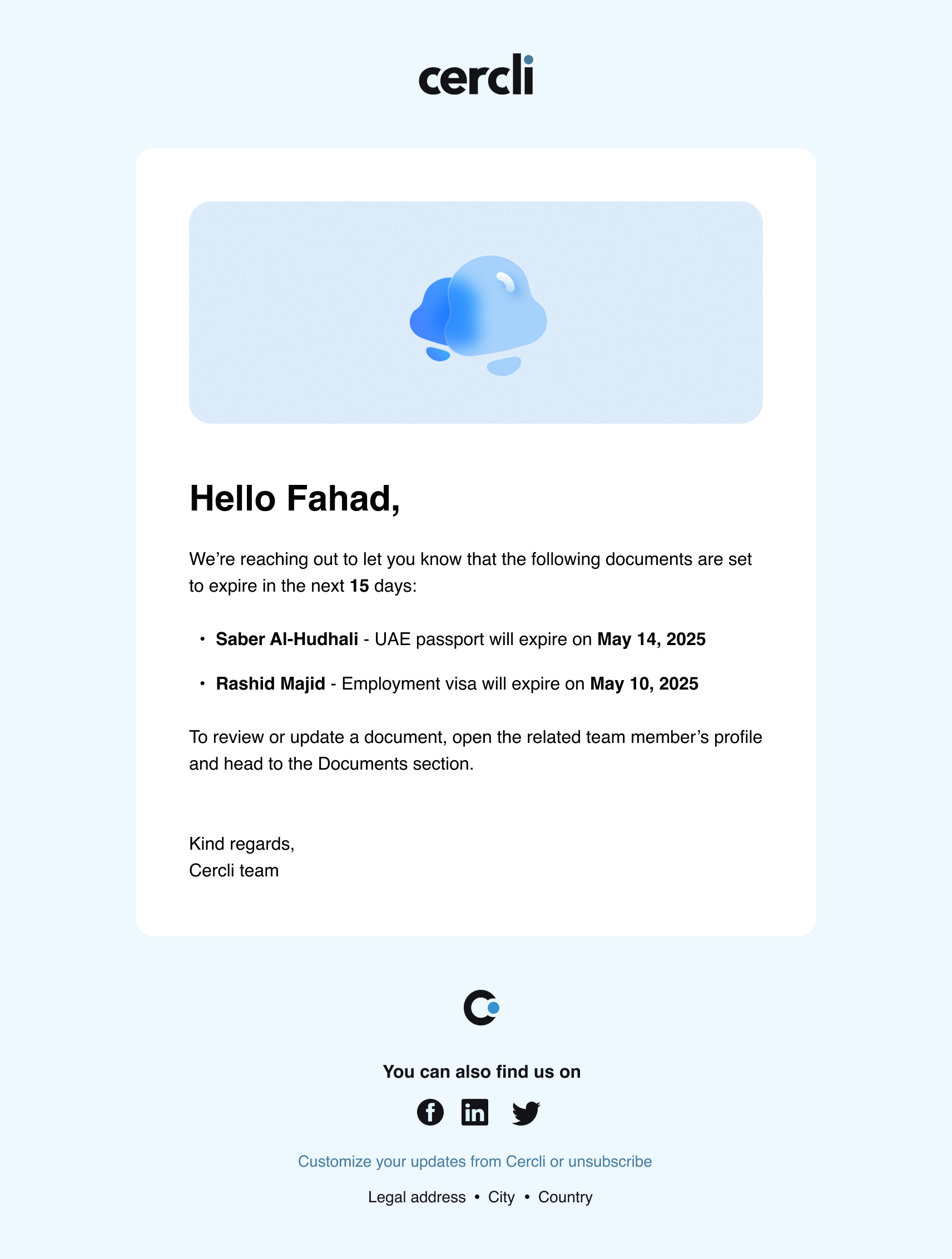
Document Notifications: Stay ahead of deadlines & fines
Missing a document expiry date might seem small until it turns into a compliance issue or a fine. In the UAE and across the region, expired visas, IDs, or employment documents can quickly lead to penalties, delays, and serious legal exposure.
This month, we’ve taken document tracking further with automated expiry notifications to help you stay compliant, without the manual follow-up.
Image without caption
You’ll now receive two types of alerts:
  • When a document is about to expire
  • When a document has already expired
Notifications go out to both the admin and the team member, triggered at the document level, and delivered via email, Slack, and visible in-platform. Stay tuned as this goes live Friday May 2, 2025.
Image without caption

👋
v13.0.0
Major Release
1 year ago
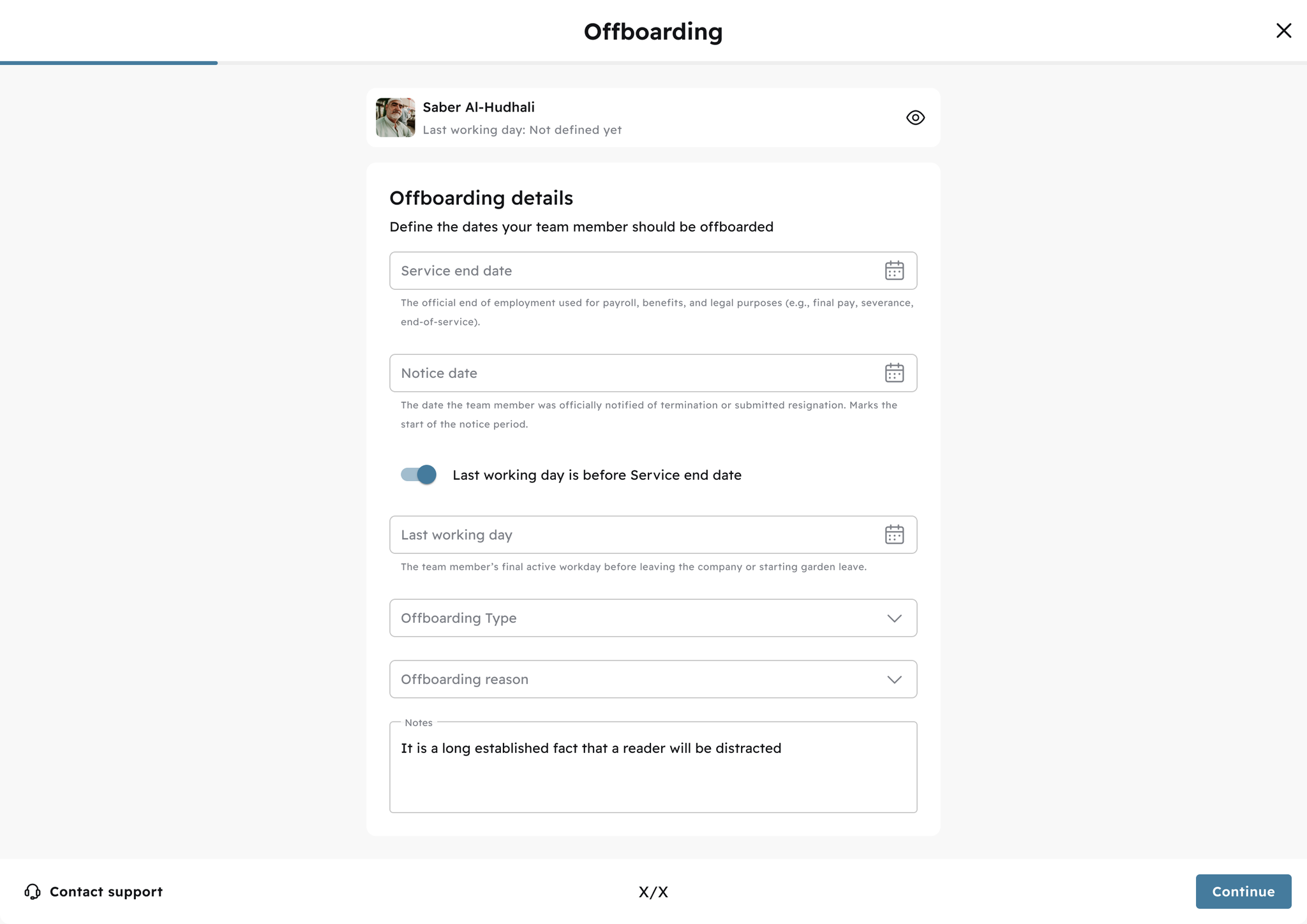
Offboarding: From Final Day to Final Pay
Offboarding is where things can get messy. Dates sometimes don’t align, payouts get miscalculated, and HR ends up chasing Finance (again). That’s why we’re rolling out an enhanced offboarding flow to help you capture key details with total clarity, including:
  • Last working day – the final day the team member actually shows up to work
  • Service end date – the official end of employment, which might include unused leave, notice period, or garden leave
  • Gardening leave – to separate paid time off from active working days
  • Offboarding type – resignation or termination, clearly marked
Image without caption
We’ve also built in automatic calculations for:
  • Gratuity
  • Annual leave payout
  • End-of-service summary
  • Final payroll inclusion
Image without caption
It’s everything you need to close the loop between HR and Finance and ensure your team members get offboarded seamlessly. This update will be live soon, and we’ll notify you as soon as it’s available.

🏝️
v13.0.0
Enhancement
1 year ago
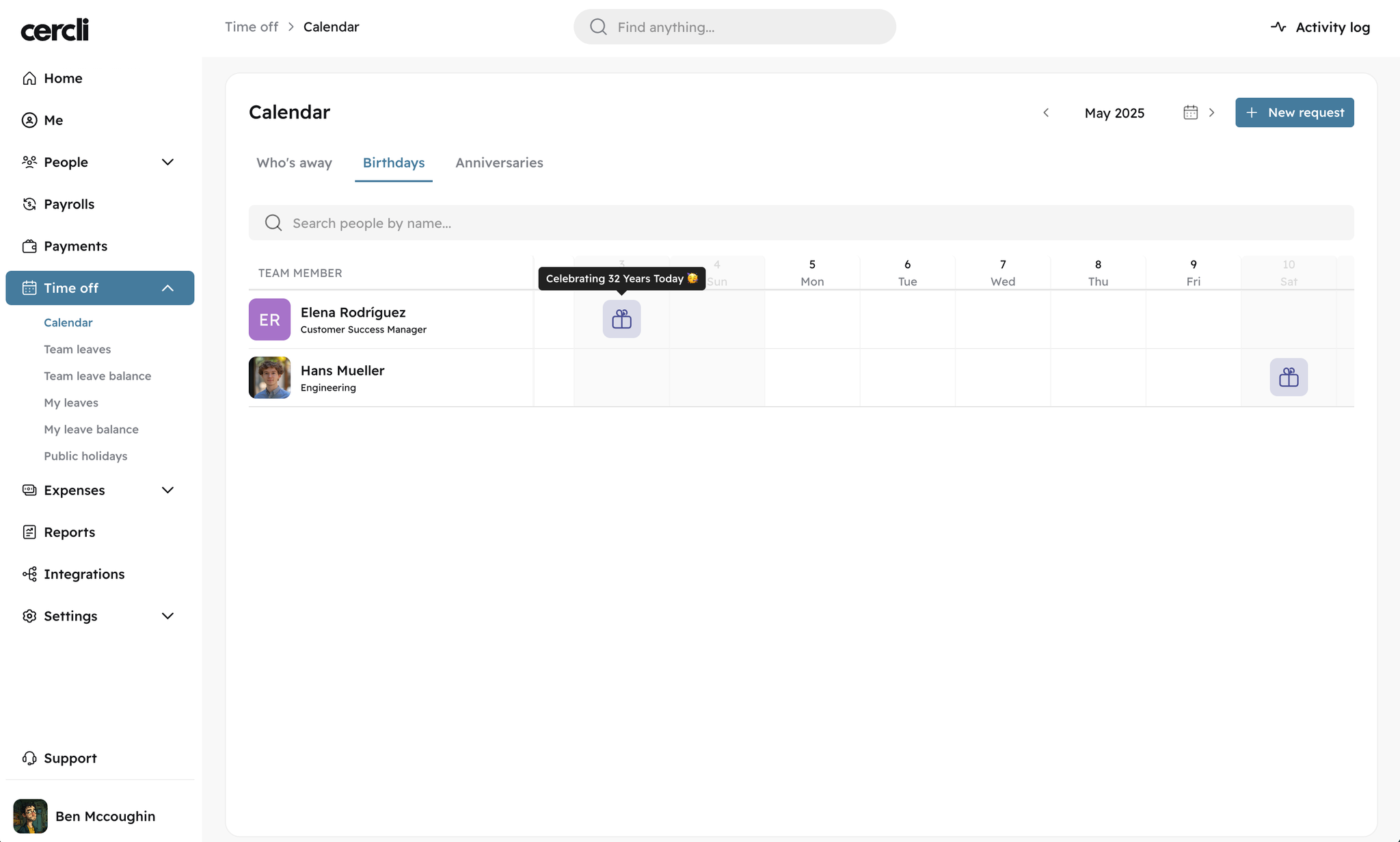
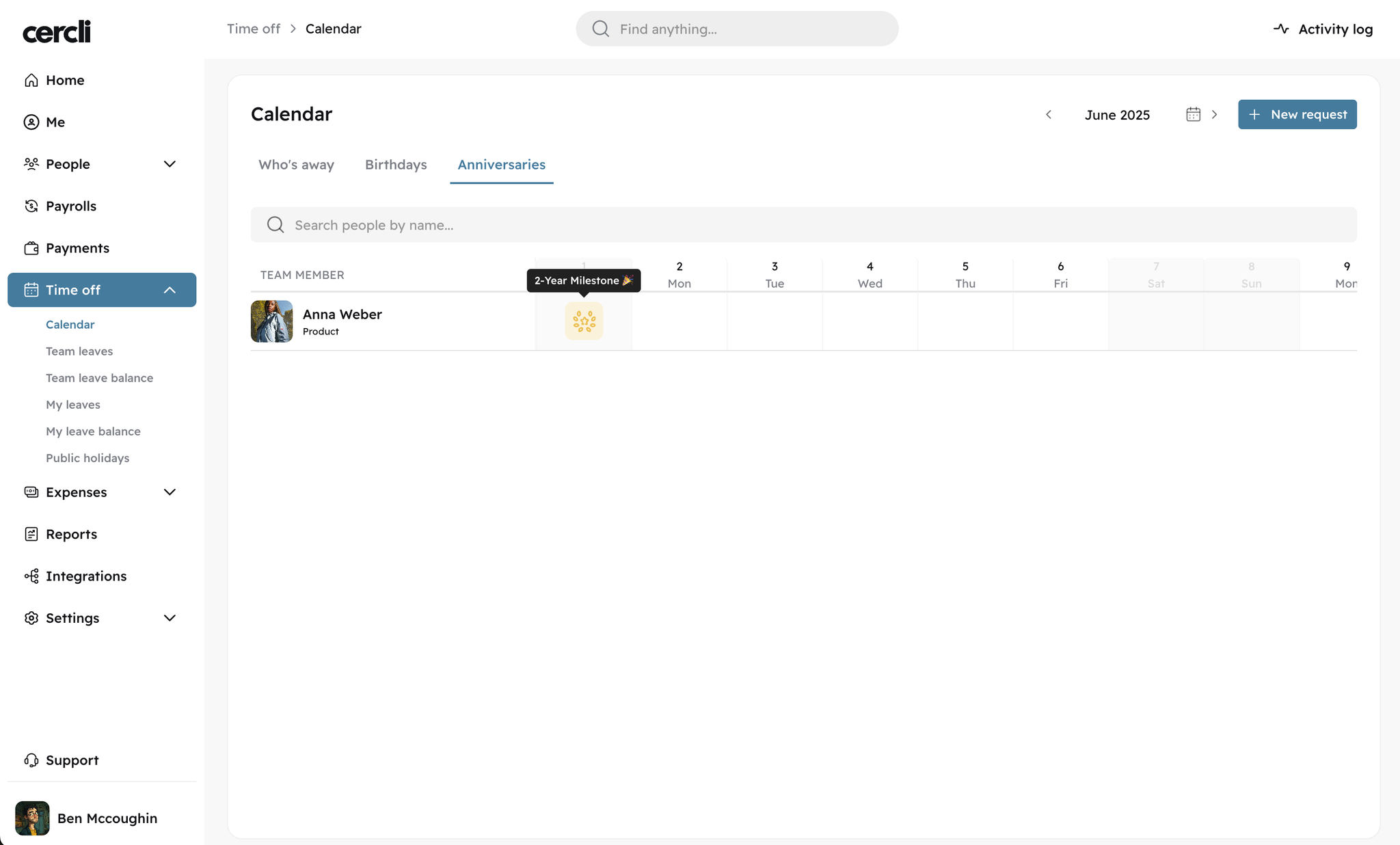
Time-Off Calendar: One view for everything that matters
The Time Off Calendar continues to evolve—and this month’s updates make it even easier to plan, coordinate, and stay informed. The problem: team members and admins couldn’t get a clear, macro view of who’s out across different markets.
Now, you can:
  • View a split view between “Who’s Away” and public holidays, so it’s easier to distinguish individual leave from national holidays
  • See birthdays and anniversaries across your team—all in one place
It’s the visibility your team needs to plan better and reduce last-minute surprises.
Image without caption

🌐
v13.0.0
Enhancement
1 year ago
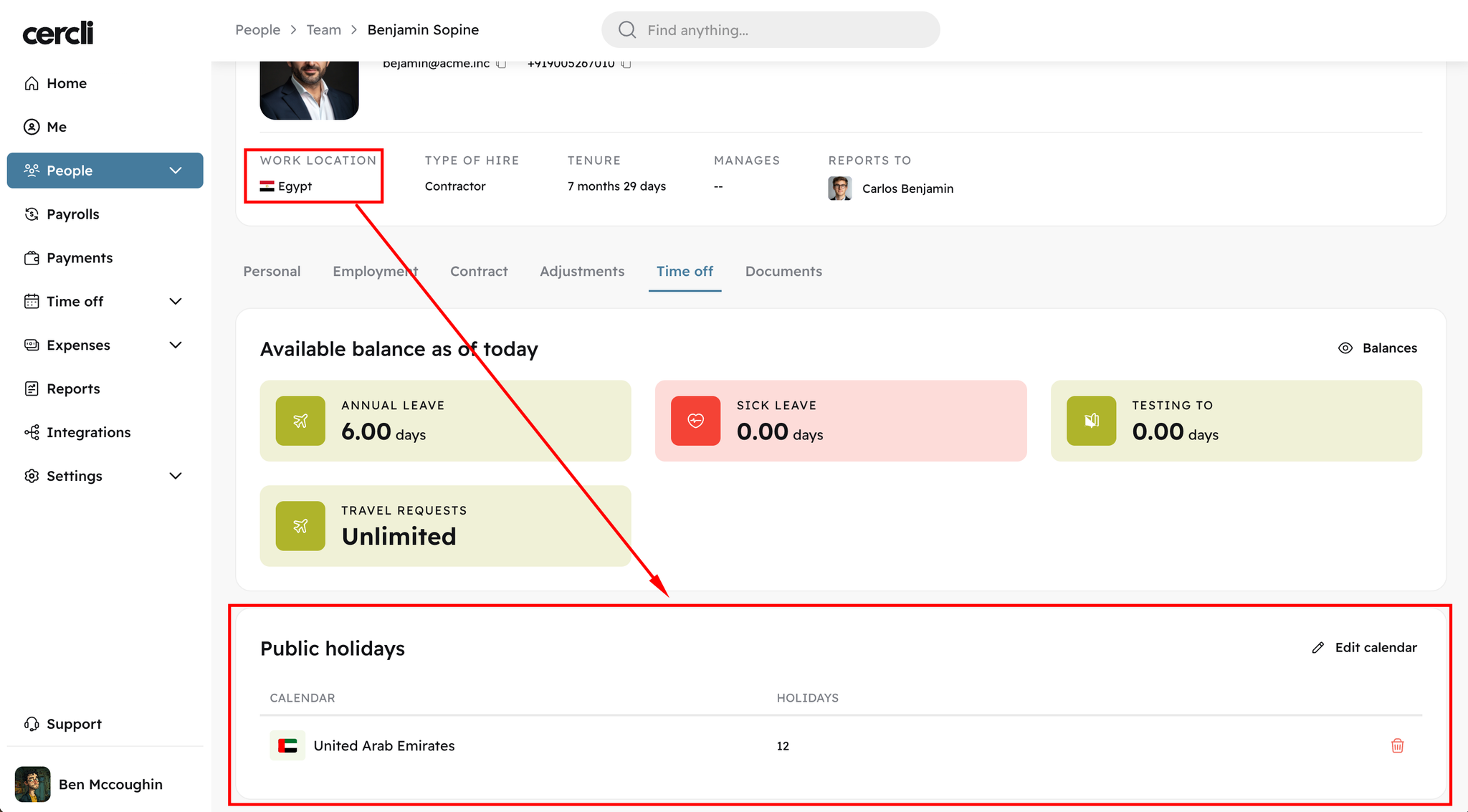
Localised Public Holidays: Now customisable per team member
This one’s small, but powerful—especially for global teams.
Previously, public holidays were applied based on location. Now, you can customise them per person.
Example: If a team member is based in Egypt but follows the UAE public holiday calendar, you can now assign that to them directly. No workarounds or manual overrides.
Image without caption
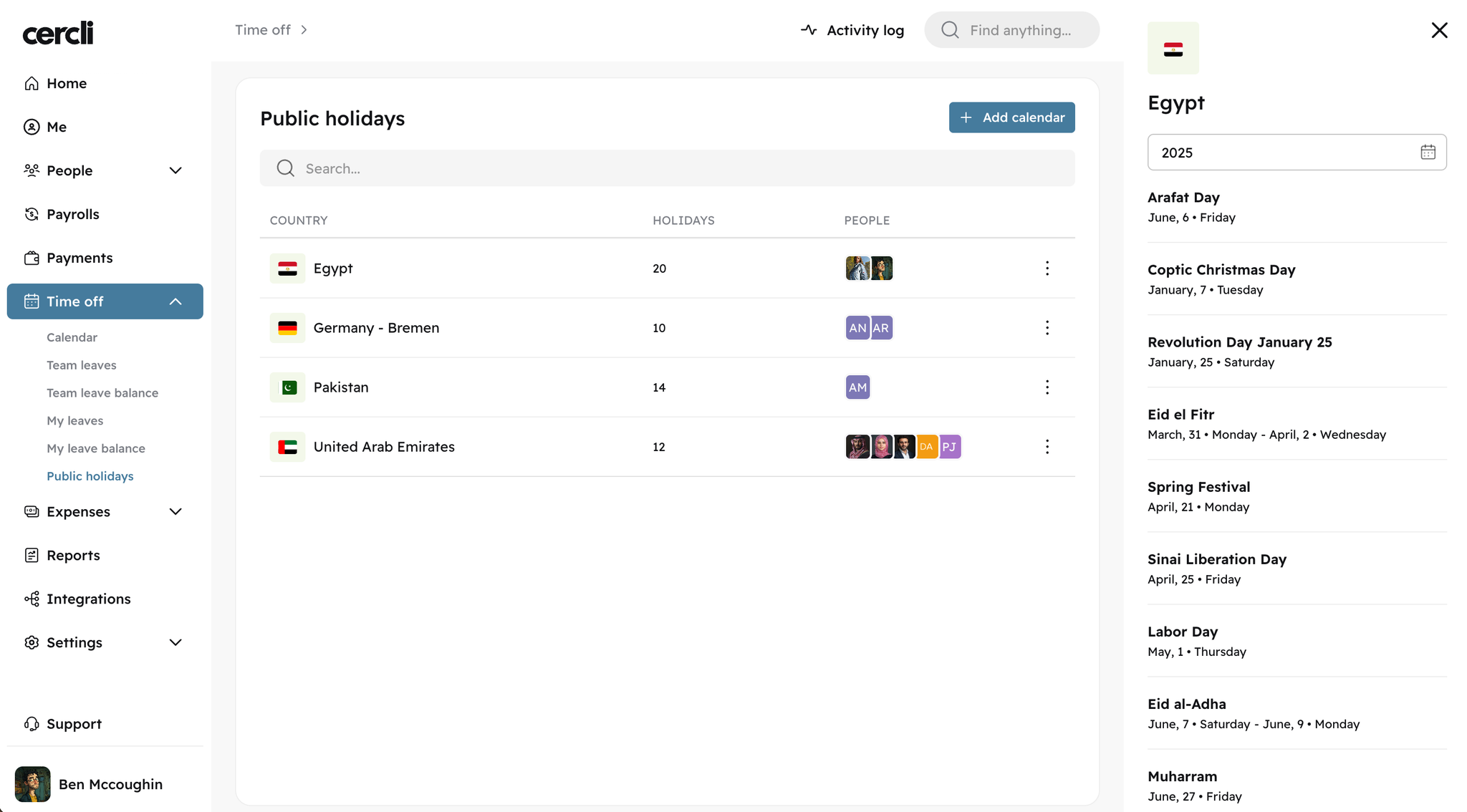
An addition, the creation of new public holiday calendars is available right now. You are able to:
  1. Add new public holiday calendars
  1. Assign and unassign team members to specific calendars in bulk
  1. Review the list of public holidays
Image without caption

💌
v13.0.0
Feature
1 year ago
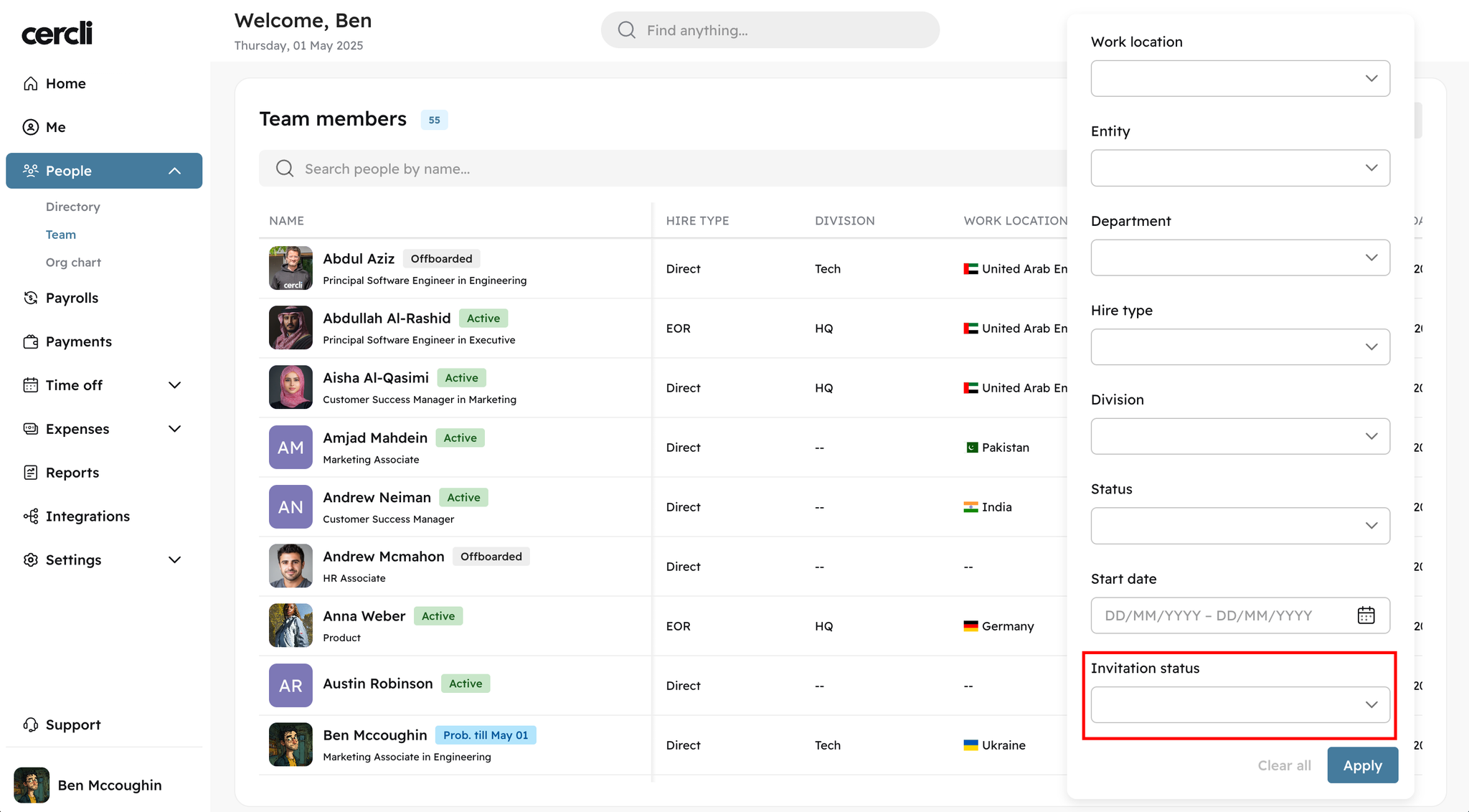
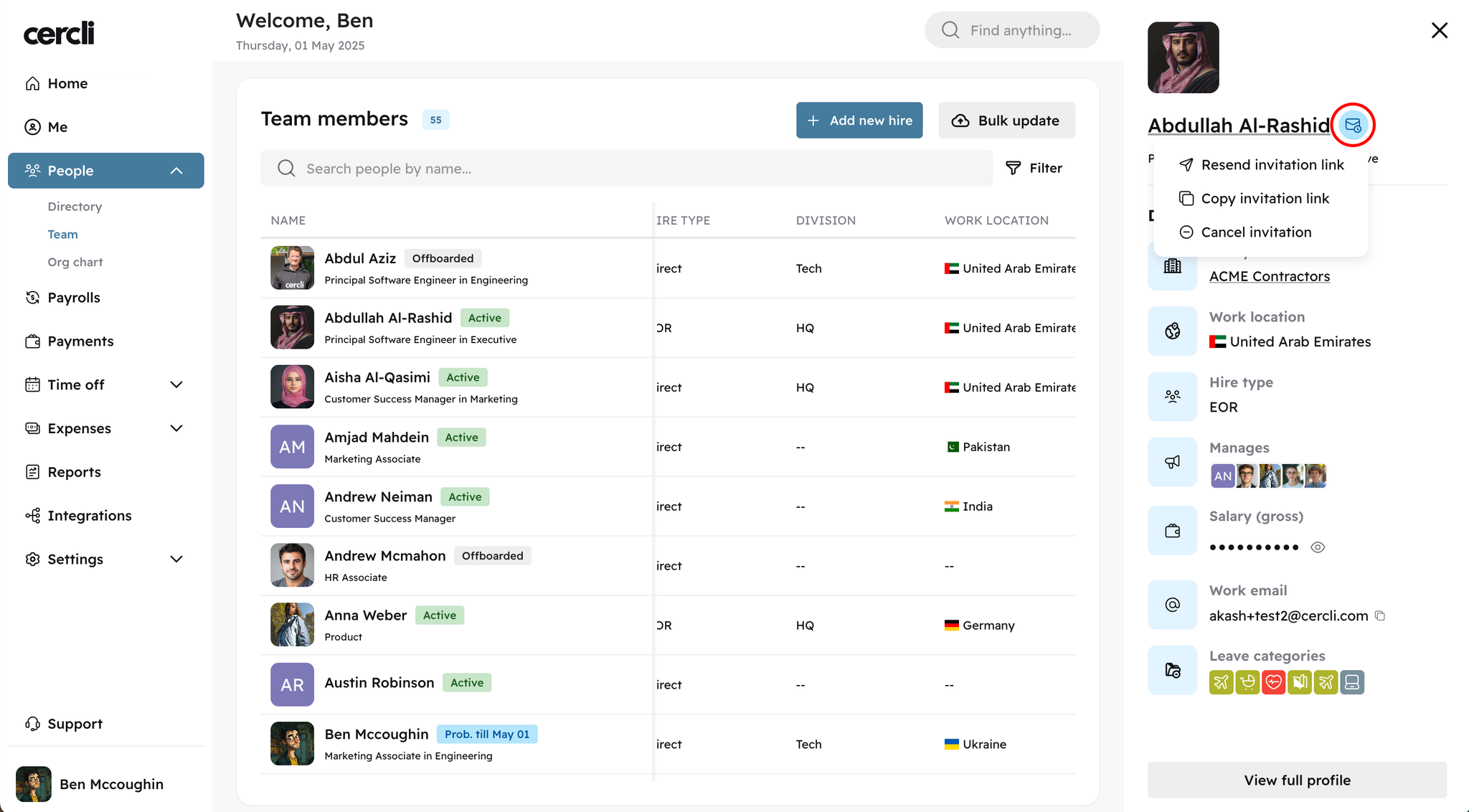
Invite Management: Save time with full admin control
You asked—we delivered. Admins can now invite team members directly from the platform, without needing to go through support. It’s a small feature that cuts down time and gives you more autonomy to onboard quickly and independently.
You are now able to:
  1. Filter your team by invitation status to check:
    1. Who hasn’t been invited
    2. Who’s been invited
    3. Whose invitations have expired
Image without caption
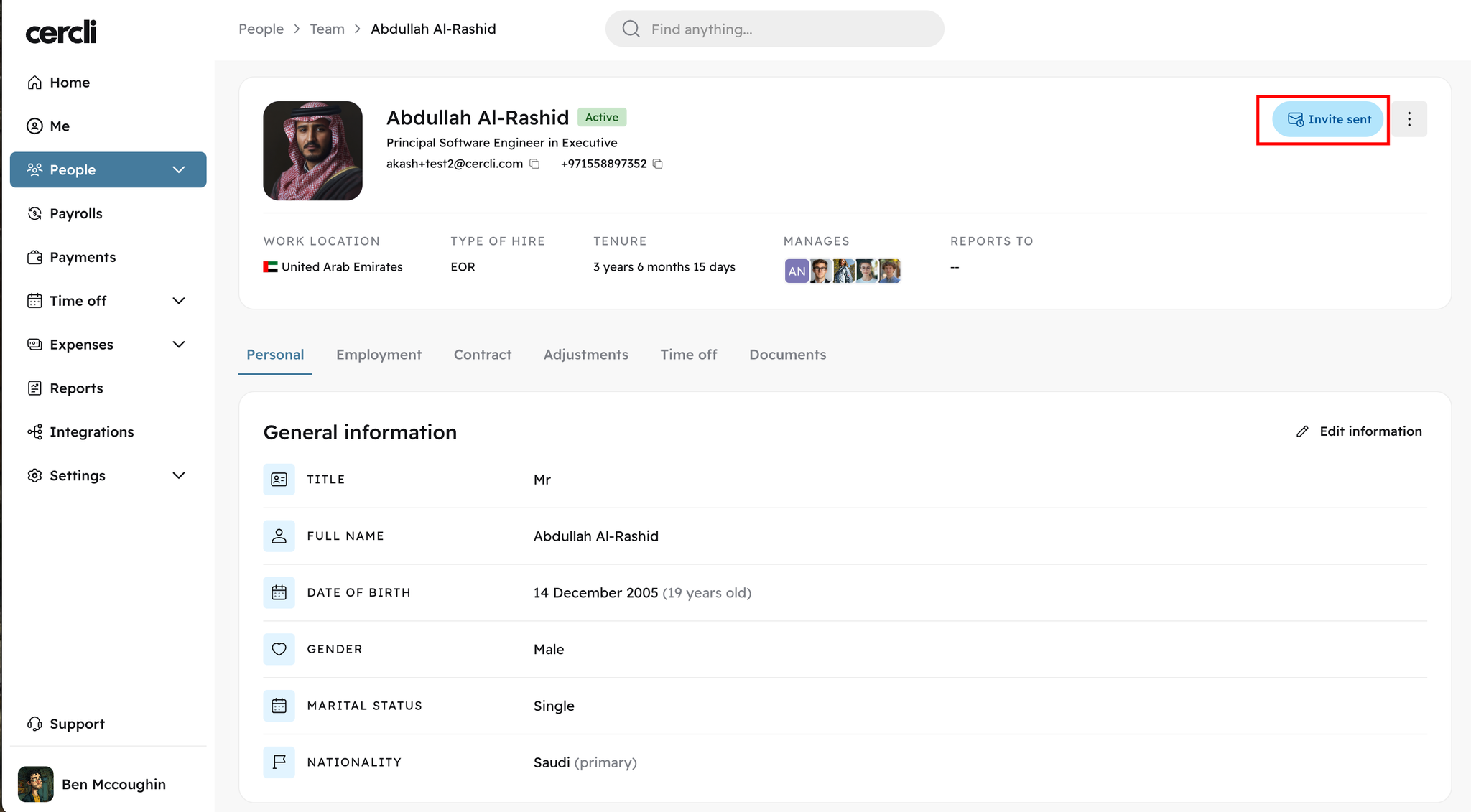
  1. Review invitation status directly from the sidebar and team member profiles.
  1. Take action from the label — you can resend invites, cancel them, or copy the invitation link with a single click.
Image without caption

🔍
v12.0.0
Feature
1 year ago
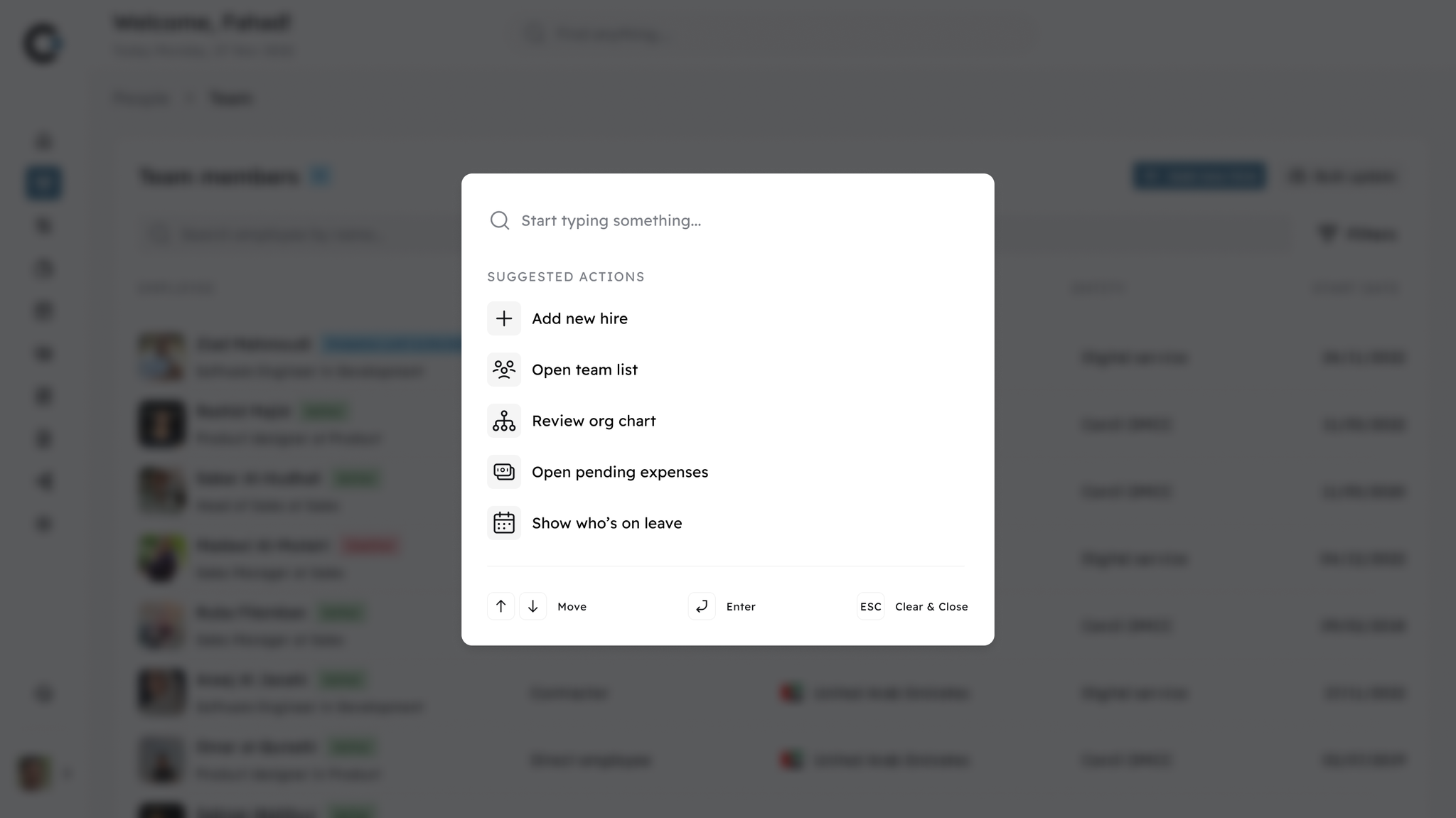
New: Cercli Finder – Search Across Your People and Org Info
This month, we’ve introduced Cercli Finder, a new search functionality designed to help you quickly find the people and information you need — without switching tabs or digging through menus.
With Cercli Finder, you can:
  • Look up any team member by name, email, phone number, or employee ID
  • Access quick links and actions — jump straight to tools like the org chart or time-off calendar, or quickly add new hires with just a few clicks
  • View reporting lines and get quick context on where someone sits in the org
This update is designed to reduce friction when navigating your workspace and make it easier to stay informed, especially as your team grows.
Cercli Finder — our global search functionality — is now live for all users. You’ll see the search bar at the top of your dashboard, no setup needed.

Image without caption

📄
v12.0.0
Major Release
1 year ago
📄 Centralised Document Management
We’ve launched Documents on Cercli — a new update to help teams securely store, manage, and track team documents in one place.
What this means:
  • Upload and tag documents by employee, team, or document type
  • Get notified before documents expire — so you stay ahead and stay compliant
  • Customise document fields based on location, team, or role-specific requirements
  • Set access and permissions for different user types
Admins can also define required documents by jurisdiction or team, making it easier to stay organised across different locations. This update is now live and available to all admin users.
Image without caption

🏖️
v12.0.0
Feature
1 year ago
🗓️ Milestone-Based Time Off Accruals
Cercli’s Time Off system now supports milestone-based accruals, giving teams more flexibility to define how and when leave is granted.
With milestone-based accruals, you’re no longer limited to linear monthly or annual balances. Instead, you can grant time off at key moments in a team member’s journey — tied to their tenure.
For example, you can:
  • You can grant 5 days of paid leave after 3 months of tenure, followed by 10 more at the 6-month mark.
  • Reward long-term loyalty by unlocking extra leave after 1 or 2 years of service — such as an additional 5 days.
This update makes it easier to reflect your internal policies, reward tenure, and stay compliant — all without relying on manual processes or external tracking.

🔗
v12.0.0
Feature
1 year ago
Connect Cercli with Culture Amp
You can now integrate Culture Amp directly with Cercli, making it easier to sync team data and streamline your people insights. Whether you're running engagement surveys, tracking performance, or building a stronger feedback culture — this integration keeps everything connected and consistent across platforms. No double entry, no manual updates — just clean, synced data where you need it.

💲
v11.0.0
Major Release
1 year ago
Automated Recurring Adjustments
Managing recurring payroll adjustments—like benefits deductions, bonuses, or expense reimbursements—can be tedious and error-prone. With our new automation, you can set up recurring additions and deductions once. No more last-minute updates, miscalculations, or manual tracking. This means fewer payroll errors, more time saved, and complete confidence that every adjustment is applied correctly, every cycle.
Here’s what this means for you:
  • Set up and automate adjustments with flexible scheduling.
  • Choose which months adjustments apply to and skip months as needed.
  • Track what’s paid vs. pending with a clear breakdown.
  • Categorise adjustments for better organisation.
  • Sync adjustments directly with payroll for automatic application every pay run.
Image without caption

🌴
v11.0.0
Feature
1 year ago

Time Off Carryover: Full Control

Managing unused leave shouldn’t be difficult. Now, you decide how time-off carryovers work for your teams—whether unused days roll over or expire on a set date.
With this product update, you can:
✅ Set a custom expiry date for carryovers (January, February, March—you choose).
✅ Define how many days carry over (5, 10, or unlimited—it’s up to you).
✅ Automate the process, so no one has to track balances manually.
No more manual calculations or unexpected leave discrepancies—just smooth time-off management.
Image without caption

🕝
v11.0.0
Feature
1 year ago

New: Flexible Working Schedules

Your team doesn’t work a one-size-fits-all schedule—now, Cercli doesn’t either. You can now customise workweeks, shifts, and time-off policies to better reflect how your team operates.
What’s new?
✅ Set up flexible schedules for different roles, teams, or locations.
✅ Adjust working hours for employees observing Ramadan, remote contractors, or part-time staff.
✅ Automatically sync schedules with time-off tracking and payroll—no manual updates needed.
This update helps you manage diverse work arrangements effortlessly, ensuring everything runs smoothly across your organisation.
Image without caption

🌎
v11.0.0
Major Release
1 year ago

Public Holidays, Automatically Applied

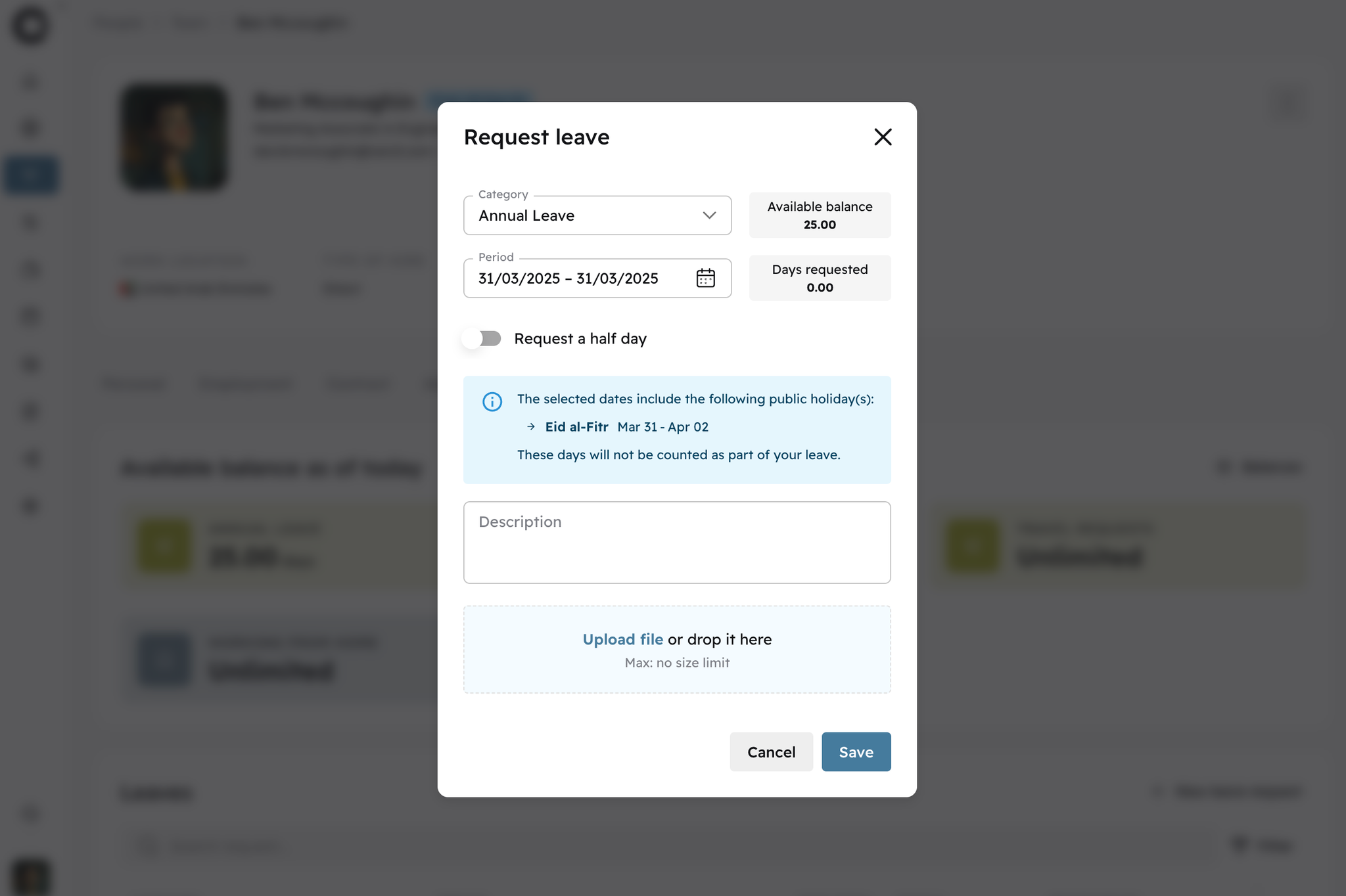
Managing time off just got easier. Now, when team members request leave, Cercli will automatically factor in public holidays—like Eid, New Year’s, and national observances—so they don’t accidentally use their time off when they don’t need to.
What’s new?
✅ Public holidays are automatically considered in leave requests.
✅ Team members get a clearer view of their actual remaining time off.
✅ Fewer adjustments and manual corrections for HR teams.
A small change that makes leave management smoother and more accurate for everyone.
Image without caption

↖️
v9.0.0
Enhancement
1 year ago
Bulk Adjustments Upload
We've enhanced the bulk adjustment upload for payroll. Now, you'll be notified if there are errors in your file, so you can quickly correct and re-upload without second-guessing the issue.
Track Payroll Variances Month Over Month
Stay on top of your payroll with the new month-over-month variance tracking. Easily compare payroll changes over time to identify trends, ensure accuracy, manage costs effectively, and stay compliant with financial planning.

💵
v10.0.0
Enhancement
1 year ago
Enhanced Compensation Management
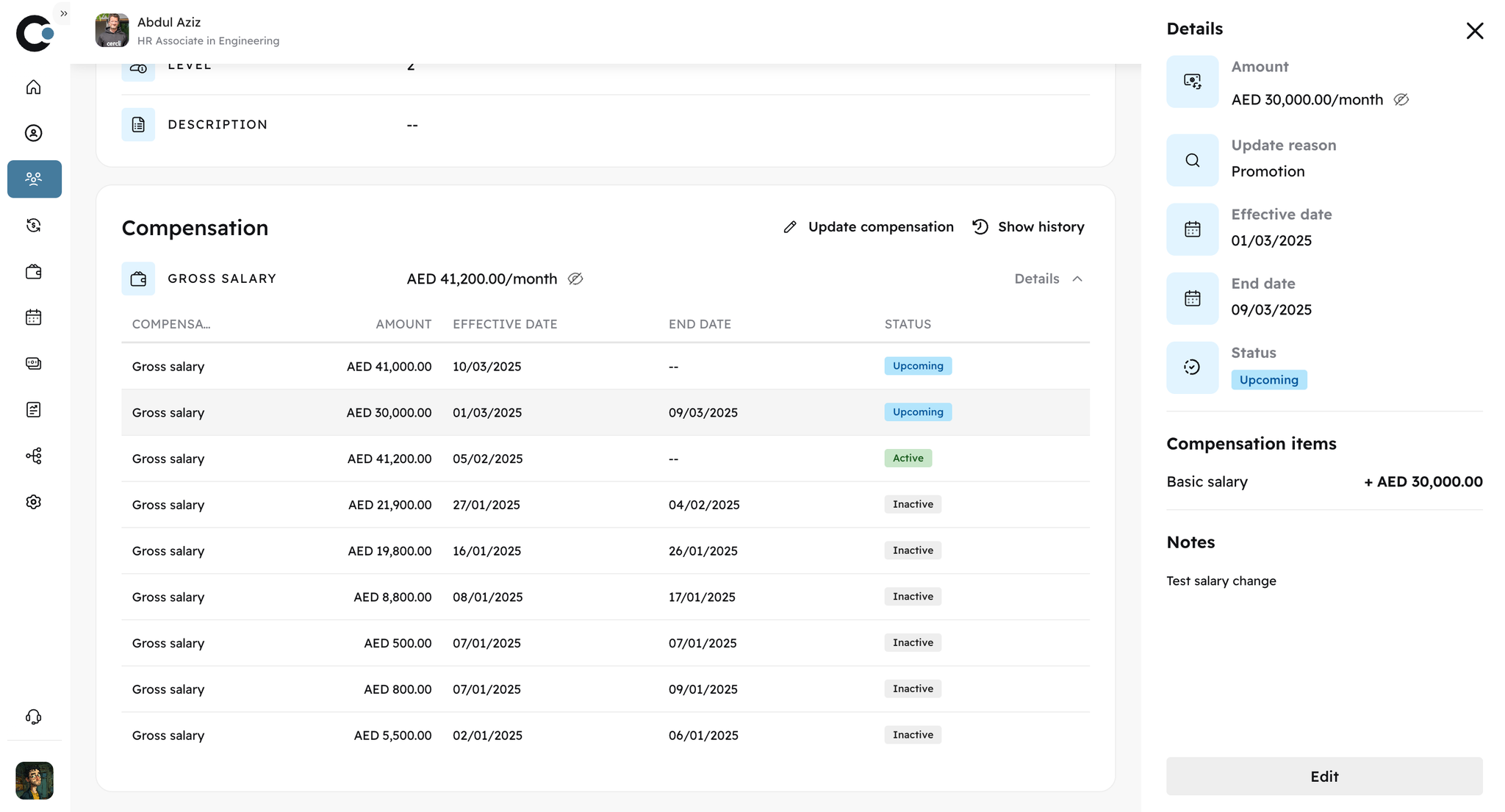
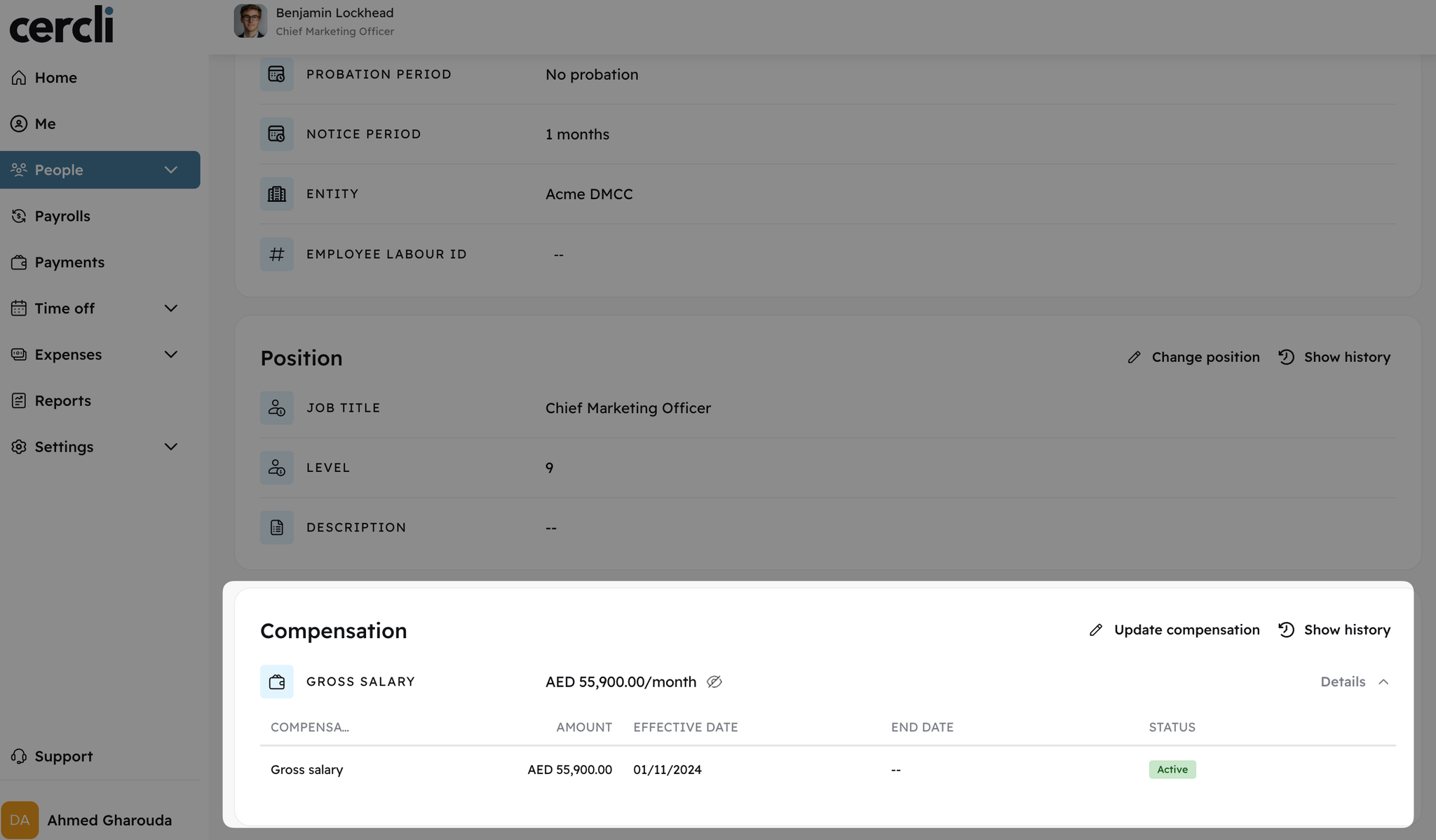
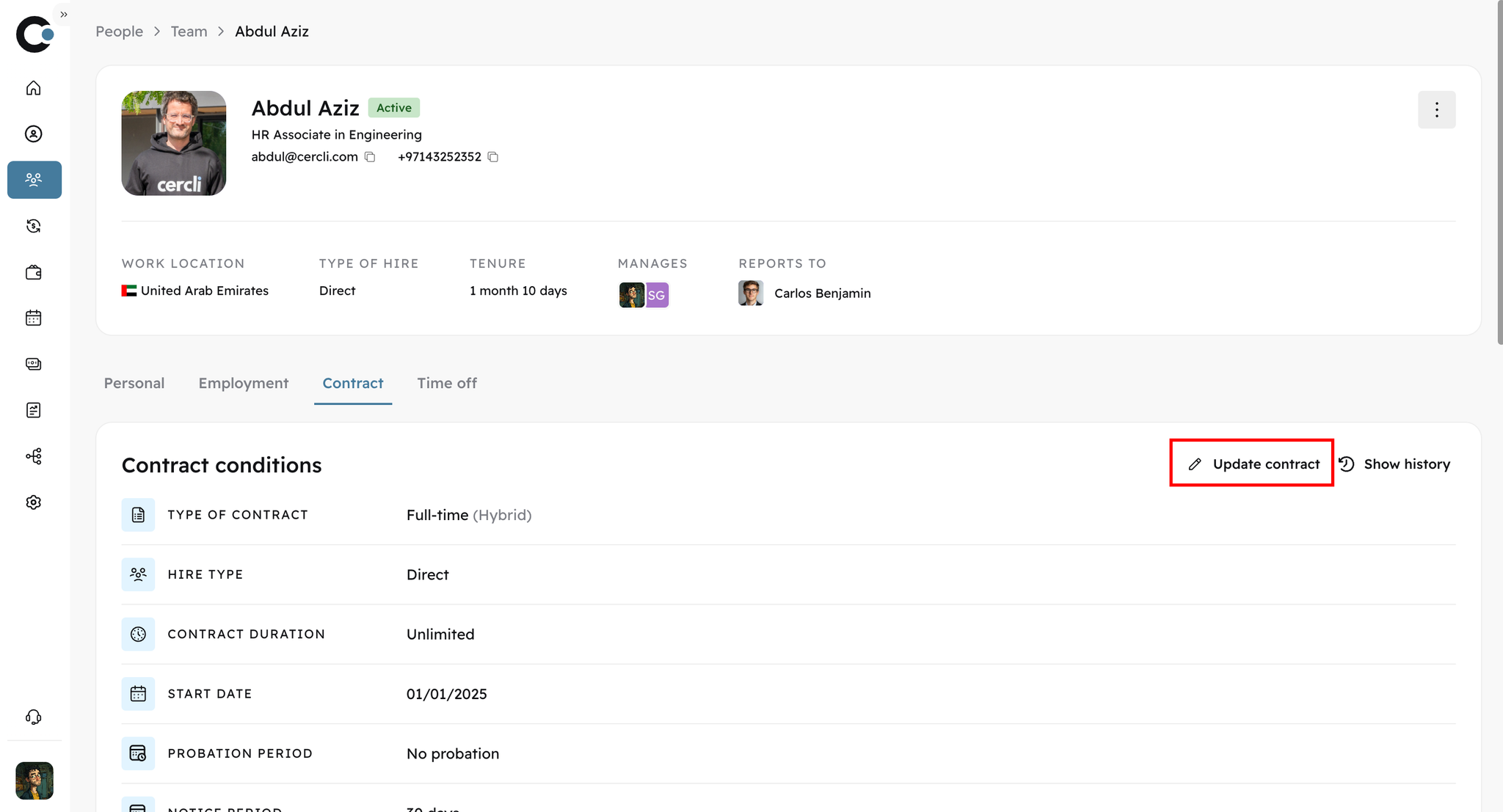
We’ve made significant improvements to our compensation management flow, giving you and your team greater flexibility and control. You can now create and customise new contracts, select the currency for compensation, and update contracts with ease. Additionally, you can add promotion details, set new job titles and descriptions, and include relevant identifiers like the employee’s labor ID.
Image without caption
The new enhancement allow for a more tailored view of each team member’s full compensation history, with all historic changes you need available at your fingertips, including the ability to track probation periods and promotion reasons.
Image without caption

🎖️
v10.0.0
Major Release
1 year ago
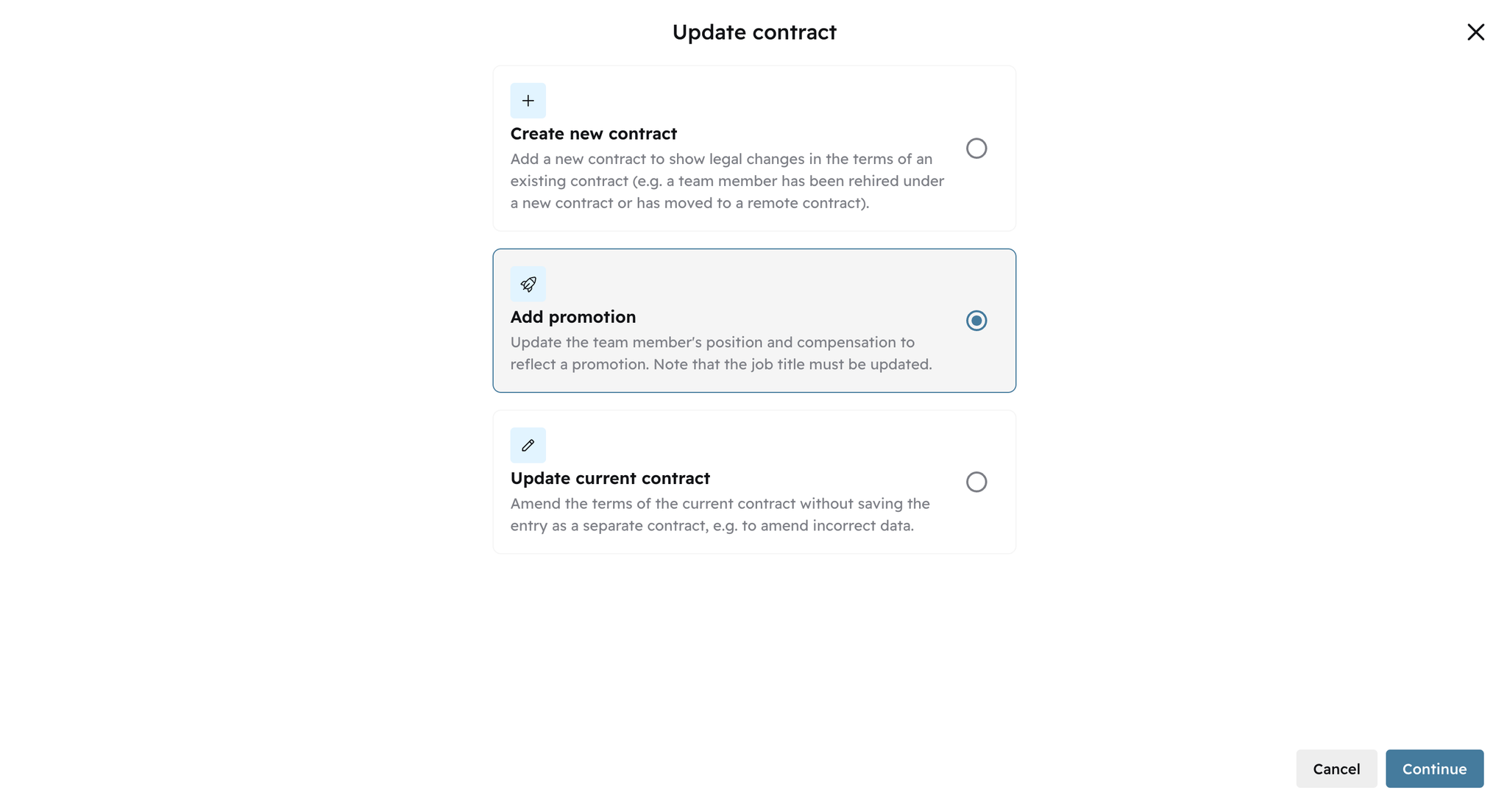
New Promotion Flow
Our updated promotion flow, which will be rolled out over the next few days, allows you to easily track and manage all promotion-related changes. You can now view historical records of all promotions and compensation updates, including details like the new title, job description, compensation changes, and reasons for the promotion. This streamlined process ensures that every promotion is documented clearly and efficiently, keeping everything organised for future reference.
Image without caption

🆕
v10.0.0
Major Release
1 year ago
Complete Onboarding Flow For New Hires
We’ve introduced a brand new, comprehensive onboarding flow for new hires. Now, you can easily collect and fill in all essential details from the start, ensuring a smooth transition for your team. During onboarding, you can gather and fill:
  • Type of hire (direct hire, remote contractor, or employee of record)
  • Complete personal details
  • Work location and working hours
  • Position and job description
  • Compensation details, including the currency
  • Assigned leave policies customisable for each team member
This updated flow ensures that all information is captured efficiently, making onboarding faster and more organised than ever before.
Image without caption

🧾
v10.0.0
Feature
1 year ago
AI-Enabled Expenses
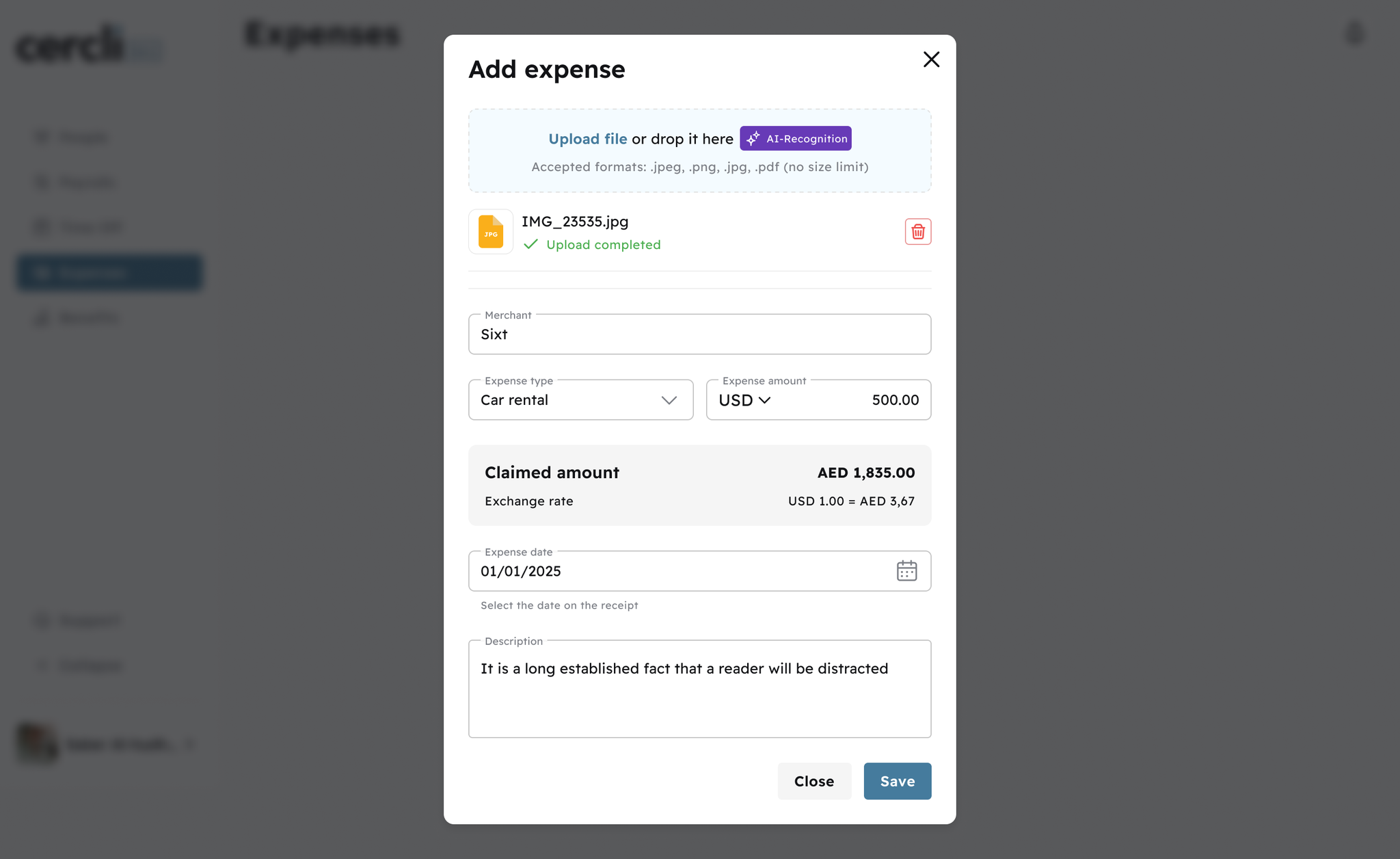
We’ve simplified expense management with our AI document scanner. Over the next few days, the beta version will gradually open to customers. You will be able to upload receipts in different formats and languages, and the tool will automatically extract key details—like amounts, dates, merchant details, and categories—for quicker and easier reimbursement processing.
Image without caption

👥
v10.0.0
Feature
1 year ago
Org Chart Update
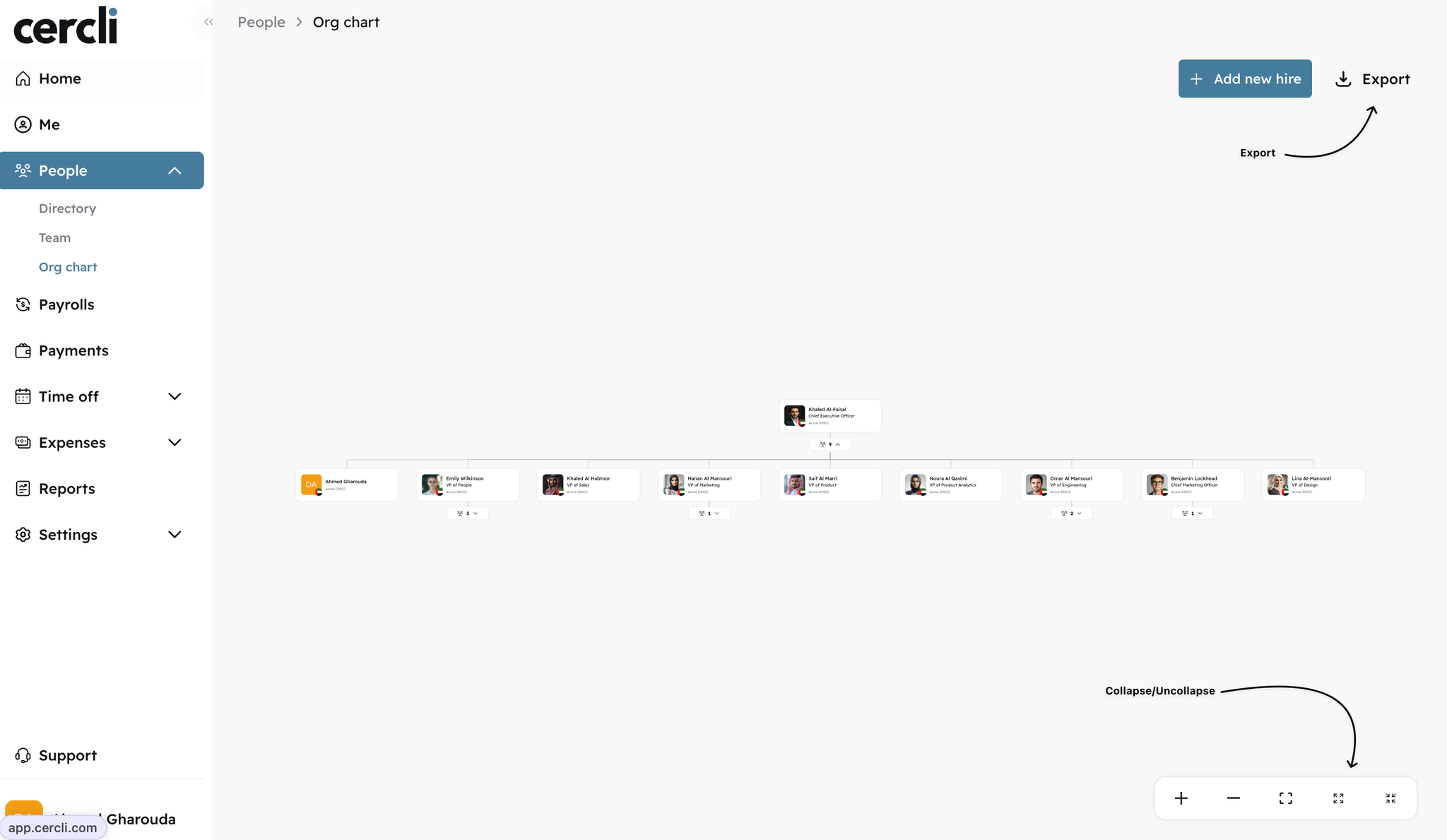
In our previous update, we introduced the org chart for real-time, always-up-to-date visualisations of your team structure. We’ve enhanced the org chart, so now you can export the org chart in PDF or PNG formats. Choose to export the full chart or specific sections, tailored to your needs. Plus, you can now expand for a full view or collapse as required.
Image without caption

🏠
v8.0.0
Major Release
1 year ago
We’ve introduced the team dashboard on your homepage to give you a more comprehensive view of your team’s activities and updates. Whether it’s approvals, team milestones, or upcoming leave requests, the consolidated team dashboard brings all of your key actions into a single, streamlined view.
Key Features:
·      Easily monitor time-off requests, expense claims, and other team activities.
·      Quick actions to approve or reject time-off and expense requests.
·      Visual cues for upcoming milestones such as team birthdays or work anniversaries.

📜
v7.0.0
Major Release
1 year ago
Now you can easily track all updates to contracts, positions, compensation, and bank accounts. Every change is automatically logged with timestamps for full transparency.
Key Features:
·      View detailed logs of every update, including effective dates and change details.
·      Track who made the changes and when across key areas.
·      Prepare for audits with automatic tracking and logging of all changes.

📝
v7.0.0
Major Release
1 year ago
Track contract updates as they happen, ensuring you always have the latest information at your fingertips. You’ll know exactly when and what changed in every contract—automatically.
Key Features:
·      Real-time tracking of contract changes with timestamps and details.
·      Easily view and track updates made to contracts, ensuring compliance at every step.
·      Automatically updated contract logs for auditing and reference.

👨‍👧‍👦
v7.0.0
Major Release
1 year ago
We’ve launched the org chart to provide clearer, real-time visualisations of your team’s structure, roles, and responsibilities. With this tool, you no longer need to manually create or update your org chart. It's also designed to help you stay compliant with regulatory bodies, like Central Banks, DFSA, and ADGM, by keeping your organisational structure up-to-date and export-ready for audits or reporting requirements.
Key Features:
·      Real-time visualisations of your organisation’s reporting lines and role changes.
·      Easily update and track changes to roles and responsibilities within your team.
·      Stay compliant and keep your organisation up to date with minimal effort.

ℹ️
v0.7
Enhancement
2 years ago

People improvements

New improvements are available for creating new hires including we have
  • Select the new team member’s manager at onboarding for expense and time off approvals
  • Trigger an invitation for the new hire to sign-up to the Cercli platform

Assign role to a team member

Check and assign roles to a team member directly from their profile to save time

👥
v0.7
Enhancement
2 years ago

Introduction

Organizations grow and change and it’s important for team members to stay up-to-date with critical team information. For that reason, we are introducing Directory. Directory is a listing of all team members within your organization with basic details such as their names, addresses, and reporting lines.

Benefits

  • View your full organization and quickly search for individuals’ details like work location, reporting lines, work email, and more
  • View more detailed information for your direct reports and indirect reports in the “Team” view

Cercli Slackbot expense claims
v0.7
Feature
2 years ago

Introduction

The Cercli Expenses Slackbot now offers expanded functionality that allows team members to manage expense reimbusement claims in Cercli without leaving Slack - from submission to approval and notifications.

Key Features

  • Expense request/submission: team members can submit expenses directly through Slack by uploading receipts and providing basic information.
  • Approval workflow: Managers receive notifications for pending approvals and can approve or reject within Slack
  • Status tracking: team members can check the status of their expense reimbursement claims at any time

User Flow

  1. Team member submits expense with a direct message to the Cercli Slack bot: /cercli expense submit
  1. Bot confirms submission and notifies approver
  1. You can always check the status of the pending expense by using /cercli expense status
  1. Approver reviews and approves or rejects the expense reimbursement
  1. Bot updates team member on status
  1. If approved, expense will go directly to payroll for payout, in case of not having automatic allocation then the admin can assign the expense reimbursement to the right payroll

Benefits

  • Time savings: reduces manual data entry and streamlines the approval process
  • Improved accuracy: minimizes errors in expense reporting and categorization
  • Faster reimbursements: accelerates the expense reimbursement claims process from submission to payment.
  • Improved compliance: ensures all expenses are properly documented and approved
  • Enhanced visibility: provides real-time tracking and reporting capabilities

🌴
v6.0.0
Major Release
2 years ago
Image without caption
We're excited to unveil our latest big feature: the Team Time Off calendar is here!
The calendar is designed to help your and your teams to have a whole view of absence management and improve team coordination with a beautiful experience.

Key improvements and benefits

  • Get a bird's-eye view of your entire team's scheduled time off.
  • Easily identify potential scheduling conflicts or coverage gaps.
  • Plan projects and meetings more effectively with full visibility of team availability.
  • Submit and review time off requests directly from the calendar interface.
  • Managers can approve or deny requests with just a few clicks.
  • Automatic updates reflect approved time off in real-time.
  • Color-coded calendar entries for quick status identification.
  • Click over entries to see detailed information without leaving the calendar view.
  • Filter views by team, department, or individual for customized planning.

Other time off improvements:

Improvements in Time Off Cercli Slack bot:
We have enhanced the time off smart notifications where we can show all pending timeoff requests from your teams as well as the approved leaves

🔚
v6.0.0
Feature
2 years ago
One key and sensitive process required to manage any workforce is off-boarding. To simplify this for you and your teams, we have added the option to fully off-board team members directly from their profile.

Key additions:

  • Set Last Working Day: Specify the employee's final working day
  • Define the type of off boarding and notes: customize types of off-boarding and supporting notes
  • Automatic Notifications with Slack: Notify your team members and managers of any off-boarding colleagues with slack notifications

v6.0.0
Major Release
Enhancement
2 years ago
We have a major update to our platform's navigation system. Our team has been hard at work to make navigating our platform more intuitive, efficient, and user-friendly.
Key improvements:
  • Enhanced navigation structure with submenus
  • Hierarchical structure and organization
  • Quick access to any section
  • Sidebars enhancements to bring consistency
  • New mobile menu to accommodate the growth of the platform

🗺️
v6.0.0
Feature
2 years ago
We're excited to announce a new feature that allows our users to select a primary nationality for team members with multiple citizenships.

What's New?

  • Primary nationality: Users with multiple nationalities can now designate one nationality as their primary identity.
  • Multiple nationalities: In addition to their primary nationality, users can add additional nationalities.
Our purpose is to make global and local workforce data more accurate, many people have ties to multiple countries. Whether through birth, ancestry, migration, or naturalization, national identity is often complex and multifaceted. This new feature empowers our users to:
  1. Accurately represent their national backgrounds
  1. Prioritize their strongest national affiliation
  1. Embrace and celebrate their diverse heritage
This will help you and Cercli manage different government processes and steps toward managing your entire workforce

How to configure nationality

  1. Navigate to your team’s People module
  1. Select the team member you want to set a primary nationality for
  1. Navigate to the General Information section
  1. Select the primary nationality from the dropdown menu
  1. Add additional nationalities as desired
  1. Save your changes
Try out the new Primary and Multiple Nationalities feature today and let us know what you think! A quick video summary below:

🌴
v5.0.0
Enhancement
Major Release
2 years ago
Image without caption
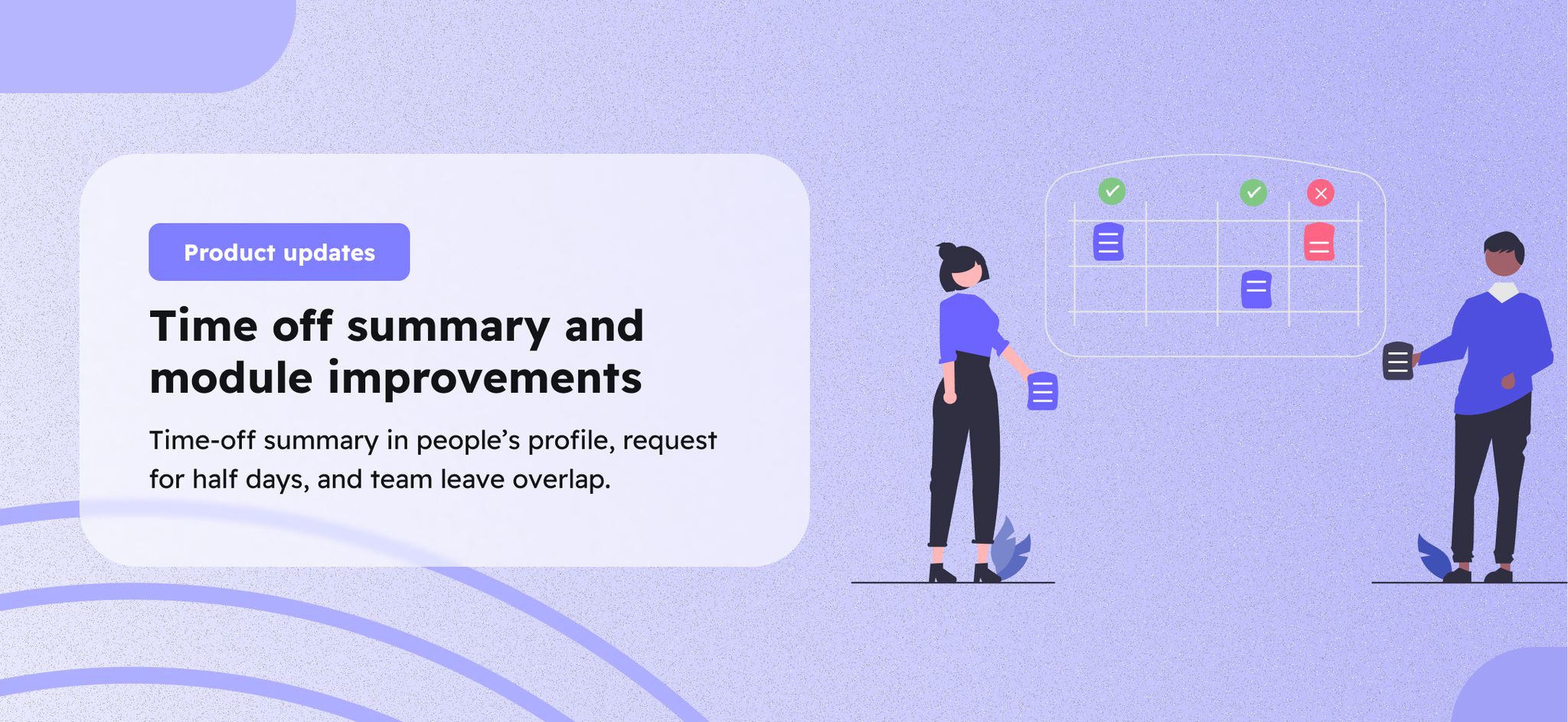
We are bringing many improvements for Time Off as we understand the importance and usage of our customers, below a quick summary of this month's enhancements and releases!

Time Off summary

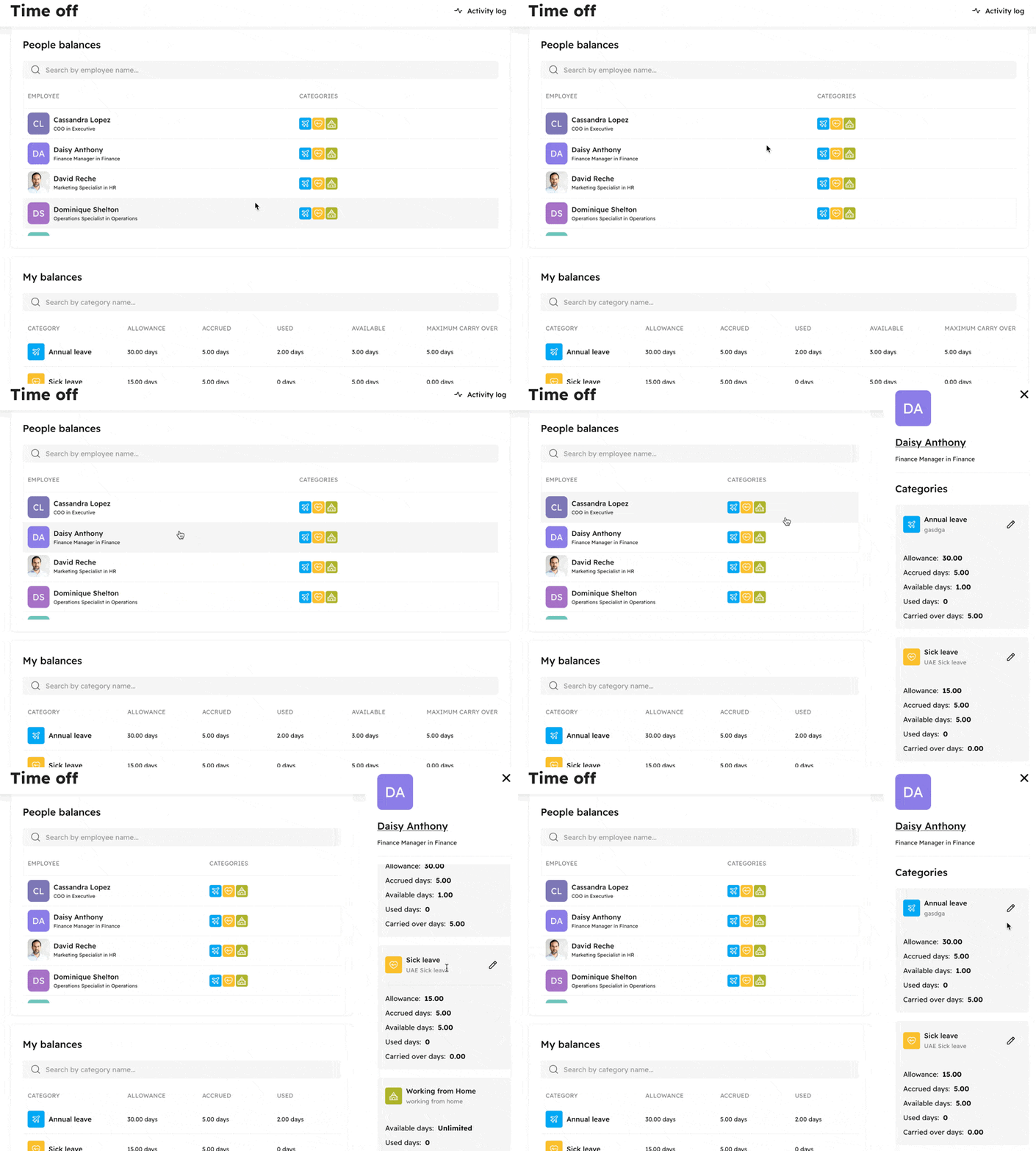
🌴 New Time Off summary in your team members' profiles with full detailed balances and historical changes, improving access and accessibility for your team members and bringing full transparency. No more questions or misunderstanding, all details in that section!

Half day request

Introducing the ability to request a half-day, either in the morning or afternoon, adding more flexibility for your workforce.

Overlap leave requests

Adding the ability for managers to see if there are any leave overlaps within their direct reports so they can gather more information before approving their team members leaves.

Leave categories in profile sidebar

We are adding more details in the quick view for any team member, adding the leave categories that this person would have assigned, allowing you to quickly understand which leave categories and policies may have assigned.

🧾
v5.0.0
Enhancement
Fix
2 years ago
Image without caption
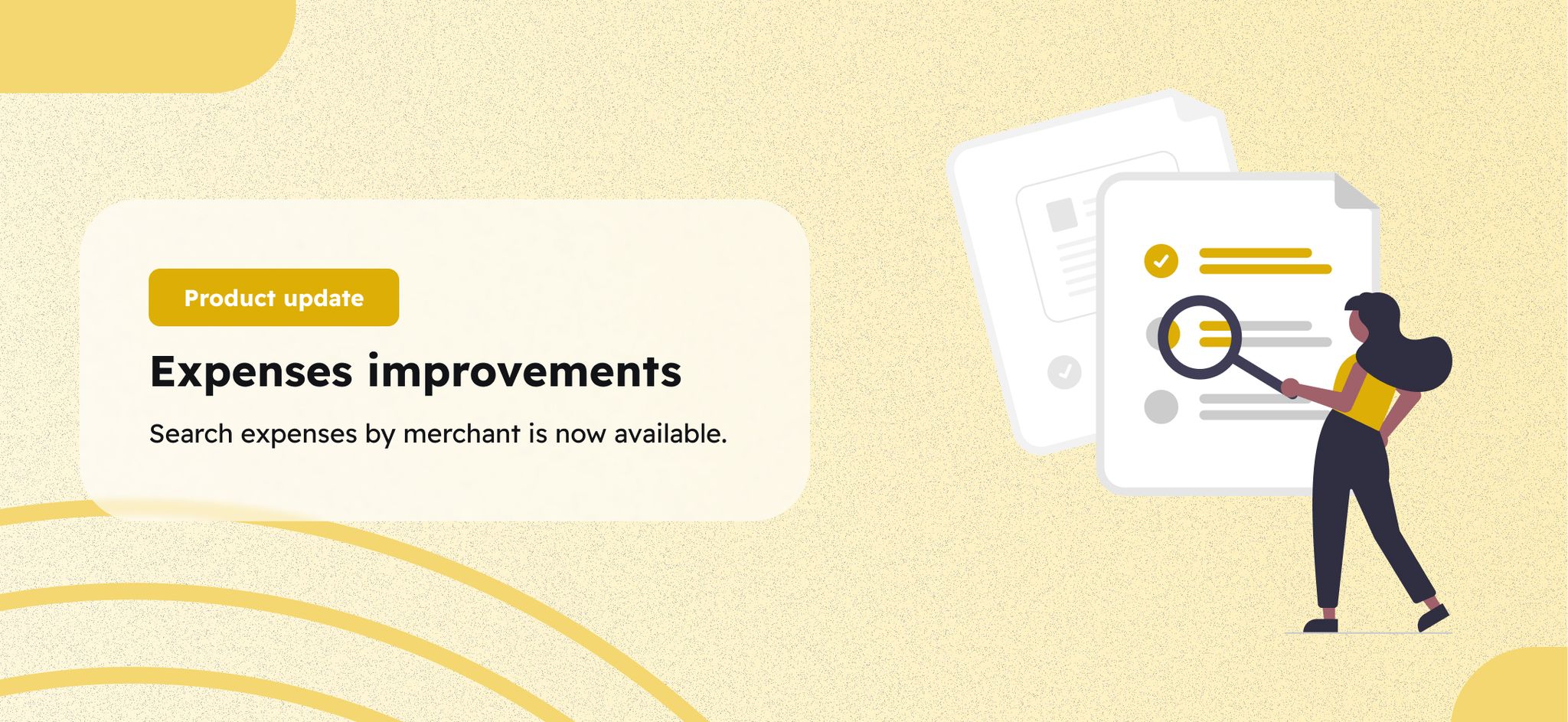
We've enhanced our expense reimbursement search functionality. In addition to searching by categories and subcategories, you can now search by merchant name, this is an important improvement because it will significantly simplify the process of locating your specific expenses.

⚙️
v5.0.0
Enhancement
Fix
2 years ago
Image without caption

Payroll improvements

We are bringing two major improvements based on your feedback.
  • Automated pro-rata calculation for new joiners and leavers: New settings to be able to customize your pro-rata formula that will automatically calculate pro-rata for new joiners and leavers
  • Column sorting in payroll table: introducing sorting for the payroll columns, will allow you to decide which filters and sorting your prefer when visualizing payroll table

🆕
v.4.0.0
Enhancement
Major Release
2 years ago
Image without caption
We have improved the creation of new hires thanks to all your feedback. We've expanded functionality while maintaining ease of use, allowing you to onboard new team members more efficiently than ever and with the critical data points required to manage your team. You have the ability to add contract details for the new team member as well as define the leave/time off policies in the same journey, all of this in three clicks.
Image without caption

🌴
v.4.0.0
Enhancement
Major Release
2 years ago
Image without caption
Plans change and so do approved time off requests. We’ve introduced a new new option to edit requests for any historical or pending time off requests that will reflect in a team member’s calendar and balances.
Image without caption

🧾
v.4.0.0
Enhancement
Major Release
Feature
2 years ago
Image without caption

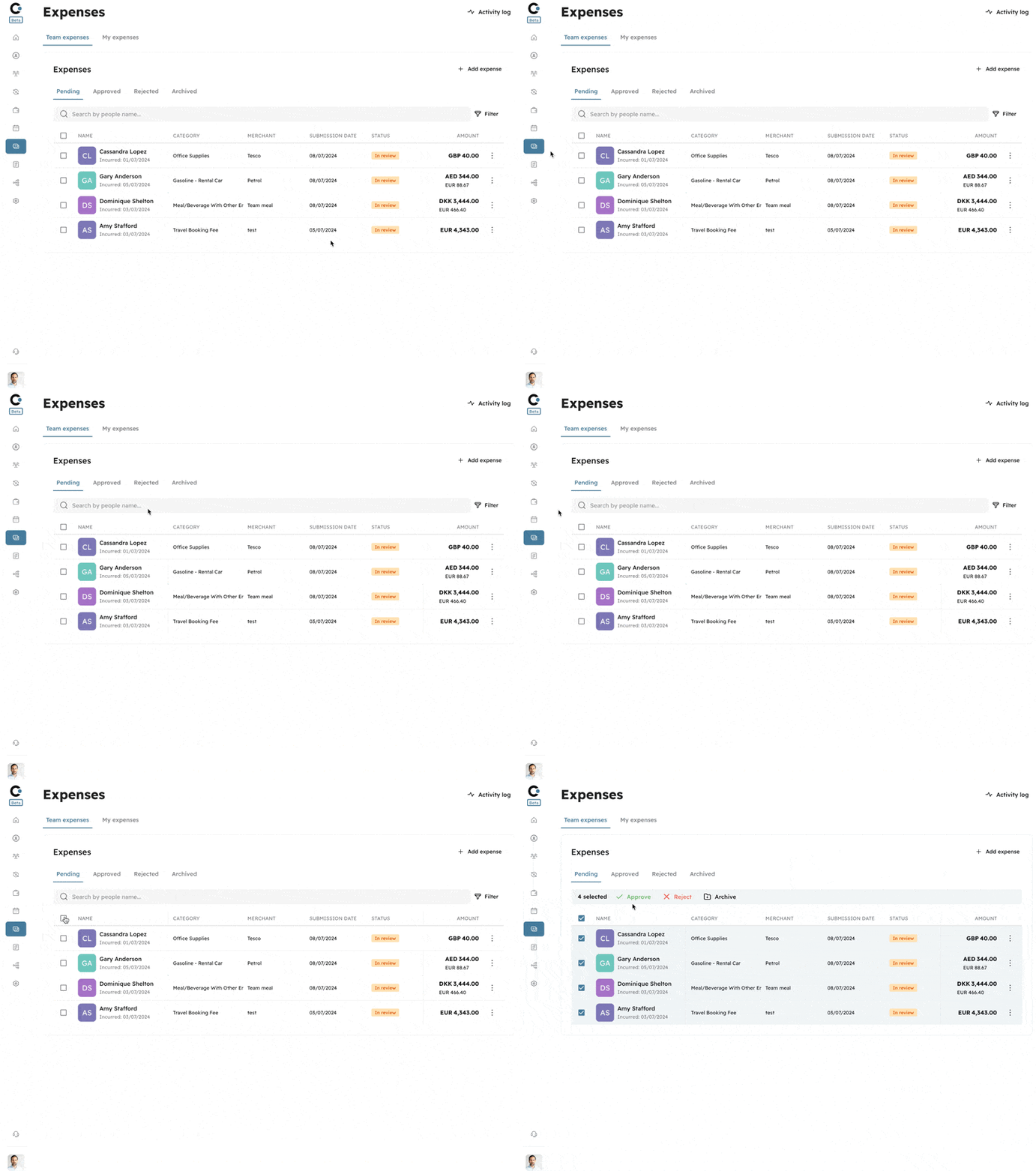
Bulk actions

One of the most frequent requests we’ve received was to add the ability to apply bulk actions to your monthly expense reimbursements. You can now manage your pending expenses more efficiently than ever before with our new bulk action feature, whether you're dealing with a handful of expenses or a large volume of reimbursement requests, our bulk action feature empowers you to manage them swiftly and effectively. Say goodbye to tedious, repetitive tasks and hello to streamlined expense management.
Image without caption

Enhanced expense reports

Expense reports add expense transaction date in expenses reports
Image without caption

Expense sorting

We have changed the way we sort the expenses, based on feedback we have sorted the expenses based on the submission date

Search in Expense settings

We have added the option to search for categories and subcategories in the expense settings section to help you configure your expense settings faster.
Image without caption

🏦
v.4.0.0
Enhancement
Major Release
2 years ago
Image without caption
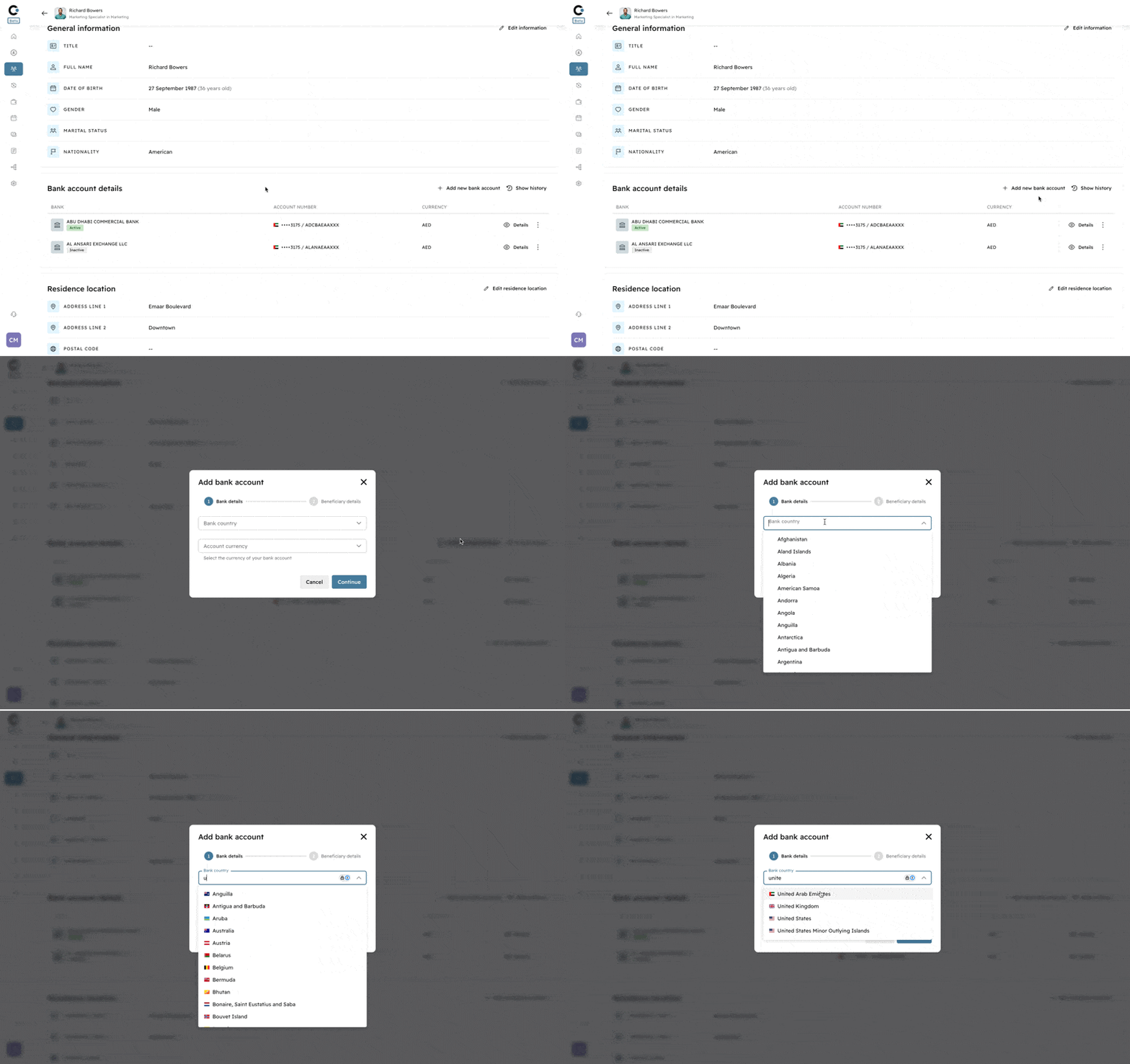
We’ve launched our new automated global bank management service that cuts down on the administrative work of validating team members’ bank details and eliminates failed transfers. This, in turn, results in more accurate and on-time payroll payments.
Key benefits of our new service:
  1. Streamlined Accuracy: Say goodbye to manual validation errors. Cercli automatically verifies bank details, ensuring pinpoint accuracy.
  1. Time-Saving Automation: Adding a new bank is now a breeze. Team members can now add their own bank details and you can trust that the details have been validated.
  1. Enhanced Payroll Reliability: With accurate bank information, you can count on more timely and precise payroll payments, boosting employee satisfaction.
  1. Global Compatibility: Our service is designed to work seamlessly across international banking systems, supporting your global workforce.
  1. Simplified Workflow: In just a few simple steps, you can add and verify new bank accounts without the stress of potential errors.
Image without caption

📙
v.4.0.0
Major Release
2 years ago
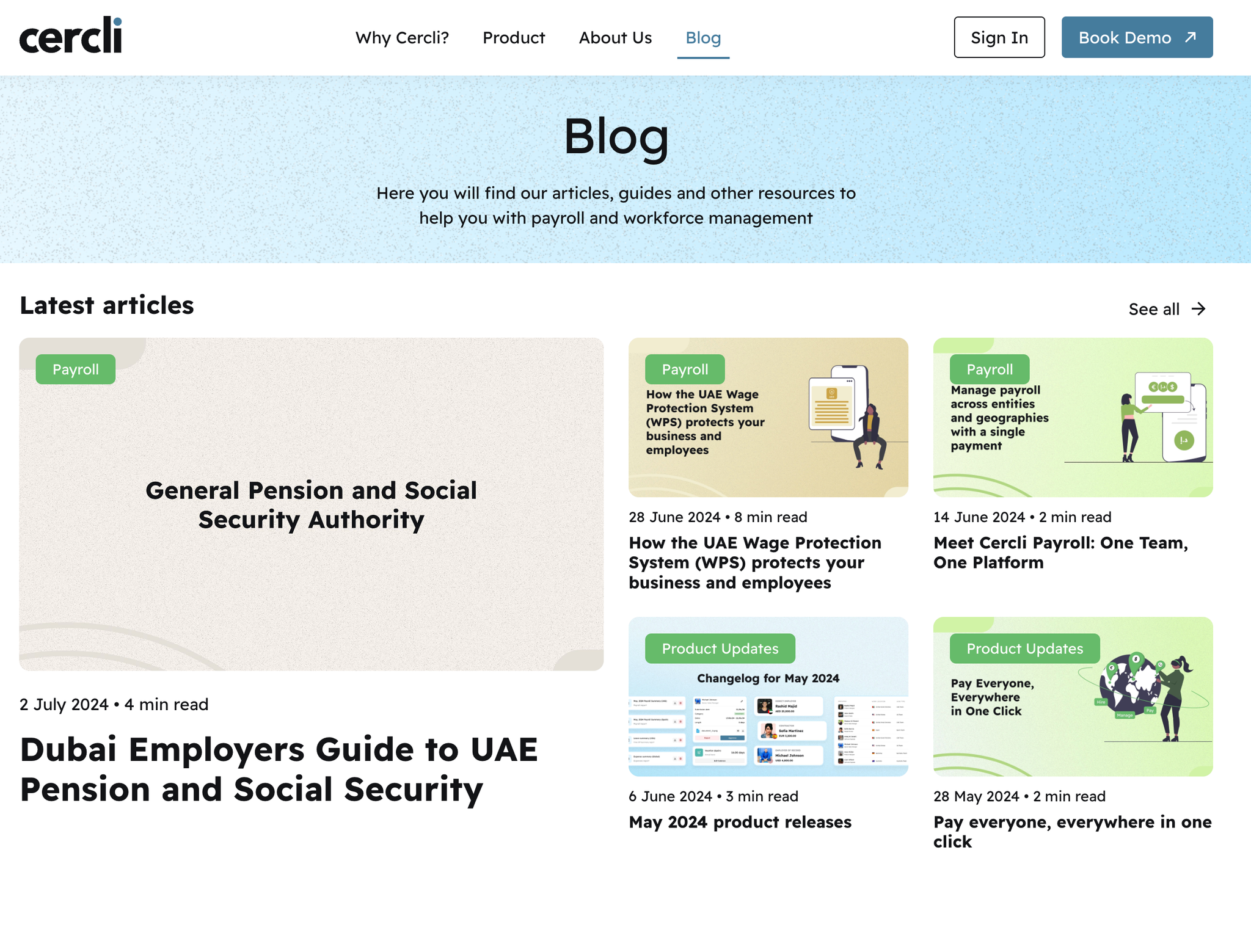
We have introduced our new blog. We're excited to bring you regular updates on our product developments, regulatory changes, and compliance best practices. From practical payroll tips for to in-depth analyses of industry trends, our blog aims to share important and interesting topics about our product and industry and create a Cercli community around it. Visit and bookmark it here
Image without caption

👥
v3.2.0
Enhancement
2 years ago
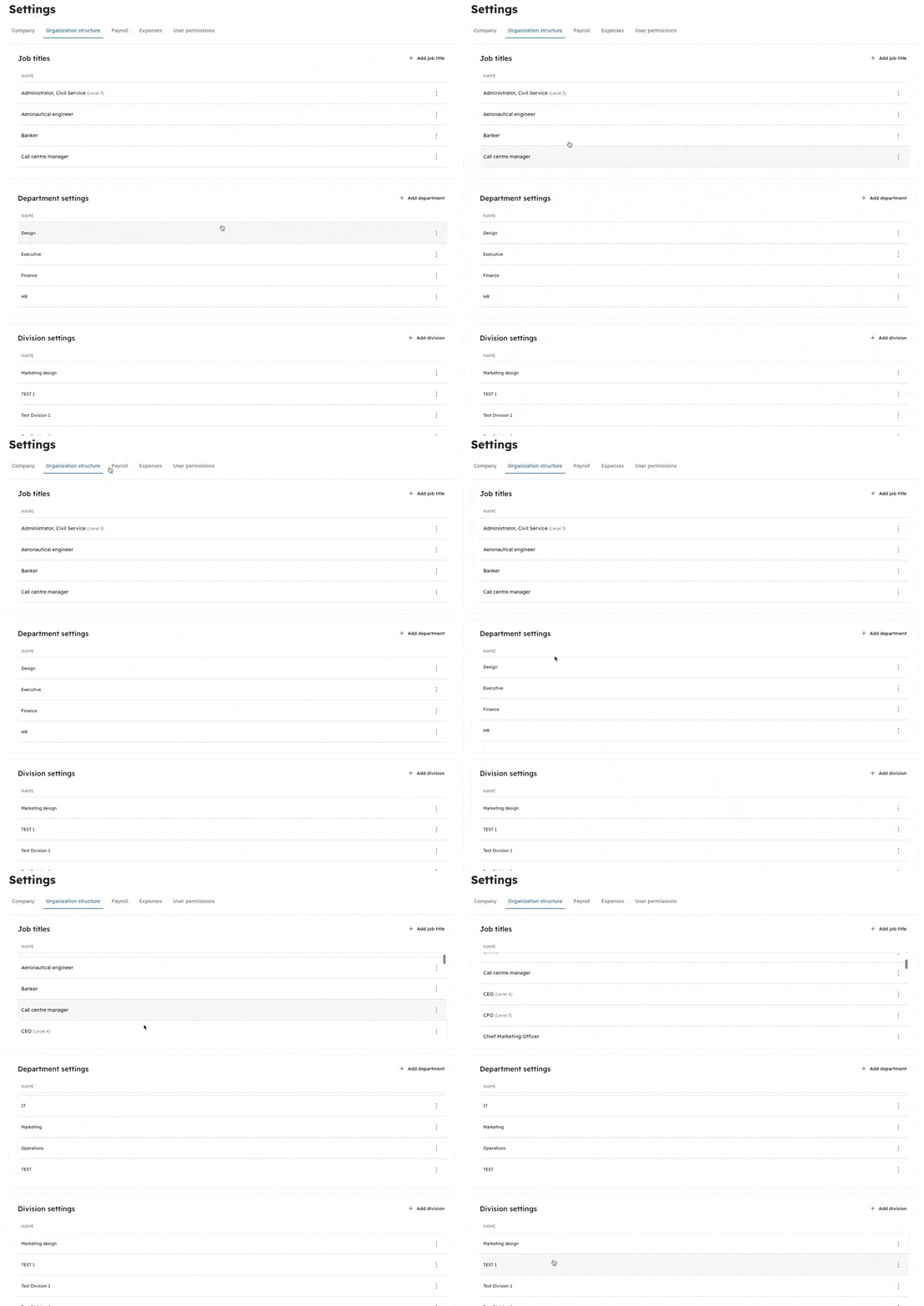
To provide maximum flexibility, we've introduced new settings that allow you to tailor various organizational elements according to your specific needs. You now have the ability to configure job titles, including the option to assign levels or hierarchies within each role. Additionally, you can create and manage new departments and divisions within your organization's structure. This level of granular control empowers you to align these crucial components with your unique operational requirements, ensuring a seamless and customized experience that accurately reflects your company's dynamics.
Image without caption

🔎
v3.2.0
Enhancement
2 years ago
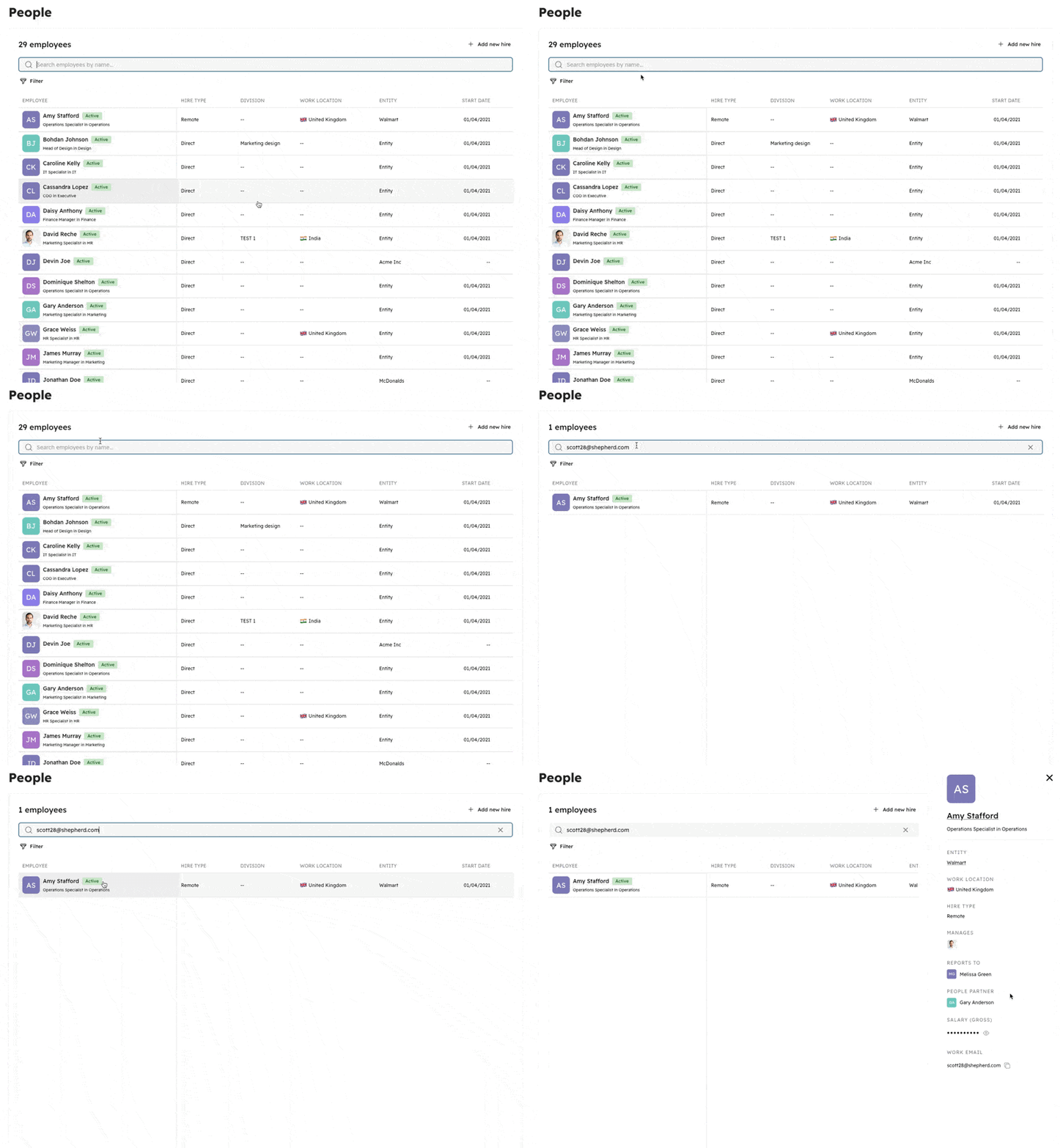
In addition to searching for team members by their full names, you now have the ability to locate them using their work email addresses or phone numbers as search criteria.
Image without caption

📋
v3.2.0
Enhancement
2 years ago

Detailed payroll view

We are concentrating our efforts on enhancing the experience for finance teams. A frequent request was to provide a comprehensive view of all adjustment types within a single payroll. To address this, we have introduced a new tab called "Detail" within the payroll report. This tab displays the precise pay line items for each team member involved in that particular pay run.
Image without caption

🛠️
v3.2.0
Enhancement
2 years ago
We've revamped the tables and listings to make them more user-friendly. The filtering capabilities have been enhanced, and a pivot column has been added to allow for easier navigation across different columns. Further improvements are on the horizon over the upcoming weeks.
Image without caption

🧾
v3.2.0
Enhancement
2 years ago
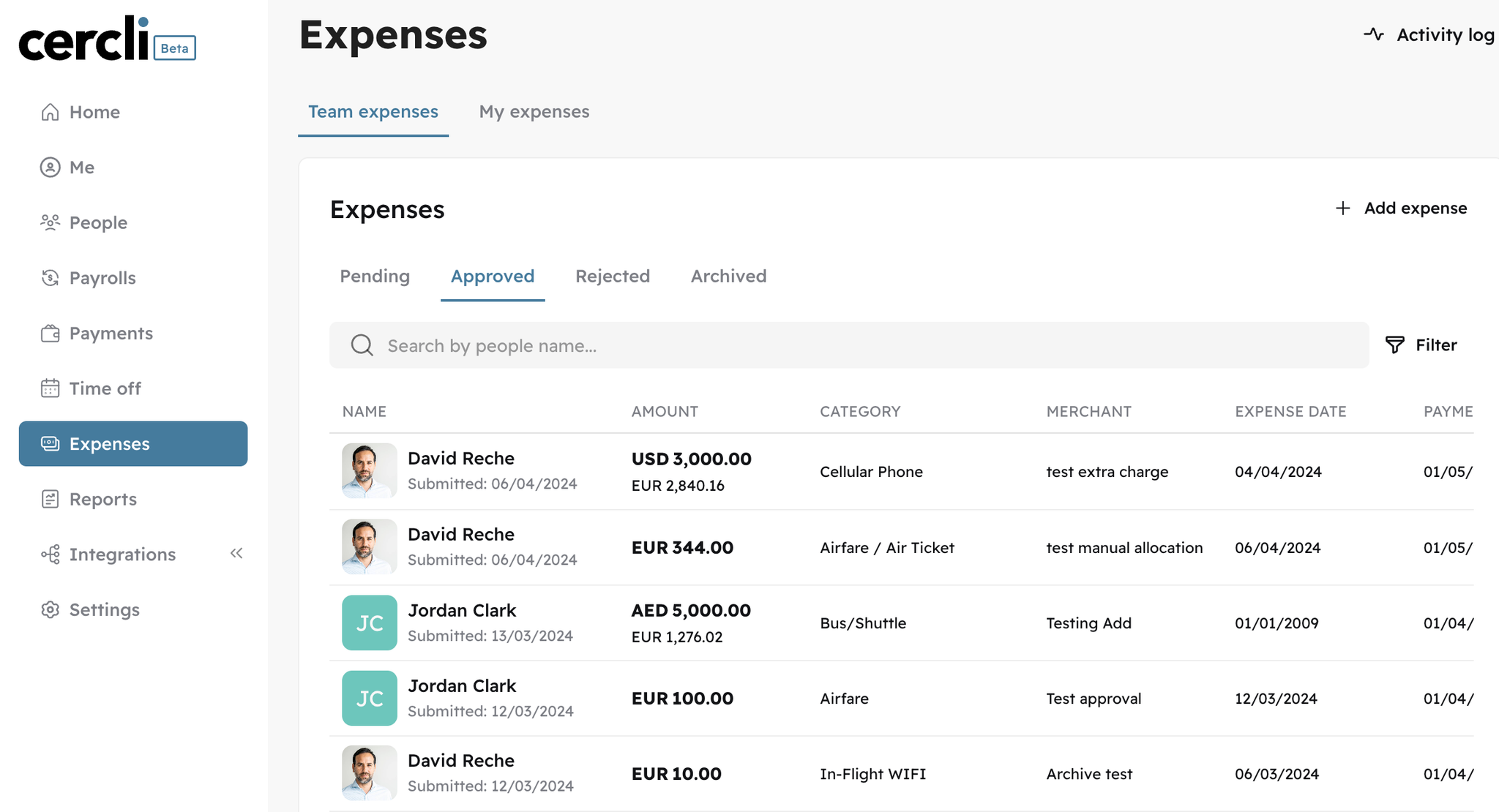
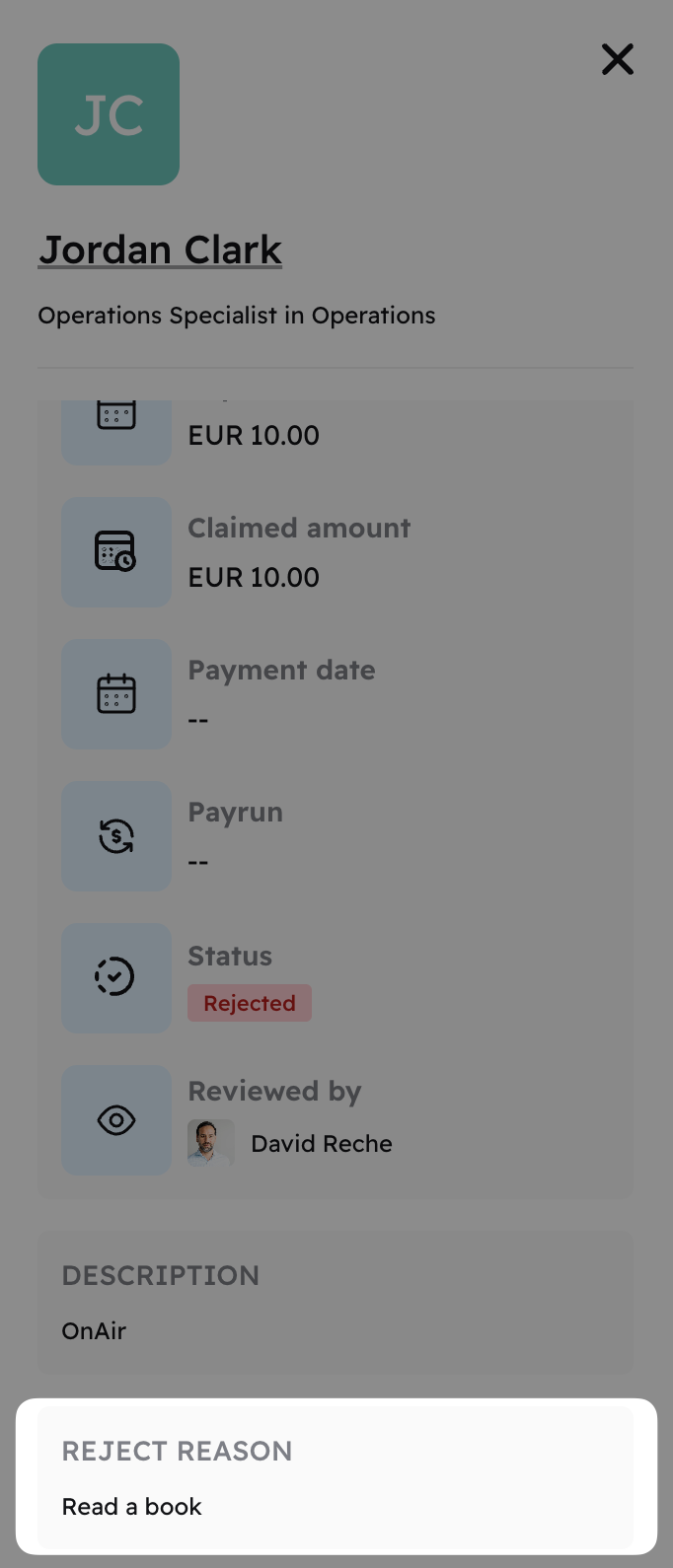
We have added the reason of rejection for a specific expense reimbursement.
Image without caption

New files preview

The process for accessing files attached to receipts has been redesigned. You'll now see file type icons that help identify each attachment. Clicking on an icon will provide a preview of the file as well as the option to download it.
Image without caption

v3.1.0
Feature
2 years ago
Image without caption

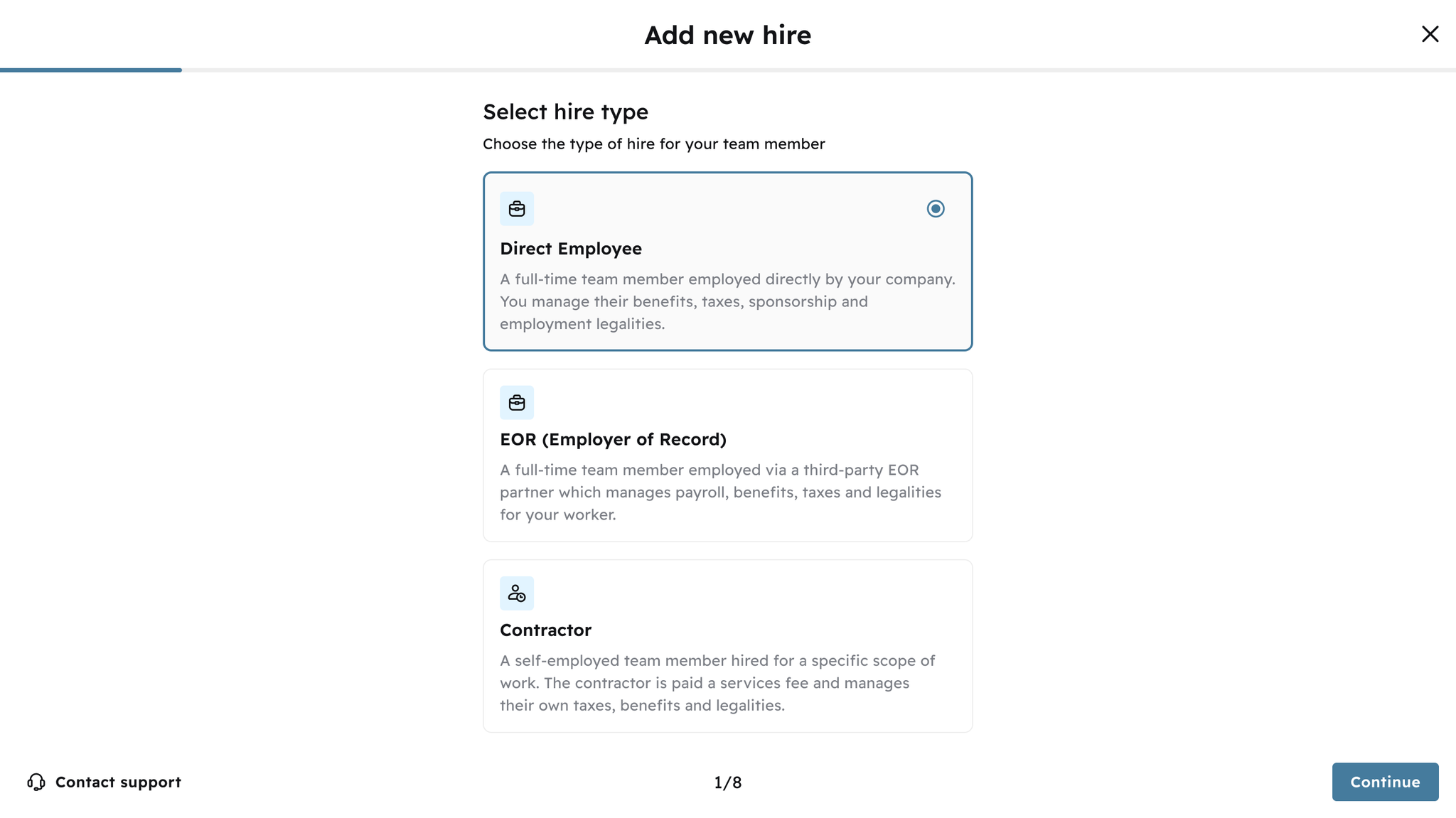
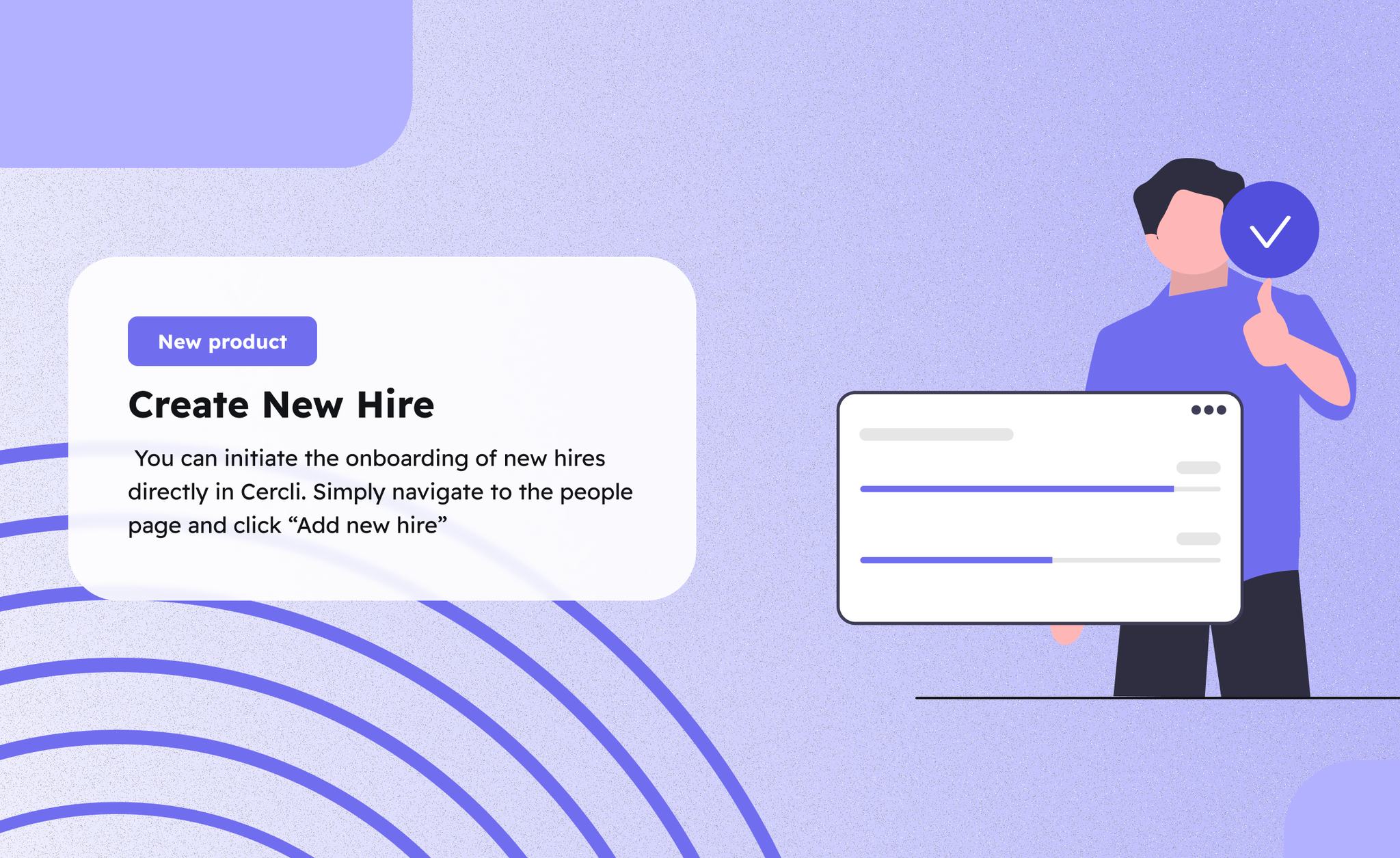
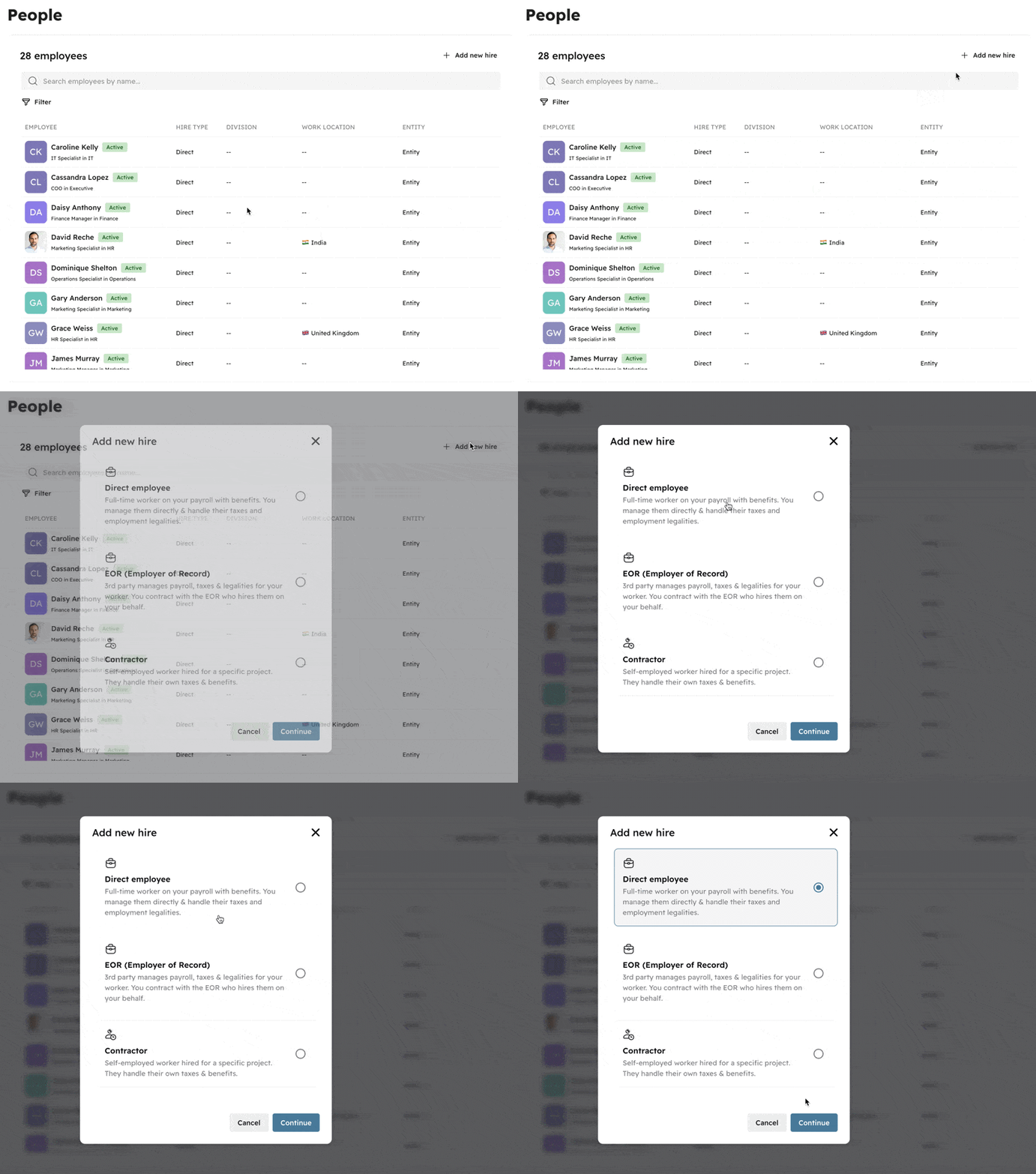
Add new hire

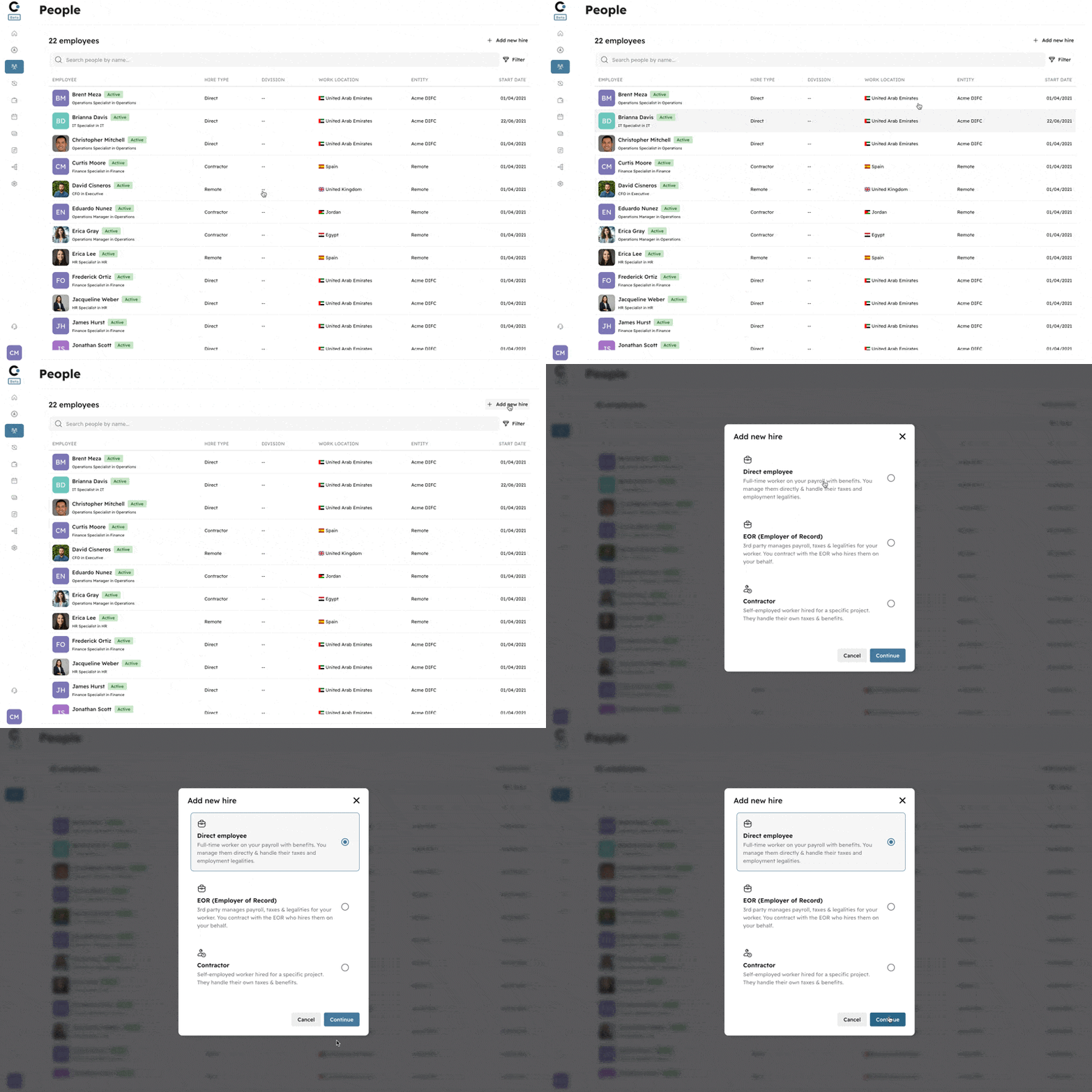
You can easily add new hires in the people section of Cercli with just two clicks!
Simply navigate to the people page and click “Add new hire”: You will need to select the type of hire in the first step:
  • Direct Employee
  • Employee of Record (EOR)
  • Contractor
Once you’ve selected the employee type, just fill the minimum details in order to create the new hire:
  • First Name
  • Last Name
  • Work Email
  • Entity
  • Team member ID (unique ID number)
Please remember that the full profile must be completed in order to process their payroll, including:
  • General information
  • Contract information
  • Compensation details
  • Nationality
  • Bank details
  • Work and residential addresses
Image without caption

🌴
v3.1.0
Enhancement
2 years ago

Adjust Time Off balances

We have introduced a new feature that allows you to easily edit your team members' Time Off balances. In some cases, adjustments to their balances may be necessary, and with this feature, you can modify them with just one click.
Image without caption

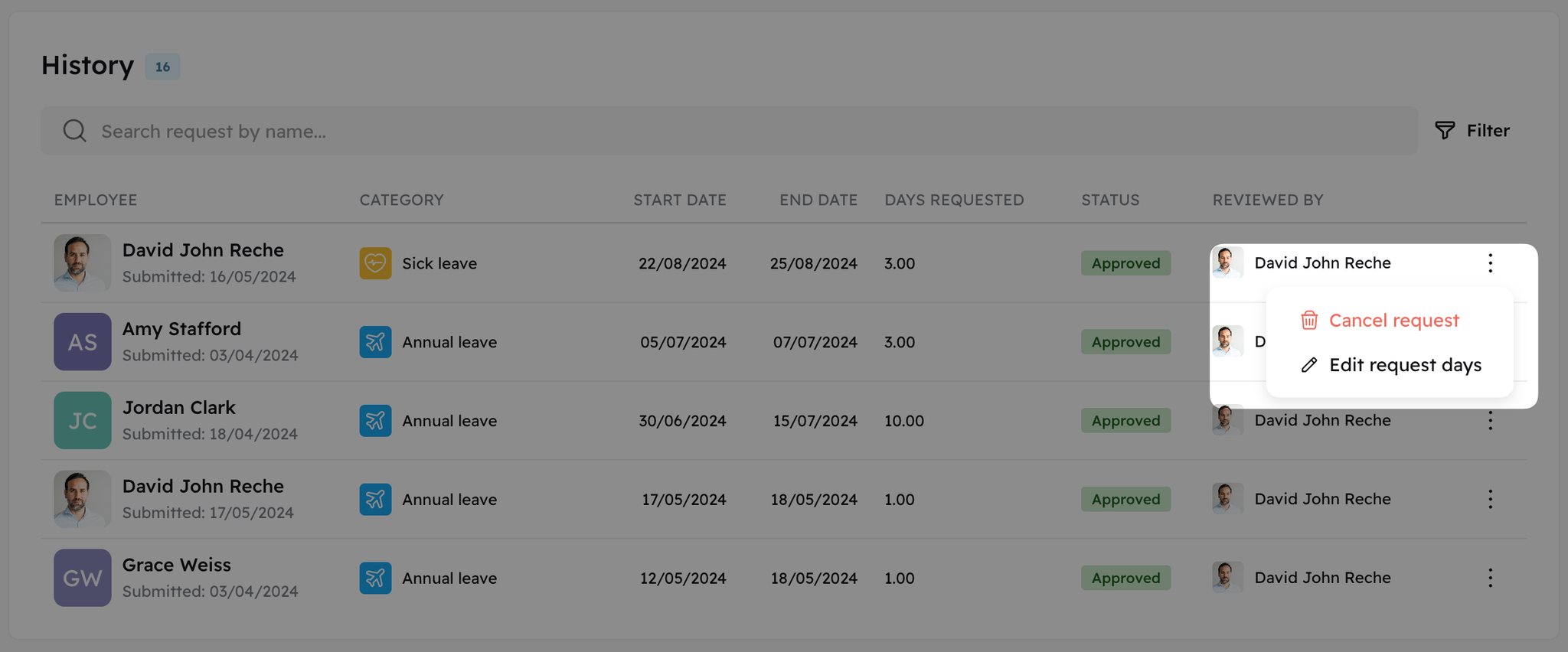
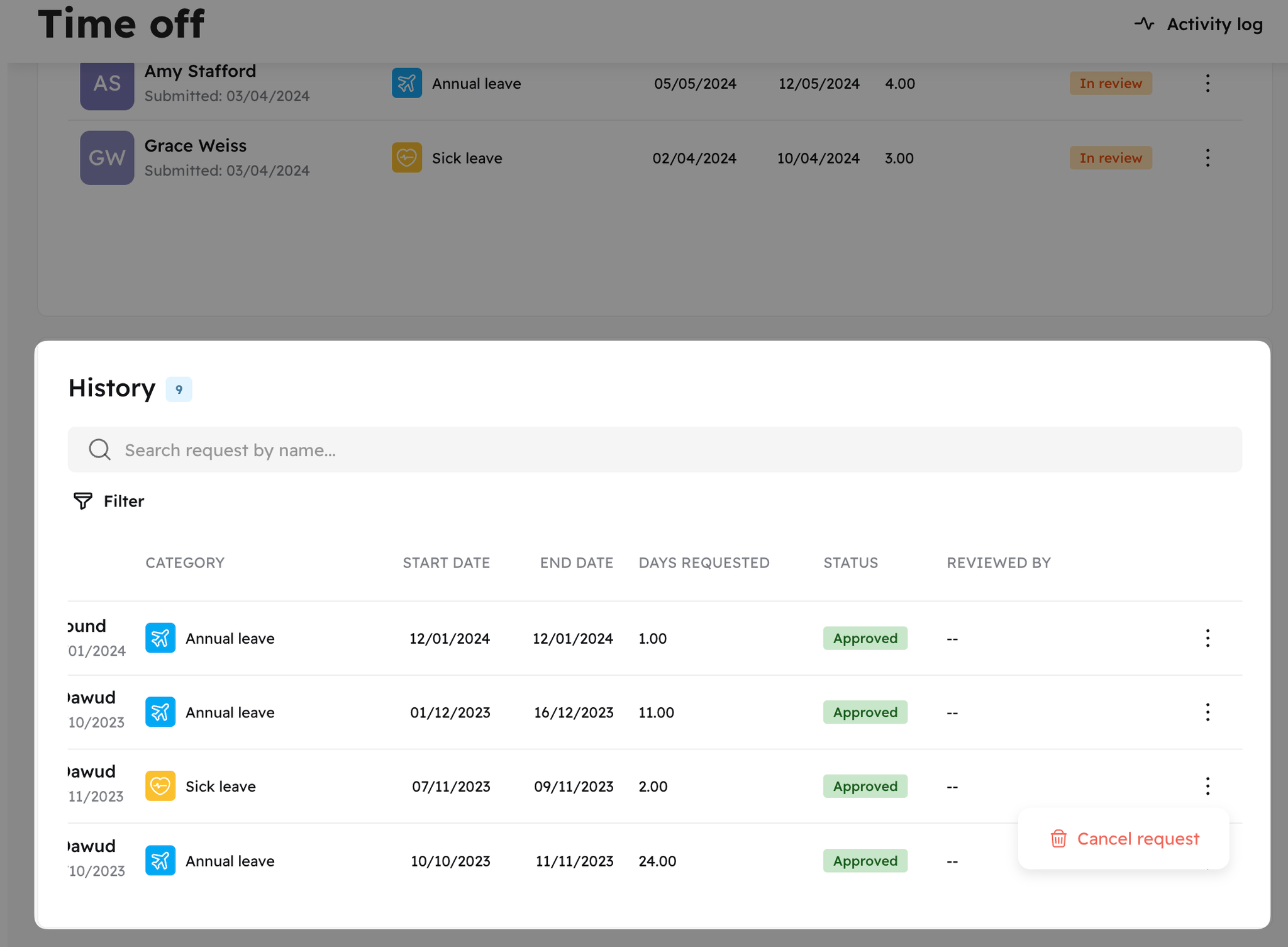
Cancel approved Time Off request

We introduced the cancellation of approved time off requests for admin roles. Once a request is cancelled, the deducted days will be automatically restored to the current allowance.
Image without caption

🛠️
v3.1.0
Enhancement
2 years ago

Expense Settings

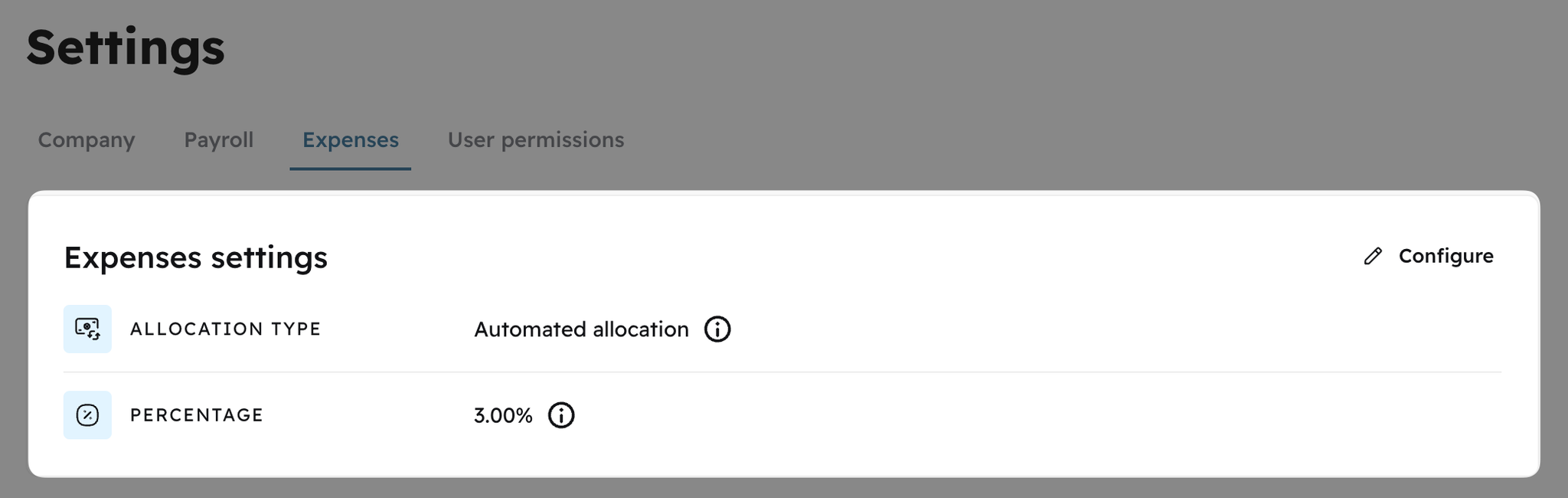
We have introduced two new settings for expenses that you can customize according to your requirements:
Allocation type: You have the option to choose between automated and manual allocation. In automated allocation, each approved expense will be assigned to the next active payroll. Whereas, in manual allocation, you can decide which payroll should reimburse those expenses. Foreign transaction markup: The foreign transaction markup will be added to each expense claim outside of the organization's base currency to cover additional fees incurred by the employee.
Image without caption

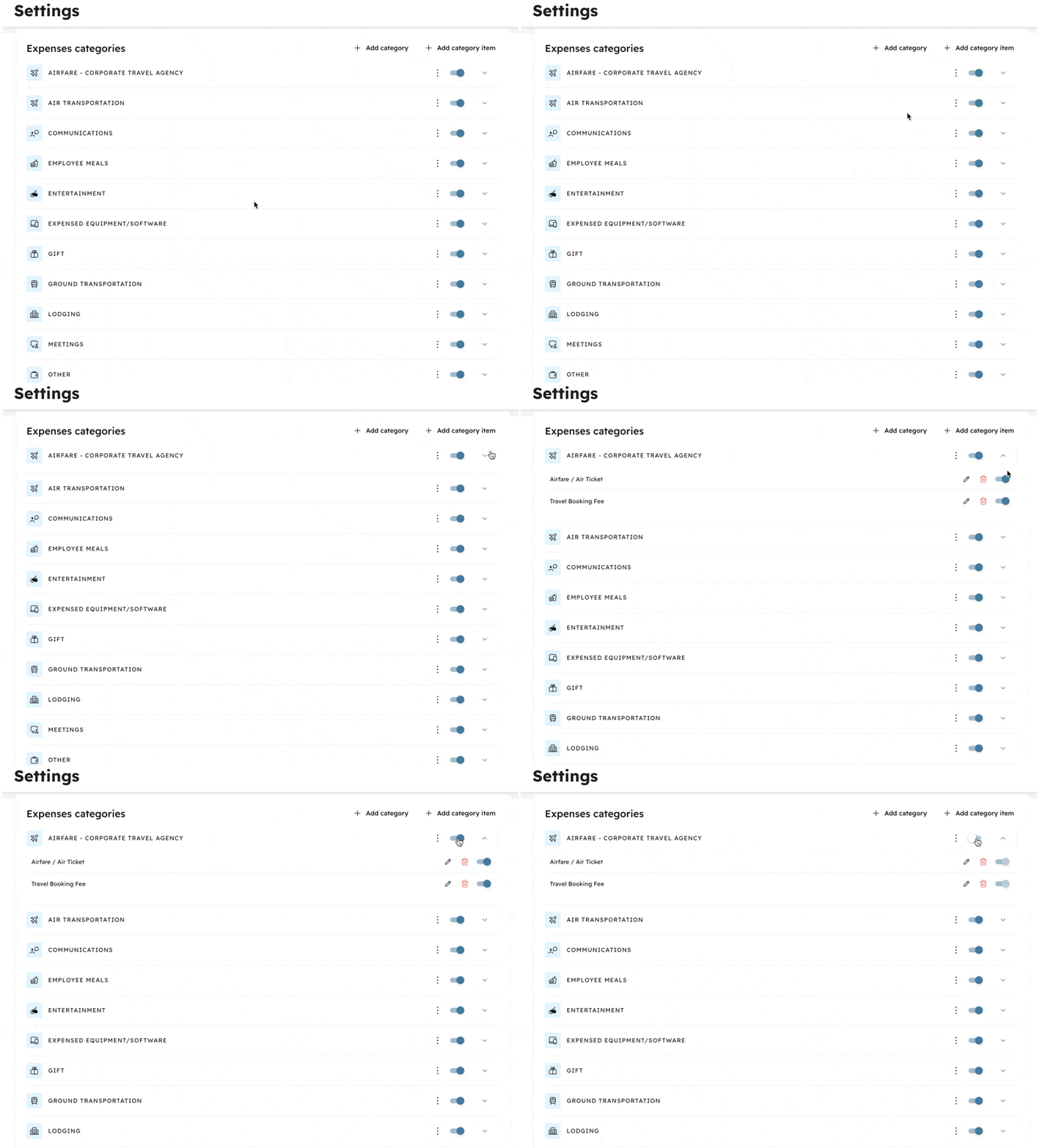
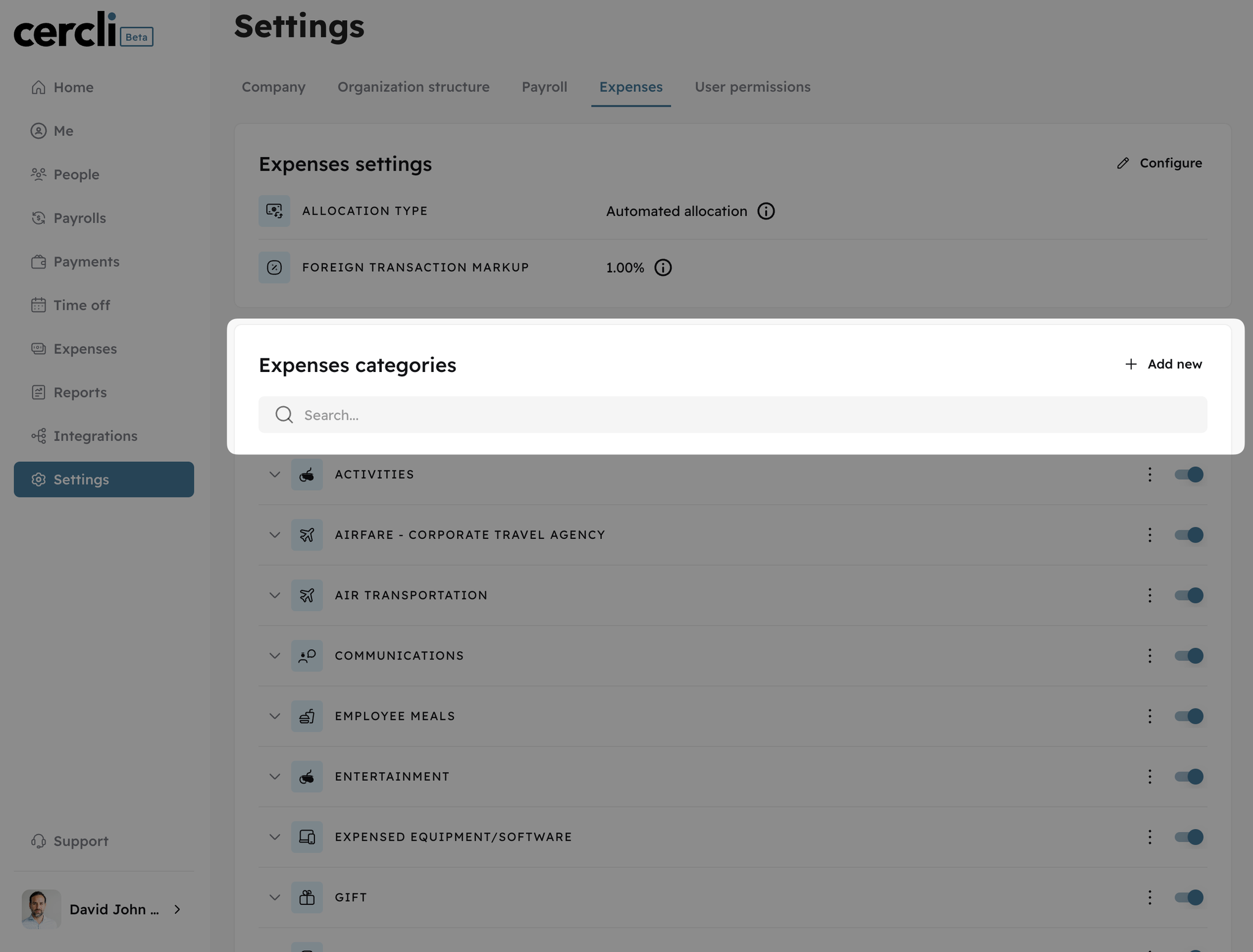
Configure expense categories and subcategories

You now have the ability to personalize your expense reimbursement categories and subcategories to suit your specific requirements. This new feature allows you to turn on or off categories and subcategories, add, delete, and modify existing ones, and even create a new group of expense categories.
Image without caption

🧾
v3.0.0
Major Release
2 years ago
Image without caption

Reimburse your work expenses from any currency

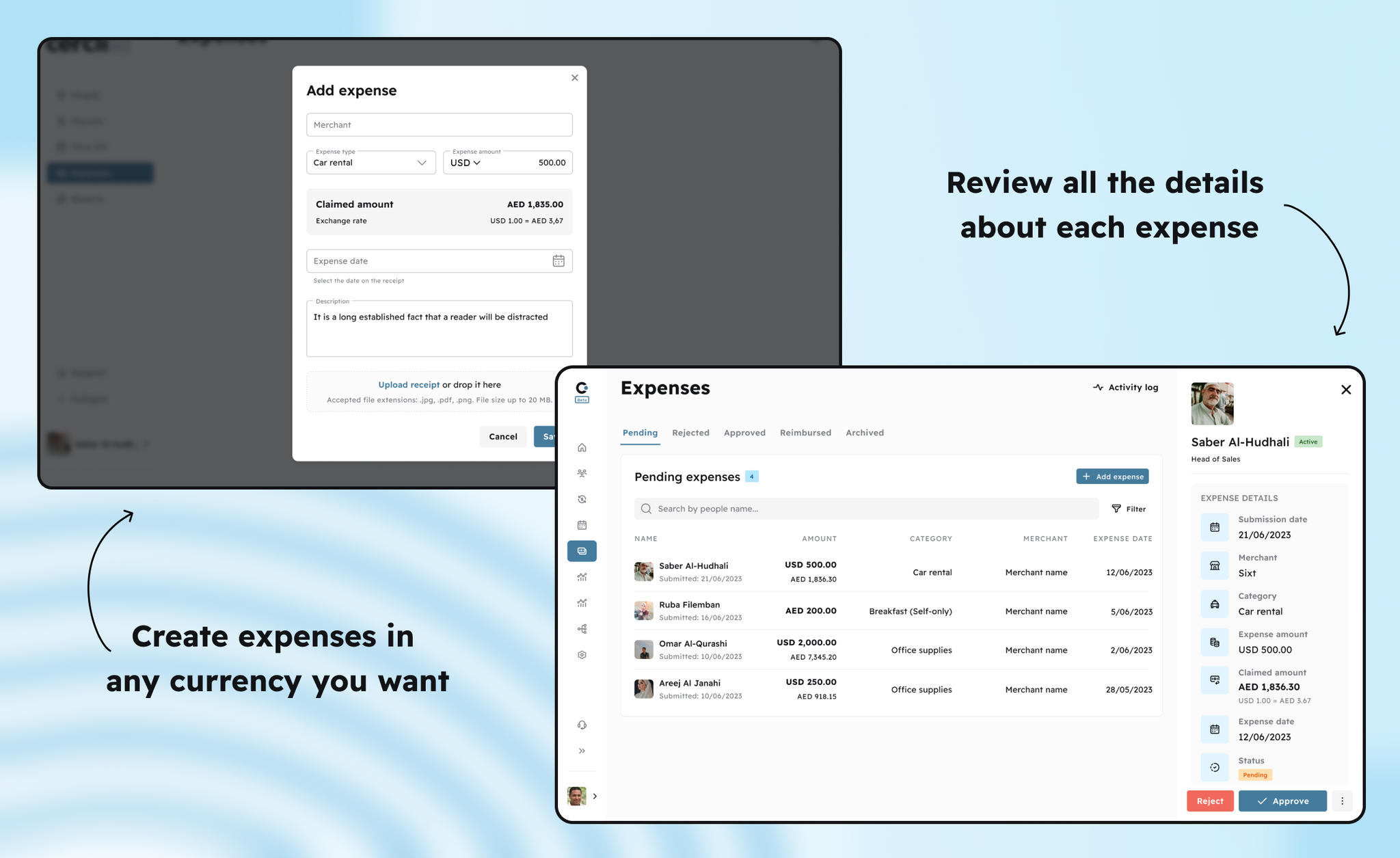
You can report expenses in a currency other than your own. Simply select the currency of your reimbursement when completing the expense form. The conversion will be managed by us with your agreed spread in Cercli settings, the reimbursement will be paid out in your domestic currency.
Image without caption

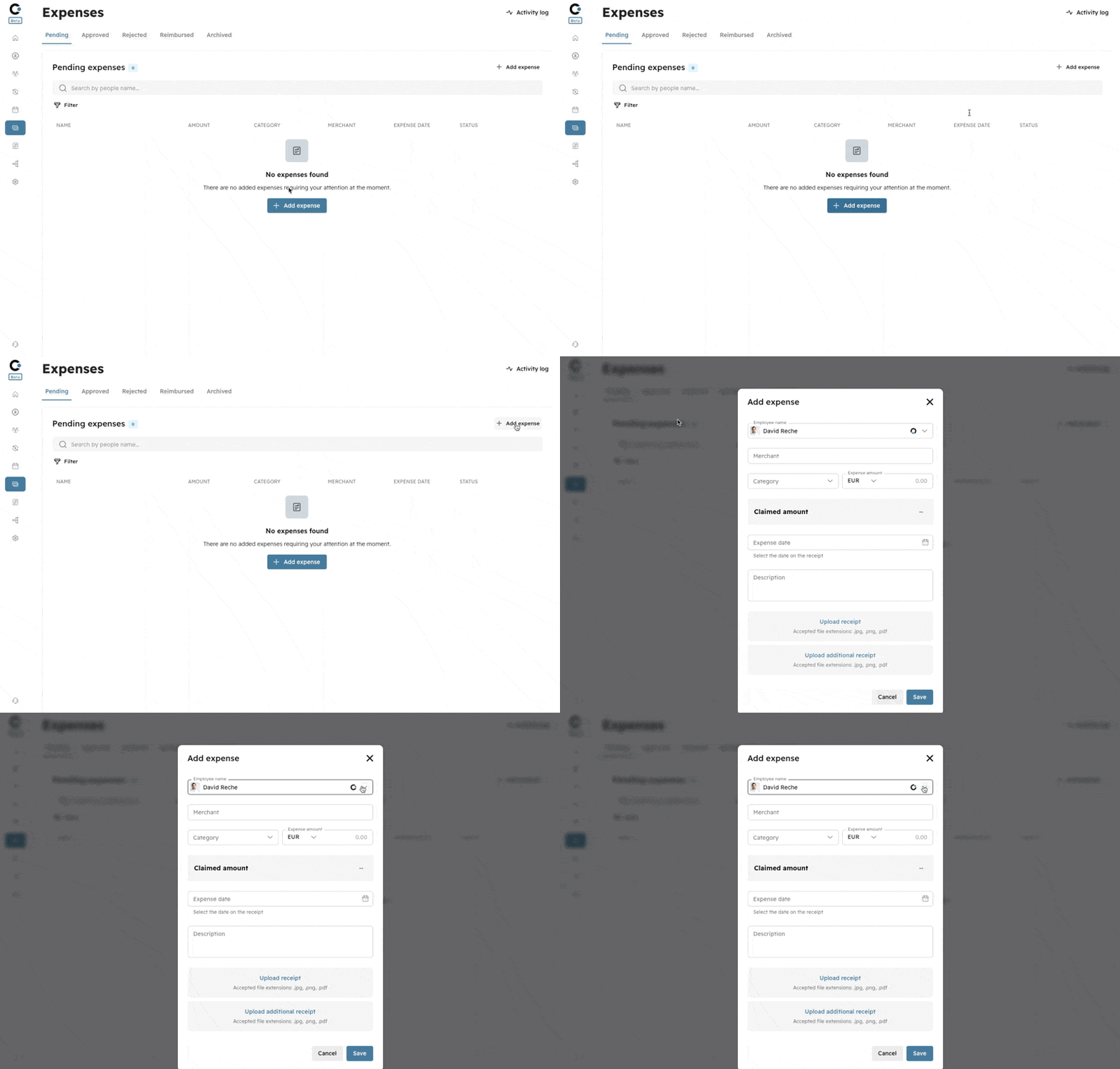
Expense reimbursement integrates with your payroll in real time

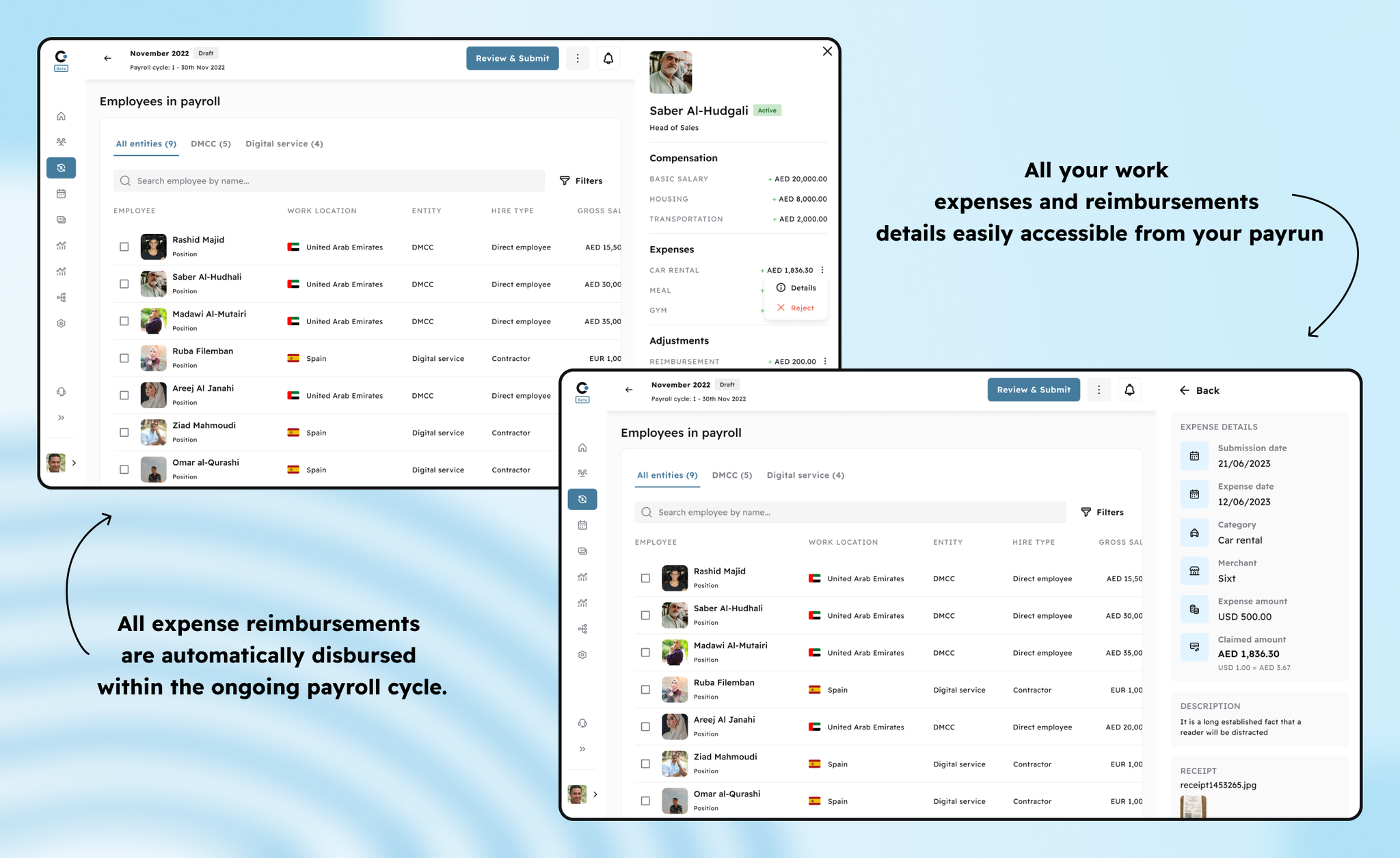
Work expenses are now seamlessly integrated with your payroll operations, ensuring that any approved expenses are automatically included in your next payroll cycle. This integration streamlines the reimbursement process, ensuring your workforce receives their expense reimbursements payments alongside their regular salary. By linking expenses reimbursements directly to the payroll run, Cercli eliminates manual entry and improves payroll accuracy and efficiency.
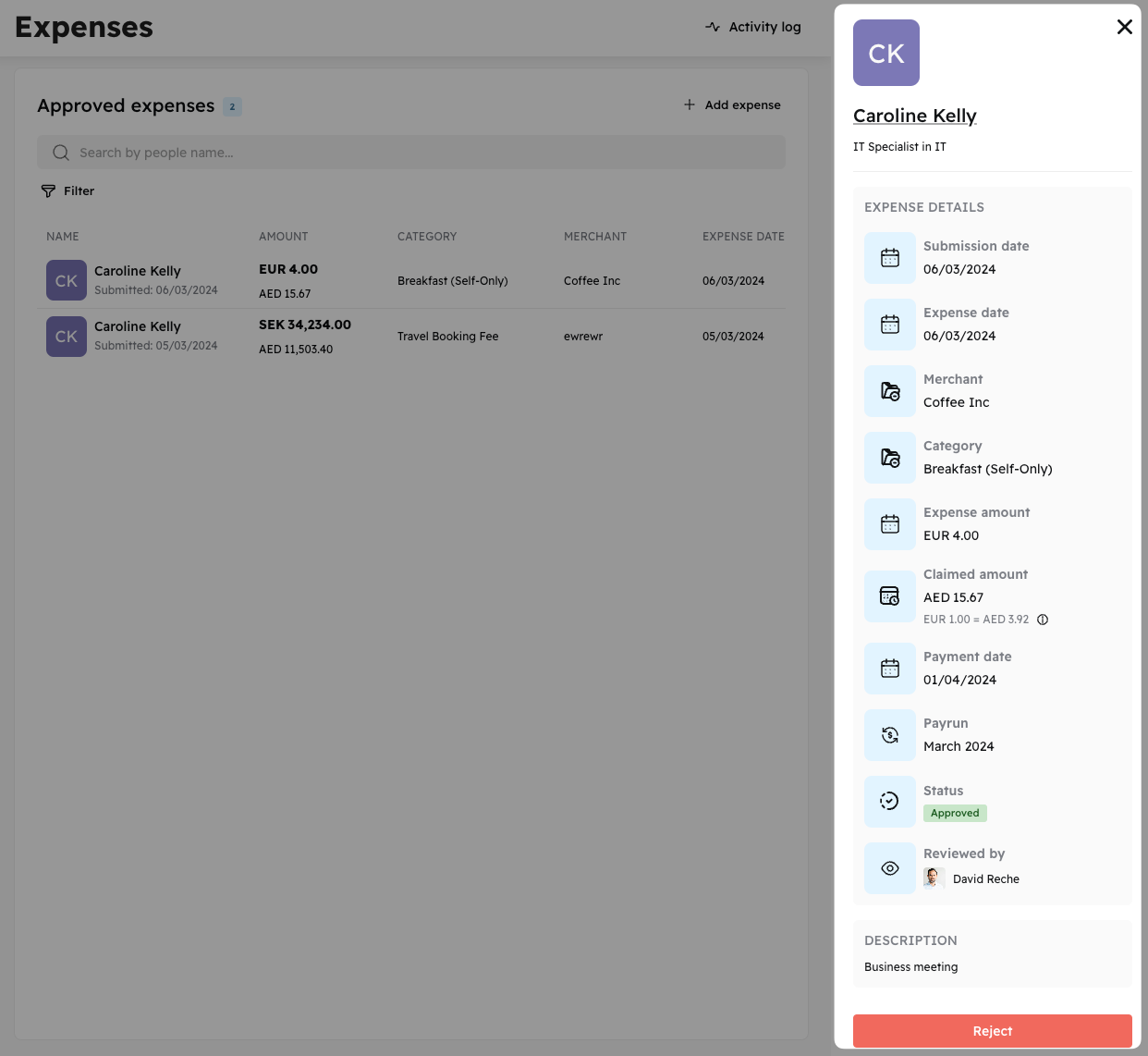
To simplify the validation of any reimbursement or work-related expense, you can directly access its details within your payroll run, eliminating the need to switch between different sections
Image without caption

Add an expense in a different currency

Image without caption

Expense detail

Image without caption

💲
v3.0.0
Feature
2 years ago
Image without caption

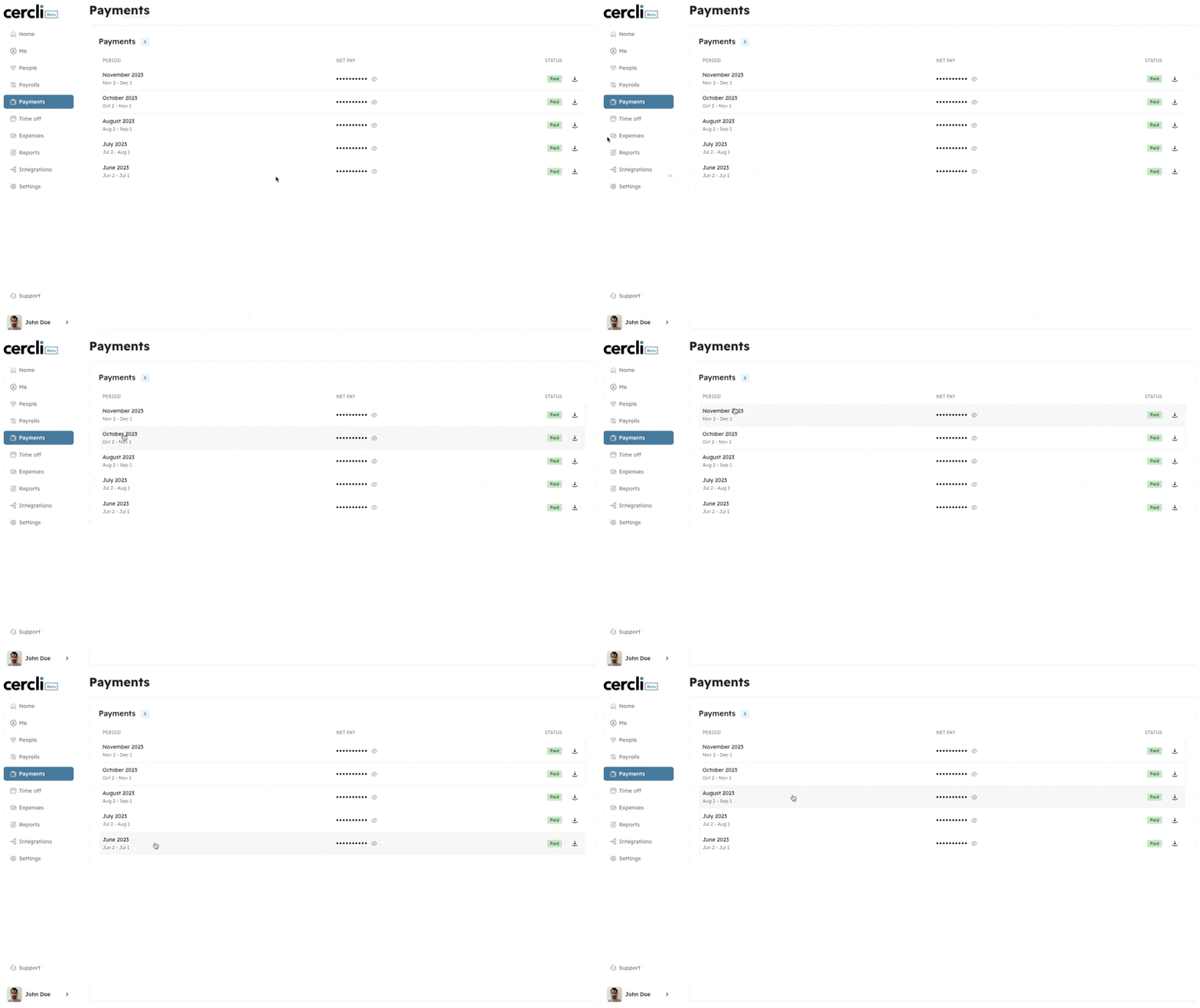
New payments section for your workforce

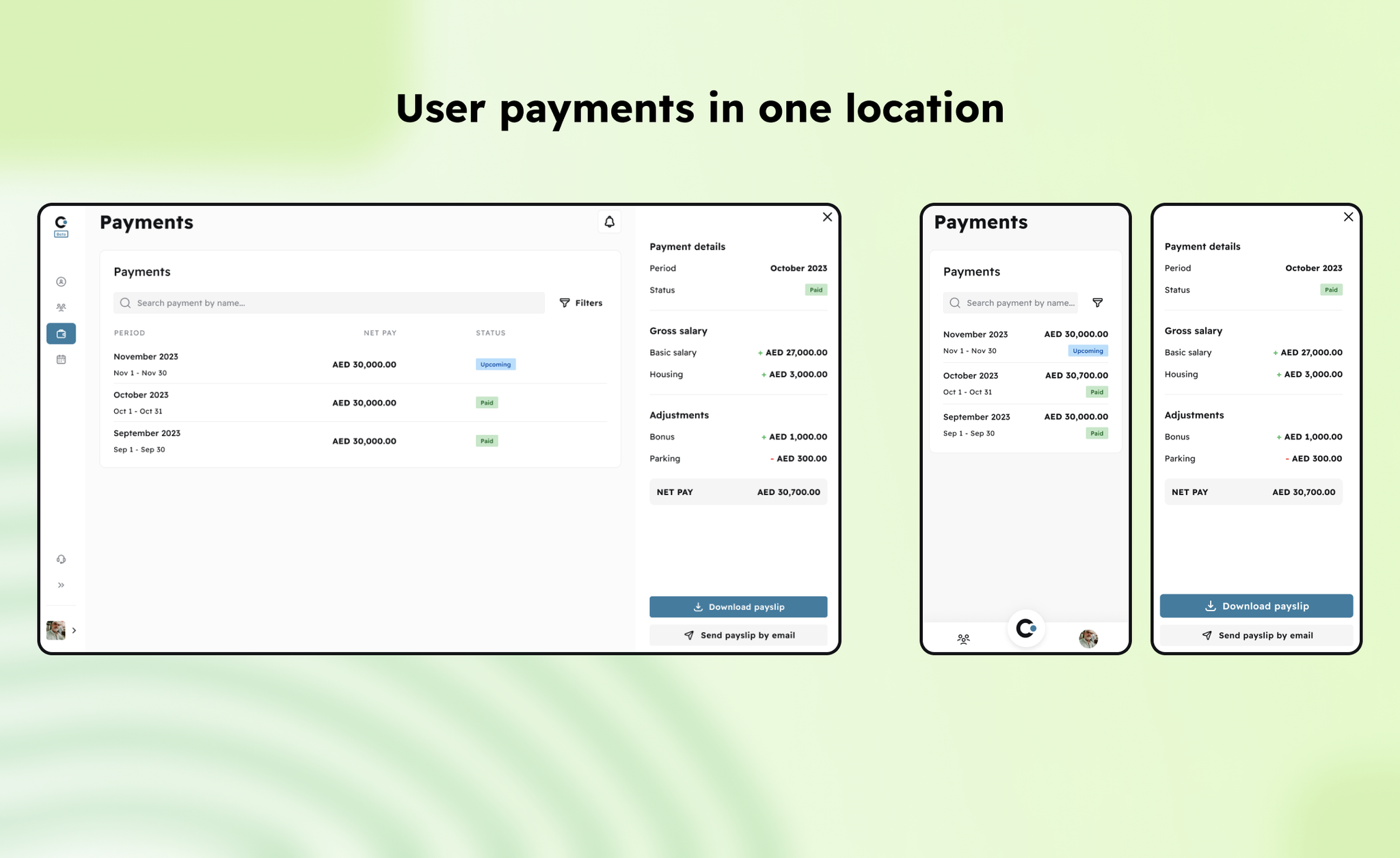
Enable your workforce to access their historical payslips and invoices in one place.
Image without caption

Your team members can access all their payments with just one click.

Image without caption

↖️
v3.0.0
Feature
2 years ago
Image without caption

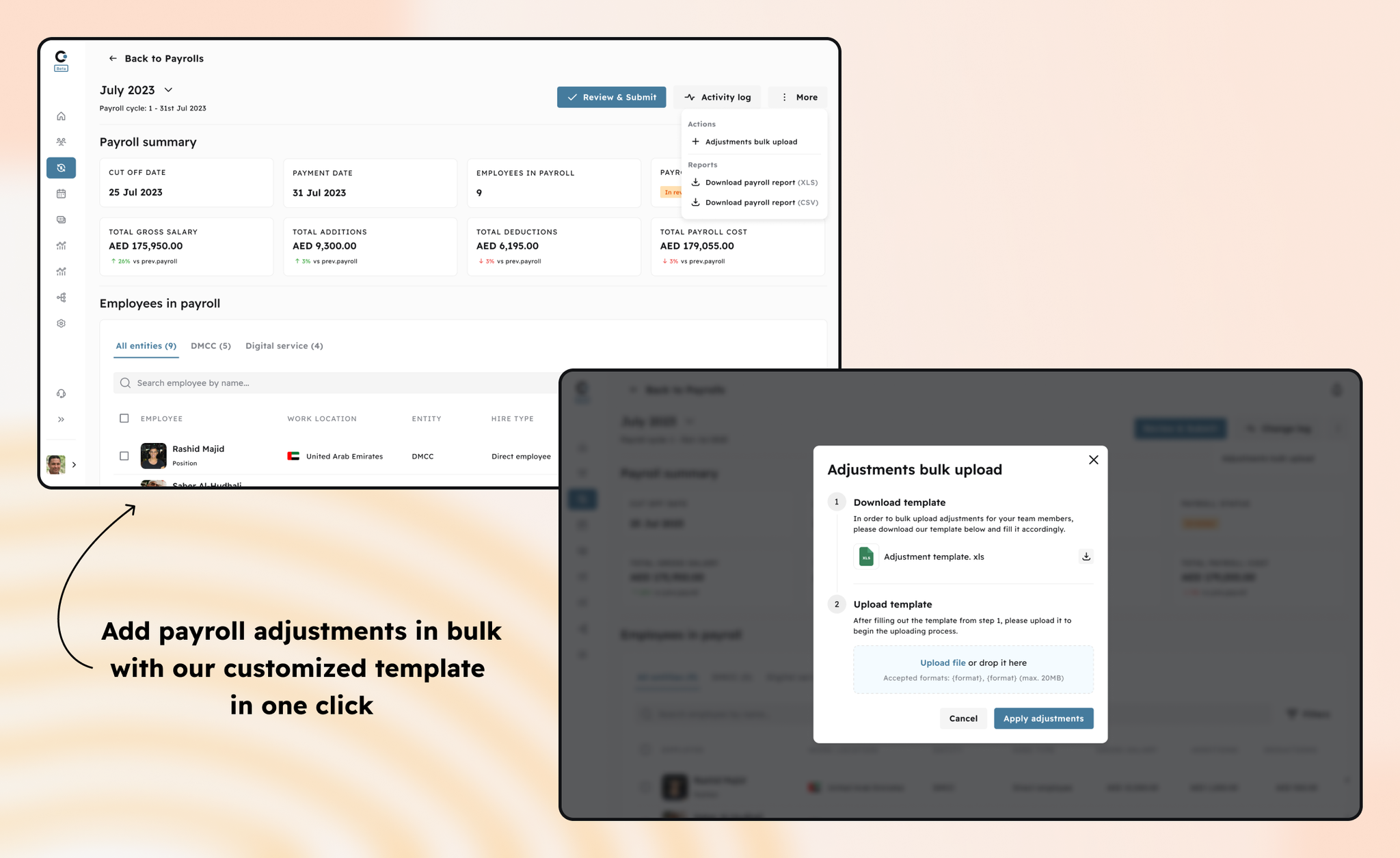
Payroll adjustments bulk upload

The payroll bulk upload feature allows payroll administrators to apply multiple compensation adjustments to an active payrun in one click, reducing manual entry and ensuring accuracy. This process enhances efficiency by offering a one-step operation for adjustments such as bonuses, deductions, or overtime across your workforce records in one click.
Image without caption

🌴
v3.0.0
Enhancement
2 years ago

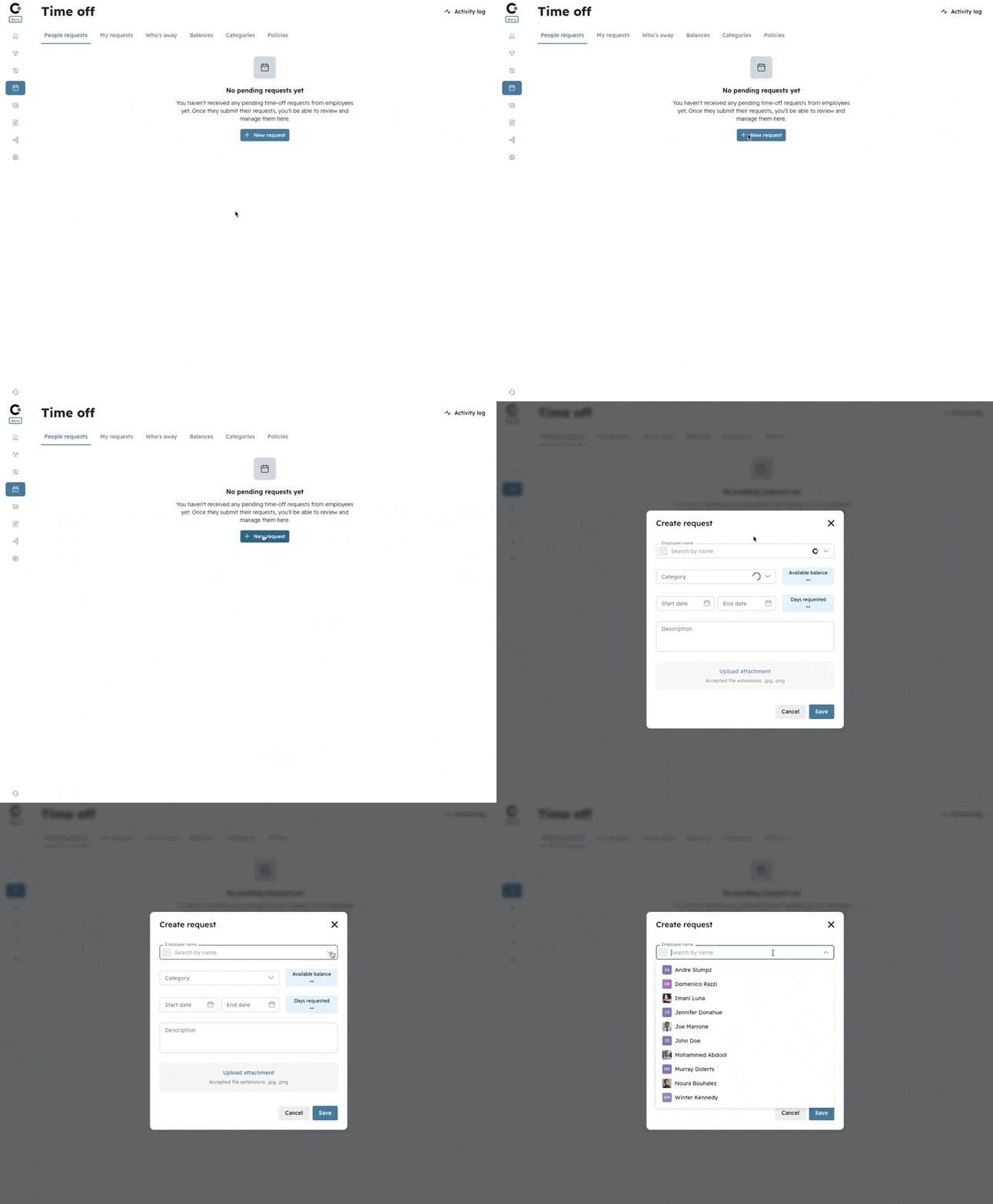
Request Time Off on behalf of other team members

As an admin, or someone with the appropriate permissions will have the capability to submit Time Off requests on behalf of any workforce member, simplifying the process of creating or modifying Time Off.
Image without caption

New details in Time Off request

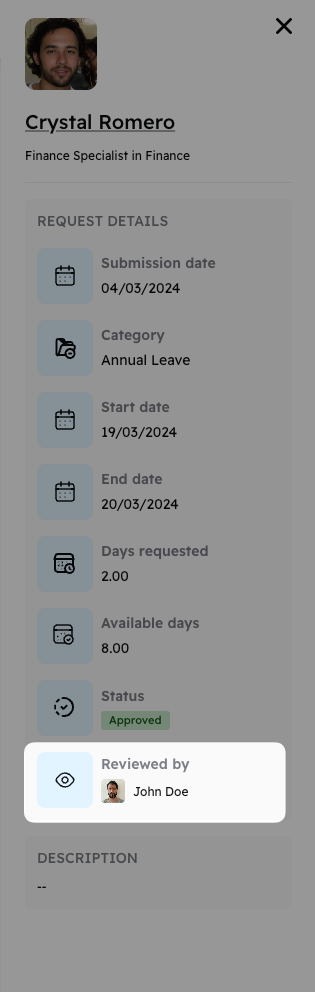
New field in Time Off to know who approved the leave request.
Image without caption

Cercli Slack bot improvements
v2.2.0
Feature
2 years ago

Revamped automated scheduling of team members on leave

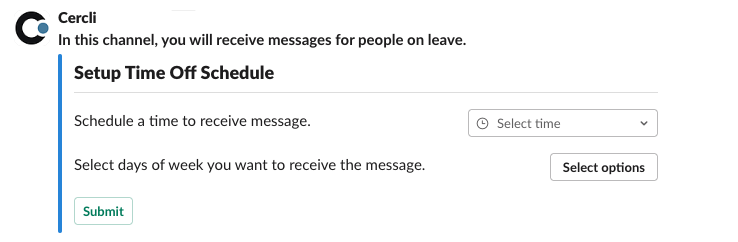
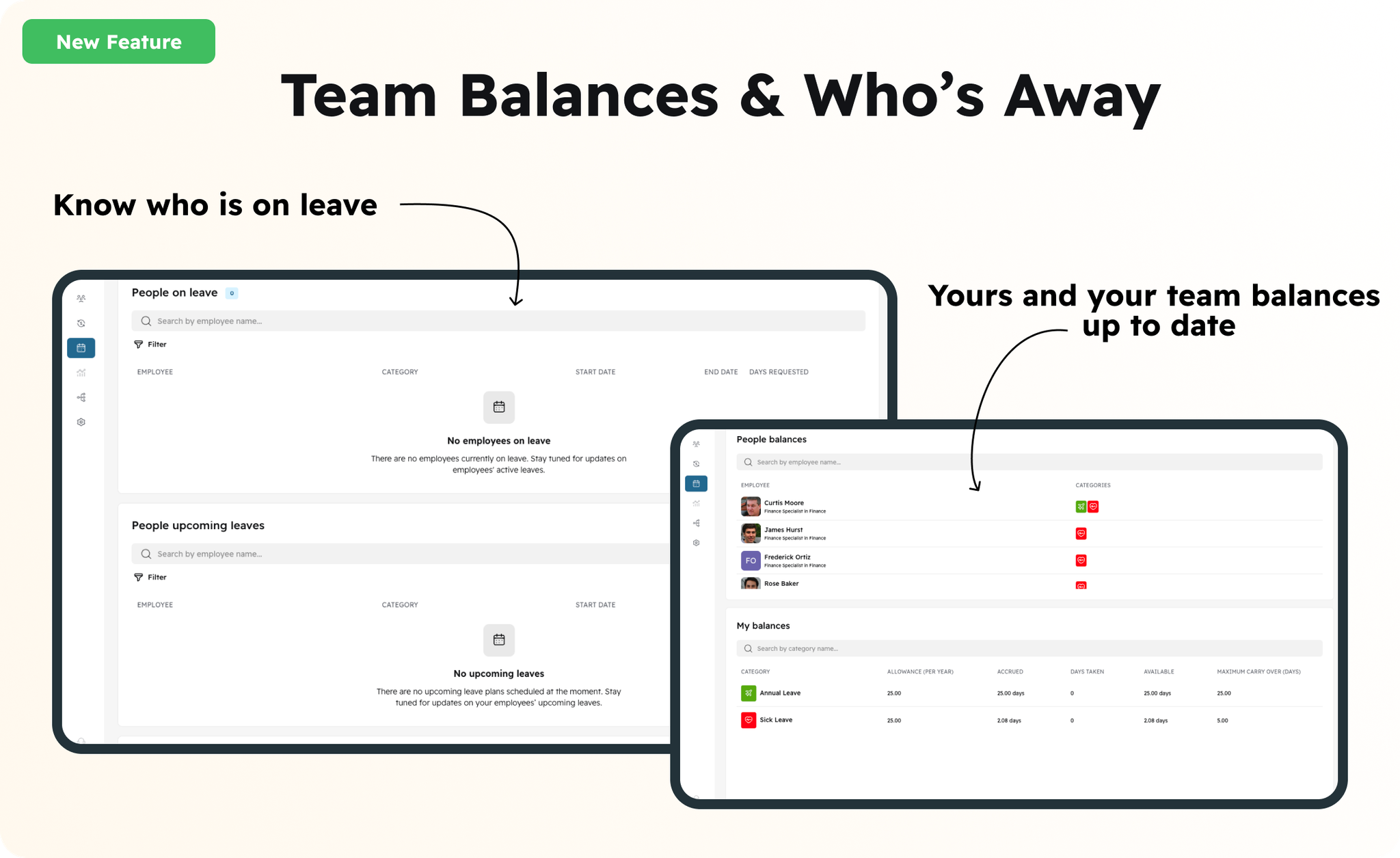
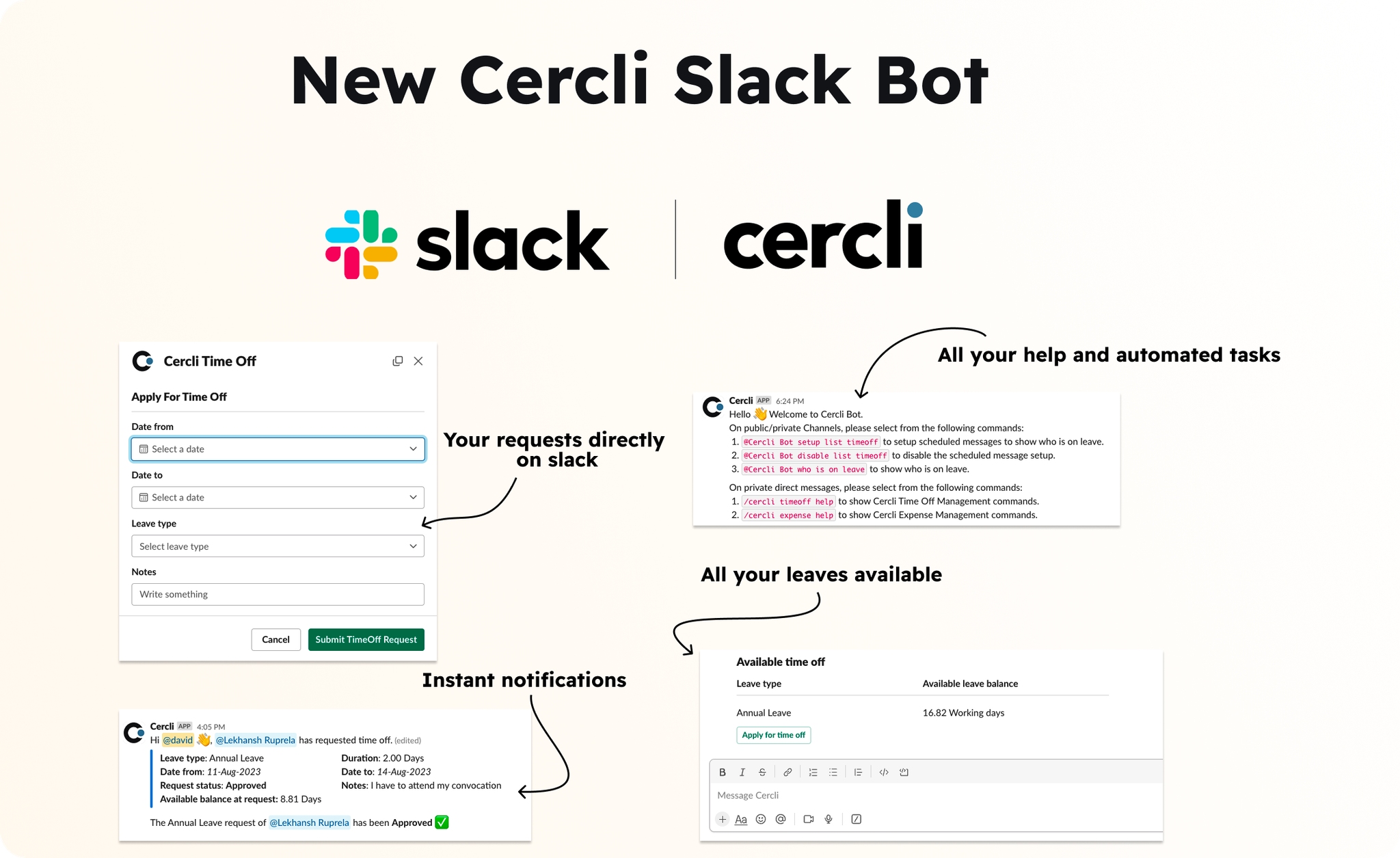
We're excited to share that our Slack bot for time off has been upgraded! Based on your valuable feedback, we've enhanced our system to offer a more personalized experience. Users can now specify the exact times and days they wish to receive notifications about team members taking leave. Additionally, we've improved how this information is displayed for easier understanding. Expect clearer responses with added details such as categories, specific dates, and upcoming absences.
Image without caption
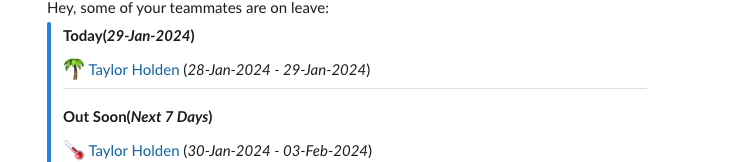
New visualization of the team members on leave with the time off category and the current date or the upcoming leaves
Image without caption
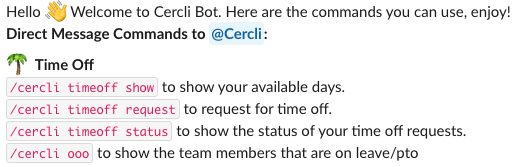
New command line in private messages for Cercli bot to know who is on leave right now. The command line is /cercli ooo
Image without caption

📄
v2.2.0
Feature
2 years ago
We've upgraded our payroll system to include a new feature for processing contractor payments. This enhancement automatically generates invoices for contractors and payslips for your team members. Now, you can effortlessly download invoices or payslips for your entire global workforce or send them directly via email from Cercli to any selected individual.
Image without caption

💼
v2.2.0
Enhancement
2 years ago

New Job Description field

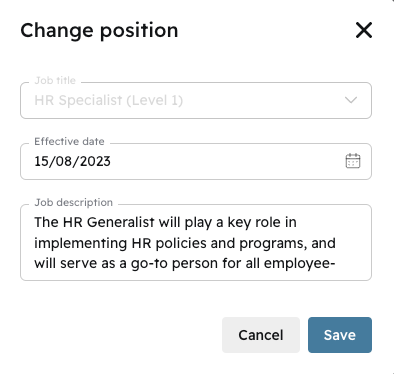
We've introduced a new field within the employment position section, enabling both direct employees and contractors to input their job descriptions or, for contractors, their scope of work.
Image without caption
The position description below in the right section
Image without caption

🔐
v2.1.0
Major Release
2 years ago
Image without caption
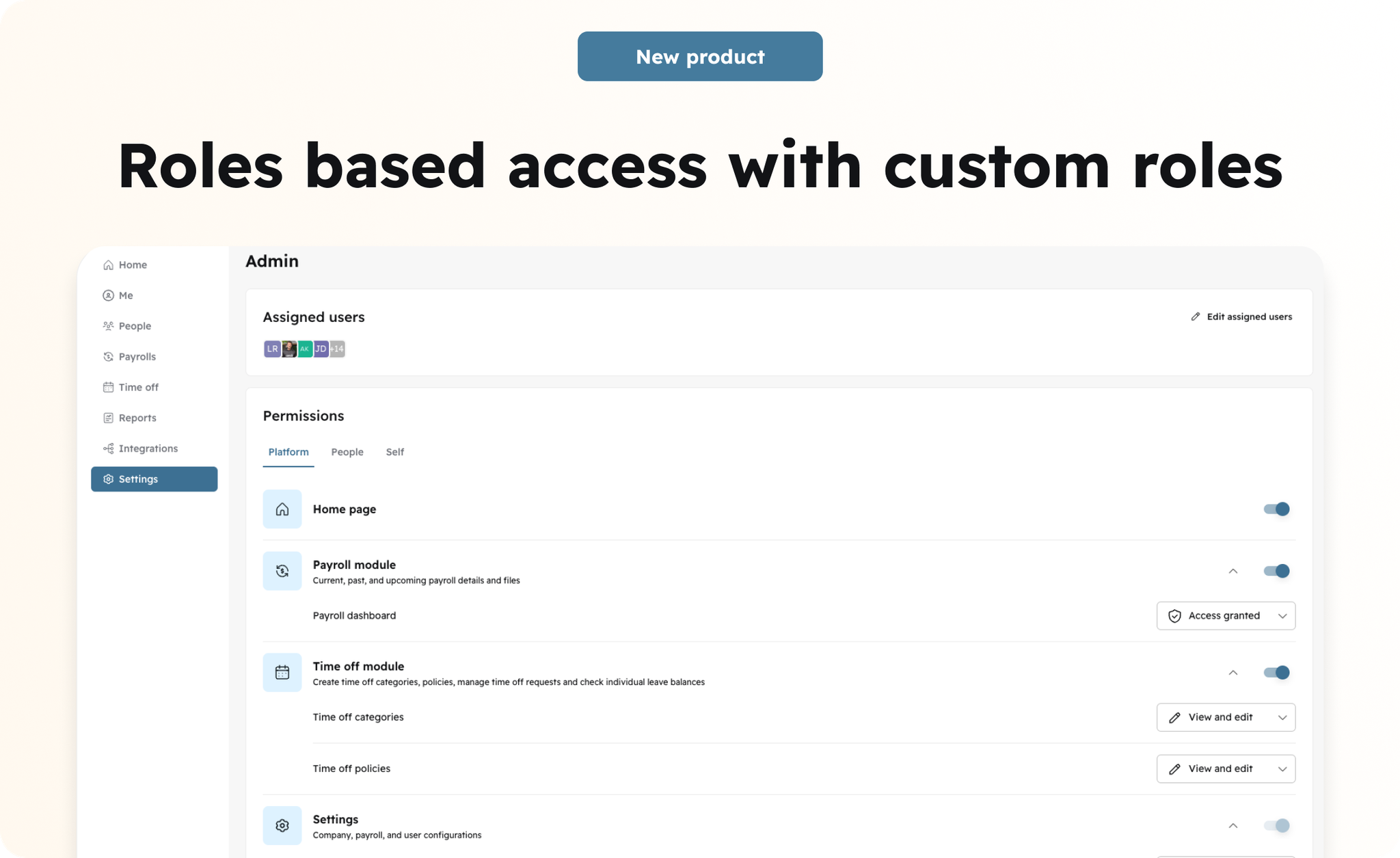
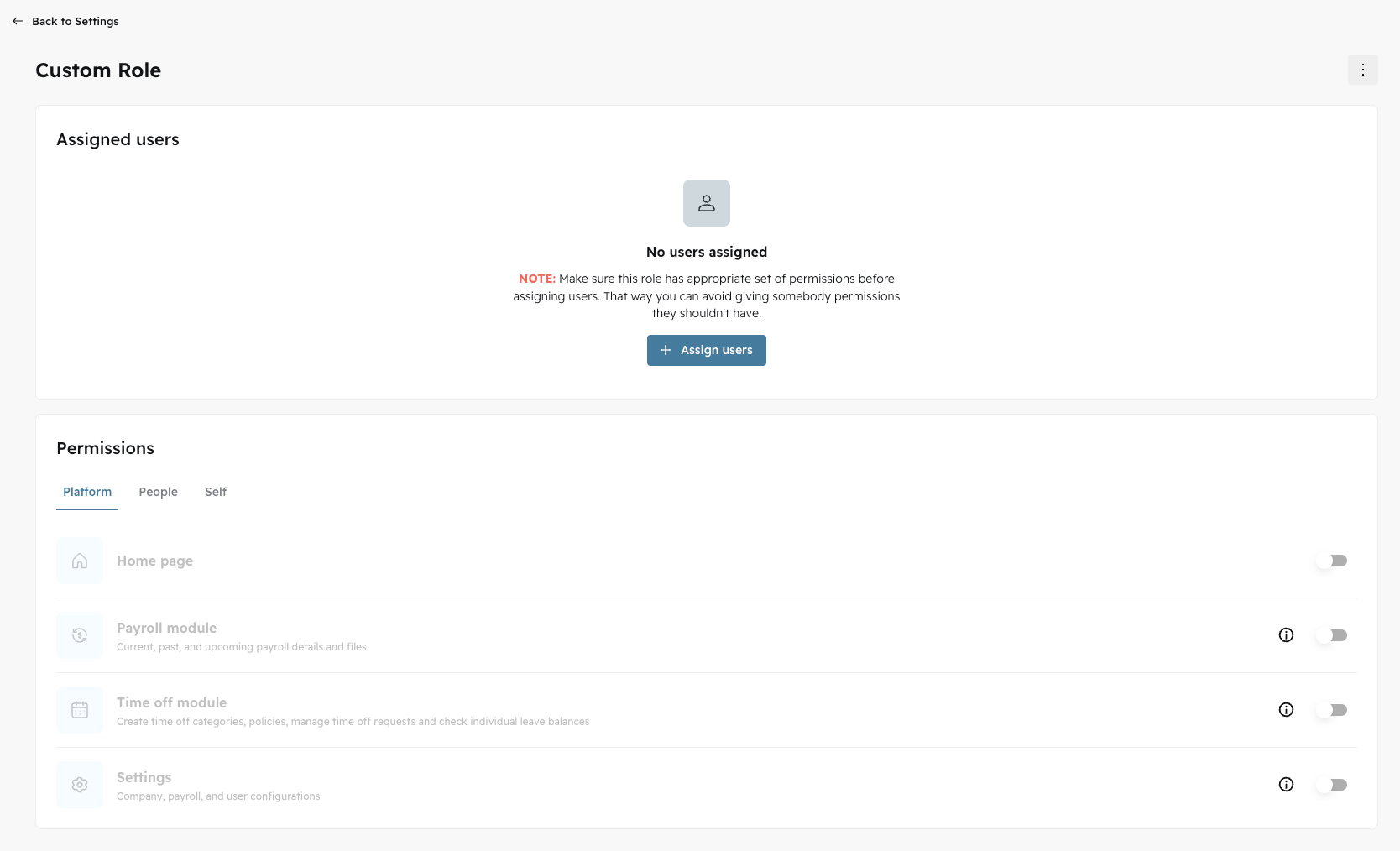
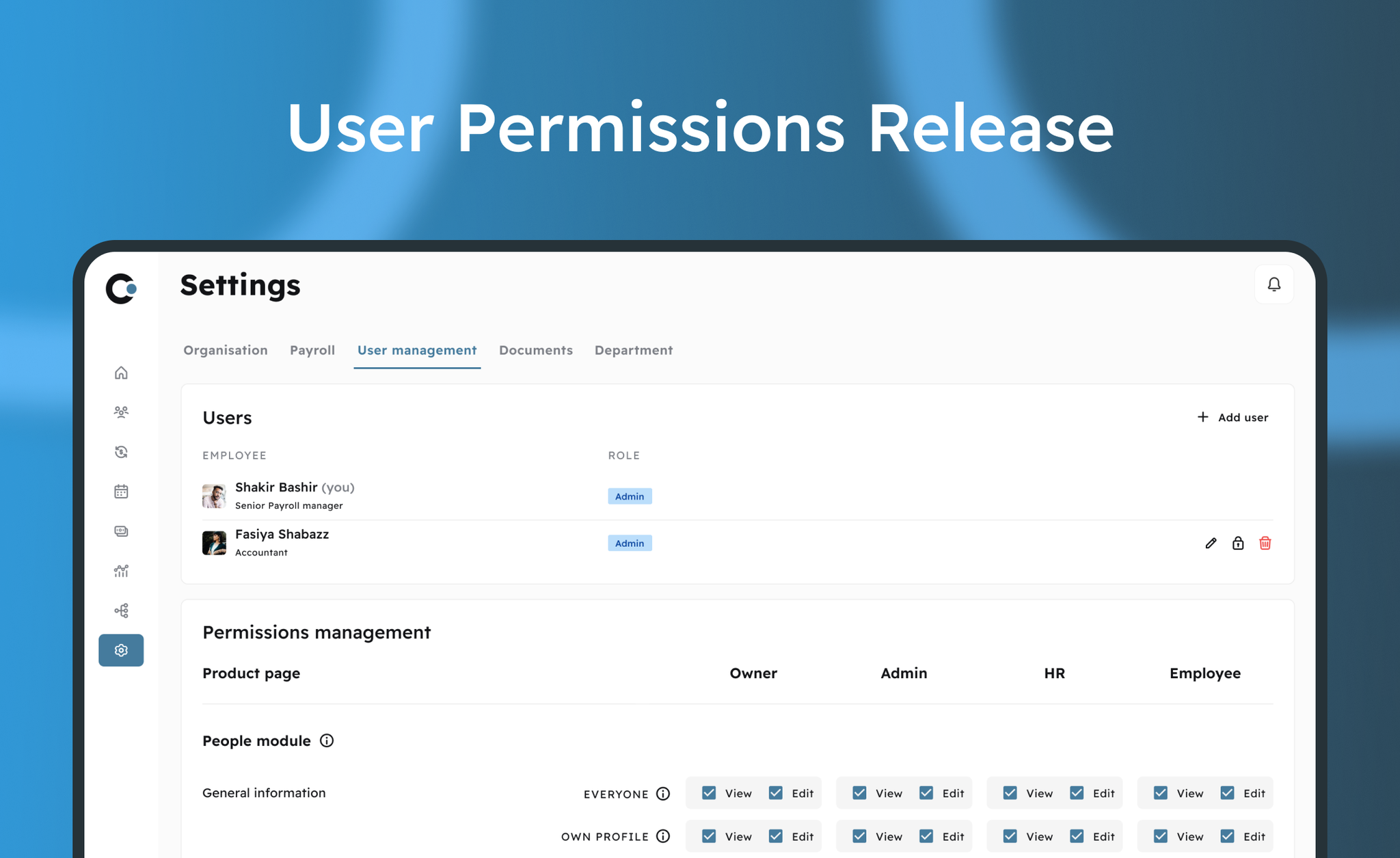
We are excited to announce a comprehensive overhaul and new version of our roles-based access system, designed to accommodate our ongoing expansion and commitment to maintaining high-level enterprise security.
What are the enhancements
  • Have the ability to create new custom roles or edit your pre-configured default roles; By default we have Admin and Employee with pre-defined permissions
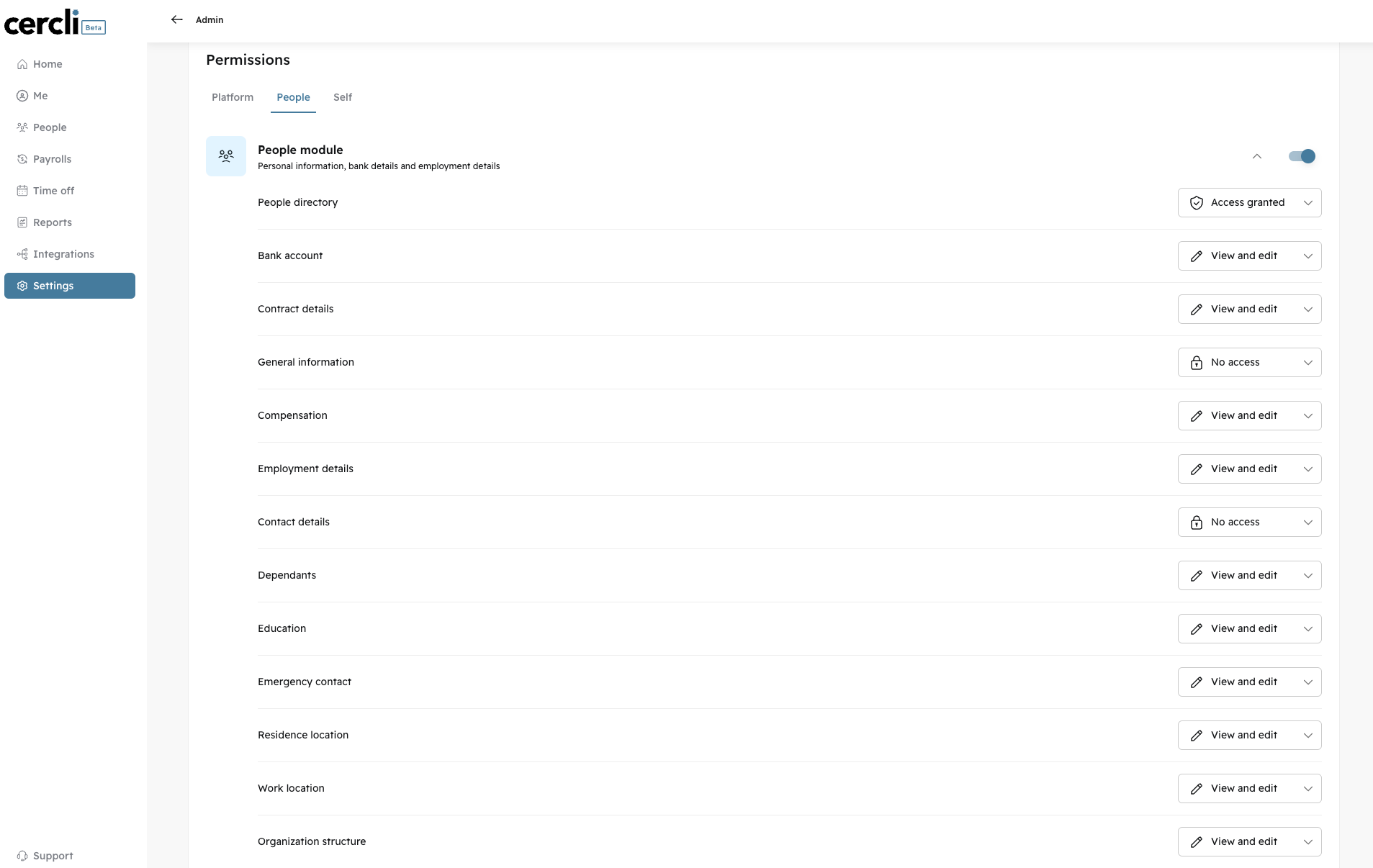
  • Define granular permissions to control access and manage what’s visible in user profiles, platform level permissions as well as for the rest of people in the platform;
  • Limit roles to certain sections or modules of the platform.
  • Limit roles to only allow access to users’ own profiles, their direct reports, a custom group (department or location), or provide company-wide access (any profile);

Why this matters

We've revamped our built-in roles in response to customer feedback and improved their functionality to achieve the highest possible level of enterprise access.
With this update, you'll have the flexibility to create custom roles or modify our existing ones, equipping them with specific permissions tailored to the distinct requirements of your team members, entities, or organizational structure.

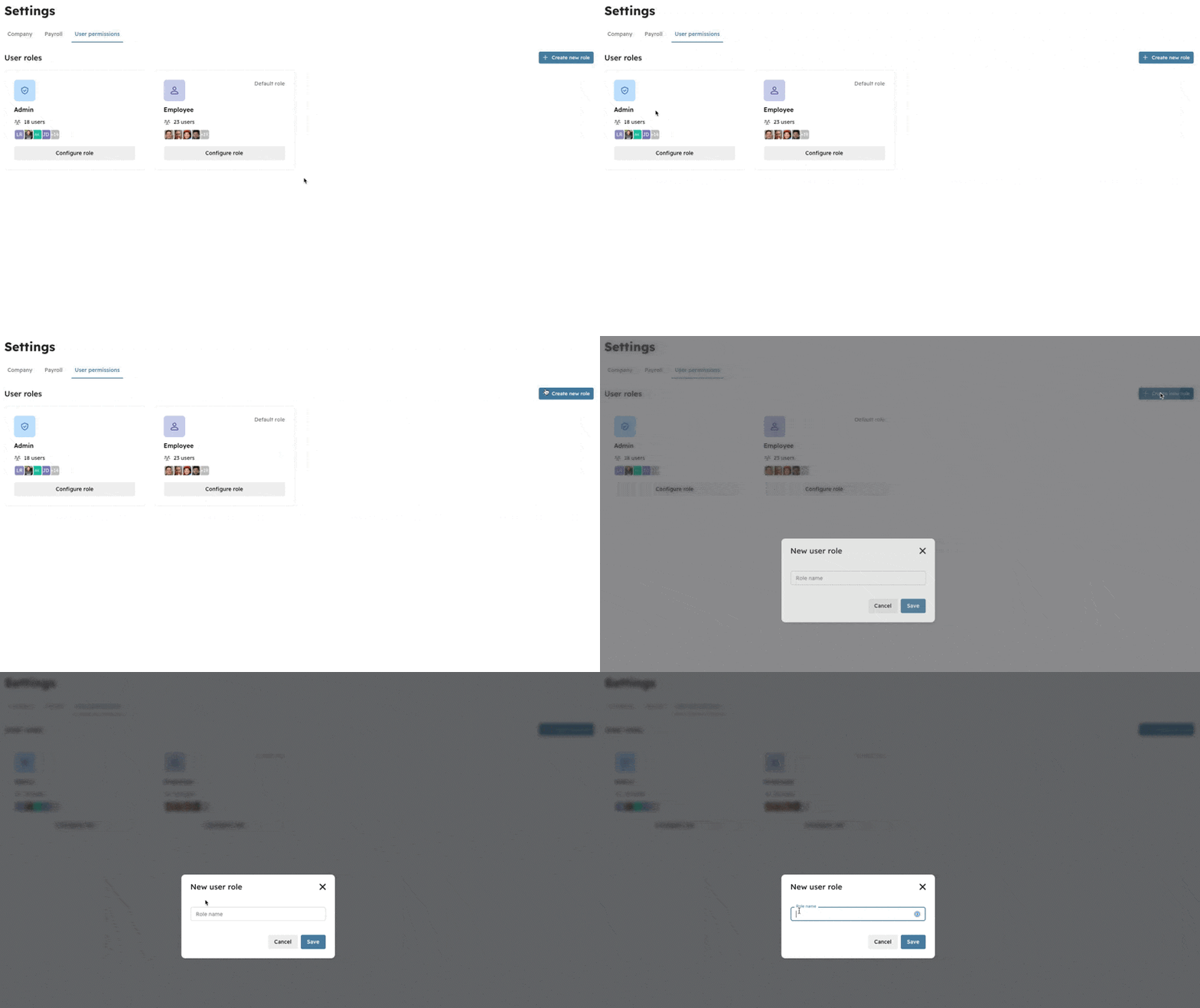
Create custom role

Ability to create custom roles based on your needs.
Image without caption

Assign users to a role

You have the ability to allocate any role with custom permissions to platform users, whether they are current direct employees, contractors, or super users.
Image without caption

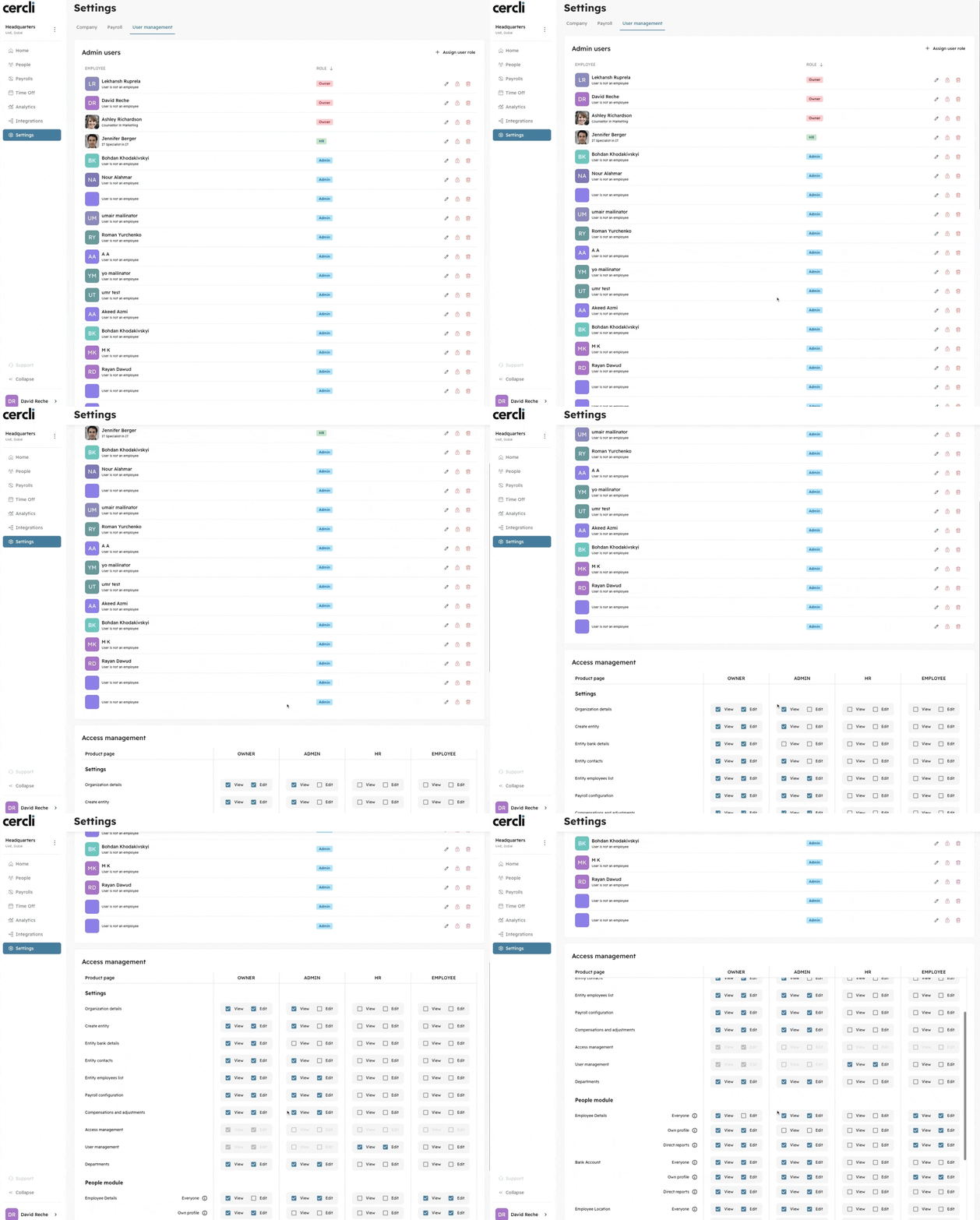
Permissions

Granular permissions per module, platform and user profile level.
Image without caption

📝
v2.1.0
Enhancement
2 years ago

New in Reports: Added new fields in people summary report

We've enhanced the people report summary to offer more detailed fields regarding team member information, including their names, bank details, and visa information. Below are the additions:
  • First Name
  • Last Name
  • Bank Details
  • Ministry of Labour ID
  • Visa Company

New in Payroll: The payroll report includes

  • Net Pay: The total amount of net pay received by the individual.
  • Exchange Currency Rate: The applied foreign exchange rate.
  • Converted Net Pay: The net pay amount after applying the foreign exchange rate.
  • Entity Currency: The primary currency used by the legal entity.
Additionally, we've introduced a new sheet titled "Billing Section" to provide comprehensive details on the current payroll billing.
Image without caption

🏦
v1.4.1
Feature
2 years ago

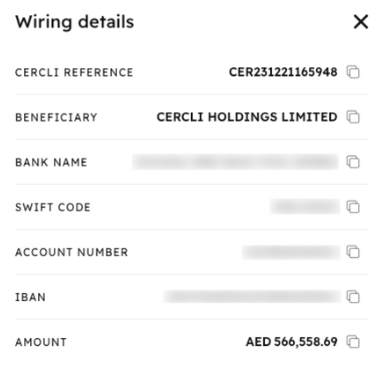
Wiring Details

Image without caption
After the approval of a payroll, we have simplified the process for obtaining the necessary wiring details, ensuring a seamless and efficient payout process.
Image without caption

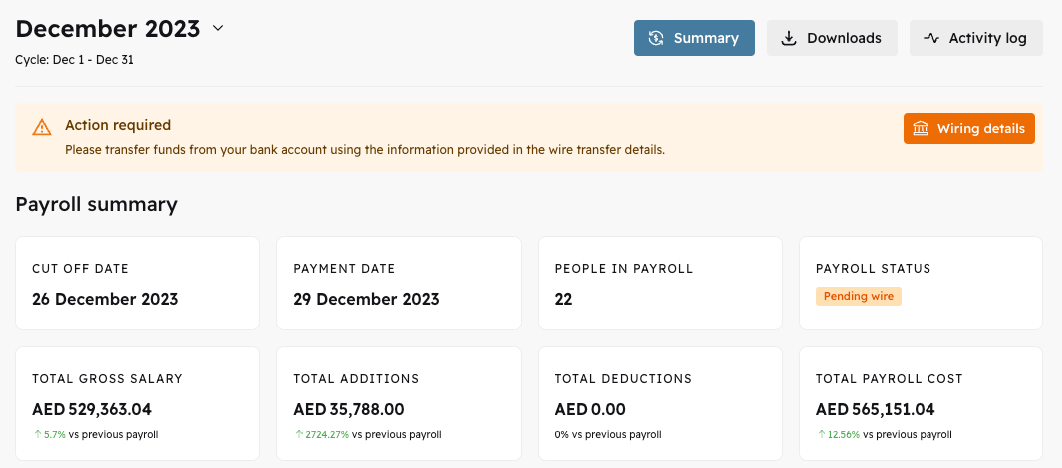
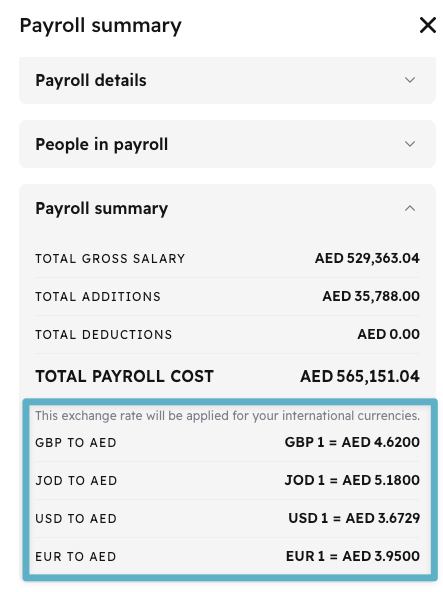
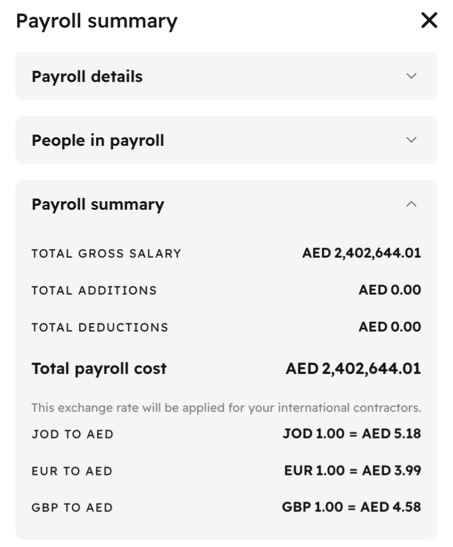
New Payroll Summary Details

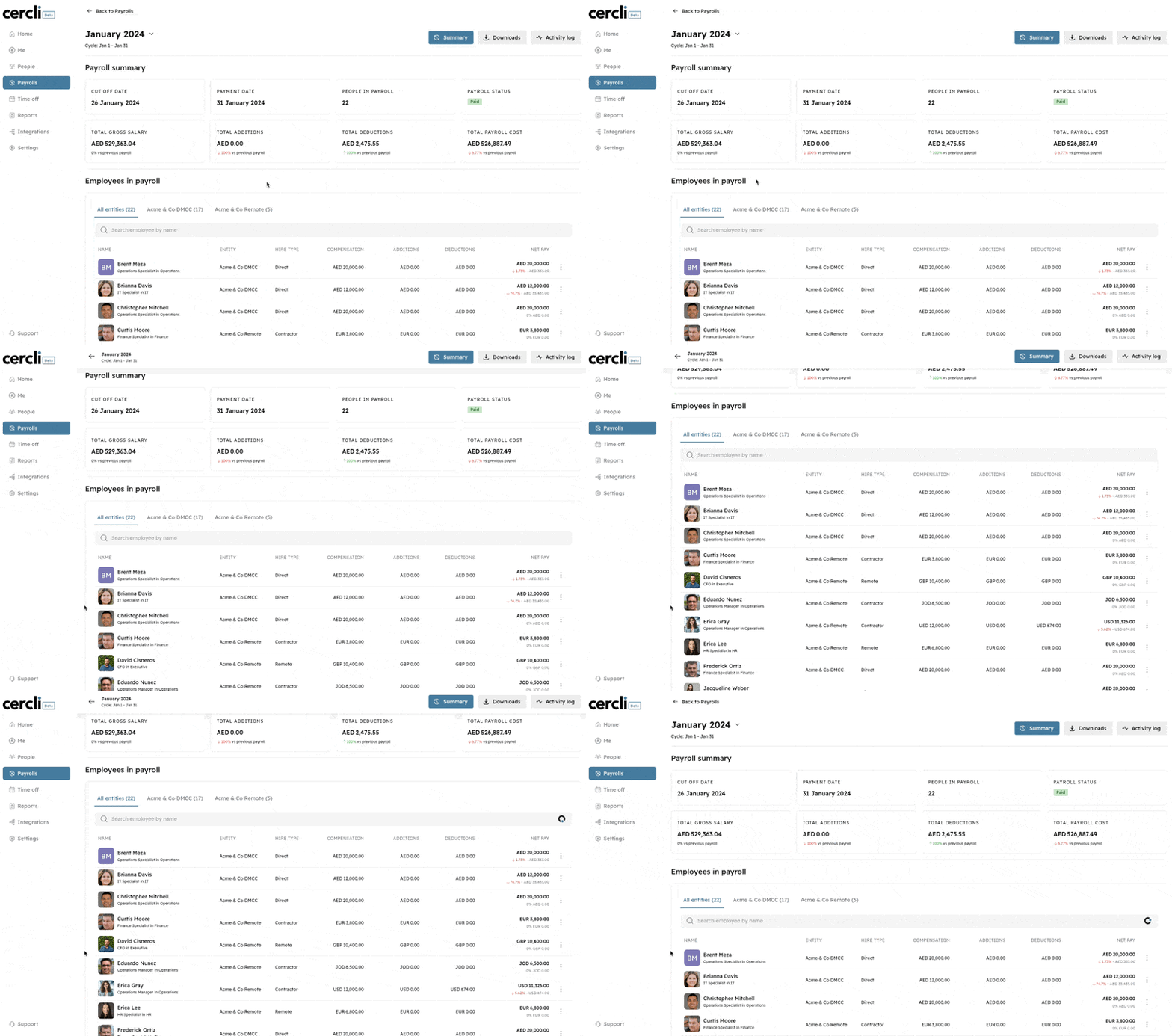
The redesigned payroll summary page now offers a comprehensive view of all your payroll information. It allows you to easily review the details for each entity, observe the various currencies utilized, and understand the applied currency exchange rates, all consolidated in one convenient location.
Image without caption

🌎
v2.0.0
Major Release
2 years ago

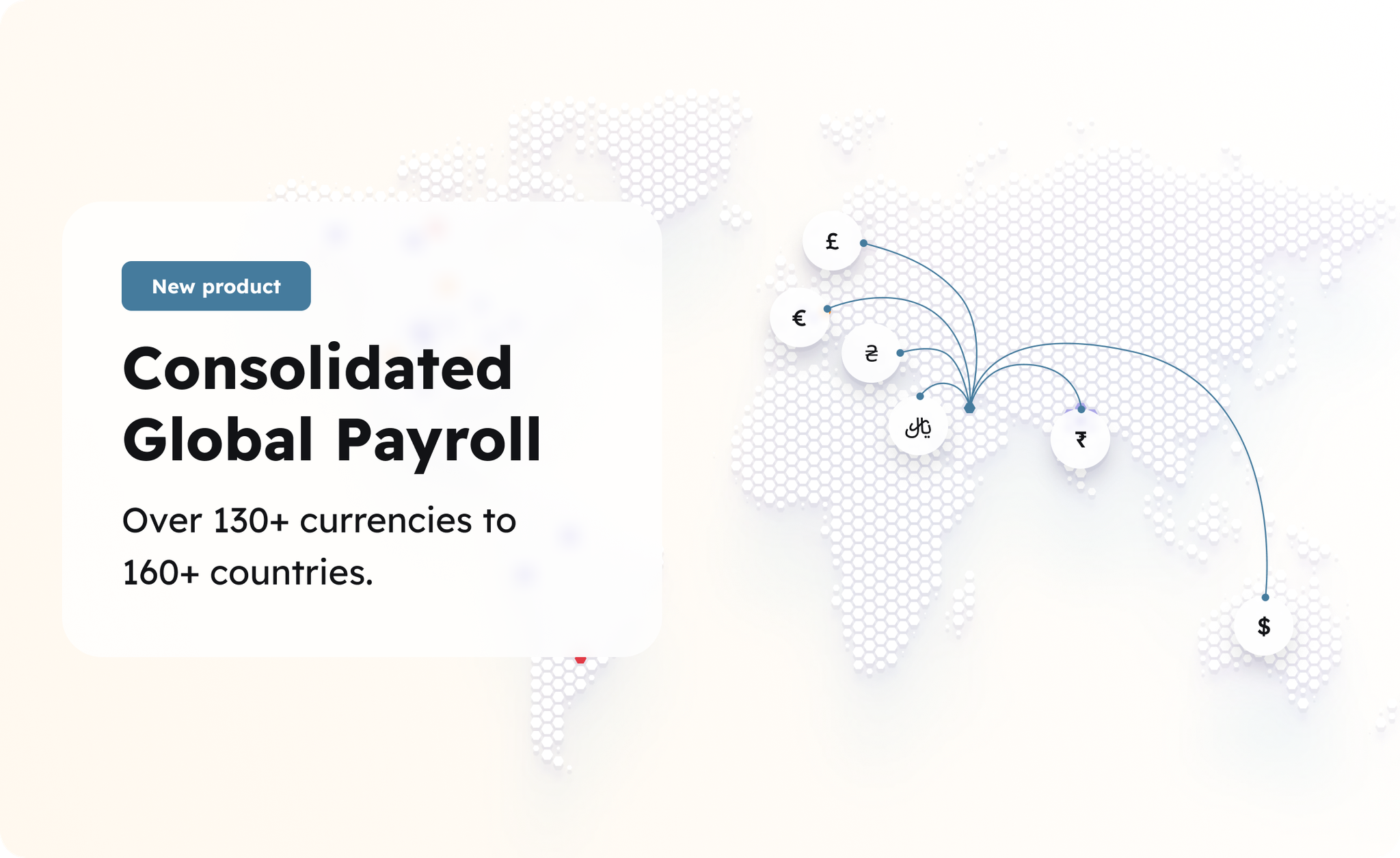
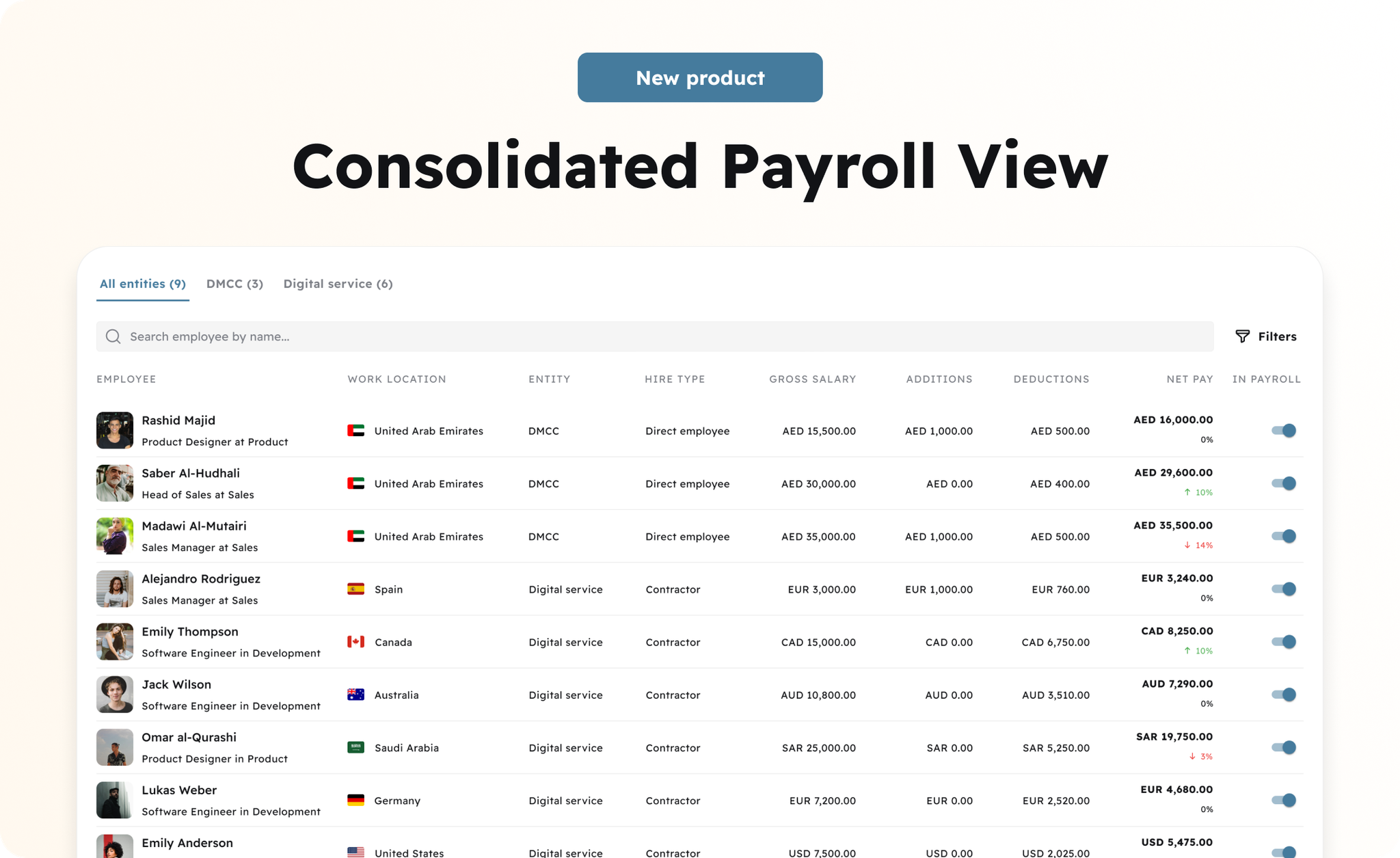
⭐  Hire and Pay local and international payroll in one-click

Consolidate your multi-country payroll all in one platform. Onboard and pay people in 160+ countries and stay compliant.
Image without caption
We believe that great talent is everywhere and companies in MENA shouldn’t need to manage team members across multiple platforms. Now you can hire, manage, and pay contractors and full-time employees in 160+ markets across the globe all within the same platform that you use to pay your local employees! Gone are the days of painfully reconciling payroll data across multiple platforms every month, updating individuals’ personal information, managing pension and benefits by market, and processing multiple bank transfers for each set of team members.
For contractors, we manage the contracting and invoicing process from end-to-end. We work with best-in-class global payments partners to ensure that payments arrive quickly and without hidden fees or exorbitant exchange rates.
For employees in countries where your company doesn’t have a legal presence, we offer an Employer of Record (EOR) solution to ensure that you’re hiring and paying employees in compliance with local laws.
Whatever your hiring needs are, your team’s data will be stored and managed in one secure and easy-to-use platform with all of your payroll covered by a single bank transfer each month. One single source of truth for all your international teams.
Image without caption

👥
v1.4.0
Enhancement
Fix
2 years ago

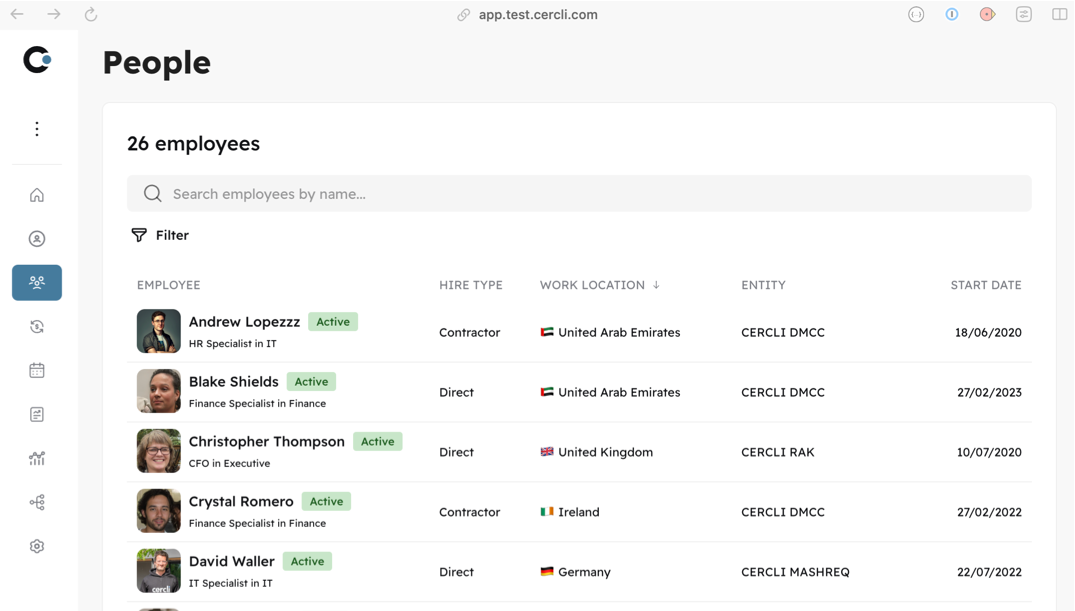
New Hire Type Filter

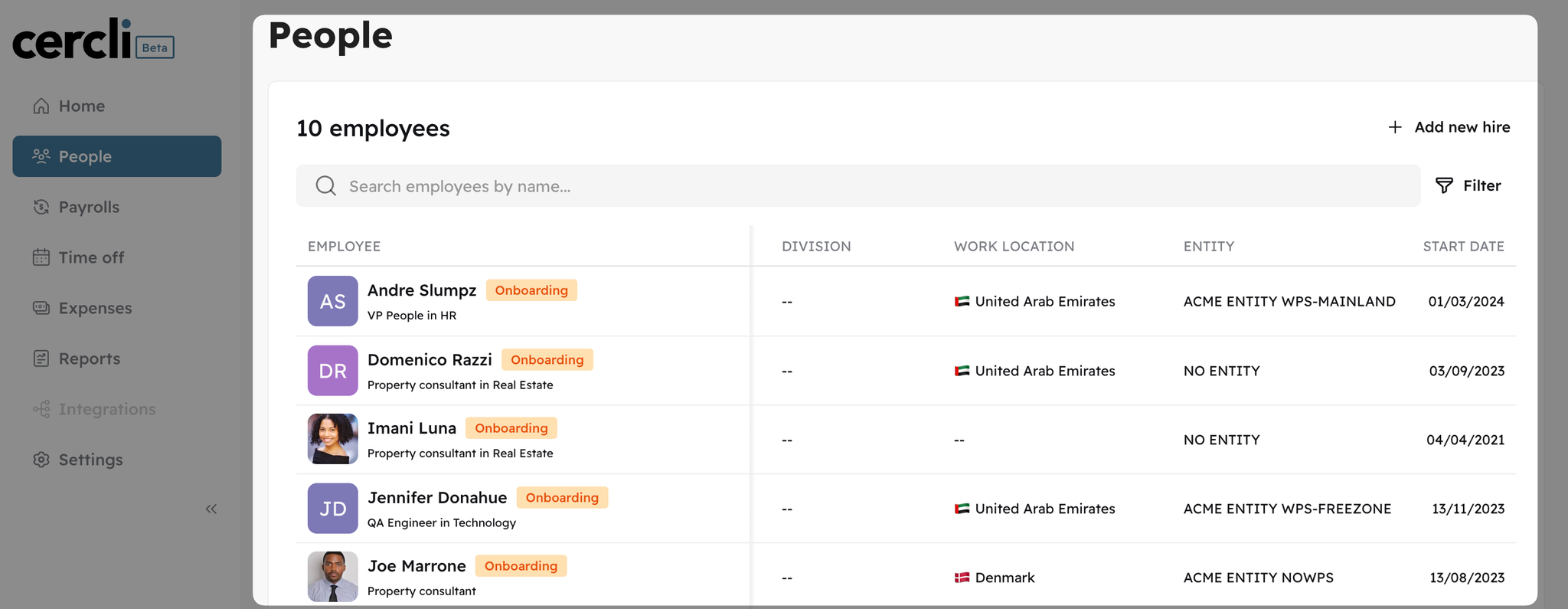
As we have expanded the types of employees that you can onboard in the platform, we have added a new filter in People listing, the Hire Type which defines the type of employment relationship as it can be a Direct Employee, Contractor or EOR

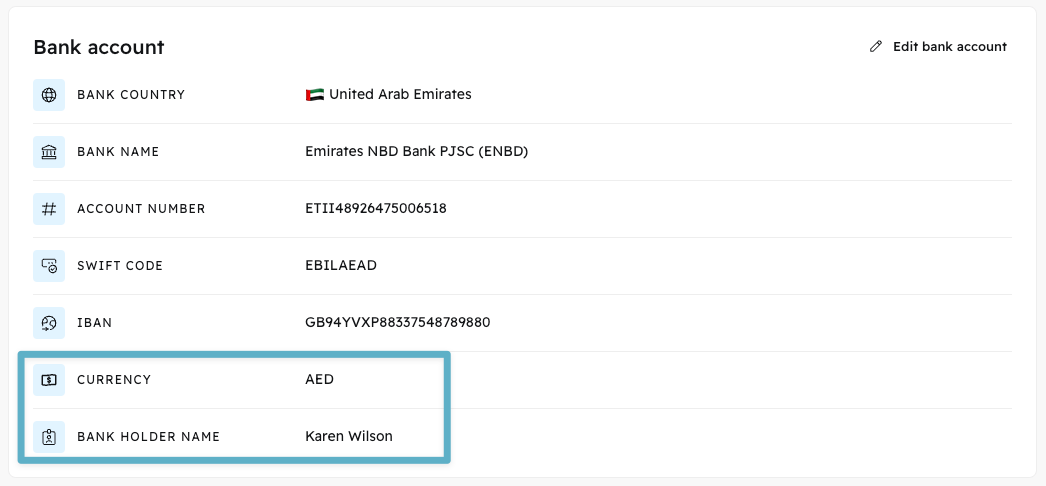
New fields in Bank Details

To ensure a proper disbursement process, we have introduced new mandatory fields in the Bank Details section. These include the Currency of the bank account and the Bank Account Holder's Name. These fields are essential and must be completed in order to process payroll payouts.
Image without caption

💼
v1.3.3
Enhancement
2 years ago

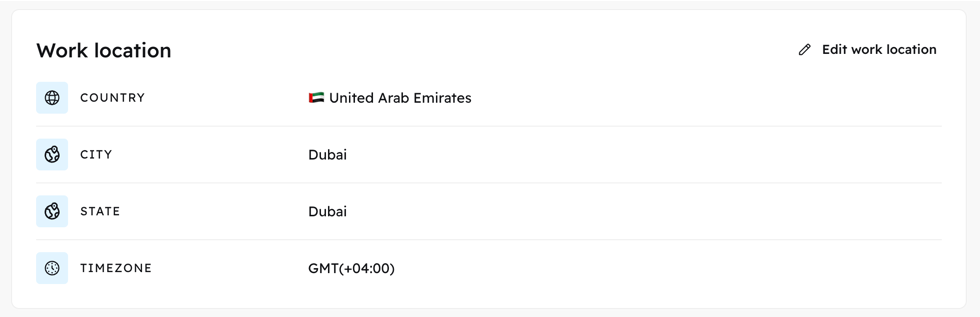
🌎 Work Location

To streamline the management of your global teams, we've introduced the work location into your employment details and team summaries. This enhancement will assist you in identifying the geographical locations and time zones of your team members.
Image without caption

💼 Hire Type

Added a new field for each team member to specify their employment status, distinguishing between Direct Employee, Contractor, or Employee of Record.
Image without caption

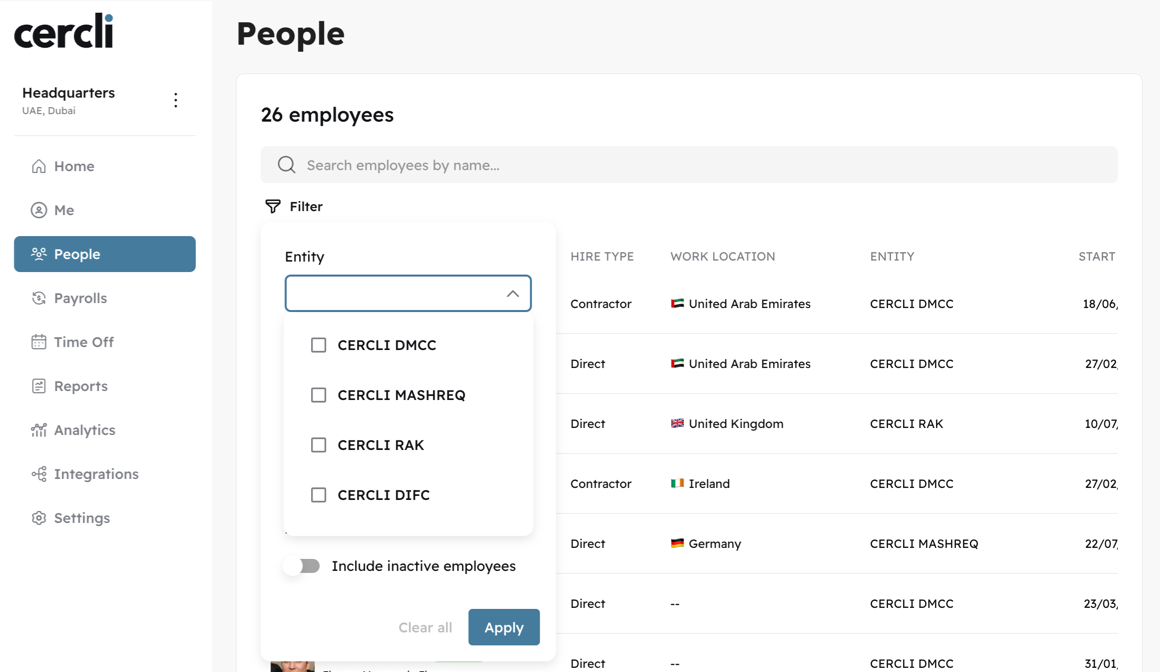
⚡ New Entity filter in People listing

Introduced a new filter feature to categorize team members according to their respective entities.
Image without caption

💱
v1.3.3
Feature
2 years ago
Image without caption
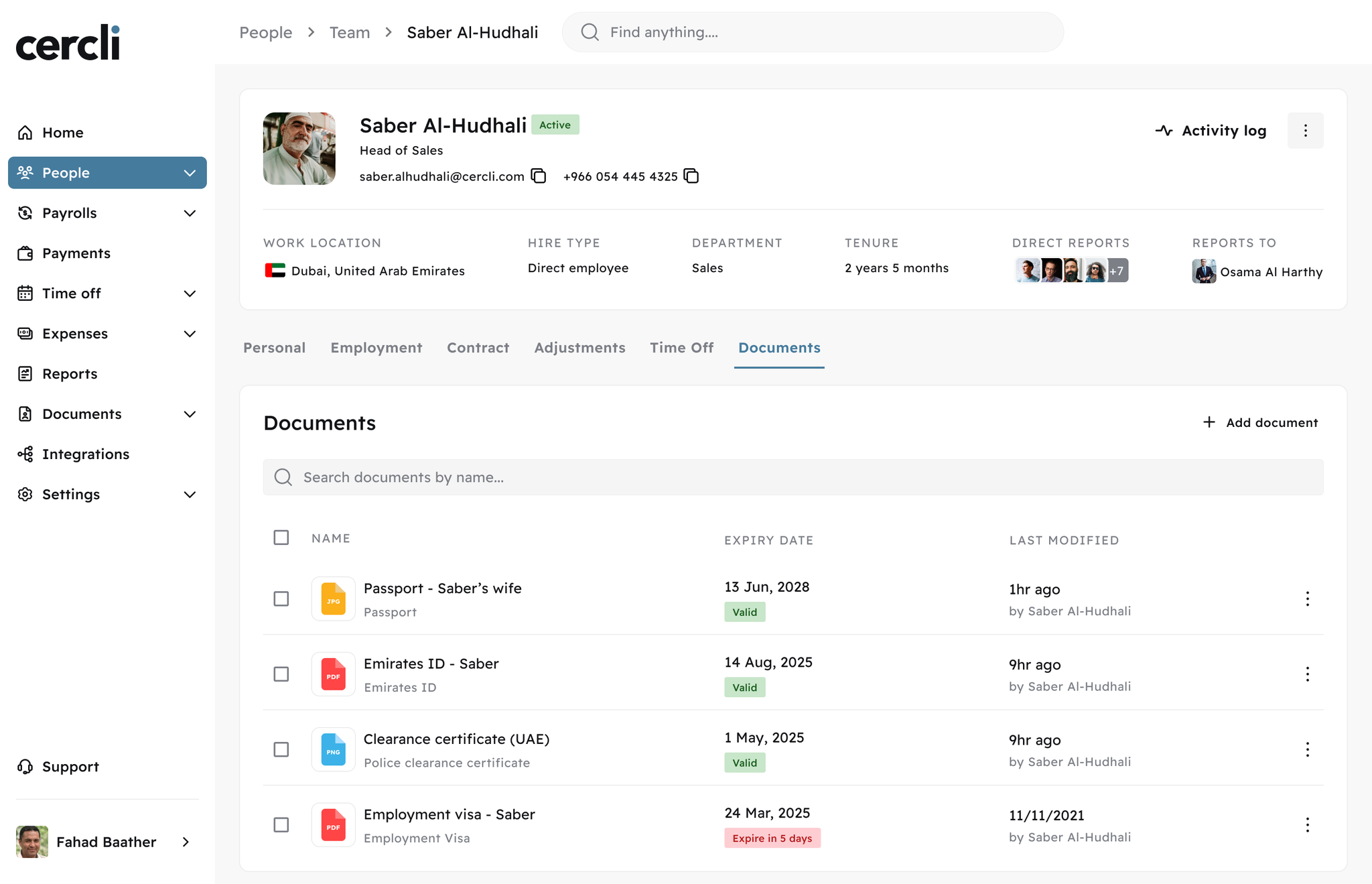
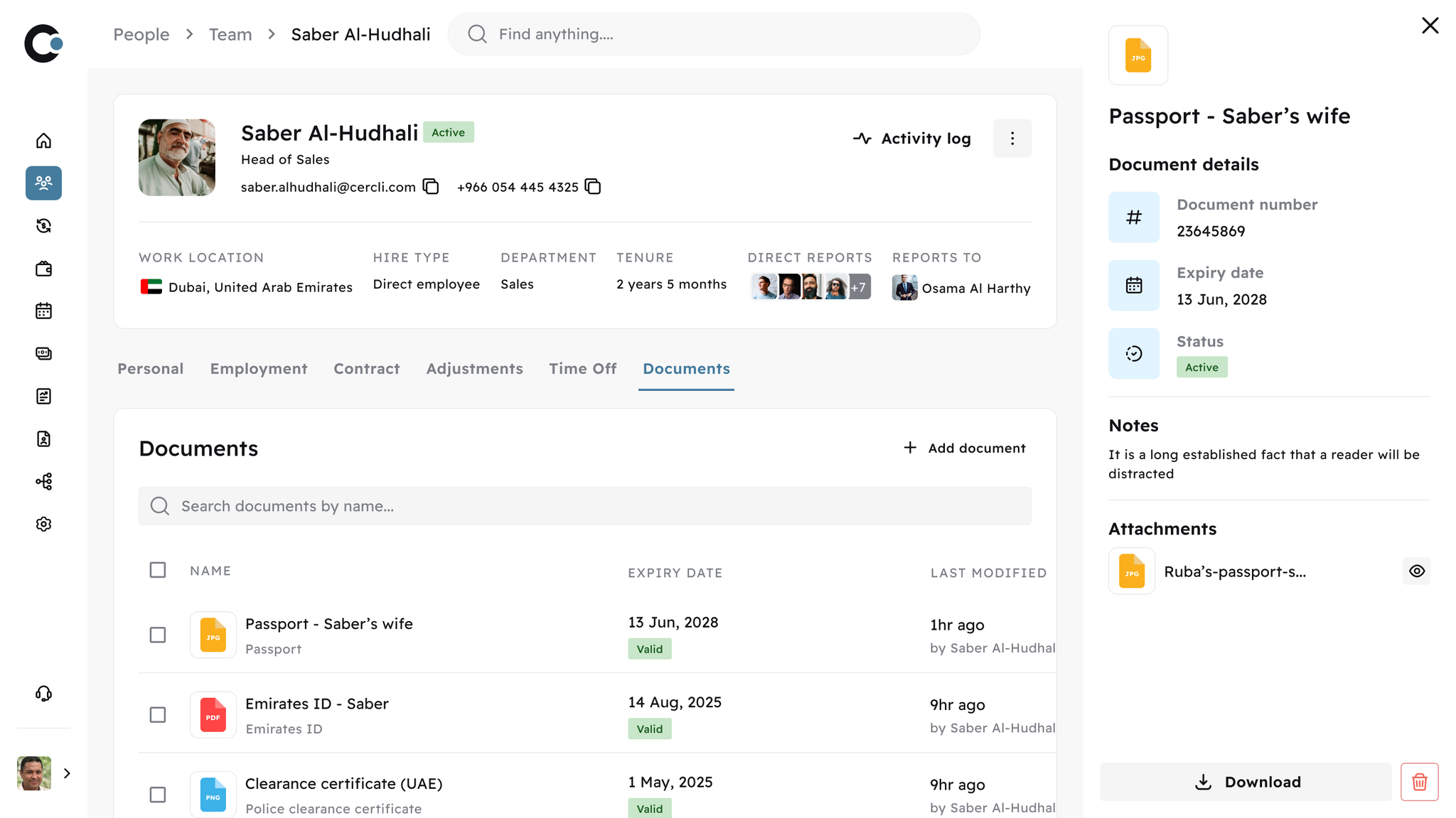
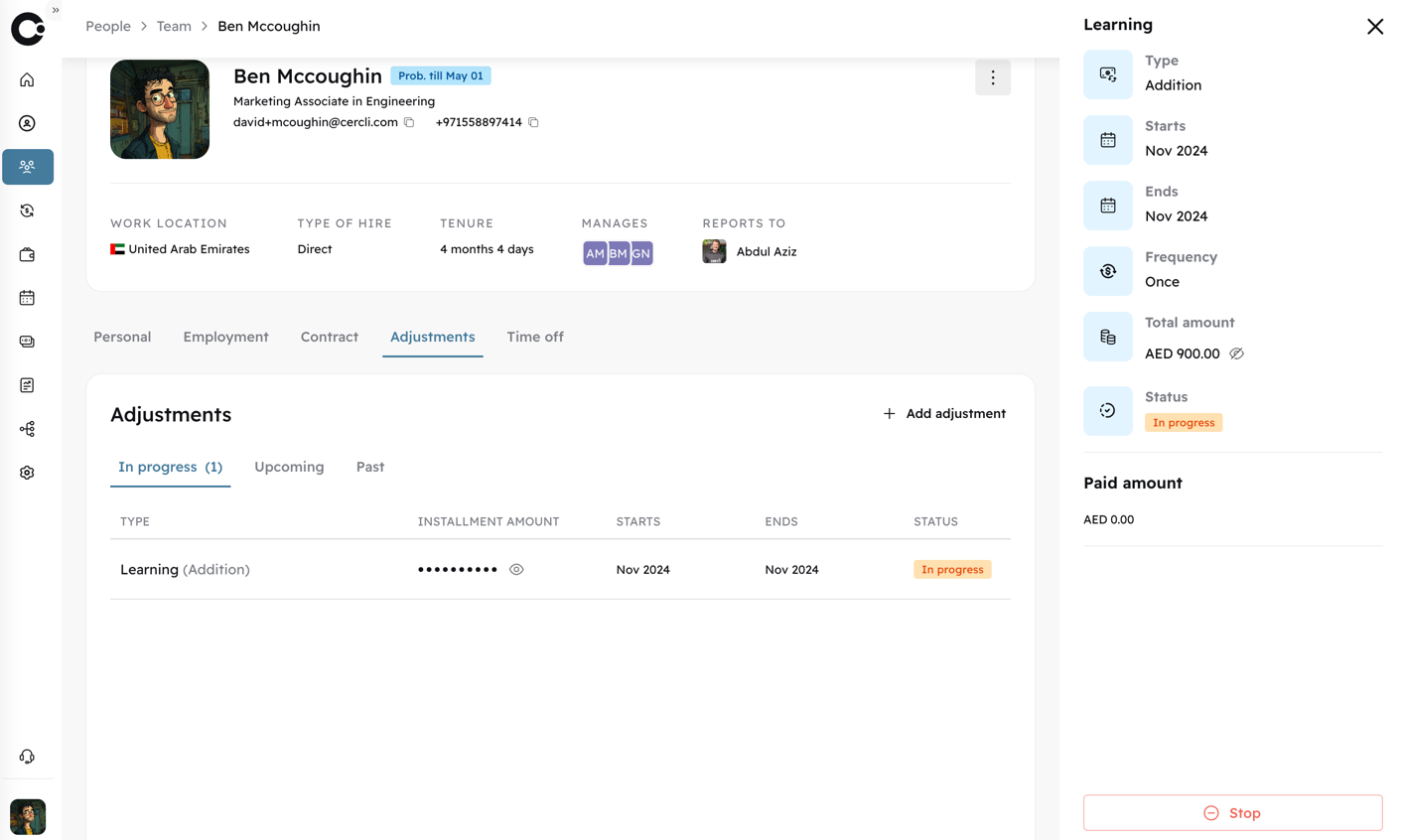
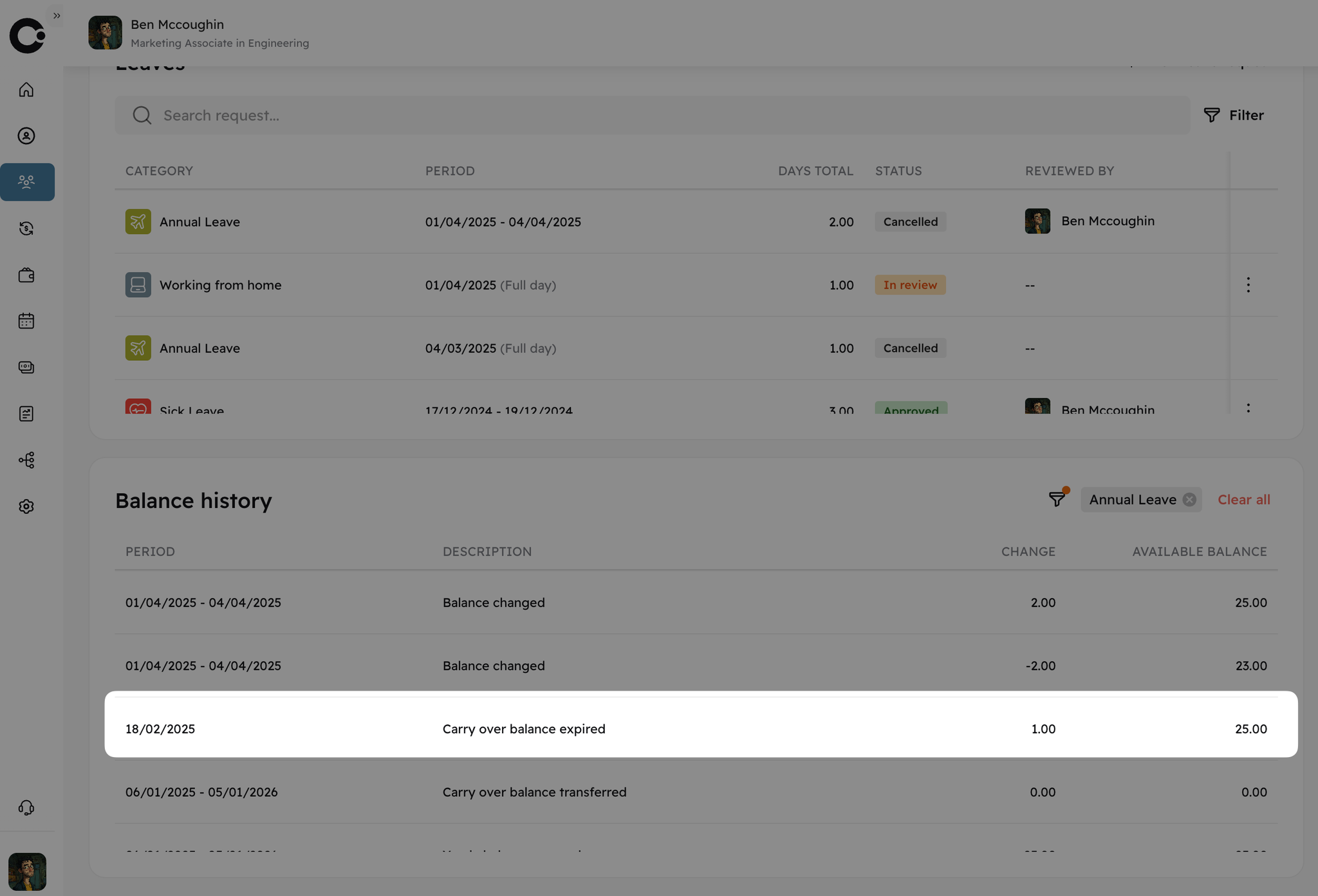
We are thrilled to announce a significant update to our payroll platform that will transform your global payment operations. Understanding the complexities of managing international teams, we have expanded our platform's capabilities to include multicurrency support for over 160 currencies.

Multicurrency in Compensation

New ability to configure your team compensation with the possibility to choose over 160+ currencies.
Image without caption

Multicurrency Payroll

Multicurrency native support in the payroll module with real-time forex rates for your full visibility and transparency.
Image without caption
Payroll Summary
Comprehensive payroll overview featuring your team's currencies and the applied foreign exchange rates.
Image without caption

v1.3.2
Major Release
3 years ago

🧑‍🏫 New Education & Dependents

Image without caption
We have introduced two new sections in the People module to enable employees to record their educational information within their profiles.
Image without caption
The "Dependents" section enables your employees to add information about their direct dependents and consolidate all relevant details within a single repository. We have simplified the process for you to distinguish between sponsored and non-sponsored dependents.

📍Redesigned Location Information

We have added new fields to the 'Residence Location' section to provide a complete and detailed view of the employees' location-based information, which will help you quickly visualize details such as time zones.
Image without caption

📄
v1.3.2
Feature
3 years ago
Image without caption

📄 New reports module available!

The Reports module enables your organization to generate and export real-time, predefined reports from various sections of the platform.
Initially, the module will launch with three predefined reports:
  • People Summary: Offers a snapshot of your workforce data, which can be refined by date or other relevant filters.
  • Time Off Balance: Shows the available leave balances for selected employees, with filtering options including date and other criteria.
  • Time Off Requests: Lists employee leave requests within a specified date range.
Currently available export formats include:
  • CSV
  • XLS
  • XLSX
We look forward to expanding our report offerings based on your invaluable feedback.
Image without caption

🌴
v1.3.1
Feature
3 years ago
Image without caption
🆕 We just release two new areas on the Time Off Module! Balances: Access to all your leave balances up to date for you and your team, you can check in detail the what’s the balance for each Time Off Category and get the details for your balances as well. Who’s Away: you will have the ability to check who is on leave in your team or organization at any point of time. There are three sections: People on leave in your organization/team, the upcoming leaves of your team as well as your upcoming leaves, all in one.

New Cercli Slack Bot
v1.3.1
Major Release
3 years ago
Image without caption
Don’t forget any notification, all your requests, approvals and information for Time Off in the newly release Cercli Bot. Time Off is only the beginning of our Cercli Bot functionality, right now you can check who is on leave, the status of your leaves as well as the balances and apply for a leave directly from Slack!

🌴
v1.3.0
Feature
3 years ago
Image without caption
One of the most-requested functionalities has arrived: Time Off v1.0! We’ve created a seamless and simple way to define your TimeOff categories as well as granular policies for each category. Admins can assign different employees to each individual policy, allowing for policies to be defined by team, entity or even country!

🏖️ Create Category

Image without caption

👮 Create Policies

Image without caption
To customize a TimeOff category we have added policies where you can define the exact policy as per your needs and the ones for your team. There are 3 steps to configure a policy:
  • Add basic information
  • Configuration
  • Assign employees to the policy
Image without caption
Type of working days: We support multiple configuration types for working days (calendar days, working days or business days) Assign date: The date from which the policy will start.
Accrual type (full or prorated): The definition for when the allowance will be granted to the employee.
Accrual frequency: The frequency of which the allowance is granted. Allowance: The number of time off days granted by the policy. Carryover: The days that will be carried forward to the next period; typically this would be year-to-year.
Image without caption

🔐
v1.3.0
Major Release
3 years ago
Image without caption

New user permissions and roles

With the introduction of user permissions and roles, you will be able to configure the granular access for your different roles so you ensure that certain persons in your team have more access than others. You can assign 4 types of roles right now: - Owner - Admin - HR - Employee That’s not all, you can also define what will happen with their Direct Reports, with his/her own profile and everyone else so you can define different behaviors for all of them. More improvements in this section coming soon! 🚀
Image without caption

📱
v1.2.0
Major Release
3 years ago

🎆 New mobile and tablet responsive version of Cercli!

The whole platform is accessible from your mobile device through our new responsive website, you have the exact same functionality from your mobile device. Each and very section is accessible from the mobile or tablet version every time you open if from those devices, even payroll!
Mobile Responsive 1
Mobile Responsive 1
The full employee profile is available from the responsive site.
Mobile Responsive 2
Mobile Responsive 2

🌍
v.1.0.0
Major Release
3 years ago
This journey is going to start:
print('Hello, world!')

v1.1.0
Major Release
3 years ago
New month, new updates! This month we focused a lot in improving current modules.
  •  👩‍💻 New Employee Status: We have a new status per Employee depending on if it is Terminated or Active.
Employee Status
Employee Status
  • 🌍 Multinationality: We added the possibility to add more than one nationality.
Multinationality
Multinationality
  • 👨‍💼 Employment People Partner: We have added People Partner for the employee.
People Partner
People Partner
  • 💍 Marital Status: New field on Personal Information where you can set up your Marital status as per your choice or leave it empty.
Marital Status
Marital Status
  • 🧰  Working Days: We have included working days in your contract details, easy to configure.
Image without caption
Edit working days
Edit working days
  • 🆓 Freezone picker: We added the localized list of UAE Freezones in order to select the right one for your entity, that will help apply the local regulations.
Image without caption
  • Probation period in Employee Contract: We added the possibility to define a probation period that will carry many rules in the platform
Image without caption
  • 💰 Payroll Selector: Now you can select previous and upcoming payrolls directly from the payroll section when you have selected a payroll
Image without caption

⚧️
Feature
3 years ago
New section to define the Marital Status in your teams. We are enhancing and adding many more sections and attributes to your teams to allow you to have a full comprehensive view.
Image without caption

🌐
Major Release
3 years ago
We went live with our first landing page…yes, It is real. Enjoy 😊
Image without caption
Give it a try here ! 🚀

🏢
Feature
3 years ago
We are so excited to present one of our product backbones. Supporting multi entities within an organization and multi entity payroll. MultiEntity functionality will allow you to configure all different entities and companies that you would be related to with all their employees taking into the account full compliance and regulations.
MultiEntity fully supports payroll in its full functionality having in mind all the different nuances, some examples are:
  • The different regulations for WPS and NON-WPS entities
  • The assigned bank in each entity and its own format
Image without caption
👉 All Entities support their payroll requirements and are immediately available post payroll submission. In just a click you can get ready all the salary files directly in Cercli from all your entities.
Image without caption

🏦
Fix
3 years ago
We have redesigned how you can search and select your preferred Banks fully localized for UAE, you can automatically select/search your favorite bank and we will provide automatically SWIFT details. This has been released in Entity configuration as well as Employee profile.
Image without caption

📄
1.83.0
Feature
27 days ago

Overview

One place for every document.
Upload company policies, control who can see them, and track every employee's document status in one place. No more juggling between profiles to find what's missing.
How it works:
  • Upload and manage company documents and policies directly in Cercli
  • Set visibility to public or private per document
  • View all employee documents across the org without navigating individual profiles
  • Instantly see what's been submitted, what's missing, and who needs a follow-up

Who Benefits

  • Team Members: Company policies are visible in one place. No more asking HR for a copy or digging through old emails.
  • HR Admins: See every employee's document status across the org in a single view. Upload policies, set visibility, and know exactly what's missing, without opening a single profile.
  • Managers: Access documents relevant to their team without wading through everything else.
Powered by Notaku